DeepSeek Harness install: npx vs global vs desktop app
There are three ways to get DeepSeek Harness itself: npx with no install, npm install -g for a permanent global command, and a desktop app with its own runtime (source). This is not a step-by-step guide to one path but a side-by-side comparison: what each path is, how they weigh across five dimensions, and which one fits which scenario.
Overview: the three DeepSeek Harness install paths in one table
Remember the one-line difference: npx leaves no trace, global stays put, desktop bundles its own environment. Comparison:
| Dimension | npx (no install) | Global install | Desktop app |
|---|---|---|---|
| Trigger / entry | npx @deepseek-ai/dsh web | dsh web | double-click the app icon |
| Writes to system | no | PATH plus global deps | installs a standalone app |
| Version freshness | latest every run | manual update | app checks for updates |
| Bundled runtime | no, uses system Node | no, uses system Node | yes, Node / pnpm / Python |
| Typical use | one-off trial | daily in a terminal | always-on desktop software |
Once the table clicks, the comparison and the selection below follow naturally.
What each DeepSeek Harness path is: no-install, global, and a standalone client
- npx, no install —
npx @deepseek-ai/dsh webfetches and runs DeepSeek Harness on the fly without writing to PATH, then leaves nothing behind (source). Expected: you reach the UI without installing anything. Details: How to use npx @deepseek-ai/dsh web. - Global npm install —
npm install -g @deepseek-ai/dshinstalls thedshcommand into a global location and adds it to PATH, so any directory can rundsh web. Expected:dsh --versionprints a version. Steps: Global dsh install. - Desktop app — download the installer from the official site for a standalone client whose UI loads over an in-app protocol and that bundles Node, pnpm, and Python runtimes (source). Expected: double-clicking the icon opens the UI. See DeepSeek Harness desktop download.
Head-to-head: five dimensions to weigh across the three DeepSeek Harness paths
Of the five dimensions, only two really drive the choice—whether it should stay installed and whether your network is restricted—and the rest follow.
| Aspect | npx | Global install | Desktop app |
|---|---|---|---|
| Setup speed | download first, slowest | install once, then fastest | install once, then fastest |
| Version freshness | always latest, no upkeep | manual npm update -g | update inside the app |
| System footprint | zero residue | one dsh command | an app plus a bundled runtime |
| Offline / intranet | mostly unusable | needs a mirror or bundle | largely self-contained |
| Update path | inherently latest | one command | in-app update |
A few notes:
- Version freshness: npx takes the latest npm version on every run and never falls behind; a global install only upgrades when you run
npm update -g @deepseek-ai/dsh; the desktop app uses its own update channel. - System changes: npx writes nothing to PATH, which suits zero-trace scenarios; a global install leaves one command, removed with
npm uninstall -g @deepseek-ai/dsh; the desktop app adds a bundled runtime, costing disk but saving environment setup. - Offline / intranet: both npx and a global install pull packages over the network and fail on a pure intranet; the desktop app is largely self-contained once installed. See Offline install and intranet deployment.
- Data location is identical: whichever path you take, sessions, settings, and credentials land in the same
$DSH_HOME(default~/.dsh), so switching paths does not mean re-configuring models; only the executable layer and the plugin profile differ.
How to choose a DeepSeek Harness install path: one-off trial, daily use, or a restricted network
Match the scenario rather than chasing "the best"—the three paths exist for three kinds of users.
- Just trying it → npx. One
npx @deepseek-ai/dsh webruns it with no trace. Expected: the UI in minutes, nothing left behind on exit. - Using it in a terminal every day → global install. Install once, then
dsh webstarts instantly anddsh pluginis easy to script. Expected: both plugins and commands can be scripted. Full path: Complete install guide. - Always-on desktop software without environment setup → desktop app. The bundled runtime removes Node / pnpm / Python configuration. Expected: double-click and go, zero environment work.
- Intranet or restricted network → offline distribution, never npx. Expected: it installs without internet.
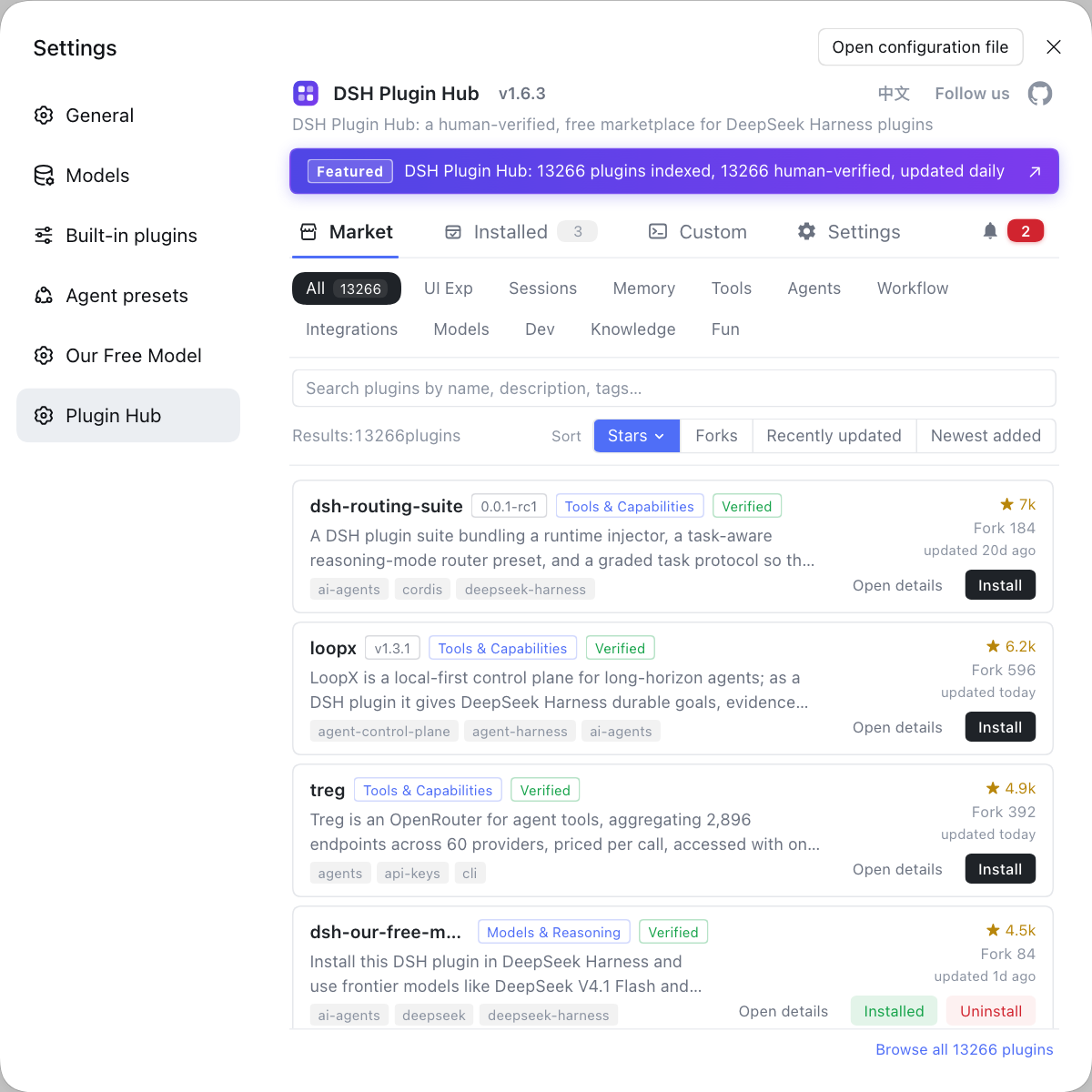
Whichever path you take, extending DeepSeek Harness afterward happens in the same place: search, install, and compare plugins at DSH Plugin Hub, since the plugin system is independent of how you installed the app.
Notes on installing DeepSeek Harness
- npx downloads every time: the price of no-install is a slow first start, obvious on a poor network, so do not make it your daily entry point.
- Watch your Node version for a global install: it uses the system Node, and too old a version hits environment trouble first, so confirm Node and the package manager work beforehand.
- The desktop app does not take commands: its profile is its own and the CLI does not drive it, so install plugins in the matching environment.
- Do not reconfigure data: all three paths share one
$DSH_HOME, so no migration is needed when switching, but check scope before cleaning it. - Updates run on two tracks: updating the app (npx / global / desktop differ) and updating plugins (all via the marketplace) are separate concerns.
Sources: dsh CLI README, npm - @deepseek-ai/dsh, DeepSeek Harness desktop README
FAQ
The core difference is whether it is installed into the system and who provides the runtime: npx runs without installing and pulls the latest each time, npm install -g puts dsh on your global PATH for good, and the desktop app is a standalone client with its own Node, pnpm, and Python runtimes. Their entry points, update paths, and system footprint all differ, so start from whether you use it occasionally or daily.
For a one-off trial use npx: npx @deepseek-ai/dsh web runs without installing and leaves nothing behind in your system. It pulls the latest version from npm each time and needs no cleanup, at the cost of a slower first start while it downloads.
It does not touch your projects, but it does leave a dsh command in the global node_modules and on your PATH. Dependencies you install per project are unaffected, and data lands in one place at $DSH_HOME (default ~/.dsh); use npx to leave no trace, or npm uninstall -g @deepseek-ai/dsh to remove it entirely.
Do not use npx on a restricted network; switch to an offline bundle or an internal mirror. Both npx and a global install pull packages over the network and fail on a pure intranet, so follow the official offline and intranet distribution path with a local registry.
npx needs nothing—every run is the latest; a global install is one npm update -g @deepseek-ai/dsh; the desktop app checks for updates itself. Once DeepSeek Harness itself is installed, plugins update from the marketplace, a separate track from updating the app.
Related Terms
- npx (no-install run)
- npx is the executor shipped with npm; npx @deepseek-ai/dsh web fetches and runs DeepSeek Harness on the fly without writing to the system PATH, taking the latest npm version on every run.— https://www.npmjs.com/package/@deepseek-ai/dsh
- npm install -g (global install)
- npm install -g @deepseek-ai/dsh installs the dsh command into a global system location and adds it to PATH, so you can call it from any directory; upgrade it with npm update -g @deepseek-ai/dsh.— https://github.com/deepseek-ai/deepseek-harness/blob/master/apps/cli/README.md
- desktop app (bundled runtime)
- The DeepSeek Harness desktop app is a standalone client wrapping the full dsh web app, bundling Node, pnpm, and Python runtimes; it is meant for local single-machine use, and its plugins live in its own desktop profile.— https://github.com/deepseek-ai/deepseek-harness/blob/master/apps/desktop/README.md
- $DSH_HOME
- $DSH_HOME is the DeepSeek Harness data root, defaulting to ~/.dsh, where sessions, settings, credentials, and plugins are stored regardless of how you installed it.— https://github.com/deepseek-ai/deepseek-harness/blob/master/apps/cli/README.md
Sources
- dsh CLI README· deepseek-ai
- npm - @deepseek-ai/dsh· npm
- DeepSeek Harness desktop README· deepseek-ai