DeepSeek Harness desktop: download, requirements, first run
The DeepSeek Harness desktop app comes from one official place: the site at deepseek.com/download, offering a macOS .dmg and a Windows .exe on the download.deepseek.com domain. It is an Electron shell around the dsh Web UI with Node.js and pnpm bundled in, so you do not install Node first.
This article covers where to download, which build to pick, and what first launch involves. For the command-line version (npx, a global npm install, or a source build), see Download and install DeepSeek Harness.
DeepSeek Harness desktop download: the official dmg and exe
The official entry points are the download page at https://www.deepseek.com/download/ and the Download for desktop button on https://www.deepseek.com/harness/; both serve the same installers from the download.deepseek.com domain (source).
| Platform | Installer | Notes |
|---|---|---|
| macOS | .dmg | Targets Apple silicon (arm64), requires macOS 13 or later |
| Windows | .exe | x64, requires Windows x64 |
Four steps to get the installer:
-
Open the official download page — visit https://www.deepseek.com/download/. Expect the page to detect your OS and show "Download for macOS", with a Windows entry below.
-
Check the download domain — the URL in your browser's download list should start with
download.deepseek.com. Expect a match, which confirms an official distribution point. -
Download the right file —
.dmgon macOS,.exeon Windows. Expect filenames likedsh-latest-macos-arm64.dmganddsh-latest-windows-x64.exe. Prefer direct links over clicking:sh# macOS (Apple silicon) https://download.deepseek.com/desktop/dsh-latest-macos-arm64.dmg # Windows (x64) https://download.deepseek.com/desktop/dsh-latest-windows-x64.exe -
Install and open it once — on macOS, open the
.dmgand drag the app into Applications; on Windows, run the.exe, where the wizard offers to launch it at the end. Expect the app in Applications or the Start menu, and a first launch that opens the app window rather than a browser page.
Updates are handled inside the app, see How to update the DeepSeek Harness desktop app.
DeepSeek Harness desktop system requirements: macOS 13 and Apple silicon, Windows x64
The official page states the requirements next to the buttons: the macOS build needs macOS 13 or later and targets Apple silicon, and the Windows build is an x64 .exe (source). Check four things first:
- Check your macOS version — Apple menu → About This Mac, confirm 13 or later. Expect older systems to need an upgrade before installing.
- Check your Mac's chip — the same panel lists Apple silicon or Intel. Expect the current macOS installer to target Apple silicon; the official page offers no Intel Mac installer, so Intel Macs should use the command-line version.
- Check your Windows architecture — Settings → System → About, confirm the system type is 64-bit (x64). Expect x64 Windows to work; ARM Windows is not a supported desktop release target.
- Check disk and permissions — install onto a local APFS volume on macOS and a fixed local drive on Windows, not a portable or network drive. Expect no failures caused by external volumes or permissions.
One structural point: the desktop app opens no listening Web port. Its interface loads over the internal dsh-app:// protocol, so 127.0.0.1:3080 in a browser will not open the desktop app (source).
DeepSeek Harness desktop first run: model setup and plugins
First launch needs no Node, pnpm or environment setup: the app ships its own Node.js, pnpm and Python distributions, and that Python includes numpy, pandas, python-docx, python-pptx and openpyxl, with office-docx, office-pptx and office-xlsx skills registered by default (source).
Four steps to get productive:
- Let the profile prepare — the main window shows a local startup page while the profile is created. Expect it to switch to the app interface on its own.
- Connect a model — open the in-app settings, pick a model and save an API key. Expect the model to be usable immediately after saving.
- Install plugins — open the built-in plugin market and install what you need. Expect a confirmation dialog before each install and the plugin listed under installed afterwards.
- Know where data lives — the executable layer sits under
$DSH_HOME/profiles/desktop(default~/.dsh/profiles/desktop). Expect sessions, settings and credentials to be shared with the command-line version, while packages,node_modulesand lockfiles stay separate.
If you want a real dsh command in your terminal, the app menu has a Manage dsh Command entry, covered in DeepSeek Harness desktop commands.
Notes on downloading and installing the DeepSeek Harness desktop app
- Trust only
download.deepseek.com— "localized", "cracked" or aggregator download sites are not official; DeepSeek Harness is open source, so the official team has no reason to ship installers elsewhere. - Installers and data are separate — uninstalling the desktop app on Windows clears app data and update caches but never touches
~/.dsh, as covered in How to uninstall the DeepSeek Harness desktop app. - Desktop and CLI versions are bound — the bundled dsh is the same exact version the desktop app publishes, so let the app manage its own runtime instead of overwriting it.
- Linux is not a desktop release target — only macOS and Windows installers are published; on Linux use the command-line version (source).
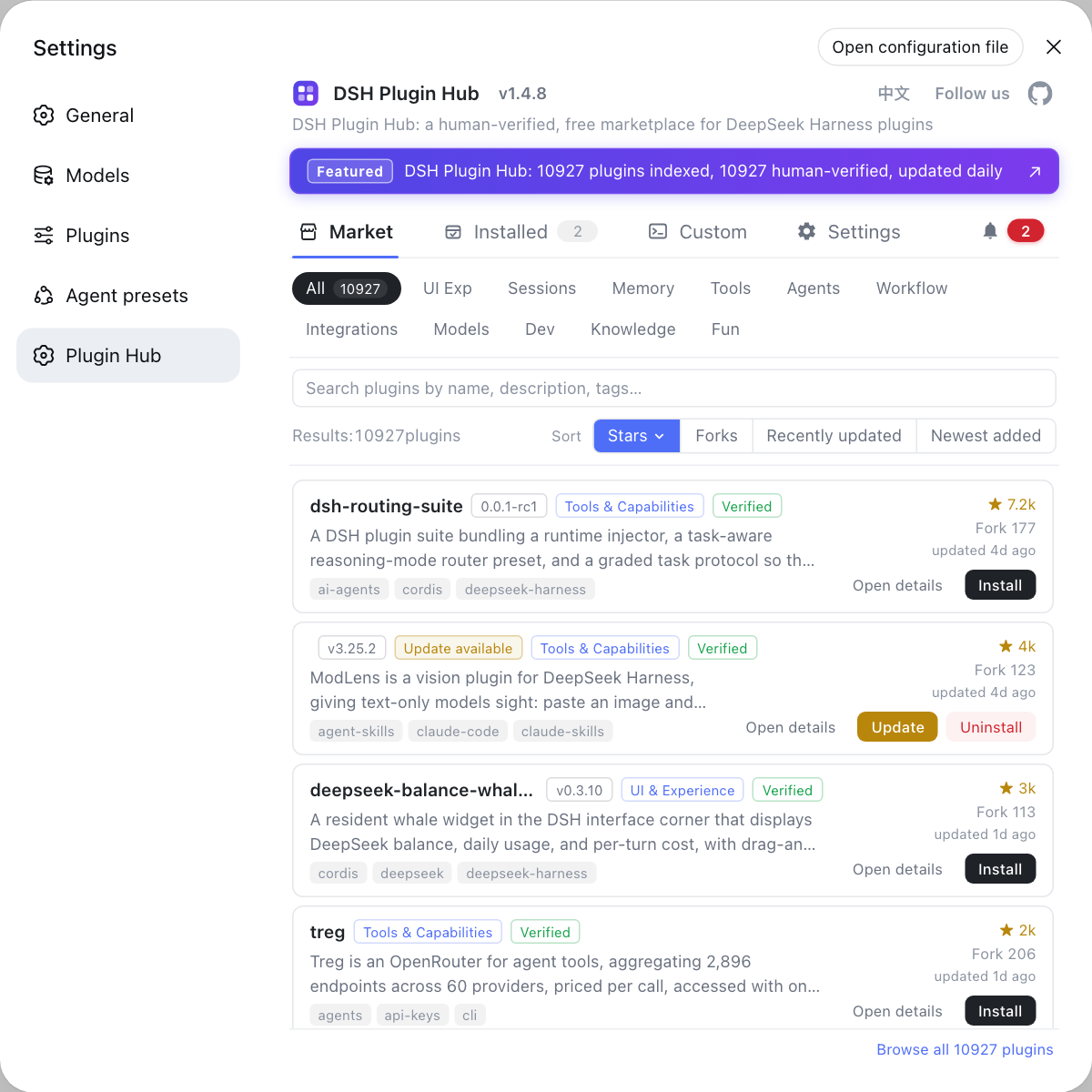
Once the app is running and connected to a model, plugins are the next step. Rather than hunting repositories by hand, use the built-in DSH Plugin Hub: it is the official plugin market for DSH plugins, combining browsing, one-click install, uninstall, update detection and system logs, with a confirmation dialog before every install.
Sources: DeepSeek Harness for desktop - download, DeepSeek Harness official site, DeepSeek Harness desktop README, dshplugin/dsh-plugin-hub
FAQ
The DeepSeek Harness desktop app downloads from the official page at deepseek.com/download, where macOS gets a .dmg and Windows gets an .exe; the Download for desktop button on the official site opens the same files. The installer domain is always download.deepseek.com, so skip installers hosted anywhere else.
The DeepSeek Harness desktop app requires macOS 13 or later on Mac, and the macOS installer offered on the official page targets Apple silicon (arm64). The Windows build is an x64 .exe that requires Windows x64. The official page currently offers no Intel Mac installer, and Linux is not a supported desktop release target.
The DeepSeek Harness desktop app needs no pre-installed Node.js: it is an Electron shell around the dsh Web UI and ships its own Node.js, pnpm and Python distributions, so all package operations use the bundled pnpm and your system Node never enters the execution path. The command-line version is a separate path through the @deepseek-ai/dsh package on npm.
On first launch the DeepSeek Harness desktop app prepares its profile and then shows the graphical interface; you never configure Node or environment variables. Start by entering a model API key in the in-app settings, then install the plugins you want from the built-in plugin market.
The DeepSeek Harness desktop app owns the executable layer under $DSH_HOME/profiles/desktop, and the command-line dsh cannot start or modify that profile. Both share sessions, settings and credentials under $DSH_HOME, but they never share executable packages, node_modules or lockfiles, so neither can break the other's versions.
Related Terms
- DeepSeek Harness desktop app
- The DeepSeek Harness desktop app is an Electron shell around the dsh Web UI that provides a graphical DeepSeek Harness experience, opens no listening port, and bundles upstream Node.js, pnpm and Python distributions.— DeepSeek Harness desktop README
- download.deepseek.com
- download.deepseek.com is the official download domain for DeepSeek Harness desktop installers, serving the macOS .dmg and the Windows .exe that both the official site and download page point to.— DeepSeek Harness for desktop - download
- $DSH_HOME
- $DSH_HOME is the product data root of DeepSeek Harness, by default ~/.dsh, holding sessions, settings, credentials and plugins; the desktop app owns only the profiles/desktop layer inside it.— DeepSeek Harness desktop README
- @deepseek-ai/dsh
- @deepseek-ai/dsh is the only official DeepSeek Harness package published on the npm registry, and the desktop app always ships the same exact version, so upgrading dsh requires a new desktop release.— DeepSeek Harness desktop README
Sources
- DeepSeek Harness for desktop - download· DeepSeek
- DeepSeek Harness official site· DeepSeek
- DeepSeek Harness desktop README· deepseek-ai
- dshplugin/dsh-plugin-hub GitHub repository· GitHub