Keep a DSH plugin compatible with new Harness releases
Whether a DSH plugin gets left behind by a new DeepSeek Harness release depends on two things: how wide a version range it declares for the host-provided packages it depends on (such as @deepseek-ai/dsh-tools and @deepseek-ai/cordis), and whether its manifest declares the required version via dsh.engines.dsh. Both are checkable before you install — the marketplace surfaces the latter as the dshTarget and compatibility status on the card; and when something goes wrong after an upgrade, the "does disabling the plugin make it go away" comparison separates version compatibility problems from environment ones.
Will a DSH plugin still run after a DeepSeek Harness upgrade: pinned host deps
A plugin does not bundle the whole of dsh into its own dependencies; it depends on a set of packages the host resolves: @deepseek-ai/dsh-tools, @deepseek-ai/cordis and the like are provided by dsh itself, and the plugin only declares version requirements (source). That design decides how compatibility is judged:
-
The coupling points are exactly these packages. A plugin registers tools through the dsh-tools capability surface and uses cordis for runtime mechanics. DSH iterations change the interfaces of these packages, and whether a plugin is affected depends on whether it touches the part that changed.
-
Authors express "who I am compatible with" as a version range. Two common styles:
- A range: such as
>=0.1.7-rc.2 <0.2.0, requiring no lower than a baseline while staying within one major version line — outside that range, "an earlier engine line cannot install this version" (source). - An exact pin: pinning
@deepseek-ai/dsh-toolsto one specific version and validating against it — reproducible, at the cost of publishing a release every time DSH moves (source).
- A range: such as
-
When the DSH baseline moves, an author's routine move is to sync the dependency range. For example bumping
@deepseek-ai/dsh-toolsfrom^0.1.0-rc.6to^0.1.1-rc.2and notingdefineToolAPI compatibility — which shows that whether the same plugin code still works across a baseline depends on whether it uses the interfaces that changed (source). -
Capability contract changes also produce "starts but does not work". Strict validation of tool results (lossless JSON snapshots,
additionalProperties: falseschema validation, renderers required to return content block arrays) is one such change: the plugin installs and even loads, but calls are rejected by validation (source).
The takeaway: do not judge compatibility by "did the DSH version number change" alone — look at which interface the change lands on and whether the plugin uses it. The marketplace turns this into card fields: dshTarget mirrors the plugin's dsh.engines.dsh declaration, and verified / unconfirmed say whether the community has confirmed it (source).
Three signals a DSH plugin has fallen behind: load failure, missing capability, vanished settings
The three signals map to different broken parts of a plugin's four-piece anatomy; when any of them appears, first use "does the problem disappear if I disable or uninstall this plugin" as the comparison to confirm it is the culprit (source).
-
Load failure — the dependency and load layer broke. It shows as a plugin tree error at startup, or the layer that used to be in
--dump-configno longer being there. Read the error chain as in dsh plugin reports plugin tree failed to load, then check whether the dependency range is out of bounds. -
Missing capability — the tool contract changed. It shows as the plugin being in the list while the tools it registers do not appear, or calls failing argument/return validation. The counterpart is the contract change described in point 4 above.
-
Vanished settings — the UI-side contract changed. It shows as its card or namespace missing from the settings page. Interface-type plugins hit this most easily, because rendering and panel interfaces change fastest across DSH releases.
One check separates a compatibility problem from an install problem:
dsh --profile web --dump-config | grep -n "# =="
A # == <package> line means the load layer is still there and the problem is more likely the version contract; without that layer it is an install-stage issue, so first check whether the package declares dsh.bundle and then whether the install actually completed — "installed but inactive" and "installed but incompatible" are two different things.
What to do when a DSH plugin falls behind: wait, switch, or pin
The trade-off criterion for the three paths is "do you want to keep following DSH, or restore usability right now": waiting preserves your upgrade cadence, pinning restores it immediately but freezes the core, and switching sits between the two (source).
-
Wait for the author to update — but confirm he is still active first. Look at the repository's last update time, whether similar issues exist, and whether a release has been published for the new DSH version. This is a trust-signal judgment, item by item in is this DSH plugin worth installing?. If the last update has clearly fallen behind DSH's release cadence, do not treat waiting as a plan.
-
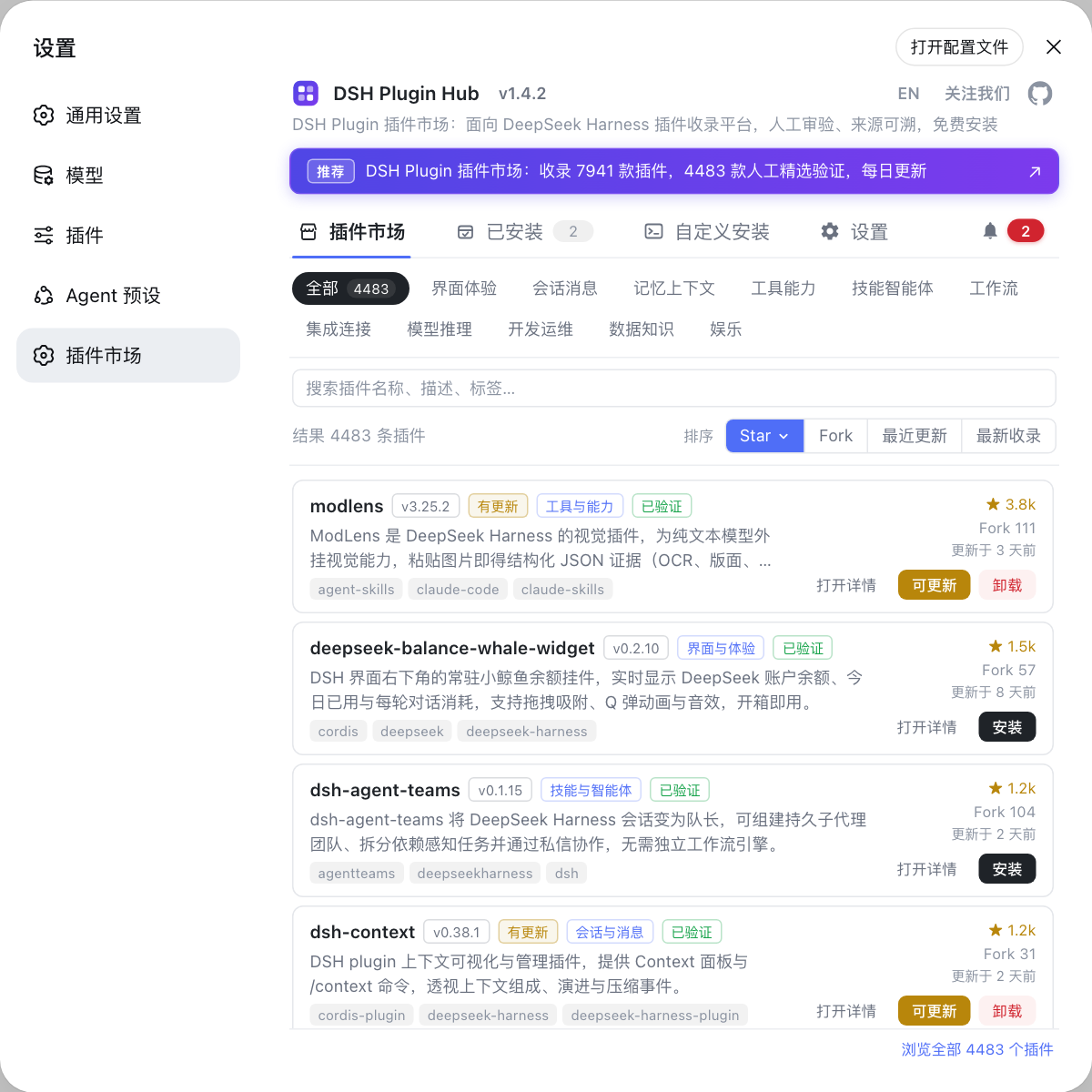
Switch to an alternative plugin — find substitutes by category in the Plugin Marketplace of DSH Plugin Hub, preferring one whose
dshTargetmatches your DSH version, whose status isverified, and which is still being updated. This is the path this article recommends most: replacing a plugin is inherently cheap, and there is no need to freeze the whole core for one plugin. -
Pin the DSH version — if the plugin has no substitute for now and you must keep using it, hold DSH at a version it supports:
npm install -g @deepseek-ai/dsh@<version>
The cost is missing later core fixes and features; the method and how to read version numbers are in how to choose a DeepSeek Harness version.
- Do not force compatibility by editing dependencies. Manually widening a plugin's dependency range, or stuffing a second copy of a core package into the profile, both create new problems: the former runs the plugin against unvalidated interfaces, and the latter is exactly the situation core package version drift and the same core package installed twice exist to handle. When you see either symptom, go back to the two sound paths: switch the plugin or pin the version.
DSH plugin version compatibility notes
In one line: compatibility is about the version range of host-provided packages, falling behind shows in three signals, and switching plugins is the preferred remedy. Seven reminders:
- Separate the core from plugins: this article covers judging plugin compatibility; the DSH core's version numbers, rc builds, and locked installs are in how to choose a DeepSeek Harness version;
- An empty
dshTargetdoes not mean incompatible: it only means nothing is declared, so judge by dependency range, last update time, and issue reports; - Change one thing at a time: do not upgrade DSH and the plugin simultaneously, or you cannot attribute the failure;
- Record a snapshot before upgrading: note the DSH version and the profile's dependency manifest, one line each, so you can tell afterwards which side moved;
- Compare before rolling back: if the layer is still in
--dump-config, suspect the version contract first; if the layer is gone, suspect the install — do not roll back reflexively; - Prefer switching plugins: replacing at the plugin layer is cheap, and freezing the DSH core for a single plugin is usually the worst option;
- Do not hand-edit dependency ranges: bypassing the compatibility range an author declared amounts to treating unvalidated interfaces as stable.
Sources: dsh CLI README, DSH Plugin Hub, dsh-reveal-context, dsh-zsxq, dsh-forge, dsh-canary, dsh-wechat-notify
FAQ
Whether a DSH plugin still runs after a DeepSeek Harness upgrade depends on whether the host-provided packages it depends on remain in its version range. Packages such as @deepseek-ai/dsh-tools and @deepseek-ai/cordis are resolved by dsh itself and need no separate install, while the plugin declares a version range for them in its package.json; once DSH steps outside that range, the plugin may install but fail to run.
The three classic signals that a DSH plugin has fallen behind are: the plugin tree errors at startup or its config layer disappears, previously available tools no longer appear or their calls are rejected by validation, and its card is missing from the settings page. What they share is that disabling the plugin makes the problem go away — that comparison separates a plugin version issue from environment issues such as networking or ports.
An empty dshTarget does not mean incompatible; it only means this DSH plugin declares no target version range, so you judge by other evidence: whether the repository's last update keeps pace with DSH's release cadence, whether its dependency range covers your current version, and whether the issue list shows similar reports. A plugin that does declare a range makes the judgment immediate — just compare version numbers.
When a DSH plugin is incompatible with a new DeepSeek Harness version, the two paths carry different costs: waiting for the author keeps you on the upgrade track at the cost of the plugin being unusable meanwhile; pinning the DSH version restores it immediately at the cost of missing later core fixes and features. If that DSH plugin is merely a nice-to-have, switching to a maintained alternative is usually the least trouble — the switching cost between the other two paths is low anyway.
To tell whether a DSH plugin is installed but inactive or simply version-incompatible, look at the config layer first: run dsh --profile <name> --dump-config and a # == <package> line means the load layer is present, so the problem is most likely the version contract; without that layer it is an install-stage issue, so check whether the package declares dsh.bundle and whether the install actually completed.
Related Terms
- @deepseek-ai/dsh-tools
- dsh-tools is the host-side capability package DeepSeek Harness provides to plugins; plugins register tools through it. It is resolved by dsh itself and needs no separate install, and the version range a plugin declares for it in its dependency manifest determines how tightly that plugin is coupled to DSH versions.— dsh CLI README
- dsh.engines.dsh
- dsh.engines.dsh is where a plugin's manifest declares the DeepSeek Harness version it requires, and the marketplace shows the resulting compatible version (the dshTarget on its card). Declaring it lets users compare version numbers and judge usability before installing.— dsh-zsxq (dsh.engines.dsh declaration example)
- peerDependencies range
- peerDependencies express "this package is provided by the host and I require it within some range". When a plugin writes a host capability package as a range like >=0.1.7-rc.2 <0.2.0, a DSH version outside that range makes it uninstallable, or installable but unable to run.— dsh-reveal-context (engine version range example)
- compatibility status
- Compatibility status is the usability marker the marketplace attaches to each plugin: verified means community-confirmed working on the corresponding DeepSeek Harness version, unconfirmed means not yet reviewed. Together with dshTarget it forms the basis for a pre-install compatibility judgment.— DSH Plugin Hub
Sources
- dsh CLI README· deepseek-ai
- DSH Plugin Hub· dshplugin
- dsh-reveal-context (engine version range example)· azazo1
- dsh-zsxq (dsh.engines.dsh declaration example)· zhengjy01
- dsh-forge (harness baseline sync example)· mkiea
- dsh-canary (pinned dependency example)· jwilson411
- dsh-wechat-notify (host-provided package notes)· wssfk12138