Download and install DeepSeek Harness: npm, npx or source
DeepSeek Harness (DSH) has two official ways to get it: download the desktop app from the official site for a graphical experience (macOS .dmg / Windows .exe), or use the command line through the @deepseek-ai/dsh package on npm or the deepseek-ai/deepseek-harness source repository on GitHub. There is no third-party "download site" — if a page tells you to grab an installer from somewhere else, it is not official.
This article covers the command-line version. The DSH CLI has no traditional "click to download" installer; "downloading" it really means letting npm pull the official package onto your machine. For the desktop app, see How to download and install the DeepSeek Harness desktop app. First recognize the two official channels for the CLI, then pick an install method that fits how you plan to use it.
Official download channels: the npm package and the GitHub repo
The command-line version of DeepSeek Harness has exactly two official download channels: @deepseek-ai/dsh on the npm registry and the deepseek-ai/deepseek-harness repository on GitHub; every run command on the official site and docs starts with @deepseek-ai/dsh (source).
Run through these four checks before downloading to make sure you are on an official channel:
- Check the package name on npm: the official package is
@deepseek-ai/dsh, hosted at https://www.npmjs.com/package/@deepseek-ai/dsh; other npm packages with "dsh" in the name are usually community plugins — this one package is the harness itself (source). - Check the organization on GitHub: the official repository is
deepseek-ai/deepseek-harness, owned by thedeepseek-aiorganization, the official DeepSeek AI GitHub account; verify the org name before cloning (source). - Check the desktop download domain: the official desktop installers live on
download.deepseek.com, with the download page at https://www.deepseek.com/download/; the "Download for desktop" button on https://www.deepseek.com/harness/ points there too. On the CLI side, the official docs at https://deepseek-harness.github.io/deepseek-harness/guide/quickstart still give commands such asnpx @deepseek-ai/dsh web(source). - Skip third-party download sites: pages in search results called "DeepSeek Harness download", "cracked" or "localized" versions are not official distribution points. DSH is open source; there is no reason for the official project to hand out installers anywhere other than npm, GitHub or
download.deepseek.com.
How to install: npx one-liner, npm global install, or source build
There are exactly three ways to install DeepSeek Harness: the npx one-liner for a quick try, an npm global install for daily use, and a source build for modifying code — all of them need Node.js 18 or newer first.
Set up the environment:
- Install Node.js 18 or newer from https://nodejs.org (LTS recommended), or via nvm, accepting the default options;
- Open a new terminal window and run
node -v; v18 or higher means you are ready; - Run
npm -vtoo; a version number means the package manager works (npx ships with npm).
Option 1: npx one-liner (fastest, for a quick try)
- Run
npx @deepseek-ai/dsh webin a terminal; - The first run fetches the latest package from npm, and later runs check for updates;
- Open http://127.0.0.1:3080 in your browser; the Web UI loading means success (source).
The npx method does not write to your PATH or take global space, so it is easy to walk away from.
Option 2: npm global install (for daily use)
- Run
npm install -g @deepseek-ai/dshand wait for the install to finish; - Run
dsh --help; seeing the launcher usage means the install worked; - If you get
command not found(on Windows: "'dsh' is not recognized"): the npm global bin folder is not on your PATH. Runnpm prefix -gto find it; on macOS/Linux add it withexport PATH="$(npm prefix -g)/bin:$PATH"and retry in the same terminal; on Windows just open a new terminal (the Node.js installer already added the global folder to PATH); - Start it with
dsh web; the Web UI opens at http://127.0.0.1:3080; - Update with
npm update -g @deepseek-ai/dshand remove it withnpm uninstall -g @deepseek-ai/dsh(source).
Option 3: source build (for modifying code and contributing)
- Make sure Git and pnpm are installed first; if pnpm is missing, run
npm install -g pnpm, then verify withpnpm -v; - Run
git clone https://github.com/deepseek-ai/deepseek-harness.git; - Install dependencies:
cd deepseek-harness && pnpm install; - Build the artifacts:
pnpm run build(a production run requires building first); - Start it:
pnpm dsh web, then open http://127.0.0.1:3080 (source).
A one-line rule of thumb: use npx to see what DSH looks like, use an npm global install when you plan to type dsh regularly, and build from source when you want to debug or change the kernel.
Verifying the install: version number and port 3080
Verify a DeepSeek Harness install in two steps: check the official latest version with npm view @deepseek-ai/dsh version, then confirm the Web UI loads at http://127.0.0.1:3080.
- Run
npm view @deepseek-ai/dsh version; npm returns the latest official version (this works without installing); - After a global install, run
npm ls -g @deepseek-ai/dshto see your local version; matching numbers mean you have the official latest; - Start with
dsh webornpx @deepseek-ai/dsh web, open http://127.0.0.1:3080, and the page loading means the install succeeded; - If the browser cannot reach 3080, it is usually a port conflict or an old Node.js; check
node -vis ≥ v18 first.
After installing DSH: configure a model, add plugins, watch for preview changes
Once DeepSeek Harness is installed, open Settings → Model in the Web UI to save a model API key, then install plugins as needed; DSH is a developer preview, so check for breaking changes before upgrading (source).
- In the Web UI, go to Settings → Model, enter and save your model API key; the model route becomes available immediately;
- Install plugins with
dsh plugin --profile web add <package or repo>and restartdsh webfor them to take effect; full steps in How to install DSH plugins; - Watch the official repo's release notes: DSH is in developer preview and upgrades may break compatibility, so read the releases and docs before updating the harness itself.
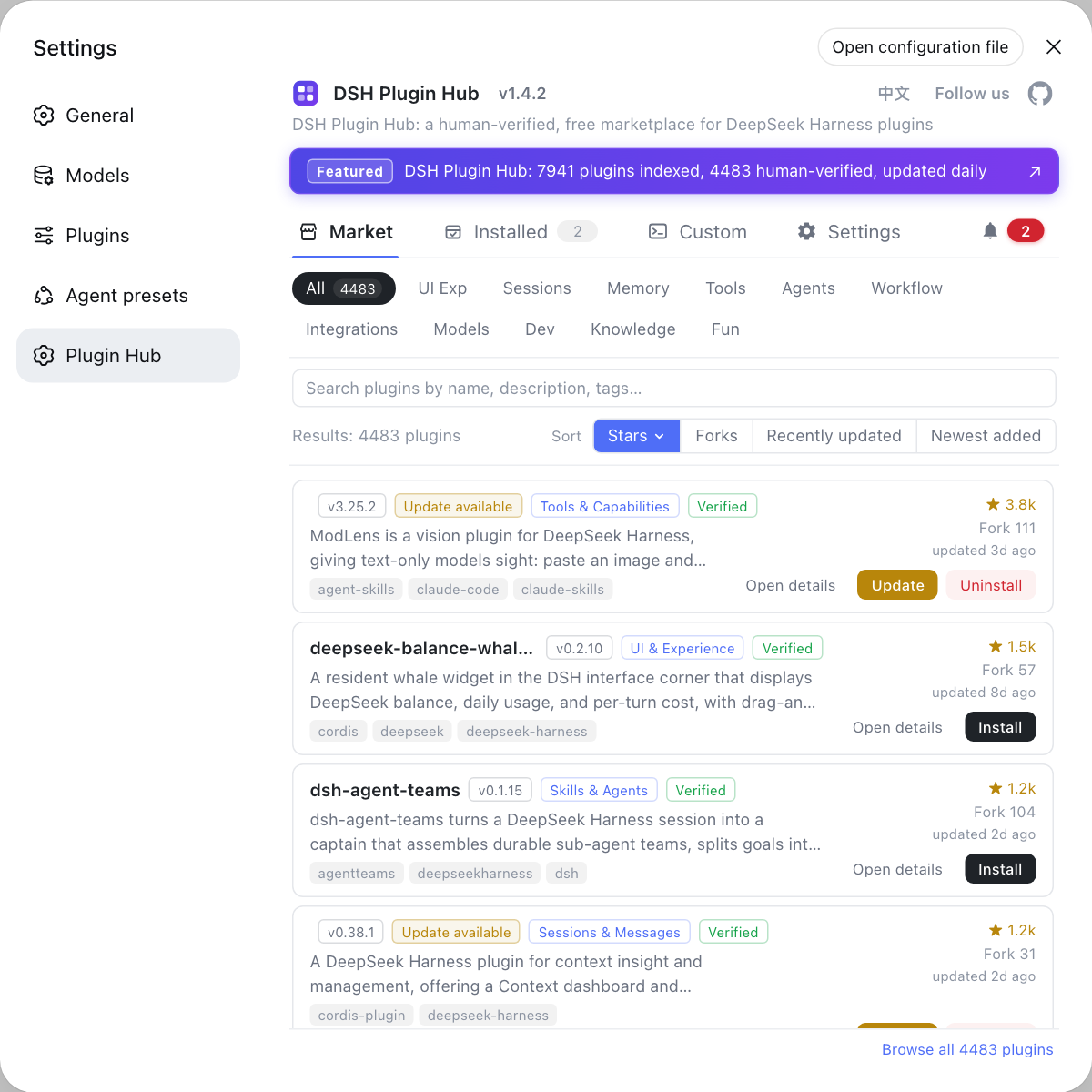
Once DSH is running, instead of gambling on third-party download sites, browse the community-run DSH Plugin Hub: it hosts a curated catalog, installs and removes plugins in one click, shows a confirmation dialog before every install, and keeps system logs you can check when something goes wrong.
FAQ
Both exist: an installer and a command-line path. The official desktop app is offered at deepseek.com/download, where the macOS build targets Apple silicon and requires macOS 13 or later, and the Windows build is a x64 .exe. The command-line version still comes from npm and GitHub: @deepseek-ai/dsh is the only official package on npm, and the source lives in the deepseek-ai/deepseek-harness repository. Any other site calling itself an official download page is not official.
Use npx @deepseek-ai/dsh web for a quick try (it fetches the latest package without a global install), npm install -g @deepseek-ai/dsh for daily use so you can type dsh directly, and a source build if you want to change or contribute code. All three serve the Web UI at http://127.0.0.1:3080 once started.
Run npm view @deepseek-ai/dsh version to query the latest version on the npm registry, then compare it with the version printed at startup or with npm ls -g @deepseek-ai/dsh. On npm, @deepseek-ai/dsh is published only by the official maintainers, so checking the package name protects you from third-party fakes.
You need Node.js 18 or newer. Windows, macOS and Linux are all supported and the commands are essentially the same. A source build additionally requires Git and pnpm.
Related Terms
- DeepSeek Harness (DSH)
- DeepSeek Harness (DSH) is an open-source agent harness developed by DeepSeek AI, with a command-line tool called dsh, an everything-is-a-plugin architecture powered by Cordis. It is currently in developer preview, iterating rapidly with breaking changes.— deepseek-ai/deepseek-harness README
- @deepseek-ai/dsh
- @deepseek-ai/dsh is the only official DeepSeek Harness package published on the npm registry; npx @deepseek-ai/dsh web fetches it from npm and starts the Web UI.— @deepseek-ai/dsh - npm
- dsh command
- dsh is the command-line launcher of DeepSeek Harness, which organizes plugins through profiles (web is the built-in default), and dsh web is equivalent to dsh --profile web. The dsh plugin subcommand manages plugins inside a profile.— dsh CLI README
- npx
- npx is the package runner shipped with npm that downloads and runs a package temporarily without installing it globally, ideal for trying tools like @deepseek-ai/dsh.— npm documentation
Sources
- deepseek-ai/deepseek-harness· GitHub
- DeepSeek Harness documentation - Quickstart· deepseek-harness
- dsh CLI README· deepseek-ai
- @deepseek-ai/dsh - npm· npm
- DeepSeek Harness for desktop - download· DeepSeek