How to install a DSH plugin: dsh plugin add for npm and GitHub
Installing a DSH plugin is a single command: dsh plugin --profile web add <package-or-github-ref>, which forwards the arguments to pnpm and installs the plugin into the current profile.
Before you start: get DSH running
You need DSH itself before you can install DSH plugins. If it's not installed yet, see How to install DeepSeek Harness and run npx @deepseek-ai/dsh web to start the Web UI. On first launch the web profile auto-initializes, giving dsh plugin somewhere to install into.
Note that dsh web is an alias for --profile web, so writing web targets the profile the Web UI actually uses (source). DSH ships two built-in profiles — web and headless — both auto-initialize from bundled templates on first use; a profile with any other name must be created through dsh plugin first. The directory you invoke dsh from is the default workspace root, and your sessions and workspaces revolve around it.
The core command: dsh plugin add
All plugin management goes through dsh plugin --profile <name> <pnpm args>; add installs. The full form:
dsh plugin --profile web add <package-name-or-github-ref>
- For an npm package, use the package name directly.
- For a GitHub-hosted plugin, use a
github:user/reporeference (source).
dsh plugin is the single entry point for profile plugin management; add is just one action — install, update, and remove are the same syntax with a different word. DSH forwards everything after --profile <name> to pnpm in the profile directory, which is effectively pnpm add run inside ~/.dsh/profiles/web (source), so the action word goes last.
The plugin is installed as a dependency in the profile directory (~/.dsh/profiles/web by default) and loaded on the next DSH start. A plugin only affects the profile you installed it into — web and headless don't interfere with each other.
Real DSH plugin examples
Try DSH Plugin Hub — our own plugin market. It's an interface plugin: once installed, a "Plugin Market" appears, letting you install, uninstall and update plugins from the UI with one click. It supports both GitHub and npm sources, covering both syntaxes above:
Install from GitHub:
dsh plugin --profile web add github:dshplugin/dsh-plugin-hub
Install from npm:
dsh plugin --profile web add dsh-plugin
Restart dsh web and a Plugin Market appears in the sidebar — here's the result after installing:
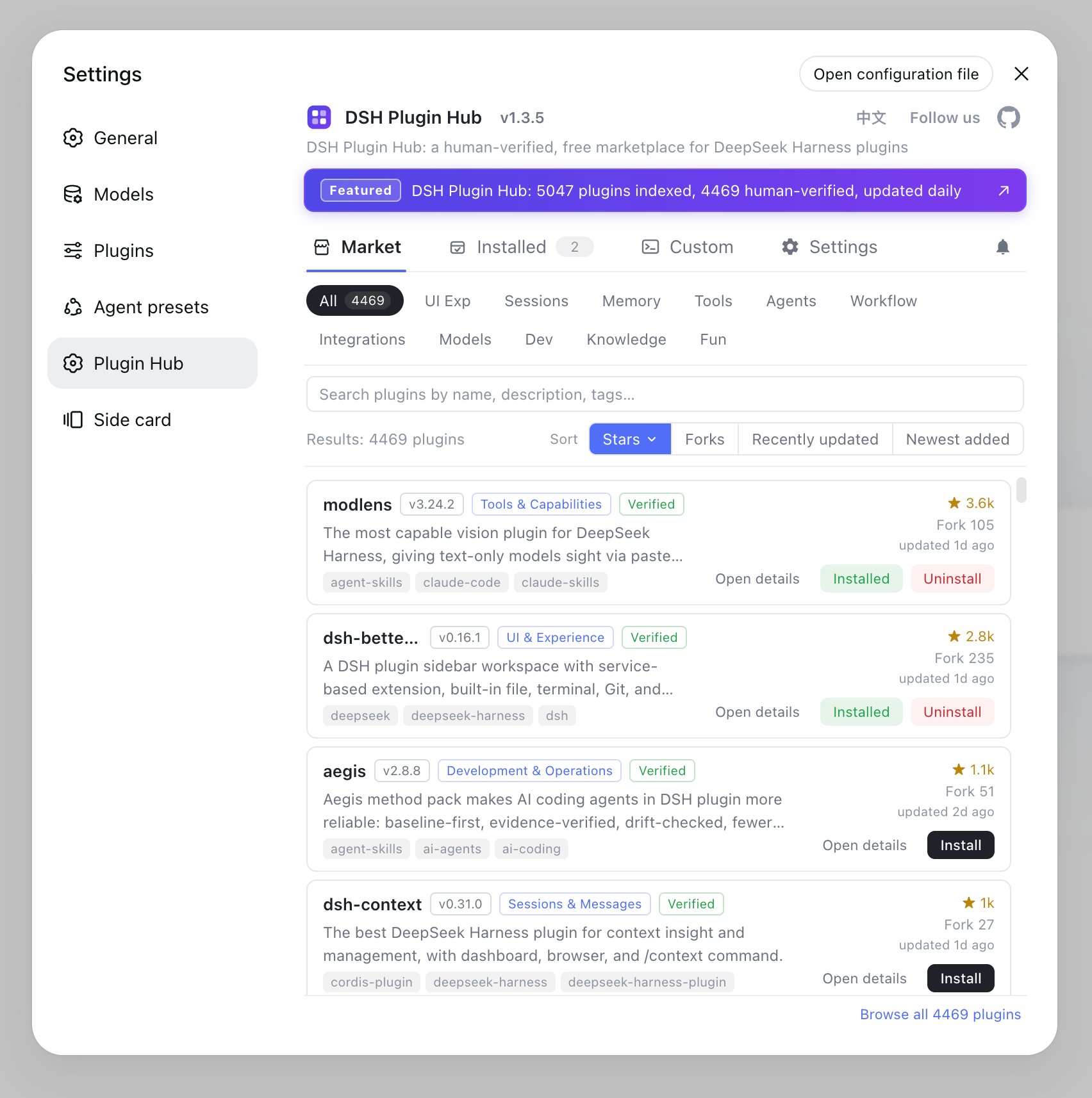
From then on, search and install more plugins right from the Plugin Market — no commands needed. The same rules apply to every plugin: write the package name directly for npm packages, use github:owner/repo for GitHub-hosted ones, and every detail page on dsh-plugin.org carries a copy-paste install command.
Verifying your DSH plugin install
Restart dsh web and check whether the plugin's capabilities show up. Interface plugins change the UI; tool plugins appear in the tool list. If nothing loads, check the plugin's declared DSH version and the notes below. To confirm whether a plugin actually loaded, run dsh --dump-config and inspect the composed config tree — registration shows up there. To see why a plugin is installed or who depends on it, run dsh plugin --profile web why <package> (source).
First-time git plugin notes
Git-hosted plugins may hit pnpm's allowBuilds guard on first add. pnpm blocks build scripts from git dependencies by default; when it errors, copy the allow key it prints into the profile's pnpm-workspace.yaml and run add again.
DSH is still in developer preview (currently 0.1.0-rc.6), so install commands and plugin interfaces may change. When something goes wrong, defer to the official docs or check DSH troubleshooting.
Source: dsh CLI README, official Quickstart
FAQ
Run dsh plugin --profile web add <package-or-github-ref>. DSH forwards the arguments to pnpm, which installs the plugin; restart dsh web and it takes effect.
Yes. Start DSH once with npx @deepseek-ai/dsh web so the web profile auto-initializes, then dsh plugin commands have a profile to install into.
pnpm blocks build scripts from git dependencies by default. Copy the allow key from the error into the profile's pnpm-workspace.yaml and run add again.
Open the plugin detail page and copy the install.command line, e.g. dsh plugin --profile web add github:liustack/modlens, then run it in your terminal.
Restart dsh web: interface plugins change the UI, tool plugins appear in the tool list. If nothing loads, verify the plugin's supported DSH version.
Sources
- dsh CLI README· deepseek-ai
- DeepSeek Harness documentation - Quickstart· deepseek-harness