dsh-infinite-gen: endless writing DSH plugin for DeepSeek
dsh-infinite-gen is the collective name for the "infinite" (infinite-gen) line of DSH plugins on DeepSeek Harness: the early generations inject a custom system prompt into the session, turning "write a bit and stop" into "keep generating until you interrupt it", aimed at long-form and batch content (source). This article covers what it is, how to install it, and what to watch out for, and it spells out the differences between generations two through five.
What dsh-infinite-gen is: a DSH plugin that keeps the model writing
The "infinite" line is a class of prompt-injection DSH plugin — once installed into a profile it changes the model's behavioural boundaries rather than adding a tool. The early generations declare their permissions bluntly: 系统提示词注入 (system prompt injection) and 客户端状态条 (client status bar) (source) — in other words, it does two things: inject a custom system prompt, and show a status indicator in the client.
Two direct consequences follow:
- Output no longer "wraps up after a paragraph" — long documents, batch copy and continuous writing, where a lot of text has to come out in one go, are exactly why it exists.
- It changes behaviour, not features — it registers no new callable tool, so you will not see an "endless writing" button in the tool list; the effect shows up in how the model replies.
Note carefully, though: "endless writing" is the shape of the early generations, and generation five looks quite different. By generation:
| Generation | Repository shape | Characteristics |
|---|---|---|
| gen-2 / gen-3 | Prompt injection | Permissions declared as "system prompt injection, client status bar"; changes boundaries by injection |
| gen-4 | Prompt injection (red-team positioning) | Described officially as a security red-team tool for DeepSeek-V4.1 / V4 Flash, with the same class of permissions as the earlier generations (source) |
| gen-5 | Tool-surface workbench | The official README states plainly that it differs from the previous prompt-injection shape and holds "zero resident prompt occupation", turning into a multi-tool workbench (source) |
So check the version before following an older tutorial: anything describing "injecting a system prompt and changing behavioural boundaries" refers to gen-2 through gen-4; by gen-5 it is a tool-type plugin built around /ig5, and both the gameplay and the installation are no longer the same.
How to install the DSH plugin: the github: CLI and the dsh:// deep link
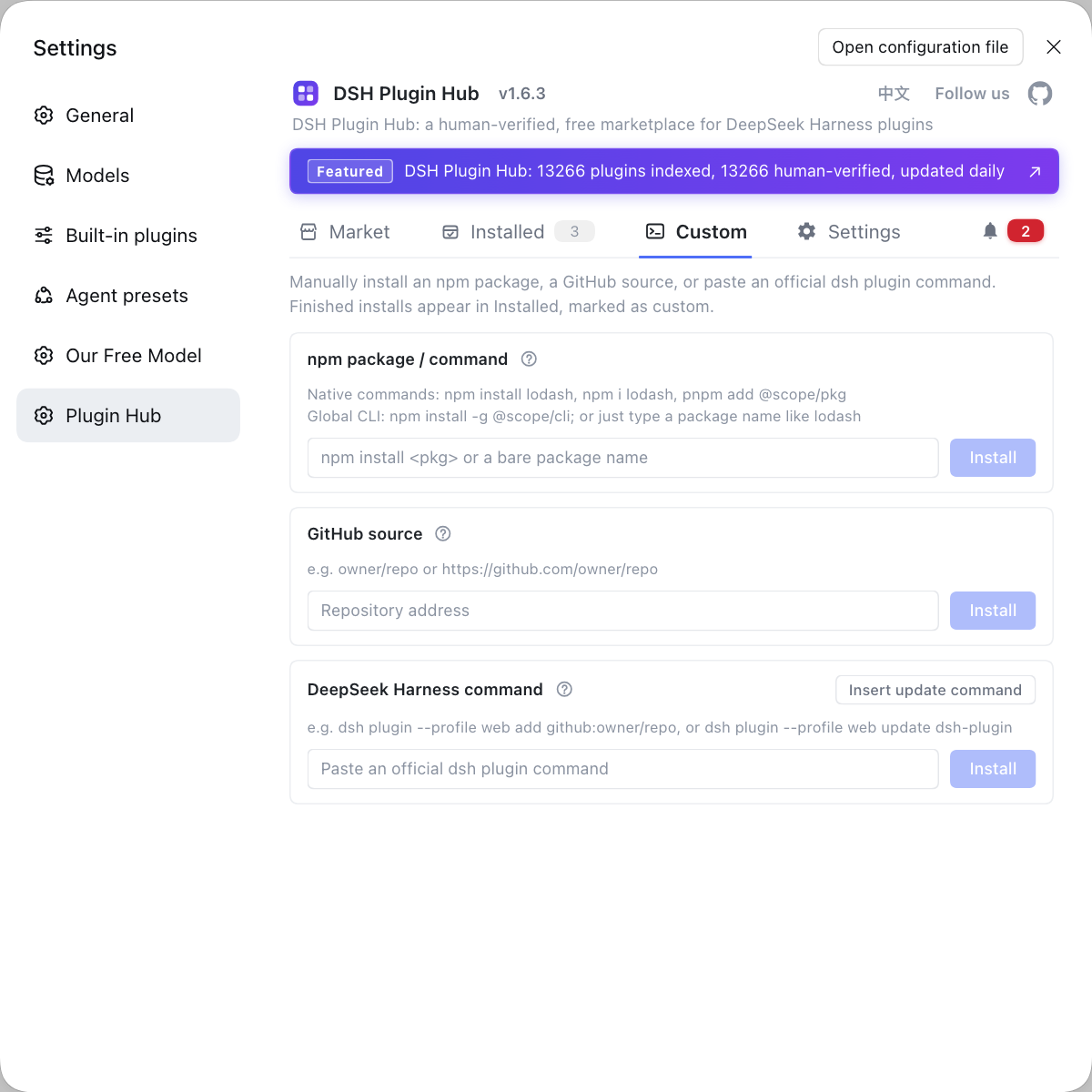
There are exactly two reliable entry points: the CLI command dsh plugin --profile web add github:owner/repo, or the dsh://plugin/install?... deep link owned by the desktop app. This plugin does not appear in the plugin market catalogue — searching DSH Plugin Hub by name returns no matching entry (source) — so "one-click install from the market" is not available, and you need one of the two routes below.
Route one: the CLI (recommended)
The official syntax is dsh plugin --profile <profile name> <arguments forwarded to the package manager>, and add github:owner/repo is the forwarded argument (source). Four steps:
-
Confirm the real repository address — open the repository page first and check it is still there and the generation matches. Expected: the repository is reachable and the README contains install instructions.
-
Run the install — in a terminal (generation five as the example):
bashdsh plugin --profile web add github:Minglink/dsh-infinite-gen-5Expected: download and install progress appears in the terminal and it finishes without errors.
-
Restart the service — close and restart
dsh webso the plugin loads. Expected: the startup shows no plugin resolution error. -
Confirm it is installed — run
dsh plugin --profile web listand look for it (source).
To be safer, pin the version to a commit: github:owner/repo#sha, so a later push cannot silently change the code that runs.
Route two: the dsh:// deep link (desktop app)
If you have the DeepSeek Harness desktop app, it registers the dsh:// protocol; paste a line like this into the browser address bar and the client wakes up with an install confirmation:
dsh://plugin/install?id=dsh-infinite-gen-4&name=%E6%97%A0%E9%99%90%E5%9B%9B%E4%BB%A3&version=0.4.0&repo=Minglink%2Fdsh-infinite-gen-4&permissions=%E7%B3%BB%E7%BB%9F%E6%8F%90%E7%A4%BA%E8%AF%8D%E6%B3%A8%E5%85%A5%2C%E5%AE%A2%E6%88%B7%E7%AB%AF%E7%8A%B6%E6%80%81%E6%9D%A1&downloadUrl=...
The protocol format is dsh://plugin/install?id={id}&name={name}&version={version}&repo={repo}&permissions={permissions}&downloadUrl={downloadUrl}, and every parameter must be encodeURIComponent-encoded (source). Two caveats: GitHub filters custom protocols such as dsh:, so buttons in a repository README usually do nothing and you have to copy the link yourself; and on Windows, if the protocol is not registered, rerun the install script shipped with the repository to write the fallback registry entry.
The version number is the biggest trap. The original repositories for generations two through four (Minglink/dsh-infinite-gen-2 / -3 / -4) cannot be reached directly today, so copying a command from an older tutorial fails to resolve; the fifth generation is the one still maintained, and the fourth-generation source survives only as a community snapshot. Check that the repository still exists before copying a command, rather than treating an old link in a tutorial as a ready-made answer.
DSH plugin caveats: runaway generation, how to stop, context and tokens
It can run away — this kind of plugin changes exactly the wrapping-up and refusal behaviour, so producing output for a long time is normal for it, which means "how do I stop it" has to be settled before you install. Three things to keep an eye on:
- Runaway output and stopping — when continuous generation goes off the rails, end the current turn with the stop / interrupt control in the UI, and close that session if necessary. Expected: generation stops immediately and replies return to the default rhythm. To restore the original behaviour completely, remove the plugin from the profile and restart.
- Context and token usage — "output forever" means tokens and context accumulate turn by turn and easily reach the window limit. Expected: run long content in segments and collect manually after each one; when you see the symptoms of a full context, troubleshoot in the order given by context window overflow and the output token limit.
- Source trustworthiness — a
github:install means allowing that package's code to run at install time, and the plugin also injects a system prompt into the session, so both require a trusted source. Expected: only install repositories you have checked yourself, and pin a commit where possible.
One boundary worth stating: in their own READMEs this line of plugins positions itself as a security research and red-team benchmarking tool, and each opens with a compliance disclaimer (source). Using it only in an environment you are authorised to test is a precondition, not an option.
DSH plugin notes
These are the DSH plugin points to settle before you install this one. Item by item:
- Match the version before you start: gen-2 / -3 / -4 are prompt-injection plugins, while gen-5 has become a tool-type workbench — neither the gameplay nor the commands are the same.
- Old commands will 404: the original repositories for generations two through four are not directly reachable, so verify the repository still exists before following an old tutorial.
- It is not in the market: this plugin is not in the plugin catalogue, so the only entry points are the CLI and the
dsh://deep link. - A restart is required: plugins load at startup, so restart
dsh webafter installing. - Uninstall to restore: when you no longer want it, remove it from the profile and restart; the behavioural boundaries return to their defaults.
Sources: dsh CLI README, Minglink/dsh-infinite-gen-5, cderick588/dsh-infinite-gen-4, dshplugin/dsh-plugin-hub
FAQ
It belongs to the 'infinite' (infinite-gen) line, which injects a custom system prompt into the session to change the model's behavioural boundaries so generation keeps going until you interrupt it — aimed at long-form and batch content. Install-wise it is a DSH plugin like any other and goes through a profile, but it acts on the prompt layer and the tool surface rather than simply adding a new tool.
The CLI is more reliable: dsh plugin --profile web add github:owner/repo, then restart to take effect. The dsh://plugin/install?... deep link needs an installed DeepSeek Harness desktop app to own the protocol; pasted into the address bar it wakes the client and shows an install confirmation, which is handy for sending someone a one-click link. GitHub filters custom dsh: protocols, so buttons in a repository README usually do nothing.
Because the original repositories for those generations are no longer reachable, so copying an old command such as github:Minglink/dsh-infinite-gen-2 / -3 / -4 fails to resolve. The repository still standing is the fifth generation (Minglink/dsh-infinite-gen-5); if you need the fourth-generation source, a community snapshot repository (for example cderick588/dsh-infinite-gen-4) is available as an alternative source — but it is a personal fork that may not match the official generation, so read the repository notes first.
Interrupt the current generation first, then decide whether to keep the plugin. A prompt-injection plugin changes exactly the model's wrapping-up and refusal behaviour, so when it keeps outputting for a long time, end the current turn with the stop/interrupt control in the UI, and close that session if necessary; to restore the default behaviour completely, remove the plugin from the profile and restart.
Yes — continuous generation is an 'output forever' mode, and both token and context usage accumulate per turn, so hitting the context window limit is easy. Run long content in segments and collect manually after each segment, and keep an eye on context occupancy; the site's pages on context window overflow and the output token limit cover the troubleshooting and mitigation for exactly these symptoms.
Related Terms
- dsh-infinite-gen
- dsh-infinite-gen is the collective name for a line of 'infinite' DSH plugins on DeepSeek Harness, with generations labelled gen-2 / gen-3 / gen-4 / gen-5. The early generations are mainly system-prompt injection; generation five turns into a tool-surface workbench.— Minglink/dsh-infinite-gen-5
- system prompt injection
- System prompt injection means a plugin writes a custom system prompt into the context when a session starts, changing the model's behavioural boundaries. The permissions declared by the early infinite generations state this explicitly.— permissions parameter of the dsh:// install deep link
- dsh://plugin/install deep link
- dsh://plugin/install?id=...&name=...&version=...&repo=...&permissions=...&downloadUrl=... is the install protocol registered by the DeepSeek Harness desktop app; parameters must be encodeURIComponent-encoded. Pasting it into the browser address bar wakes the client and shows an install confirmation.— dsh-anime-theme README (protocol format)
- github:owner/repo source
- github:owner/repo is the GitHub source form accepted by dsh plugin add, with the arguments forwarded to the package manager inside that profile directory. You can pin a commit with #sha so a later push cannot silently change the code that runs.— dsh CLI README