How to install DeepSeek Harness desktop on Linux
You cannot install the DeepSeek Harness desktop app on Linux right now—the project publishes macOS and Windows installers only, and the desktop README states plainly that Linux is not a release target (source). That is not bad news: on Linux the CLI gives you the same graphical interface. This article covers three directions: why there is no build, how to take the equivalent path, and what pitfalls to expect.
Overview: the Linux desktop conclusion first, then the DeepSeek Harness alternative
One line: there is no official Linux desktop installer, and the right move is to start the Web UI from the CLI.
| Question | Answer |
|---|---|
| Is there a Linux desktop installer | No; the project ships macOS / Windows only |
| Is there an official AppImage / deb | No; do not use third-party packages claiming to be one |
| How to get a graphical interface on Linux | dsh web (or npx @deepseek-ai/dsh web) plus a browser |
| Which profile applies | The web profile |
The reason is not complicated: the desktop app is an Electron application wrapping the dsh Web UI, and each platform needs its own build and signing pipeline; the current release targets are macOS and Windows only (source). Linux demand is served by the CLI.
Why there is no DeepSeek Harness desktop build for Linux: form and release targets
Among the three forms, the one that best suits Linux already exists—the CLI ships its own web interface.
- The desktop app is an Electron shell — It wraps the Web UI in a standalone application, loading the interface over an in-app protocol rather than in a browser. Expected: this kind of release needs per-platform packaging, and the project currently covers macOS and Windows only.
- The Linux equivalent is the CLI plus a browser — Start a local web service with
dsh weband the browser shows the same interface. Expected: you still get a full graphical interface on Linux, just with a browser as the shell. - Do not trust a "Linux desktop version" — There is no reason to take an installer from a third party, and unofficial repackaged builds are unsupported. Expected: obtain every installer from official channels only.
How to install DeepSeek Harness on Linux: the CLI in two steps
Pick one based on how you work, then open it in a browser:
- A no-install trial:
npx @deepseek-ai/dsh web
Expected: the terminal prints a local address and the browser opens the interface.
- For long-term use, install globally:
npm install -g @deepseek-ai/dsh
dsh web
Expected: you can run dsh web from any directory, and the service listens on 127.0.0.1:3080 by default.
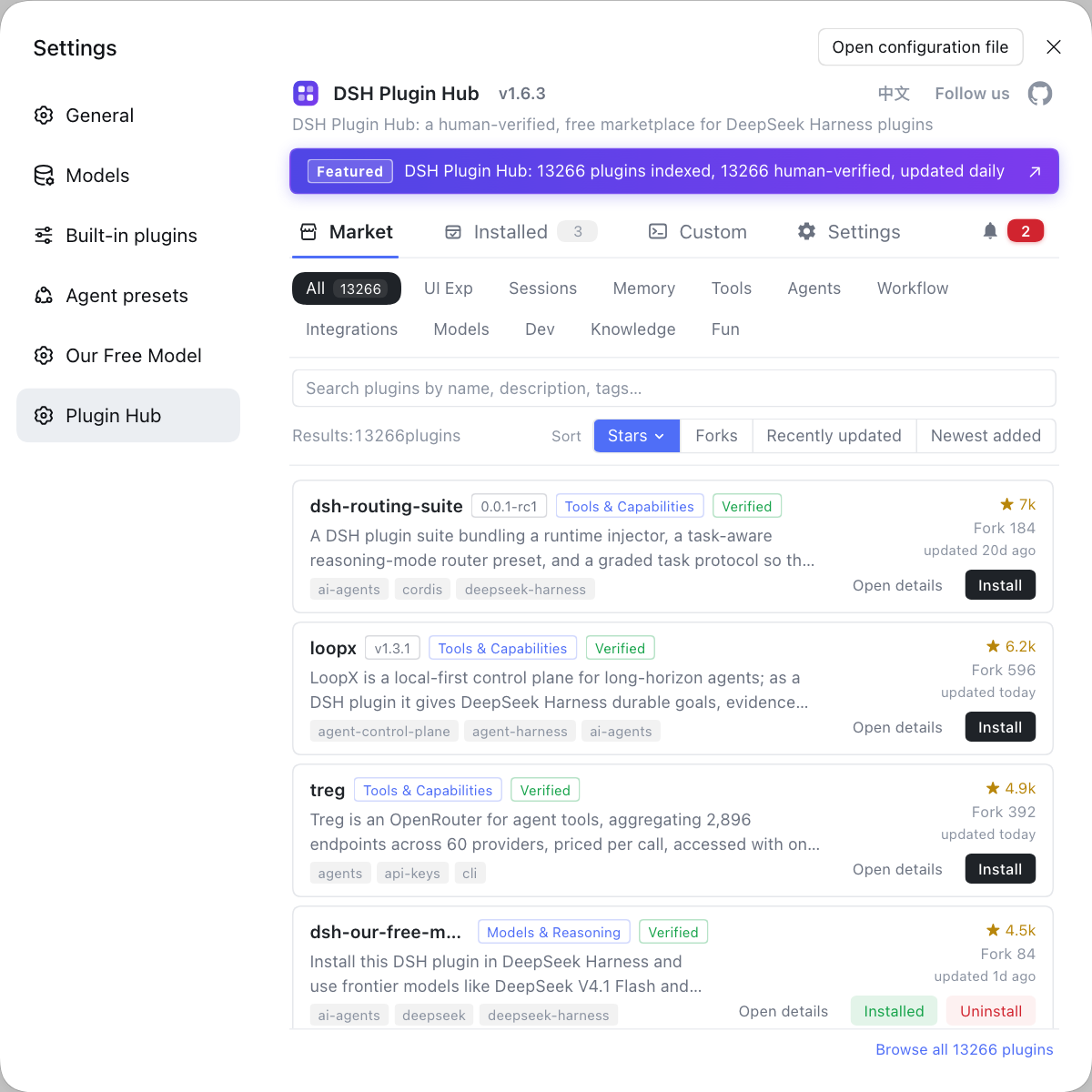
For the trade-offs between the two, see Comparing the three install methods, and for per-platform detail see Installing by platform. Once the core is installed and a model is connected, fill in plugins from the built-in marketplace: open DSH Plugin Hub in the Web UI and browse by category for one-click installs.
On profiles: the CLI uses the web profile, the desktop app has its own desktop profile, and Linux only involves the former (source). Sessions, settings, and credentials all land in the same $DSH_HOME (default ~/.dsh), consistent with other platforms.
Common DeepSeek Harness install pitfalls: dependencies, no-GUI environments, and restricted networks
On Linux the trouble is usually not installing but the environment and the network.
- Missing dependencies — A Node or package manager version that is too old fails at the first step; installing from source may lack native build dependencies (a compiler toolchain). Expected: confirm Node works before choosing the source path.
- No sandbox / restricted permissions — In a container or under restricted permissions, writing to
$DSH_HOMEmay fail, so it needs a writable directory. Expected: point the data root somewhere you can write. - A server with no graphical interface —
dsh webbinds 127.0.0.1 only, so for remote access set up SSH port forwarding, open it in your local browser, and mind the startup token auth URL. Expected: you can reach the interface remotely, but do not expose the listening address. - Pure intranet — Both npx and online installs fetch packages over the network, so a pure intranet should use an offline package or a local mirror. Expected: install without internet, as covered in Offline install and intranet deployment.
- Coexisting with the CLI — Linux only has the CLI, so there is no desktop app competing for a profile; but if you copy a
~/.dshfrom elsewhere, still confirm that credentials and configuration carry over.
Notes on installing DeepSeek Harness on Linux
- Do not install a third-party "Linux desktop version": the project does not publish one, and unknown packages are used at your own risk.
- Stick to the official package name: the CLI is
@deepseek-ai/dsh, so do not install a lookalike package. - Do not open the listener remotely:
dsh webis local-only by default, so use SSH port forwarding for remote access. - Data lives in one place:
$DSH_HOMEdefaults to~/.dsh, so confirm the blast radius before migrating it. - Watch for official updates: if Linux becomes a release target, follow the official download page rather than guessing package names from older tutorials.
Sources: DeepSeek Harness Desktop README, DeepSeek Harness desktop download, dsh CLI README
FAQ
No. The project currently publishes desktop installers for macOS (dmg) and Windows (exe) only, and Linux is not a desktop release target, so there is no official AppImage or deb package. Be wary of third-party installers claiming to be a Linux desktop version—DeepSeek Harness is open source, so there is no reason to take a package from a third party.
Take the equivalent path of the CLI plus a browser: run npx @deepseek-ai/dsh web for a no-install try, or npm install -g @deepseek-ai/dsh and start it with dsh web, then open the Web UI in a local browser. The interface is the same codebase the desktop app wraps—the same web app with a different shell.
No—they live in different profiles by design: the CLI uses the web profile while the desktop app has its own desktop profile. Sessions, settings, and credentials share the same $DSH_HOME, but executables, node_modules, and lockfiles are not shared; on Linux you only get the web profile.
Yes, but open the interface elsewhere: dsh web binds 127.0.0.1, so for remote access use SSH port forwarding and open it in your local browser, keeping the startup token auth URL in mind. If you only need batch jobs, switch to headless or SDK mode instead of insisting on a UI.
Three kinds: a Node or package manager version that is too old, missing native build dependencies when installing from source, and permission or network problems in restricted environments. On a pure intranet you also need an offline package or a mirror, since both npx and online installs need to fetch packages.
Related Terms
- DeepSeek Harness desktop (DSH Desktop)
- The DeepSeek Harness desktop app is an Electron application wrapping the dsh Web UI, and the project publishes macOS and Windows versions only; Linux is not a release target, so there is no corresponding official installer.— DeepSeek Harness Desktop README
- Web UI (dsh web)
- The Web UI is the form of DeepSeek Harness you operate in a browser, started by the dsh web subcommand and bound to 127.0.0.1:3080 by default; on Linux it is how you get a graphical interface from the same source as the desktop app.— dsh CLI README
- web profile
- The web profile is the plugin and configuration stack the CLI uses when it starts the Web UI; on Linux, installing plugins and changing settings act on it, while the desktop profile does not exist there.— dsh CLI README
- $DSH_HOME
- $DSH_HOME is the DeepSeek Harness data root, by default ~/.dsh, holding sessions, settings, credentials, and plugins; the CLI on Linux shares this same structure with other platforms.— DeepSeek Harness Desktop README
Sources
- DeepSeek Harness Desktop README· deepseek-ai
- DeepSeek Harness desktop download· DeepSeek
- dsh CLI README· deepseek-ai