Install DSH plugins offline using a plugin market package
A first offline DSH plugin install is less about the command than about where the package comes from and how dependencies get resolved: prepare the plugin's tarball on a connected machine, carry dependencies in if needed, then run dsh plugin --profile web add ./<name>-<version>.tgz on the target host and verify with list plus the profile's node_modules (source).
Offline versus online DSH plugin install: only the fetch step moves
An online install lets the package manager fetch from a registry; an offline install moves that fetch to a connected machine and leaves only the write on the target — both end at the same place, $DSH_HOME/profiles/<name> (source). So the whole chain is two questions:
- Where does the package come from: a tarball published by the author, a tgz you build with
pnpm pack, or a private registry; - Where does it go:
dsh plugin --profile <name> add <local path>, with the profile named exactly.
Keep the scopes apart: installing the host offline and installing plugins offline are two different paths. The host is covered in installing dsh in an air-gapped network; this article covers the first DSH plugin on a machine that has none. If the plugin is already installed and you only want a newer version, follow offline plugin updates instead.
Step 1: prepare the DSH plugin package on a connected machine
With no public registry in reach, the package must be prepared on a connected machine, and dependencies need planning early (source). Three ways to get it:
- Carry the author's published tarball — the least effort;
addalready accepts a.tgzpath, so the published artifact can simply be copied in. - Build one yourself on a connected machine — the route to use when you hold the source:
# On a connected machine, inside the plugin source directory
pnpm pack
# → dsh-hello-plugin-0.2.0.tgz
Mind the order: pnpm pack only collects build output, so build steps such as prepare must complete on the connected machine first, or the archive you carry in is an empty shell.
- Go through a private registry — if the network runs something like Verdaccio, publish the plugin and its dependencies there and internal hosts install by package name; this route solves dependency resolution as a side effect.
The most common trap: a tgz holds only the plugin. On a first install the profile has no dependencies yet, so the package manager must resolve them from a registry — fully offline that fails during resolution. Two ways out: run a private registry in the network, or pnpm pack the dependencies as well, install those first, then install the plugin.
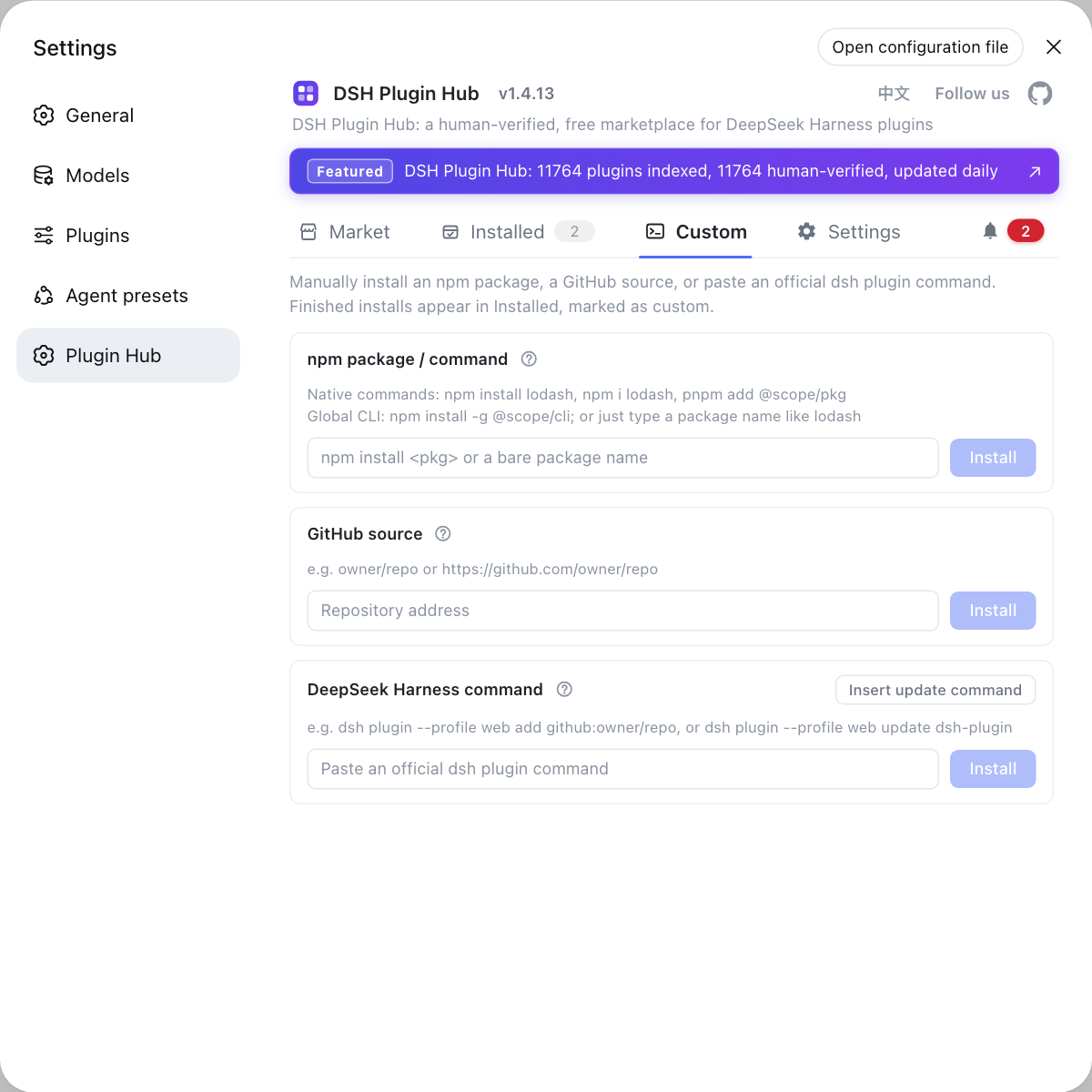
Step 2: copy the DSH plugin in and fix the target profile
Copying is unremarkable — a temporary directory is fine — while choosing the profile is what actually matters (source). Three steps:
- Identify the root — run
echo $DSH_HOME. Expected: if it prints a value use it, otherwise the default is~/.dsh. - List existing profiles — run
ls "$DSH_HOME/profiles". Expected:webandheadlessappear, and air-gapped hosts often carry extra profiles, so pick deliberately; see installing one plugin into several profiles. - Confirm the plugin name and version — on the connected side open DSH Plugin Hub at Settings → Plugin Market and check the card for name, author and target version. Expected: the tarball you carried in matches what the plugin market shows, so you did not pack the wrong one.
Step 3: offline add to install the DSH plugin and verify
Installing is a single add against the local tarball: dsh plugin --profile web add ./<name>-<version>.tgz writes it into that profile's dependencies and node_modules. Four confirmations:
- Run the install — from the directory holding the tarball, run
dsh plugin --profile web add ./hello-plugin-0.2.0.tgz. Expected: the command enters the install flow instead of reporting a missing package; a resolution error means dependencies are missing, so return to step 1. - List what is installed — run
dsh plugin --profile web list. Expected: the plugin and its version appear in the output. - Check the dependency record — open
$DSH_HOME/profiles/web/package.json. Expected: the plugin is listed as an ordinary dependency. - Check the on-disk location — inspect
$DSH_HOME/profiles/web/node_modules. Expected: the top-level directory matches the package name, with real files under.pnpm; see where DSH plugins are installed.
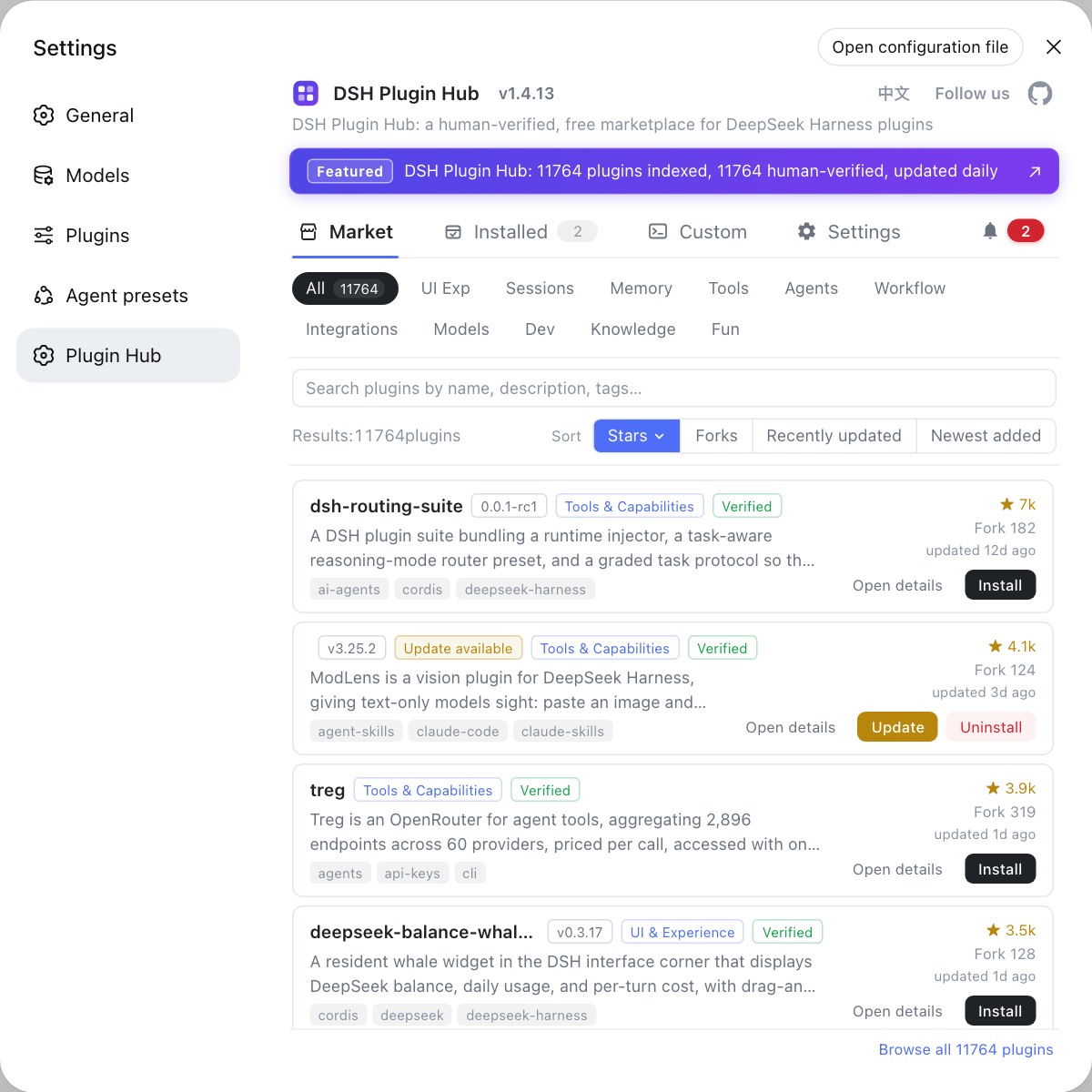
The plugin market still opens on an air-gapped host and is useful for checking plugin names and versions, but it does not supply packages — offline installs must use a local path.
Notes and limits for offline DSH plugin installs
- Dependencies are the real obstacle: a tgz holds only the plugin, and a first install has nothing to resolve against, so a fully offline attempt always fails without a private registry or pre-packed dependencies.
- Build before you pack:
pnpm packdoes not run build scripts, so a package missing output will fail again at load time. --profileis required and has no short form: air-gapped hosts often run several profiles, and the wrong target means the plugin is not installed where you think.- Verify in three places: an exit code of zero is not proof;
list,package.jsonandnode_modulesshould all agree. - Roll back by reinstalling: run
addagain with a correct tarball to overwrite, and back up the whole profile directory before you touch anything.
Sources: dsh CLI README, Packaging and installing plugins (official docs), dshplugin/dsh-plugin-hub
FAQ
**To install a DSH plugin for the first time on a host with no internet, carry the package in as a tarball and install from that local path.** Fetch the plugin's tarball on a connected machine, copy it into the air-gapped host, then run dsh plugin --profile web add ./<name>-<version>.tgz. Because dsh plugin add accepts a local path as its target, a first offline install lands in exactly the same place as an online one.
**An offline DSH plugin install fails while resolving dependencies because a tarball carries the plugin, not its transitive dependencies.** When fully offline, any dependency the profile does not already have makes the install fail at the resolution stage. You have two ways out: stand up a private registry inside the network to serve dependencies, or pack the dependencies too, install them first, then install the plugin.
**The DeepSeek Harness plugin market still opens on an air-gapped host, but it is only an interface and does not provide packages.** As long as the host and its catalog endpoint are reachable, it helps you confirm the plugin name, author and version so you know which tarball to carry in. Clicking Install still needs a package source, so offline installs must use a local path.
**For an offline DSH plugin install, the tarball's location does not matter; the install target does.** A copied tarball is only the source, so a temporary directory is fine. What decides where the plugin ends up is the --profile flag, which maps to $DSH_HOME/profiles/<name>. Air-gapped hosts often run several profiles, so the wrong one means the work is wasted.
**To confirm an offline DSH plugin install succeeded, check three places together.** Run dsh plugin --profile web list and look for the plugin and its version, open the profile's package.json to confirm the dependency entry was written, then inspect $DSH_HOME/profiles/web/node_modules to see the matching top-level directory. An exit code of zero alone is not enough.
Related Terms
- tarball (tgz)
- A tarball is the npm ecosystem's package archive format, with a .tgz extension, holding build output plus package.json. Because dsh plugin add accepts a local tgz path, tarballs are the natural way to move DSH plugins into networks without a public registry.— dsh CLI README
- pnpm pack
- pnpm pack generates a tgz inside a package directory with the same content that would be published to a registry. It only packages output, so build steps such as prepare must run before packing, otherwise the archive is missing files.— DeepSeek Harness Docs - Packaging and installing plugins
- transitive dependencies
- Transitive dependencies are the dependencies of the plugin's own dependencies and are not inside the plugin's tarball. On a first offline install the profile has none of them, so the package manager must resolve them from a registry, which is where offline installs usually fail.— dsh CLI README
- private registry
- A private registry is a package source deployed inside a controlled network, typically something like Verdaccio. Once configured in the profile's npm settings, hosts on that network can install by package name and get both the plugin and its dependencies from the internal source.— dsh CLI README
Sources
- dsh CLI README· deepseek-ai
- DeepSeek Harness Docs - Packaging and installing plugins· deepseek-harness
- dshplugin/dsh-plugin-hub GitHub repository· GitHub