Deploy DeepSeek Harness on a remote server over SSH
The hard part of deploying DeepSeek Harness to a remote server is not installing it, but using it safely afterwards. By design, dsh web binds only to 127.0.0.1 and rejects --host 0.0.0.0, and the CLI offers no network deployment mode, so the correct move is not to open a port but to bring the remote loopback address to your local browser with an SSH local port forward.
Get DeepSeek Harness running on the server: Node.js and two paths
On the server side there is only one job: make dsh run there, still on the server's own 127.0.0.1:3080 (source).
- Prepare the runtime. Install Node.js on the server, plus pnpm if you plan to build from source. Expected:
node -vprints a version. - Pick a start path. For the no-install path run
npx @deepseek-ai/dsh web; for the source pathgit clone, thenpnpm install,pnpm run build, and finallypnpm dsh web. Expected: the service listens on 3080 and the terminal prints an access address. - Force server-only mode. Add
--no-openso it never tries to find a browser on a headless machine. Expected: it only starts the server and prints the address. - Change the port as an app argument. The port belongs to the web app, so write
dsh --profile web --port 8080. Expected: the launcher parses only its own flags and hands the first unrecognized argument to the app.
A headless server is not a blocker, since DeepSeek Harness already separates the server from the browser: in a server environment it prints the address instead of opening a page.
Why you cannot expose the DeepSeek Harness DSH web publicly: 127.0.0.1 and 0.0.0.0
This is a deliberate official trade-off rather than a missing setting: the web app can run commands with the Host user's authority, so offering an all-interfaces mode would imply support for network deployment without TLS or a proxy convention (source).
- The bind address is loopback.
dsh webbinds127.0.0.1and rejects--host 0.0.0.0. Expected: other machines on the LAN cannot connect, which is exactly the intent. - The CLI has no network mode. Custom-interface, all-interfaces, and IPv6 modes are not offered. Expected: do not count on a command-line flag to publish the service.
- Authentication does not authorize remote deployment. Process token and browser cookie authentication do not widen that deployment contract. Expected: even with authentication, the official docs provide no TLS, forwarded-header interpretation, or proxy support for remote deployments.
- How it behaves over SSH. Starting over SSH prints only the host URL. Expected: the local forwarding address is held by the SSH client or editor, so the server reports only its own side.
Port and authentication troubleshooting is covered in web access and port and configuring the Web UI.
Three safe ways to reach DeepSeek Harness: SSH tunnel, server-local, headless
There are three ways to use DeepSeek Harness remotely, and you pick by whether you need an interface (source).
- SSH local port forward (recommended). On your own machine run
ssh -L 3080:127.0.0.1:3080 <user>@<server>and keep the session open. Expected: local 3080 maps to the server's127.0.0.1:3080, traffic rides an encrypted tunnel, and the server exposes no port. - Fetch the token URL and open it. Copy the printed root URL carrying
?token=from the server console and paste it into your local browser. Expected: the token is exchanged for a session cookie and redirects to the clean root path; the token changes after a restart, so fetch it again. - Use it on the server only. Skip forwarding entirely and work in command-line modes. Expected: ideal when you only want to run jobs and no interface.
- Headless batch work. Run
dsh --profile headless "job"for a fresh session that prints the final answer, ordsh --profile sdkto serve clients over JSON-RPC. Expected: no web entry point at all, which suits scheduled and automated tasks. - Do not substitute public exposure for forwarding. For example, putting a reverse proxy in front of 3080. Expected: that crosses a boundary the official docs explicitly do not support, and the authentication mechanism was not designed for it.
How the run modes differ is covered in choosing a dsh run mode.
Remote DeepSeek Harness troubleshooting and long-running use on a server
On a server the first-hand evidence is the logs, not the interface, because the interface may not open at all (source).
- Confirm the process and port. Check on the server whether the process is alive and 3080 is listening. Expected: a missing process means the service exited, so read the terminal output first.
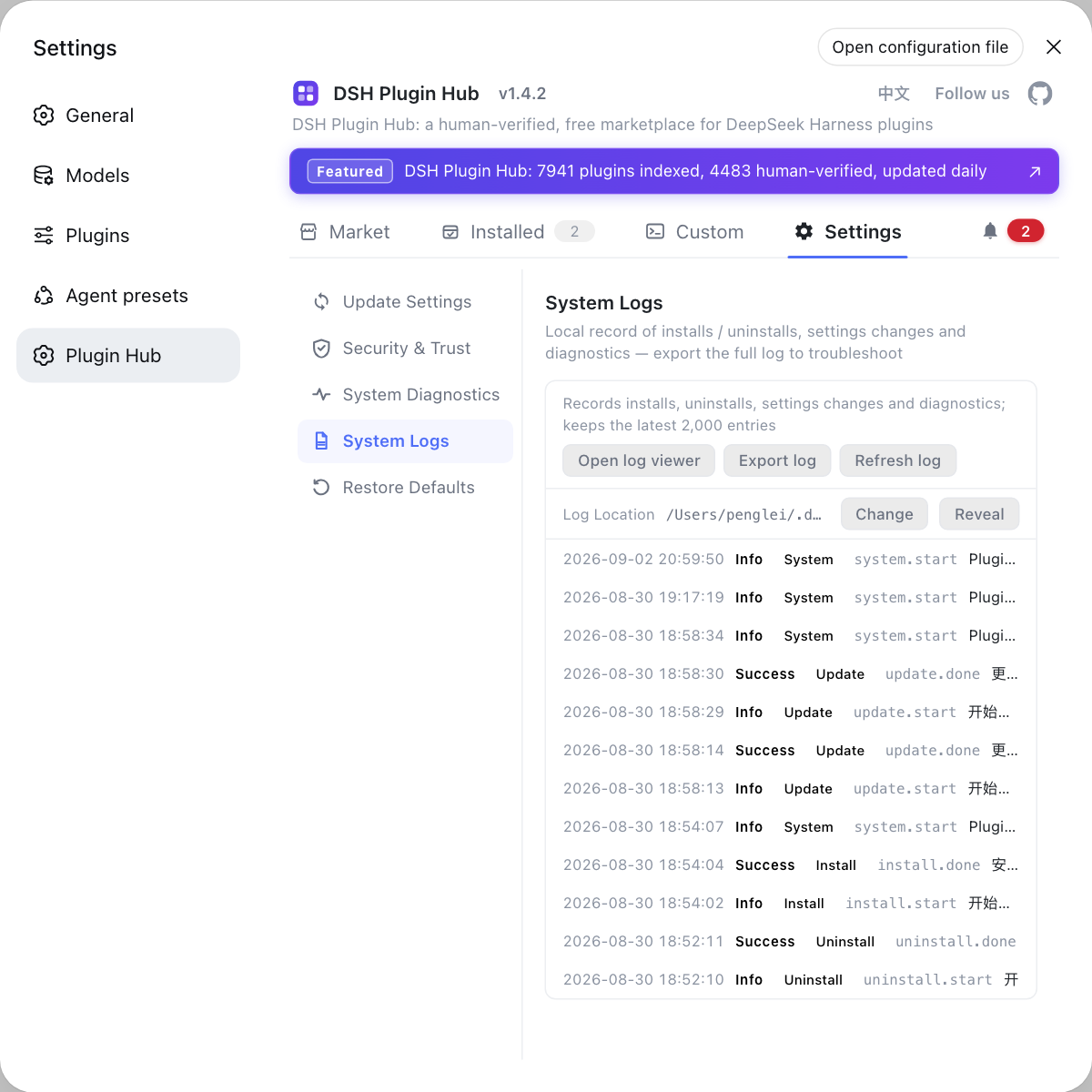
- Read the logs by category and level. Filter the system log by categories such as install, uninstall, update, and diagnostics, and by level. Expected: the failure points at a specific stage instead of a vague "it will not start".
- Dry-run configuration changes. Use
--dump-default-configor--dump-configto inspect the composed configuration without starting. Expected: misconfiguration surfaces immediately rather than after repeated restarts. - Host it yourself for long-running use. The official docs describe no service or daemon mode. Expected: to keep it running on a server, use a terminal multiplexer such as tmux or screen, or your own system service, and be clear about which user owns
$DSH_HOME. - Read the notes before upgrading. Harness upgrades follow the install path. Expected: the command table is in the update commands cheat sheet.
Caveats and limits of deploying DeepSeek Harness remotely
- The bind address is not configurable.
127.0.0.1and the rejection of--host 0.0.0.0are official decisions, and any workaround falls outside supported use. - Authentication is not a deployment plan. Tokens and cookies solve credential handling for same-machine access, not TLS, reverse proxies, or remote deployment conventions.
- The token changes every start. Remote access means fetching the token URL from the server console again; you cannot bookmark it in advance.
- A dropped tunnel is not a crashed server. Closing the SSH session breaks the forward and the interface stops loading, while the service keeps running.
- Own the data directory clearly. Whichever user runs dsh gets that user's
$DSH_HOME, so switching users effectively switches configuration and DSH plugins.
To install DSH plugins on the server, start it with the no-install path and browse DSH Plugin Hub's market by category; no manual dependency edits are needed.
Sources: DeepSeek Harness README (official repository), dsh CLI README (official repository), Agent Note: explicit web bind address, Agent Note: browser token authentication
FAQ
No. DeepSeek Harness binds dsh web to 127.0.0.1 and rejects --host 0.0.0.0, the CLI offers no network deployment mode, and the official docs state that browser authentication does not imply support for network deployment, TLS, or proxy configuration. The correct approach is an SSH local port forward, not an exposed port.
A headless server is not a problem, because DeepSeek Harness separates the server from the browser: run npx @deepseek-ai/dsh web on the server and it only tries to open a browser on local starts, printing the address in server environments instead. Add --no-open to guarantee the server runs without a browser.
Because the local forwarding address is held by the SSH client or editor, DeepSeek Harness cannot know which local port you mapped, so it prints only the server-side address. Pair it with an ssh -L local port forward, then open that same address in your local browser.
DeepSeek Harness generates a random startup token on every launch and prints one root URL carrying it. After setting up the SSH tunnel, open that token URL from the server console in your local browser; it exchanges the token for a cookie and redirects to the clean root path, after which you use it normally.
You do not need an interface, because DeepSeek Harness ships headless and sdk profiles: dsh --profile headless "job" runs a fresh session, prints the final answer, and exits, while dsh --profile sdk serves SDK clients over JSON-RPC. Neither mode needs a browser or exposes a web entry point.
Related Terms
- 127.0.0.1 binding
- A 127.0.0.1 binding means the DeepSeek Harness web service listens only on the loopback address, reachable from a browser on the same machine but never from the LAN or the internet. It is a deliberate official choice that avoids implying support for network deployment without TLS and a proxy convention.— Agent Note: explicit web bind address
- SSH local port forward
- An SSH local port forward is a way to map a local port onto a remote server's loopback address using `ssh -L`. For DeepSeek Harness it makes your local browser talk to local 3080 while the traffic travels through an encrypted tunnel to the server's 127.0.0.1:3080, so no port is exposed publicly.— DeepSeek Harness README (official repository)
- startup token
- The startup token is a random credential DeepSeek Harness generates on every process start, printed once inside the root URL and never persisted. Visiting that URL exchanges it for a host-only, HttpOnly session cookie; the token changes on each restart, so remote access requires fetching it again.— Agent Note: browser token authentication
- headless profile
- The headless profile is a built-in DeepSeek Harness mode with no interface: `dsh --profile headless "job"` starts a fresh persistent session and prints the final answer before exiting. It suits batch jobs on a server because it needs no browser and exposes no web entry point.— dsh CLI README
Sources
- DeepSeek Harness README (official repository)· deepseek-ai
- dsh CLI README· deepseek-ai
- Agent Note: explicit web bind address· deepseek-ai
- Agent Note: browser token authentication· deepseek-ai