Fix DeepSeek Harness messages transport failed: DSH plugin
DeepSeek Messages transport failed (code: TRANSPORT) is not a verdict that "the network is broken" but DeepSeek Harness's transport-layer fallback label: it is thrown by the catch-all in packages/llm/llm-deepseek/src/adapter.ts — any escaping error that is neither a LlmError nor an idle timeout or explicit cancellation is wrapped as TRANSPORT (source). So the first move is not to switch networks, but to determine "was this request actually sent," then read the real error in the cause. To check what plugins your environment changed recently, look at the installed list in the DSH Plugin Hub. If transport failed is tangled with a stream cut or a half packet, use the five-minute triage for transport failed and stream breaks.
Which DeepSeek Harness layer this error comes from: transport fallback, not model inference failure
This catch in the source splits four ways, and only the "none of the above" case is called TRANSPORT (source):
- Idle watchdog timeout → reports
TIMEOUT, with the messageDeepSeek Messages stream idle timeout; - Request explicitly cancelled (
signalalready aborted) → reportsABORTED, with the messageDeepSeek Messages request aborted; - Already a
LlmError→ rethrown as-is, keeping its own code; - Everything else → wrapped as
TRANSPORT, which is exactly the line you see.
Two useful conclusions follow from these four branches:
- A genuine model / API business error never becomes this line. Authentication failures, invalid parameters, and insufficient quota are themselves
LlmError, taking branch 3 and appearing with their own code. So seeingTRANSPORTmeans the failure happened around request preparation, connection setup, or streaming, not a business rejection from the model side. - The real reason is not lost — it is in the
cause. The throw keeps the original object as{ cause: error }: the outer line is the label, the inner one is the identity.
A quick map of DeepSeek Harness transport-class errors: four categories, match yours first
Before opening logs, sort the failure into one of four categories — each points at a different next step (source):
| Code you see | What it means | Failure point | Worth retrying? |
|---|---|---|---|
TIMEOUT | No new chunk arrived within streamIdleTimeoutMs | Mid-stream stall | Sometimes — a transient stall may clear on retry |
ABORTED | The request's signal was already aborted | The request was cancelled | No — someone or something stopped it |
A business code rethrown as-is (an LlmError) | Authentication, parameters, quota, and similar | Before or at the model's answer | No — fix the request; retrying repeats the same rejection |
TRANSPORT | Escaping error is none of the above | Preparation, connection, or streaming | Depends — retry only if the inner cause is transient |
Use this table as a first filter: only the last row is the fallback label this page is about, and only the last row's decision depends on what cause says.
Before diving into logs: two commands to confirm "the machine can get out"
Rule out the environment first, then open the session log (source). Run these two in the same shell the host uses:
env | grep -i -E 'https?_proxy|no_proxy'
# should show whether a proxy is configured and what it is

curl -sS -o /dev/null -w 'HTTP %{http_code}  connect %{time_connect}s  total %{time_total}s\n' https://api.deepseek.com/v1/models
# should print an HTTP status and timings, not a connection error
Expected: the first command tells you whether an https_proxy / no_proxy pair is in play at all — a proxy that is set but wrong can itself produce this line, and a no_proxy that omits the endpoint will route model traffic through it. The second command separates "the machine cannot reach the endpoint" (a connection error, or an HTTP status far from 200) from "the machine can connect but this particular request failed." Only when both look healthy do you move on to the session-log cause, because if the endpoint is simply unreachable, every request will keep failing and no amount of per-turn digging will help.
DeepSeek Harness troubleshooting by layer: from the network to the cause in the session log
Recommended order: first check whether the request was sent, then the endpoint's return code, and finally the real error in the session log. Check layer by layer:
- Network and proxy: whether the model endpoint is directly reachable, and whether a proxy re-signs HTTPS. If there is antivirus or a corporate proxy, read antivirus TLS cert chain errors first — that kind of failure also lands on the same line.
- Was this request sent at all: this is the highest-information test. An HTTP request count of 0 with a failure in the tens of milliseconds means the error happened in local preparation; only if the request was sent and then cut off mid-stream is it a connection-layer issue.
- The return code of the most recent request at the endpoint: 200 means it connected and the problem is in streaming or locally; 401 / 429 are
LlmErrorand should not show as this line — if they do, the request was probably blocked before reaching the application layer. See the official docs for configuring the model endpoint. - The real error for that turn in the session log: open the reason and error object recorded in
turn/end, expand thecause, and see what the code inside really is — a missing attachment writesATTACHMENT_NOT_FOUND, notTRANSPORT. - Retry and resume:
TRANSPORTis in the default retryable set and retries several times along a backoff chain, and only after exhaustion does the turn fail; the number ofllm/retryentries in the log is the trace of how many retries happened (#7834). The session itself does not vanish because this turn failed, so locate the real cause, fix it, and rerun the turn.
A common pitfall: seeing TRANSPORT and retrying over and over. If the underlying cause is a deterministic error like "a local file does not exist," retrying is pure latency — once restored to its original code, it should not be in the retryable set at all.
Separating it from lookalike DeepSeek Harness errors, and preventing recurrence
The same DeepSeek Messages transport failed line has at least two causes, and the test is "was the request sent."
| What you observe | Real cause | Where to go |
|---|---|---|
| Request count 0, failing in tens of ms every time, every request in that session failing | An attachment object referenced in history was deleted; the local preparation error was wrapped as TRANSPORT | See transport failed is not a network problem |
| Request was sent, cut off mid-stream | Packet capture / proxy / antivirus re-signing HTTPS, breaking certificate chain validation | See antivirus TLS cert chain errors |
It also differs from two other error classes:
- Model connectivity config (model connection troubleshooting): that is an endpoint, key, or outbound allowlist problem, usually reporting authentication or connection errors rather than this fallback label;
- Frontend-to-host connection (Web UI connection errors): that is a channel problem between the browser and DeepSeek Harness, a different link from the model request's transport layer.
A few practical habits to prevent recurrence:
- Let streaming requests finish: do not switch networks, switch proxies, or sleep mid-generation;
- Allow the proxy and antivirus through: add the model endpoint to the allowlist so HTTPS is not re-signed in the middle;
- Do not hand-delete attachment objects: attachments use content-addressed storage, so once deleted with no backup they cannot be rebuilt, and sessions referencing them keep failing;
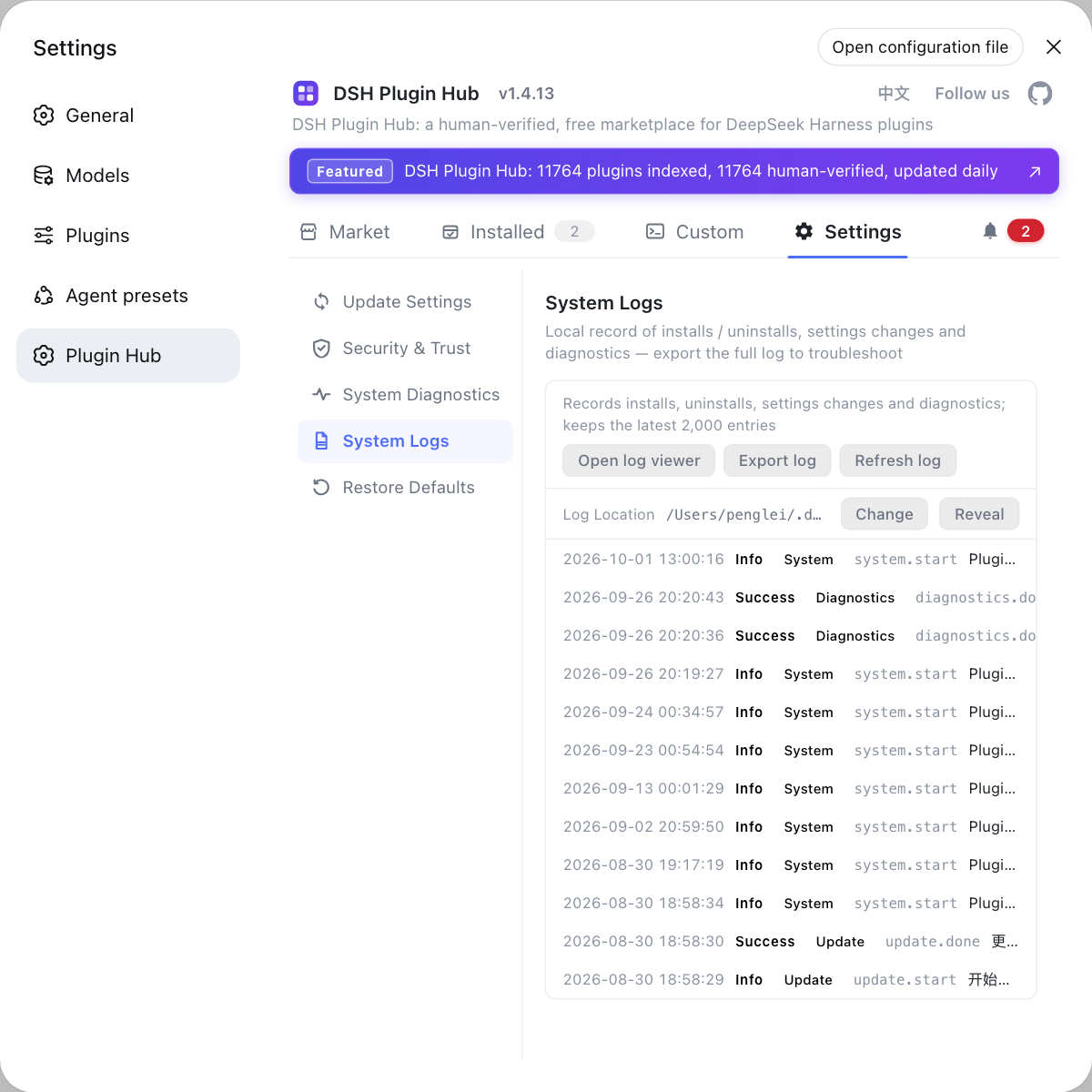
- Keep environment changes traceable: manage plugin additions, removals, and version updates in one place, and when troubleshooting first ask "what changed recently" — the installed list and system logs in the DSH Plugin Hub let you cross-check.
Common misconceptions about the DeepSeek Harness messages transport failed error
Five beliefs that turn one fallback label into several wrong fixes:
- Assuming it always means the network is down: it is a catch-all fallback label, so a local preparation failure such as a deleted attachment lands on the very same line.
- Treating all four codes as one thing:
TIMEOUT,ABORTED, a rethrownLlmError, andTRANSPORTare four branches in the source, and only the last is the fallback. - Reading the outer line as the real error: the identity is in
cause; the visible line is only a label, so without openingcauseyou cannot name the fault. - Retrying a deterministic failure: if the inner cause is "a local file does not exist," backoff retries add latency without ever succeeding.
- Fixing the code but never the environment: a proxy that is set but wrong, or an endpoint that is simply unreachable, will keep every request failing until the environment itself is corrected.
Notes on the DeepSeek Harness messages transport failed error
In one line: it is a "could not classify" label, and the check order is "was the request sent → endpoint return code → the real code in cause."
- Do not blame the network first: this line is thrown by the catch-all, and business errors never become it;
- Check the request count first: 0 requests = local preparation, requests present = connection or streaming;
- Always open the
cause: the real error code is in there all along, just not rendered outward; - Distinguish
TIMEOUTfromABORTED: idle timeout and explicit cancellation have their own classifications, so do not treat them all as transport failure; - Judge whether retrying is worth it: retries are meaningless for deterministic errors, so locate before rerunning;
- Same string, different causes: missing attachments and TLS re-signing both land on this line, so split by "was the request sent";
- Check adjacent errors separately: connectivity config in model connection troubleshooting, frontend channel in Web UI connection errors.
Sources: DeepSeek Harness source - llm-deepseek/src/adapter.ts, DeepSeek Harness Docs - Configure model providers, #7834.
FAQ
Not necessarily — this line is DeepSeek Harness's transport-layer fallback label, not a verdict of a network fault. It is thrown by the catch-all in packages/llm/llm-deepseek/src/adapter.ts: when the escaping error is neither a LlmError nor an idle timeout or an explicit cancellation, it is wrapped as code: TRANSPORT. In other words it says "this failure could not be classified," and the real reason is in the cause. That is why the first move is to determine whether the request was actually sent, not to switch networks.
In DeepSeek Harness, a genuine model / API business error is itself a LlmError, rethrown as-is with its own code, so it never becomes this line. The catch in the source splits four ways: the idle watchdog timeout reports TIMEOUT, a user cancellation reports ABORTED, an existing LlmError is rethrown as-is, and only the rest is wrapped as TRANSPORT. So seeing TRANSPORT means the failure happened around request preparation, connection setup, or streaming, not a business rejection from the model side. A 401 or 429 should keep its own identity rather than appear as this label.
In DeepSeek Harness, check whether the request was actually sent — that is the most decisive test. If the HTTP request count is 0 and the failure is on the order of 20ms, the error happened in local preparation — typically an attachment object referenced in history was deleted, in which case every request in that session fails, see transport failed is not a network problem. If the request was sent and then cut off mid-stream, that is a connection-layer issue — typically antivirus or a proxy re-signing HTTPS and breaking the certificate chain, see antivirus TLS cert chain errors. One test sorts two causes that look identical in the message text.
In DeepSeek Harness, dig out the cause — the real error code is kept in LlmError.cause all along, it is just not rendered in the user-visible line. Check three places in turn: the error object in that turn's turn/end reason record in the session log, the count of llm/retry entries, and the return code of the most recent request at the endpoint. The code inside cause is the original identity (for example, a missing attachment is ATTACHMENT_NOT_FOUND), not the outer TRANSPORT. Because the outer line is only a label, reading cause is what actually names the fault.
In DeepSeek Harness, TRANSPORT is in the default retryable set, so it retries several times along a backoff chain, and only after exhausting them does the turn count as failed. Note though: backoff retries are meaningless for deterministic errors like "a local file does not exist" and only add pure latency — once restored to its original code, it is no longer in the retryable set. After retries are exhausted, locate the real cause, fix it, then rerun the same turn; the session itself is kept and can be resumed.
Related Terms
- TRANSPORT
- TRANSPORT is DeepSeek Harness's transport-layer fallback error code, thrown by the catch-all in the llm-deepseek adapter with the message DeepSeek Messages transport failed. It means the failure could not be classified, not that the network is definitely at fault; the real reason is kept in cause.— DeepSeek Harness source - llm-deepseek/src/adapter.ts (TRANSPORT throw site)
- cause
- cause is the original error object kept when the LlmError is wrapped by the fallback (passed as { cause: error } at construction). The real error code is hidden in its code, so troubleshooting should read cause first rather than the outer TRANSPORT line.— DeepSeek Harness source - llm-deepseek/src/adapter.ts (TRANSPORT throw site)
- idleWatchdog / MESSAGES_IDLE
- idleWatchdog is the idle watchdog during a streaming request; it fires when no new chunk arrives within streamIdleTimeoutMs. That branch reports TIMEOUT (DeepSeek Messages stream idle timeout), a different classification from TRANSPORT.— DeepSeek Harness source - llm-deepseek/src/adapter.ts (TRANSPORT throw site)
- llm/retry
- llm/retry is the session-log event recording backoff retries of a model call. The default retryable set includes TRANSPORT, so each failure leaves several llm/retry entries, and their count is a signal of whether retries were wasted.— #7834 - After deleting an attachment object every request in the session fails and is misreported as "DeepSeek Messages transport failed"
Sources
- DeepSeek Harness source - llm-deepseek/src/adapter.ts (TRANSPORT throw site)· deepseek-ai
- DeepSeek Harness Docs - Configure model providers· deepseek-harness
- #7834 - After deleting an attachment object every request in the session fails and is misreported as "DeepSeek Messages transport failed"· deepseek-ai (GitHub Discussions)