DSH plugin: SELF_SIGNED_CERT_IN_CHAIN from HTTPS re-signing
When DSH suddenly starts reporting SELF_SIGNED_CERT_IN_CHAIN on model calls, or the UI shows only a single line "DeepSeek Messages transport failed" — these two errors often share one root cause: some segment on your machine (a security suite's "encrypted connection scanning" such as Kaspersky, or a transparently hijacking proxy such as Clash) performs a TLS man-in-the-middle re-sign, and Node's fetch does not read the system trust store by default, so the handshake fails. The good news is it is fully diagnosable and fixable, and you need not choose between "keep antivirus scanning" and "use DSH". This article follows "triage → localize → three fixes": first tell at a glance whether the error is at the TLS layer or the transport layer, then give certificate-level evidence and the keep-alive mechanism behind "flaky", and finally three fixes — the recommended single-variable NODE_USE_SYSTEM_CA, the minimal-change NODE_EXTRA_CA_CERTS, and staying on the security-software side with an exclusion.
Triage first: two errors, two different chains
Read the raw error before acting — SELF_SIGNED_CERT_IN_CHAIN sits at the TLS handshake layer while transport failed sits at the transport layer, and their investigation paths are completely different.
Error one: SELF_SIGNED_CERT_IN_CHAIN (TLS handshake layer)
The minimal reproduction command (the community uses it to localize in one step on both Windows and macOS, #6338, #6420):
node -e "fetch('https://api.deepseek.com').then(r => console.log('HTTP', r.status)).catch(e => { console.error(e, e.cause); process.exit(1) })"
When it hits, the output is:
TypeError: fetch failed
[cause]: Error: self-signed certificate in certificate chain
code: 'SELF_SIGNED_CERT_IN_CHAIN'
Key judgment: this error code is not generated by DSH. A whole-repo search finds no handling or mapping of SELF_SIGNED; it is a built-in Node TLS error, and DSH merely wraps it into LlmError("DeepSeek API request to ... failed", 'TRANSPORT', { cause }) (packages/llm/llm-deepseek/src/adapter.ts:657-663), whose original cause chain is exactly the sentence TLS reported (#6338).
⚠️ An experimental trap that easily skews the conclusion: if you run the diagnostic only after uninstalling the security suite and see a normal chain of TrustAsia → DigiCert, that does not imply "the security suite was not a man-in-the-middle" — you simply tested at the wrong time. rejectUnauthorized: false is not "no validation": it lets the connection proceed when validation fails, but validation still runs and its result is still recorded in authorized / authorizationError. Only running with scanning on shows the issuer becoming Kaspersky and authError becoming SELF_SIGNED_CERT_IN_CHAIN (#6338).
Error two: DeepSeek Messages transport failed (transport layer)
This string is DSH's own classification label, not the upstream text, so it tells you more than it seems (#6987).
It is produced only at packages/llm/llm-deepseek/src/protocols/messages/adapter.ts:79, under the condition that the request generator throws something that is not an LlmError (:76-79). In the same generator, every protocol/HTTP-layer failure has its own text and code, thrown as-is and not landing in this branch:
| Trigger | Error text / code | Location |
|---|---|---|
| Idle watchdog fires | DeepSeek Messages stream idle timeout / TIMEOUT | adapter.ts:76 |
| User interrupt | DeepSeek Messages request aborted / ABORTED | adapter.ts:77 |
| HTTP non-2xx | AUTH / QUOTA / RATE_LIMIT / CONTEXT_WINDOW_EXCEEDED / INVALID_REQUEST / SERVER / HTTP_<status> | .../messages/transport.ts:29-35 |
Bad JSON in an SSE frame, or event type mismatching type | MALFORMED_RESPONSE | .../messages/sse.ts:19, :23 |
Stream ended without message_stop | STREAM_CLOSED | .../messages/translate.ts:165 |
| Response has no body | EMPTY_RESPONSE | adapter.ts:147 |
So this error means: the request itself or the response body stream broke below the SSE/protocol layer (connection reset, link/proxy interruption, TLS or HTTP2 failure, etc.). It is not "the gateway omitted a terminal event", not rate limiting, and not authentication.
Why you cannot see the real cause
已重试模型请求(4/4) ("retried the model request 4/4") means it was judged retryable and retried to the cap — TRANSPORT is in the default retryable set (packages/llm/llm/src/retry-policy.ts:18-24), with 5 retries by default, backoff starting at 500ms, doubling, capped at 10s, ±10% jitter (retry-policy.ts:14-17; formula at packages/llm/llm-retry/src/index.ts:59-64, cap check at :223). Your route's cap looks like 4, and the backoff may be overridden by llm-deepseek: { retryPolicy: … } (key at packages/llm/llm-deepseek/src/config.ts:100; mode: always retries forever) (#6987).
Crucially: the wrapped underlying error does not enter the session log. turn/end keeps only the structured {message, code} (packages/core/agent-loop/src/agent.ts:329-336: LlmError keeps its own facts, others are folded into cause-chain text), so the UI never shows more than this label — the real cause chain exists only in the launching terminal's output (#6987).
After triage, confirm the chain with a read-only command (no settings changed)
node -e "const t=require('tls');const s=t.connect({host:'api.deepseek.com',port:443,servername:'api.deepseek.com',rejectUnauthorized:false},()=>{const p=s.getPeerCertificate(true);console.log('authorized:',s.authorized,'| authError:',s.authorizationError||'(none)');console.log('leaf:',p.subject.CN,'<- issuer:',p.issuer.CN||p.issuer.O);let x=p,g=0;while(x&&g++<8){if(!x.issuerCertificate||x.issuerCertificate===x){console.log('root:',x.subject.CN||x.subject.O);console.log('rootValidFrom:',x.valid_from);console.log('rootSHA256:',x.fingerprint256);break}x=x.issuerCertificate}s.end()})"
How to read it (#6338):
leaf: … <- issuer: Kaspersky…⇒ the security suite is intercepting (this step is normal by itself);authError: SELF_SIGNED_CERT_IN_CHAINwith a Kaspersky issuer ⇒ this article's problem; use the fixes below;authorized: true⇒ already fine;- Write down the
rootSHA256: next time it recurs, run it again — same fingerprint ⇒ not a root problem (check the security suite's interception rules); different fingerprint ⇒ the root changed, re-export and overwrite.
Root cause: local HTTPS scanning re-signs the chain, and Node does not read the system trust store
One sentence: security-software HTTPS scanning must man-in-the-middle to scan content, while Node deliberately ignores the system trust store and ships its own cross-platform-consistent root list — the two designs collide, and the result is "the browser is fine but DSH reports a certificate error".
First, distinguish three different certificates
Much of the "different AI answers say different things" confusion comes from mixing three certificates together (#6338):
| Certificate | Issued by | Does it change |
|---|---|---|
api.deepseek.com's server certificate | a public CA (TrustAsia / DigiCert, etc.) | rotates every few months, unrelated to this problem |
| The security suite's local root | itself (self-signed) | generated at install and stored in the system trust store; changes on reinstall / major upgrade |
| The leaf certificate issued on the spot per connection | the root above | changes constantly |
NODE_EXTRA_CA_CERTS trusts the second (the root): as long as the root is unchanged, every leaf it issues (the third) is trusted automatically, however many times it changes. That also explains "it worked yesterday but not today" — what changed is not DeepSeek's certificate but the security suite's interception behavior (e.g. it started intercepting a domain it previously did not).
Certificate-level evidence: the root is in Windows, but not in Node
The community obtained a full comparison on Windows 11 (Node v26.7.0, dsh 0.1.5-rc.1) (#6338):
- Connecting to
api.deepseek.comwith SNI, the leaf isCN=api.deepseek.comand the issuer isKaspersky Anti-Virus Personal Root Certificate(O=AO Kaspersky Lab), the same on both resolved addresses; - That root is in the Windows trust store (
Cert:\LocalMachine\Root/Cert:\CurrentUser\Root, 82 on the machine); - Yet
require('tls').rootCertificateson Node v26.7.0 lists 118 roots with 0 matching "Kaspersky" — the local interception root is simply not in Node's bundled CA set; - Under default trust,
tls.connect({...rejectUnauthorized:true})throwsSELF_SIGNED_CERT_IN_CHAIN, andfetchfails the same way.
So the browser is fine while DSH fails — one root, two trust stores, entirely self-consistent.
Why it is "flaky" rather than always reproducing
This puzzled the reporters most, but the mechanism is clear (#6420):
Whether it gets re-signed depends on "this TCP connection". Keep-alive connections in undici's pool completed their handshake long ago and are not hijacked; only new connections can hit it. Running the same command repeatedly gives different results:
connect 1: authorized=false  issuer=[Kaspersky Anti-Virus Personal Root Certificate]
connect 2: authorized=true   issuer=[TrustAsia DV TLS RSA CA 2025]
connect 3: authorized=false  issuer=[Kaspersky Anti-Virus Personal Root Certificate]
Measured statistics:
| Scenario | Result |
|---|---|
| Raw TLS handshake (direct) | 6/10 report SELF_SIGNED_CERT_IN_CHAIN |
| Reuse a connection for POST | 16/20 succeed |
| New connection per request | only 1–2/20 succeed |
⇒ Failing most easily after the program has been idle for a while (the pool must open a new connection), while rapid successive operations seem fine — that is the source of the "no pattern".
Similar "proxy chain" problems masquerade as it too: if your Clash runs TUN / enhanced mode, it takes over traffic transparently at the network layer, and Node needs no proxy configuration at all, so "node has no proxy configured" does not mean Clash is not in the path (#6420). The report's ubuntu + clash: fails when off, fine when on and fails when clash exits to the background are the same class.
Some version lines show "connection reset" rather than "certificate not trusted"
There is another independent but same-origin chain: the security suite's encrypted-connection scanning resets the connection when forwarding large requests. The evidence — the moment the security suite was paused, transport errors on the same session, same process, and same network path dropped to zero immediately, and multiple subsequent request steps had not one retry (#6987). This class does not present as a certificate code but directly as transport failed, so when you see transport failed, also list the security suite/proxy as a suspect.
Fixes: three, plus one prohibition
Ordered by change scope, smallest first: single variable reading the system store → trust one more root → add an exclusion on the security-software side. Do not take the route of disabling all validation.
Option 1 (recommended, single variable): NODE_USE_SYSTEM_CA=1
Make Node read the system trust store directly (the security suite's root is already in it). Supported since Node v22.15.0 / v23.8.0 (#6338).
- Confirm the version:
node -v # needs >= v22.15.0
- Enable it temporarily in the current session (to verify immediately):
$env:NODE_USE_SYSTEM_CA="1"
- For long-term effect (write it into a system environment variable, then open a new terminal):
setx NODE_USE_SYSTEM_CA 1
- Restart DSH (the variable is read at process start).
Why it is recommended (#6338):
- Locally measured: without the switch Node trusts 145 roots by default (all bundled); with it, 305 = 145 bundled + 160 system — appended, not replaced;
- Benefit: when the security suite swaps roots later, the Windows trust store updates with it, and you do nothing;
- Cost: the trust scope widens from "one extra root" to "the entire system store".
The community independently reproduced and verified the same conclusion on different Windows machines: after enabling it, the same connection reports authorized: true and fetch returns HTTP 401 (the normal result without a key), showing TLS is through and the request reached the API (#6338).
Option 2 (minimal change): NODE_EXTRA_CA_CERTS pointing at the exported root
Use this when you want to trust only that one root and not touch the system store.
- Export the interception root on Windows:
Win+R, opencertlm.msc, expand "Trusted Root Certification Authorities" → "Certificates";- Find the root whose name contains
Kaspersky(usually in the vendor block near the top); - Right-click → All Tasks → Export → choose Base64 encoded X.509 (.CER) → save as
kaspersky-root.pem.
- Point at it before launching DSH:
$env:NODE_EXTRA_CA_CERTS = "C:\path\to\kaspersky-root.pem"
dsh
- To make it apply to all terminals long-term, write
NODE_EXTRA_CA_CERTSinto a system environment variable; the permanent PowerShell form (#6420):
[Environment]::SetEnvironmentVariable(
  'NODE_EXTRA_CA_CERTS',
  "$env:USERPROFILE\.dsh\certs\interception-roots.pem",
  'User')
It really works, it is not folklore: the community started a local HTTPS server with a self-signed certificate on Node v22.22.3 and changed only this one environment variable (#6338):
| Environment | fetch('https://localhost:8443') |
|---|---|
Without NODE_EXTRA_CA_CERTS | fetch failed / DEPTH_ZERO_SELF_SIGNED_CERT |
| Set, pointing at that certificate's PEM | SUCCESS: {"ok":true,"via":"d5-tls-test"} |
⇒ Node's fetch (undici) does read NODE_EXTRA_CA_CERTS, so you need not choose between "keep scanning" and "reach the API". Post-fix real statistics: raw handshakes 0/10 errors, new-connection requests 20/20 success (#6420).
Two traps (#6338):
- A wrong path does not error. When it points at a nonexistent file, Node only prints a warning (
Ignoring extra certs from …) and then fails as usual with the sameSELF_SIGNED_CERT_IN_CHAIN. So if it still fails after setting it, first confirm the path is reachable and the file is PEM text (starting with-----BEGIN CERTIFICATE-----), not a binary.cer. - The intermediate state is a milestone: if the code changes from
SELF_SIGNED_CERT_IN_CHAINtoERR_TLS_CERT_ALTNAME_INVALID, the certificate is now trusted and only the hostname mismatches — a different problem (the certificate SAN does not match the accessed domain/IP), unrelated to the security suite.
Option 3 (stay on the security-software side): add an exclusion / trusted application
If you don't want to touch Node config, you can also keep this traffic from being scanned (#6338):
- Add
dsh/nodeto the security suite's trusted applications (skip its encrypted-connection scanning); - Or turn off "encrypted connection scanning / HTTPS scanning";
- Or add
api.deepseek.comto the scanning exclusions so this segment is not scanned (menu names depend on your version; Kaspersky's official doc:https://support.kaspersky.com/kaspersky-for-windows/21.23/157530).
Note: items 1 and 2 are security-software UI configuration, and the community author admits not having tested each one in a security-software environment; item 3's official doc link can serve as an entry point.
⛔ Do not use NODE_TLS_REJECT_UNAUTHORIZED=0
Measured, it does connect (fetch returns 200), but it disables all certificate validation, and Node itself prints a security warning. Acceptable as a stopgap, but not a solution (#6338).
macOS users: persist it with a LaunchAgent
The same thing happens on macOS (often reported as UNABLE_TO_GET_ISSUER_CERT_LOCALLY), because DSH's bundled Node does not use the macOS system CA. The community's complete fix record is (#6987):
- Enable
NODE_USE_SYSTEM_CA=1in the current login session; - Install a persistent LaunchAgent:
~/Library/LaunchAgents/com.deepseek.harness.system-ca.plist; - Restart DeepSeek Harness;
- Unchanged: API key, model config, and session data.
Verification: the bundled Node can reach the Messages API and returns the expected HTTP 401 (rather than a TLS failure); an actual session resumed streaming at about 250–280 tok/s, ran 20-plus steps in a new turn, with 0 TRANSPORT errors.
Troubleshooting notes
The core of this class is "first determine which layer the error is on", and the worst move is to reinstall DSH or delete .dsh right away. Eight points:
- Run the minimal reproduction before touching anything:
node -e "fetch('https://api.deepseek.com')...". SeeingSELF_SIGNED_CERT_IN_CHAIN⇒ a TLS trust-chain problem; seeing something else ⇒ a different case (#6338). - Don't treat "flaky" as a random failure: "fails after idle, fine in rapid succession" is precisely the keep-alive fingerprint — only new connections hit the re-sign (#6420).
- "Node has no proxy configured" does not mean the proxy is not in the path: Clash's TUN / enhanced mode takes over transparently at the network layer, so Node gets routed with no proxy configuration; adding a DIRECT rule for the domain verifies it (#6420).
- Experiments after uninstalling the security suite cannot retroactively capture the failure:
rejectUnauthorized:falsestill records the validation result, but running in a "clean state" only proves "it is clean now" (#6338). - For both errors, think of the security suite: an untrusted certificate reports
SELF_SIGNED_CERT_IN_CHAIN; encrypted scanning resetting the connection when forwarding large requests directly becomestransport failed, with no certificate code (#6987). - transport failed's real cause is in the launching terminal: the session log's
turn/endkeeps only{message, code}, the wrapped underlying error is not written to the log, and the UI always shows only the outermost label (#6987). - This is not a bug, and neither side will "fix itself": security-software HTTPS scanning must man-in-the-middle to scan content, while Node deliberately uses its bundled cross-platform root list. The same class occurs with any program carrying its own trust store (Python / Java / Go …) paired with any HTTPS-interception software (ESET / Bitdefender / enterprise proxies like Zscaler) (#6338).
- Don't forget to check the DSH version and baseURL: if curl connects directly but only DSH fails, check whether
llm-deepseek'sbaseURLin settings was changed, whetherDEEPSEEK_BASE_URLis in the environment, and whether the key is injected correctly viaDEEPSEEK_API_KEY(#6420).
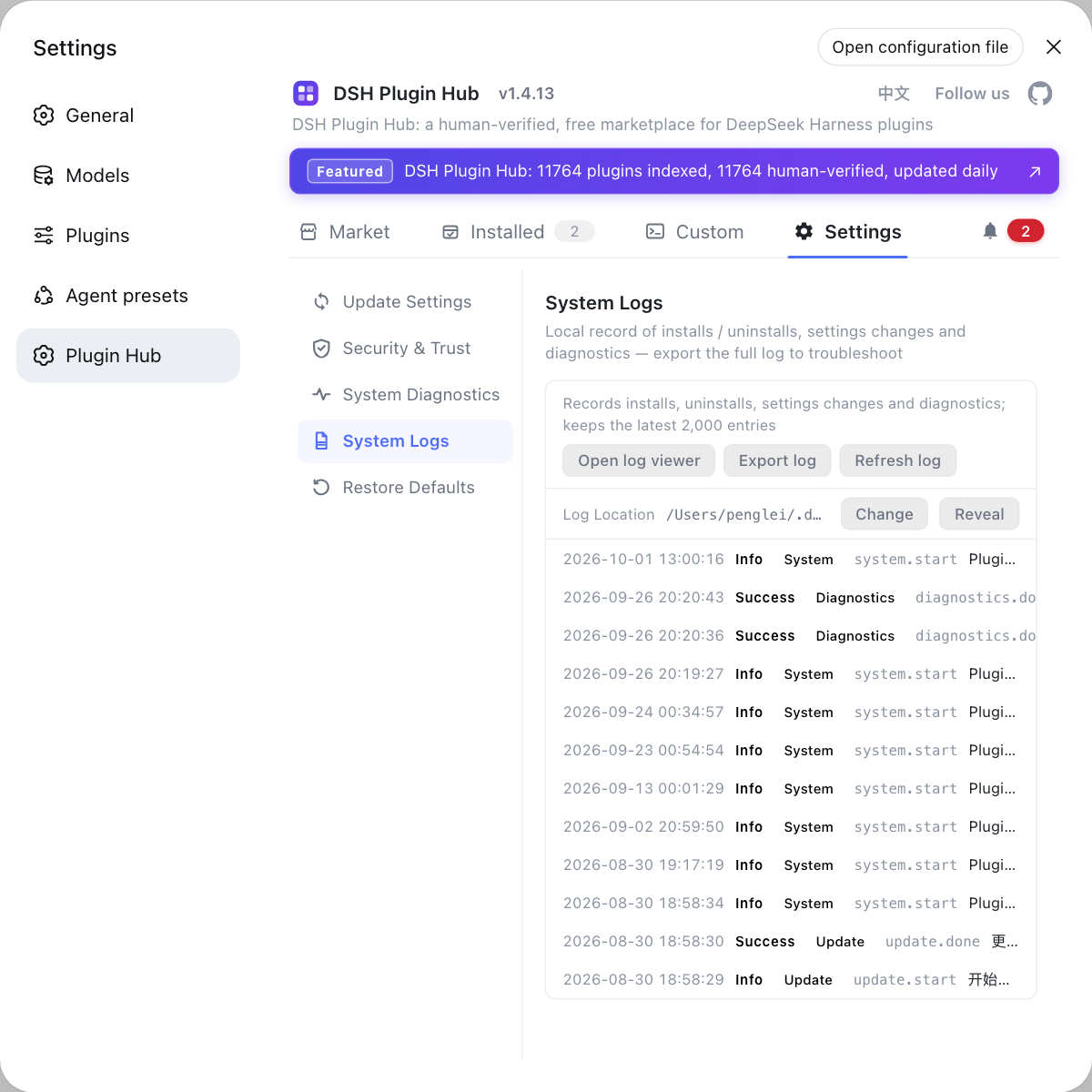
When troubleshooting this class, use DSH Plugin Hub's installed list to confirm the DSH version and plugin status, and export diagnostic info on the system-logs page; that quickly rules out the "DSH is not installed right" layer and leaves your energy for the certificate chain itself.
Source: Discussion #6338, Discussion #6420, Discussion #6987.
FAQ
No. This error code is not produced by DSH but is a built-in Node TLS error, meaning the replaced chain is on your local segment: a security suite or proxy performed HTTPS man-in-the-middle scanning and re-issued the chain with its own self-signed root, and Node's fetch (undici) does not trust that root by default. Turning scanning off restores a direct connection and the error disappears, which confirms the problem is local and unrelated to api.deepseek.com's server certificate.
Because whether it gets re-signed depends on 'this TCP connection'. Established keep-alive connections in undici's pool completed their handshake long ago and are not hijacked; only new connections can hit it. Measured: raw TLS handshakes errored 6/10, reusing a connection to POST succeeded 16/20, and creating a new connection per request succeeded only 1-2/20. So it most often fails after the program has been idle for a while (the pool needs a new connection), while rapid successive operations seem fine — that is the source of the 'no pattern'.
For the least hassle going forward, choose NODE_USE_SYSTEM_CA=1 (supported since Node v22.15.0 / v23.8.0): Node reads the system trust store directly, and locally measured roots went from 145 (bundled) to 305 (+160 system) — appended, not replaced; when the security suite swaps roots later the system store updates with it and you do nothing. For a minimal change, or on older Node, use NODE_EXTRA_CA_CERTS pointing at the exported PEM, trusting only that one root. Pick one; for long-term effect write it into a system environment variable or persistent config.
The most common cause is a path or file-format problem: when it points to a nonexistent file, Node only prints a warning (Ignoring extra certs from …) and fails as usual with the same SELF_SIGNED_CERT_IN_CHAIN. Confirm the path is reachable and the file is **PEM text** (starting with -----BEGIN CERTIFICATE-----), not a binary .cer. Another useful intermediate state: if the code changes to ERR_TLS_CERT_ALTNAME_INVALID, the certificate **is now trusted** and only the hostname mismatches — a different problem. Note the variable is read only at process start, so you must restart DSH after changing it.
That string is DSH's own classification label: it is produced only when the request generator throws **something that is not an LlmError** (adapter.ts:76-79), meaning the request or response stream broke below the SSE/protocol layer — connection reset, link/proxy interruption, TLS or HTTP2 failure. Other protocol-layer failures have their own codes (TIMEOUT / ABORTED / AUTH / MALFORMED_RESPONSE / STREAM_CLOSED, etc.) and do not land here. The wrapped underlying error does not enter the session log, so look in the **launching terminal's output** for the cause chain.
Related Terms
- SELF_SIGNED_CERT_IN_CHAIN
- A built-in Node TLS error code meaning the certificate chain received during the handshake contains a self-signed certificate that is not in the local trust store. In this context the typical source is a security suite's HTTPS scanning re-signing the chain with its self-signed root; DSH neither generates nor maps this code, it just wraps it into a TRANSPORT-class error.— https://github.com/deepseek-ai/deepseek-harness/discussions/6338
- NODE_USE_SYSTEM_CA
- A Node environment variable; when set to 1 it makes Node use the operating system trust store (Windows certificate store / macOS keychain) directly instead of only its bundled cross-platform root list. Supported since Node v22.15.0 / v23.8.0; locally measured, enabling it grew trusted roots from 145 to 305. The benefit is that interception roots from enterprise/security software update automatically with the system store; the cost is that the trust scope widens to the entire system store.— https://github.com/deepseek-ai/deepseek-harness/discussions/6338
- NODE_EXTRA_CA_CERTS
- A Node environment variable pointing at an extra PEM certificate file, making Node additionally trust the root certificates within it for that process. It is read once at process start, so you must restart the program after changing it; pointing at a nonexistent file only prints a warning, not an error. Compared with NODE_USE_SYSTEM_CA it is a smaller change, trusting only the specified root.— https://github.com/deepseek-ai/deepseek-harness/discussions/6338
- DeepSeek Messages transport failed
- DSH's classification text for a DeepSeek Messages protocol failure, produced only when the request generator throws a non-LlmError (`packages/llm/llm-deepseek/src/protocols/messages/adapter.ts:76-79`), corresponding to a retryable TRANSPORT-class error. Protocol/HTTP-layer failures have their own codes and do not land here; the wrapped underlying cause is not written to the session log and appears only in the launching terminal.— https://github.com/deepseek-ai/deepseek-harness/discussions/6987
Sources
- #6338 — Report: suspected Kaspersky HTTPS scanning makes Node.js hit SELF_SIGNED_CERT_IN_CHAIN against api.deepseek.com· deepseek-ai (GitHub Discussions)
- #6420 — After repeatedly reinstalling DSH, my DSH still frequently shows DeepSeek API request to https://api.deepseek.com failed· deepseek-ai (GitHub Discussions)
- #6987 — Run failed this turn: DeepSeek Messages transport failed· deepseek-ai (GitHub Discussions)