What uninstalling a DSH plugin deletes (sessions, settings)
What does uninstalling a DSH plugin delete? The answer depends on who owns the data: the dependency and load layer are cleared by dsh plugin remove, the plugin's settings card vanishes with its namespace, and your session records are untouched. The real traps are the three things that half-leave — files the plugin wrote itself, config overlay blocks you hand-wrote, and other plugins depending on it. Walk the three-tier ownership table below once and you will know exactly what you are giving up before you uninstall.
What survives and what goes after uninstalling a DSH plugin
Sort the data into three tiers by ownership and the blast radius becomes obvious: the DSH root tier, the profile tier, and the plugin's own tier (source). The comparison:
| Data | Where it lives | After uninstall |
|---|---|---|
| Session records | $DSH_HOME/sessions | Kept, unrelated to the profile |
| Global settings, credentials | $DSH_HOME/settings.yaml, .credentials.yaml | Kept |
| Dependency and load layer | the profile's package.json (dependencies + dsh.profile.bundles) | Cleared by remove |
| Settings page card | the plugin's settings namespace | Gone with the plugin (nobody registers the namespace) |
| Config overlay you hand-wrote | the profile's cordis.patch.yml | Kept, needs manual cleanup |
| Data the plugin wrote itself | decided by the plugin author | Depends on location, see below |
For the last row: before uninstalling, check whether the plugin's docs or source name a data directory; after uninstalling, look under $DSH_HOME for a directory named after the plugin. If there is one, its data exists independently of the package and usually survives a reinstall; if not, the data was written inside the package directory and is already gone.
References that break with a DSH plugin: commands, shortcuts, widgets
What stops working after uninstalling a DSH plugin is far more than "one less item on the settings page" — everything it registered disappears with it, and anything depending on it may error out. Two categories:
Gone with the plugin (normal, nothing to do):
- The commands and keyboard shortcuts it registered;
- The widgets and entries it added to the sidebar, dashboard, or status bar;
- The tools it provided — the model can no longer call them;
- Its card on the settings page (the namespace is no longer registered).
Not gone on its own (you must handle these):
- Lines in
cordis.patch.ymlreferencing that plugin: that overlay is not managed by pnpm or the bundle manifest, andremovewill not clear it for you; leaving it behind can throw a module-not-found at startup (source). - Other plugins depending on it: if another plugin still depends on it, pnpm may refuse the removal, or leave an upper plugin referencing a missing package — the former errors immediately, the latter only surfaces at startup. See what to do when uninstall fails.
- Leftover config in the profile: data the plugin wrote that fits neither category above — verify it tier by tier with cleaning up leftovers after uninstall.
Reinstalling from DSH Plugin Hub to recover from a mistake
The first step of recovery is not reinstalling but judging which tier you lost: a lost manifest layer can be rebuilt, data lost inside a package cannot be recovered. Do it in order:
- Confirm the blast radius: run
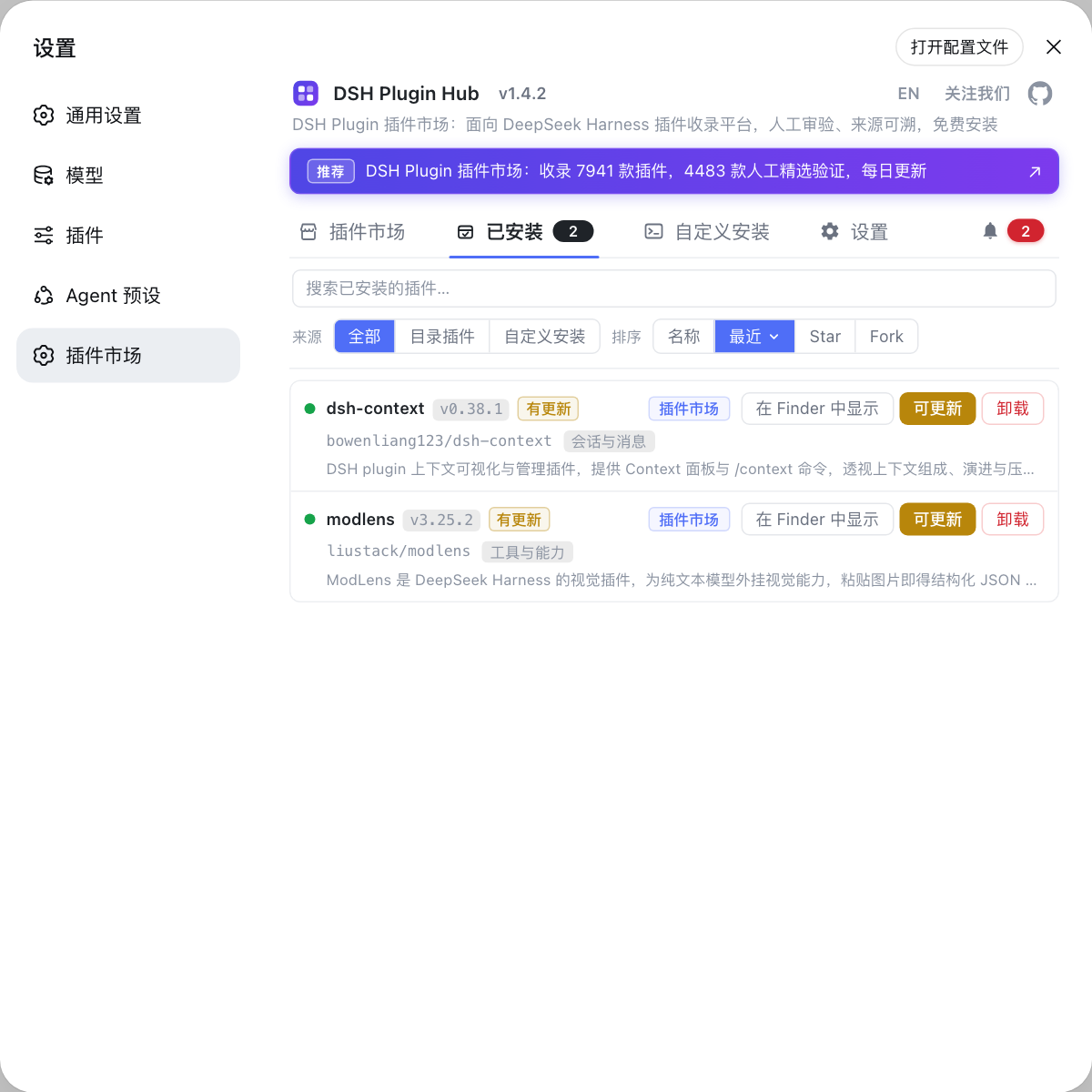
dsh plugin --profile <name> listanddsh --profile <name> --dump-configto see which layer is missing, thenls "$DSH_HOME"for a data directory named after the plugin. - Reinstall the same version: open Settings → Plugin Marketplace, i.e. DSH Plugin Hub, and reinstall from the installed plugins list (or rerun the original install command). Reinstalling rebuilds the dependency and load layer, and the settings card and tools come back with it.
- Restore your overlay block: if you had hand-written a
config:block incordis.patch.yml, a reinstall will not bring it back — rewrite it from your backup. - Verify: restart dsh, confirm the card, tools, and commands are back, then run
--dump-configonce more to check the layer order.
Whether data can be recovered is half-decided at step 1: data living in its own directory under $DSH_HOME is usually readable again after a reinstall; data written inside the package directory is already deleted with the package. So the genuinely safe move is to back up before uninstalling — at minimum copy the profile's package.json and cordis.patch.yml, and if you can, back up the whole $DSH_HOME; see how to reset dsh.
DSH plugin uninstall impact notes
In one line: remove only handles the manifest and the load layer — everything else is either unaffected or yours to finish.
- Sessions are not carried away by a plugin uninstall: they live in
$DSH_HOME/sessions; clearing sessions is a separate job, see how to delete a session. - A vanished settings card does not mean deleted config: the namespace goes with the plugin, but the
config:block you hand-wrote stays incordis.patch.yml. - Back up both manifests before uninstalling:
package.jsonandcordis.patch.yml, so you can restore everything if something goes wrong. - Check first whether another plugin depends on it: when dependencies exist, remove the upper plugin first, or pnpm will refuse the removal.
- Do not count on a reinstall to recover in-package data: the data location is decided by the plugin author — confirm it before uninstalling.
- If you only want to pause it, do not uninstall: disabling keeps all data and config; the difference is in disabling a plugin vs uninstalling it.
- Confirm profile paths per platform: default
$DSH_HOMElocations per platform are in where the DSH config file lives.
Sources: dsh CLI README, DeepSeek Harness docs - Packaging and installing a plugin, DSH Plugin Hub.
FAQ
**No: uninstalling a DSH plugin does not delete sessions — session data lives in $DSH_HOME/sessions, a different place from the profile directory.** dsh plugin remove clears the pnpm dependency and the load layer in the profile, and sessions stay where they are. If you want to free space or clear chat history for privacy, that is a separate job — delete the sessions directory on its own, and stop the running instance first.
**Yes, it disappears: after uninstalling a DSH plugin that settings section stops rendering, but any config block you hand-wrote into cordis.patch.yml does not leave on its own.** The plugin's card on the settings page comes from the settings namespace it registers; with the plugin no longer loading, nobody registers that namespace and the card stops rendering. A config: block you wrote yourself in the profile's cordis.patch.yml is your own overlay, and remove does not manage it — clear it yourself.
**After uninstalling a DSH plugin, what breaks goes beyond a missing UI entry — it includes other plugins that depend on it.** Specifically: the commands and keyboard shortcuts it registered, the widgets it added to the sidebar or dashboard, and its entry in the config layer. The subtler part is dependency relationships — if another plugin still depends on it, pnpm may refuse the removal, or leave behind an upper plugin referencing a missing package.
**Whether reinstalling a DSH plugin brings data back depends on where it wrote that data: outside the package directory it can be found again, inside it is already gone.** Check before uninstalling whether the plugin's docs or source name a data directory, then after uninstalling look under $DSH_HOME for a directory named after the plugin. If one exists, the data lives independently and reinstall usually reads it again.
Related Terms
- three-tier data ownership
- Three-tier data ownership is the framework for judging uninstall impact: data owned by the DSH root directory (sessions, global settings), data owned by the profile (dependency manifests, overlays), and data owned by the plugin itself (files it writes). Uninstalling a plugin only touches the part related to it — check all three tiers once and you will not misjudge.— https://github.com/deepseek-ai/deepseek-harness/blob/master/apps/cli/README.md
- $DSH_HOME
- $DSH_HOME is the user-level data root of DeepSeek Harness, defaulting to ~/.dsh when the environment variable is unset. It holds settings.yaml, .credentials.yaml, profiles/, sessions/, and skills/ — every judgment about uninstall impact uses this directory as its frame of reference.— https://github.com/deepseek-ai/deepseek-harness/blob/master/apps/cli/README.md
- settings namespace
- A settings namespace is the identifier a DSH plugin exposes its config options under; the plugin's host half registers it and the browser half claims it, and the settings page renders a card from that. Once the plugin is uninstalled nobody registers the namespace and the card disappears — but the overlay block you wrote into cordis.patch.yml is not cleaned up automatically.— https://github.com/deepseek-ai/deepseek-harness/blob/master/docs/user/develop/basic/publish.md
- dangling reference
- A dangling reference is a manifest or config that still points at a package that no longer exists: for example dependencies cleared but `dsh.profile.bundles` still listing that entry, or a cordis.patch.yml still holding the plugin's config block. At startup it shows up as a plugin tree that fails to load or a module that cannot be found.— https://github.com/deepseek-ai/deepseek-harness/blob/master/docs/user/develop/basic/publish.md