DeepSeek Harness DSH config files: settings.yaml, $DSH_HOME
DeepSeek Harness keeps all user-level configuration under $DSH_HOME (default ~/.dsh): global settings in settings.yaml, credentials in .credentials.yaml, and a package.json plus cordis.patch.yml per profile. Three patch layers stack from there, and --dump-config shows the merged result without starting anything — so this covers where the files are, what overrides what, and how to check.
Where DeepSeek Harness config files are: $DSH_HOME, settings.yaml and profiles
The user-level configuration root of DeepSeek Harness is $DSH_HOME, defaulting to ~/.dsh when the variable is unset; global settings, credentials, profile directories and skills/ all live beneath it (source). Five steps to see the whole layout:
- Locate
$DSH_HOME— runecho $DSH_HOMEin a terminal. Expected: if it prints a path, that is the root; if it prints nothing, you are on the default~/.dsh. - Read the global settings —
$DSH_HOME/settings.yaml, which holds model routing, image modality and gateway compatibility. Expected: the file may not exist yet; it appears once a matching feature writes it. - Read the credentials file —
$DSH_HOME/.credentials.yaml, holding API keys and the browser session signing key. Expected: plaintext and sensitive, so never commit it to a repository. - Read a profile directory —
$DSH_HOME/profiles/<name>/, containingpackage.json(out-of-tree plugin dependencies plus thedsh.profilemanifest, the orderedbundlesand thepatchReloadlifecycle) andcordis.patch.yml(your own patch layer). Expected: pnpm installs plugins into that profile'snode_modules, so profiles never affect each other. - Read the skill roots —
$DSH_HOME/skillsis one of the six local skill roots (rank 400). Expected: anything placed there is discovered by the local provider, as detailed in installing DSH skills.
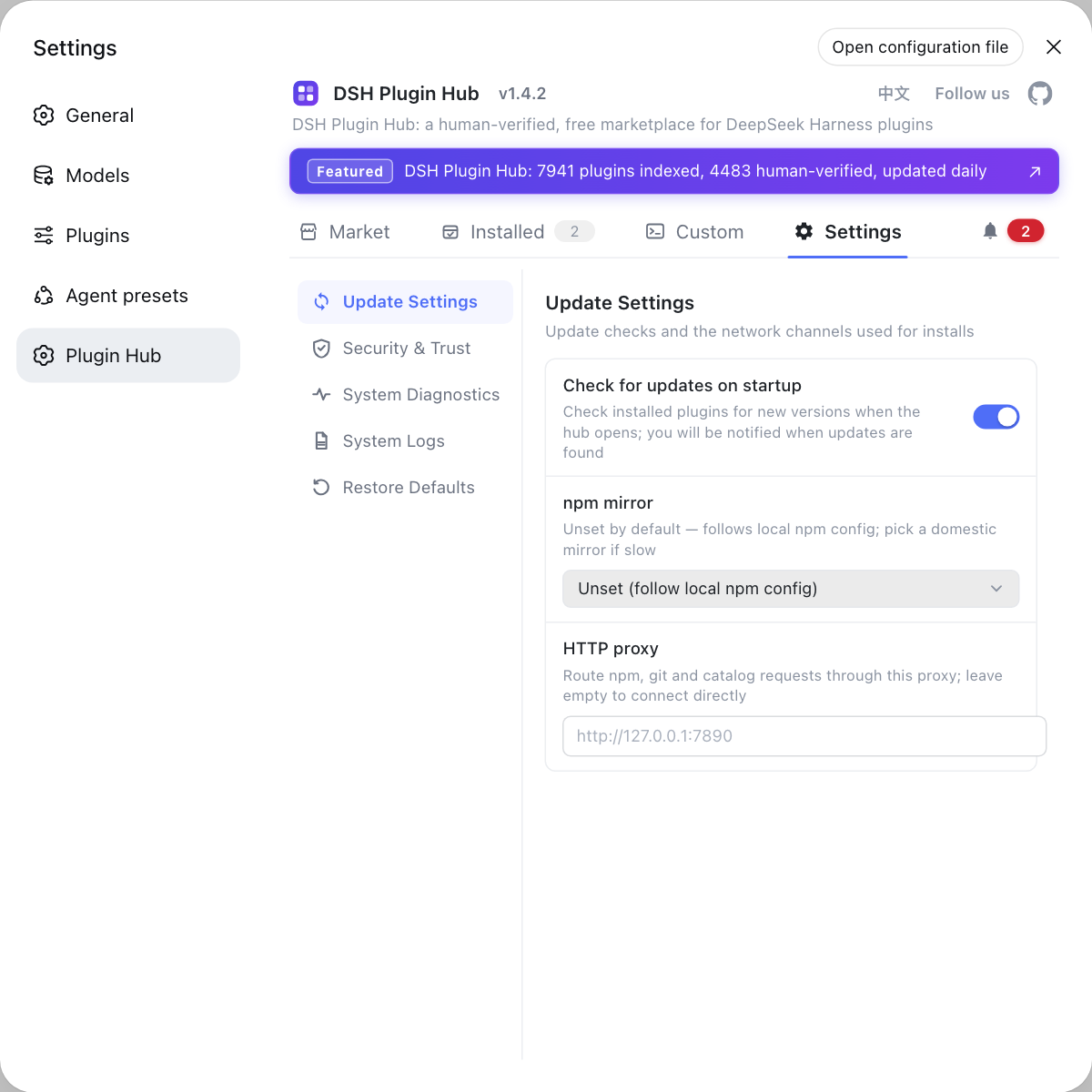
If you lose track of which layer does what, start with the overview how to configure DeepSeek Harness; workspace-specific directory choices are in configuring the workspace. Most day-to-day changes have a graphical home: plugin toggles, the log path and the npm mirror all live in the settings of DSH Plugin Hub, so you rarely need to hand-edit YAML.
DeepSeek Harness config layering: bundles, profile, home and --patch
The configuration tree starts from an empty root and stacks in order: each bundle's own patch → the profile cordis.patch.yml → the home-level $DSH_HOME/cordis.patch.yml → the overlay passed with --patch, with later layers sitting further out (source). Walk the layers in order:
- Innermost are bundle patches — the bundles listed in
dsh.profile.bundles(such as@deepseek-ai/dsh-baseor@deepseek-ai/dsh-web-app) resolve and stack first. Expected: this is the official default composition and needs no maintenance from you. - Second is the profile patch —
$DSH_HOME/profiles/<name>/cordis.patch.yml. Expected: it affects only that profile, which suits switching a plugin on or off for one profile. - Third is the home patch —
$DSH_HOME/cordis.patch.yml. Expected: every profile under that home picks it up, which suits global preferences. - Outermost is the
--patchoverlay — passed on the command line at startup. Expected: a one-off override with the highest precedence, ideal for a quick experiment. - Check
patchReloadfor how changes land —livewatches the profile and home patch files, whilestartupapplies once at startup. Expected: withstartup, an edit needs a process restart before it takes effect. - Pick the right layer — one profile → layer two; all profiles → layer three; a temporary experiment → layer four. Expected: writing to the wrong layer is the number one cause of a change that seems to do nothing.
DeepSeek Harness config file missing: when files appear and how to check
Files such as settings.yaml may simply not exist yet — each is created on the first write by the matching feature; --dump-default-config and --dump-config inspect the merged configuration tree without starting the app (source). Work through this order:
- The file is absent — start dsh once and save the relevant setting in the UI. Expected:
$DSH_HOME/settings.yamlgets created rather than sitting empty waiting for you to hand-write it. - Even the directory is absent — double-check whether
$DSH_HOMEpoints somewhere else. Expected: the value printed byecho $DSH_HOMEmatches the directory you were browsing. - A change does not take effect — check whether
patchReloadisliveorstartup, then whether the edit sits in a layer an outer one overrides. Expected: ruling out those two usually locates it. - Inspect the merged result with dump —
dsh --dump-configprints the actual merged configuration tree anddsh --dump-default-configprints the defaults. Expected: comparing the two separates what ships by default from what you changed it to. - Confirm the plugin reached the profile — check the dependencies in
$DSH_HOME/profiles/<name>/package.jsonand thenode_modulesbeside it. Expected: a missing dependency means the install never landed, so go back to the plugin install flow.
DeepSeek Harness config caveats
.credentials.yamlis sensitive: it holds API keys and the browser session signing key, so never commit it or share screenshots; deleting its session records and restarting revokes every browser session.- Outer layers reach further: a home-level patch affects every profile under that home, so write at the profile level when only one should change.
patchReload: startupneeds a restart: not every patch edit hot-reloads, so confirm the lifecycle setting after editing.settings.yamlstores credential references: the secret itself lives in.credentials.yaml, so never paste a plaintext key into settings.- A default is not the effective value: when in doubt, run a dump and read the output rather than recalling the layer order from memory.
The plugin toggles, log path and npm mirror all converge on the settings page of DSH Plugin Hub (dsh-plugin.org), so reach for the graphical surface rather than hand-editing YAML for those.
Sources: dsh CLI README (official repo), Configuring models (official docs), dshplugin/dsh-plugin-hub
FAQ
DeepSeek Harness keeps user-level configuration under $DSH_HOME, which falls back to ~/.dsh when that variable is unset: global settings live in settings.yaml there and credentials in .credentials.yaml beside it. A missing file is normal — each one is created the first time the matching feature writes it, so start dsh once and save a setting once.
DeepSeek Harness puts the profile-level patch at $DSH_HOME/profiles/<name>/cordis.patch.yml, next to that profile's package.json, while the home-level patch is $DSH_HOME/cordis.patch.yml. Touch the first to change one profile, and the second only when every profile under the home should see the change.
DeepSeek Harness starts from an empty root and stacks in order: each bundle's own patch, then the profile cordis.patch.yml, then the home-level $DSH_HOME/cordis.patch.yml, then the overlay passed with --patch. Later layers sit further out, so a change that does not take effect was usually written in a layer an outer one overrides.
DeepSeek Harness offers --dump-default-config and --dump-config, and both inspect the configuration tree without starting: the first prints defaults, the second prints the actual merged result. Run them after editing a patch instead of starting the app and guessing.
Each DeepSeek Harness profile directory holds package.json — which records out-of-tree plugin dependencies along with the dsh.profile manifest, the bundles order and the patchReload lifecycle — and cordis.patch.yml for your own patch layer, while pnpm installs plugins into that profile's node_modules. Different profiles under one home therefore never affect each other.
Related Terms
- $DSH_HOME
- $DSH_HOME is the user-level root directory of DeepSeek Harness, defaulting to ~/.dsh when the variable is unset. Global settings.yaml, credentials in .credentials.yaml, every profile directory and skills/ all live beneath it, so user-level artifacts stay in one place.— dsh CLI README
- settings.yaml
- settings.yaml is the global settings file of DeepSeek Harness, located under $DSH_HOME, where model routing, input modalities and gateway compatibility are configured; changes take effect on the next request without a restart.— DeepSeek Harness official docs - Configuring models
- cordis.patch.yml
- cordis.patch.yml is the user patch layer of DeepSeek Harness, split into a profile level ($DSH_HOME/profiles/<name>/cordis.patch.yml) and a home level ($DSH_HOME/cordis.patch.yml), and it overrides bundles and defaults.— dsh CLI README
- --dump-config
- --dump-config is a dsh CLI diagnostic flag that prints the merged configuration tree without starting the service; its companion --dump-default-config prints the defaults, and the pair separates what ships by default from what is actually in effect.— dsh CLI README
Sources
- dsh CLI README· deepseek-ai
- DeepSeek Harness official docs - Configuring models· deepseek-ai
- dshplugin/dsh-plugin-hub GitHub repository· GitHub