Use Ollama with DeepSeek Harness: OpenAI-compatible provider
DeepSeek Harness ships no model of its own, so reaching local Ollama means treating it as an OpenAI-compatible endpoint and adding a custom provider under Settings → Models; after the form there are two switches to write into settings.yaml (image input and gateway compatibility). This walks the order "run Ollama → fill the form field by field → add the two switches", with fields and commands aligned to the official docs.
Why DeepSeek Harness can talk to Ollama: a custom provider is an OpenAI-compatible endpoint
Ollama serves an OpenAI-compatible endpoint, and DeepSeek Harness attaches any such endpoint through a custom provider, so no Ollama-specific adapter is involved (source). Prepare the local side first:
- Install Ollama and start it — install per the Ollama docs, then start the service. Expected: the
ollamacommand works and the service listens locally; it is a foreground process, so closing the terminal that started it stops the service. - Pull a model — run
ollama pull <model>. Expected:ollama listshows the model name, which you will copy into DSH character for character. - Confirm the endpoint — Ollama exposes its OpenAI-compatible endpoint at
http://127.0.0.1:11434/v1. Expected: the address responds and nothing else holds the port; if the model or endpoint will not come up, triage it with model connection errors.
Ollama is not the only local option: llama.cpp's llama-server defaults to http://127.0.0.1:8080/v1 and LM-Kit follows your own launch configuration — compare the three in hooking DSH up to a local model. If you changed a name or port, change it on the DSH side too; mismatched ends never connect.
Adding a custom provider in DeepSeek Harness: the five form fields
A custom provider needs five things — a lowercase Provider ID, a display name, a base URL, an API protocol and a credential, plus at least one model — and Provider ID is permanent because every downstream request and credential reference uses it (source). Follow the official form:
- Open the form — go to Settings → Models and choose Add custom provider (providers already in the catalog use "Add provider" instead).
- Fill Provider ID and display name — keep the ID lowercase, for example
ollama-local; it appears in requests, saved sessions, model defaults and credential references. Expected: the ID is fixed once saved, while the display name stays editable. - Fill the base URL and API protocol — set the base URL to
http://127.0.0.1:11434/v1and pickopenai-completions. Expected: these two decide where the request goes and what shape it takes; local services usually need no key, but if yours enforces auth, add the credential — an empty one reportsMISSING_CREDENTIAL. - Add at least one model — type a model ID (a wrong one reports
UNKNOWN_MODEL), or click Fetch available models to query the endpoint. Expected: the list only updates the draft and stores nothing before you save; the chosen model shows up in the model selector and becomes the default for new sessions. - Save and verify — save, then send one message. Expected: model changes take effect on the next request with no server restart; sessions that already sent requests keep the model recorded in their own log.
DeepSeek Harness image switch and gateway compat in settings.yaml
A hand-entered model is text only until it declares otherwise, so images need input: [text, image] on that model in $DSH_HOME/settings.yaml; when a gateway rejects requests, the two compat switches bend the request shape back to what it accepts (source). Both live in the yaml:
- Declare image input on the model — add
inputunder the provider'smodels:Expected: that model accepts images; if every hand-entered model does, writeyamlllm-pi-ai: providers: ollama-local: api: openai-completions baseURL: http://127.0.0.1:11434/v1 models: - id: vision-model input: [text, image]defaultInput: [text, image]once on the route as the fallback. The full troubleshooting path is in a model that does not support image. - Narrow a catalog model with modelOverrides — catalog providers have no
modelslist to fill, so overrides are keyed by model ID:Expected: only that model's modality is narrowed; other models on the same route keep theirs.yamlllm-pi-ai: providers: anthropic: modelOverrides: claude-sonnet-4-5: input: [text] - Correct gateway compatibility with compat — a declared reasoning capability sends the system prompt as
role: "developer"and writes the output limit asmax_completion_tokens, and many gateways reject both:Expected: the request shape matches what the gateway accepts; a route-levelyamlllm-pi-ai: providers: ollama-local: api: openai-completions baseURL: http://127.0.0.1:11434/v1 compat: supportsDeveloperRole: false maxTokensField: max_tokens models: - id: my-modelcompatis the default for its models, a model's own value wins field by field, and a key left empty after the colon is rejected rather than ignored. - Check the composed result when unsure — run
dsh --dump-configto inspect the composed config tree (source). Expected: the model and switches you just wrote appear in the final configuration instead of only in a draft.
DeepSeek Harness with Ollama: caveats
- DSH does not start Ollama for you: the local service is a foreground process, so closing its terminal closes the service and later requests must fail.
inputandcompatare assertions, not checks: a declared image capability the endpoint does not offer is not blocked here — the provider rejects the request, and a switch your gateway does not need merely sends a different request.- Provider ID is written once: it enters requests, sessions, model defaults and credential references, so renaming means adding a provider and deleting the old one.
- Modality precedence matters: hand-entered models are text by default, catalog models follow the catalog record, and
defaultInputonly answers for models the catalog does not describe. - Watch VRAM first on local models: a model larger than available VRAM either crashes the service or makes it unusably slow — step down a size before tuning the DSH side.
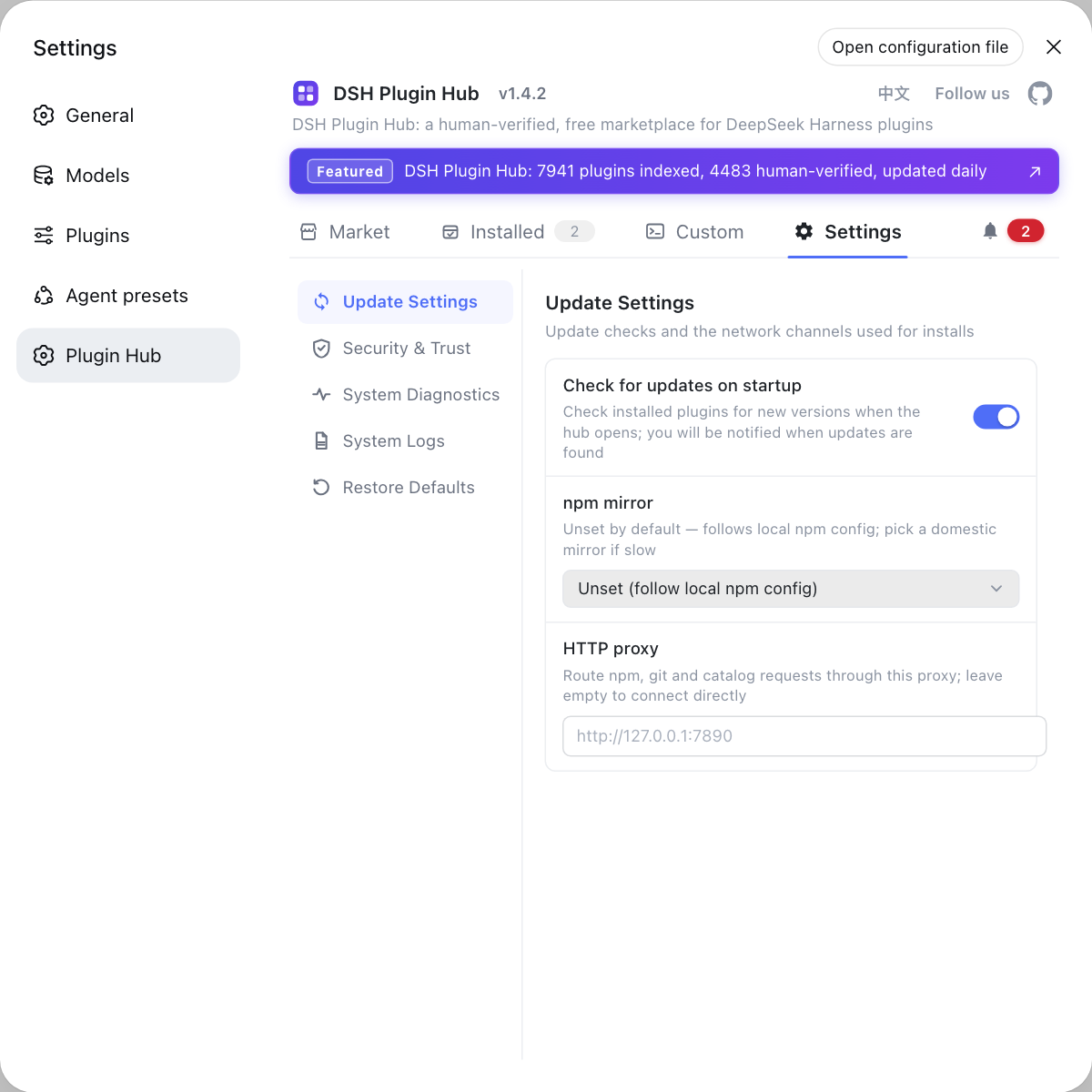
Rather than hand-editing yaml to manage plugin switches, use the Settings page of DSH Plugin Hub (dsh-plugin.org): update settings, security and trust, system diagnostics and the log path all live in the UI.
Sources: DeepSeek Harness official docs - Model configuration, dsh CLI README, Ollama official website, dshplugin/dsh-plugin-hub
FAQ
DeepSeek Harness ships no model of its own, so Ollama is reached through a custom provider: start Ollama locally, confirm it listens on 127.0.0.1:11434, then add a custom provider under Settings → Models with the base URL http://127.0.0.1:11434/v1. DSH never starts Ollama for you, so a service that is not running can only fail.
A DeepSeek Harness custom provider needs five things: a lowercase Provider ID, a display name, a base URL, an API protocol and a credential, plus at least one model; pick openai-completions for an OpenAI-compatible endpoint. Provider ID is permanent because requests, saved sessions, model defaults and credential references all use it — to rename, add a new provider and delete the old one, while the other fields stay editable.
A hand-entered DeepSeek Harness model is treated as text only until it declares otherwise, so attaching an image is rejected before sending and the model is named in the error, because nothing can ask the endpoint which modalities it accepts. Add input: [text, image] to that model in $DSH_HOME/settings.yaml; if every hand-entered model takes images, set defaultInput once on the route.
DeepSeek Harness decides the request shape from the endpoint URL and treats unknown addresses as OpenAI itself: a model with reasoning declares role: developer for the system prompt and writes the output limit as max_completion_tokens, which many gateways reject. Set compat on the route in $DSH_HOME/settings.yaml with supportsDeveloperRole: false and maxTokensField: max_tokens.
The DeepSeek Harness Fetch available models action queries the base URL and credential currently shown in the form, so an empty list usually means one of those two is wrong, or Ollama is not running. It only updates the draft and stores nothing before you save; catalog providers read the installed catalog and make no network request, so an empty list always points at the custom provider side.
Related Terms
- custom provider
- A custom provider is the DeepSeek Harness configuration entry that attaches any OpenAI-compatible endpoint, made of a lowercase Provider ID, a base URL, an API protocol, a credential and at least one model. Company gateways, self-hosted servers and local Ollama all take this path, and so does any provider missing from the installed catalog.— DeepSeek Harness official docs - Model configuration
- Provider ID
- Provider ID is the permanent identifier of a DeepSeek Harness provider and must be lowercase; requests, saved sessions, model defaults and credential references all use it. It therefore cannot be renamed — changing the name means adding a provider and deleting the old one.— DeepSeek Harness official docs - Model configuration
- input / defaultInput
- input is the DeepSeek Harness settings.yaml field that declares modalities for one model (for example [text, image]), while defaultInput is a route-level fallback defaulting to [text]. The fallback is not an override: it answers only for models the catalog does not describe, leaving catalog-recorded models on their own record.— DeepSeek Harness official docs - Model configuration
- compat (supportsDeveloperRole / maxTokensField)
- compat is the DeepSeek Harness field that corrects gateway request compatibility, where supportsDeveloperRole decides which role carries the system prompt and maxTokensField decides which field holds the output limit. A route-level compat is the default for its models, and a model's own value wins field by field.— DeepSeek Harness official docs - Model configuration
Sources
- DeepSeek Harness official docs - Model configuration· deepseek-ai
- dsh CLI README· deepseek-ai
- Ollama official website· Ollama
- dshplugin/dsh-plugin-hub GitHub repository· GitHub