Fix slow DSH plugin market downloads with an npm mirror
A slow or half-finished DSH plugin install has three possible causes: a slow route to the registry, a lagging npm mirror, or a plugin whose native dependencies must compile. The symptoms look alike but the fixes differ, so this guide classifies first, then configures mirrors and proxies, then retries cleanly and verifies.
Step 1: classify the DSH plugin install symptom first
When an install fails, the line where the output stops tells you which class of problem you have. The comparison:
| Symptom | Output | Cause | Section |
|---|---|---|---|
| Slow but eventually succeeds | Progress crawls forward | Slow route to the registry | Mirrors |
| Fails immediately with 404 | ERR_PNPM_FETCH_404 present | Mirror sync lag, package absent | Switch source |
| Stalls, or gyp/make errors | Stops at the build step | Native dependency build fails | Toolchain |
For a full reading of that error code see DSH plugin install failure: ERR_PNPM_FETCH_404; this article only handles slow and interrupted installs.
Step 2: configure mirrors and proxies for DSH plugin installs
Mirror and proxy settings live in .npmrc, and because dsh plugin installs are driven by pnpm, which reads the same file, one change covers both entry paths (source). Five steps:
- See which source is in use — run
npm config get registry. Expected: it prints the current registry, so you can tell whether a mirror is configured. - Switch to a faster mirror — run
npm config set registry https://registry.npmmirror.com. Expected: the next plugin install downloads noticeably faster. - Override the source for one install — append a flag instead of changing global config:
dsh plugin --profile web add <package> --registry=https://registry.npmjs.org
Expected: that install uses the named source; use this to check whether the official registry really has the package when you see a 404. npm_config_registry=https://registry.npmjs.org dsh plugin --profile web add <package> does the same for one command.
- Go through a proxy on a corporate network — run
npm config set proxy http://127.0.0.1:<port>andnpm config set https-proxy http://127.0.0.1:<port>. Expected: installs stop timing out;HTTP_PROXY/HTTPS_PROXYenvironment variables scope the same setting to one shell. - Confirm the proxy allows plugin source domains — both the npm registry and GitHub must be reachable. Expected:
github:owner/reposources no longer stall while fetching.
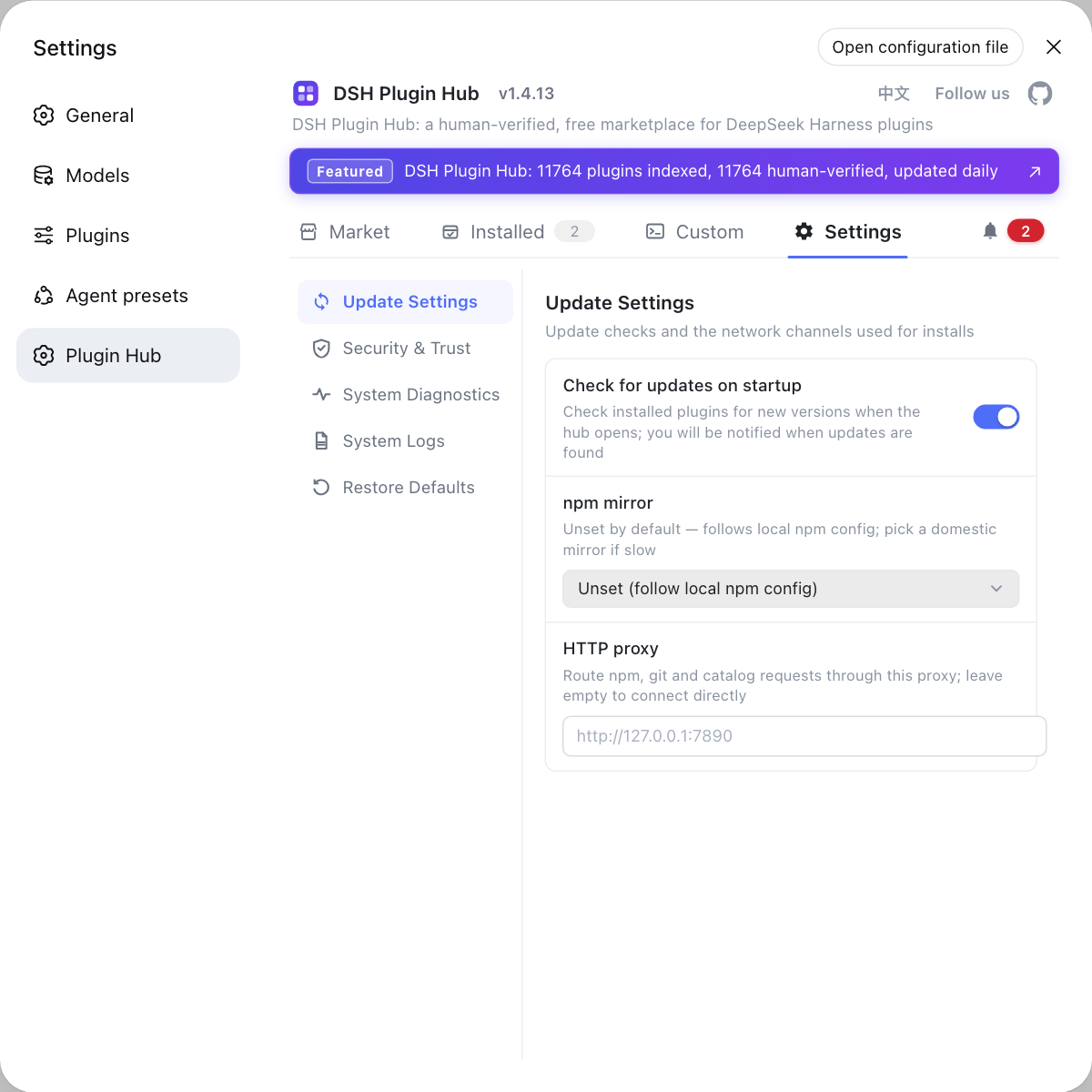
Clicking Install in the plugin market follows the same fetch path, so a corrected mirror and proxy speed up the interface too.
Step 3: retry the DSH plugin install after cleanup and verify
When an install fails halfway, uninstall rather than deleting directories, so declarations and files stay in agreement. Four steps:
- Remove the failed entry — run
dsh plugin --profile web remove <package>. Expected: the command returns successfully and the profile's dependency record no longer lists it. - Confirm you are on the right profile — run
ls "$DSH_HOME/profiles". Expected: it matches the profile you intended, so the reinstall does not land elsewhere. - Reinstall against the new source — run
dsh plugin --profile web add <package>. Expected: it completes in a reasonable time without stalling. - Verify in two places — run
dsh plugin --profile web list, then check Settings → Plugin Market → Installed. Expected: both show the plugin and agree on the version.
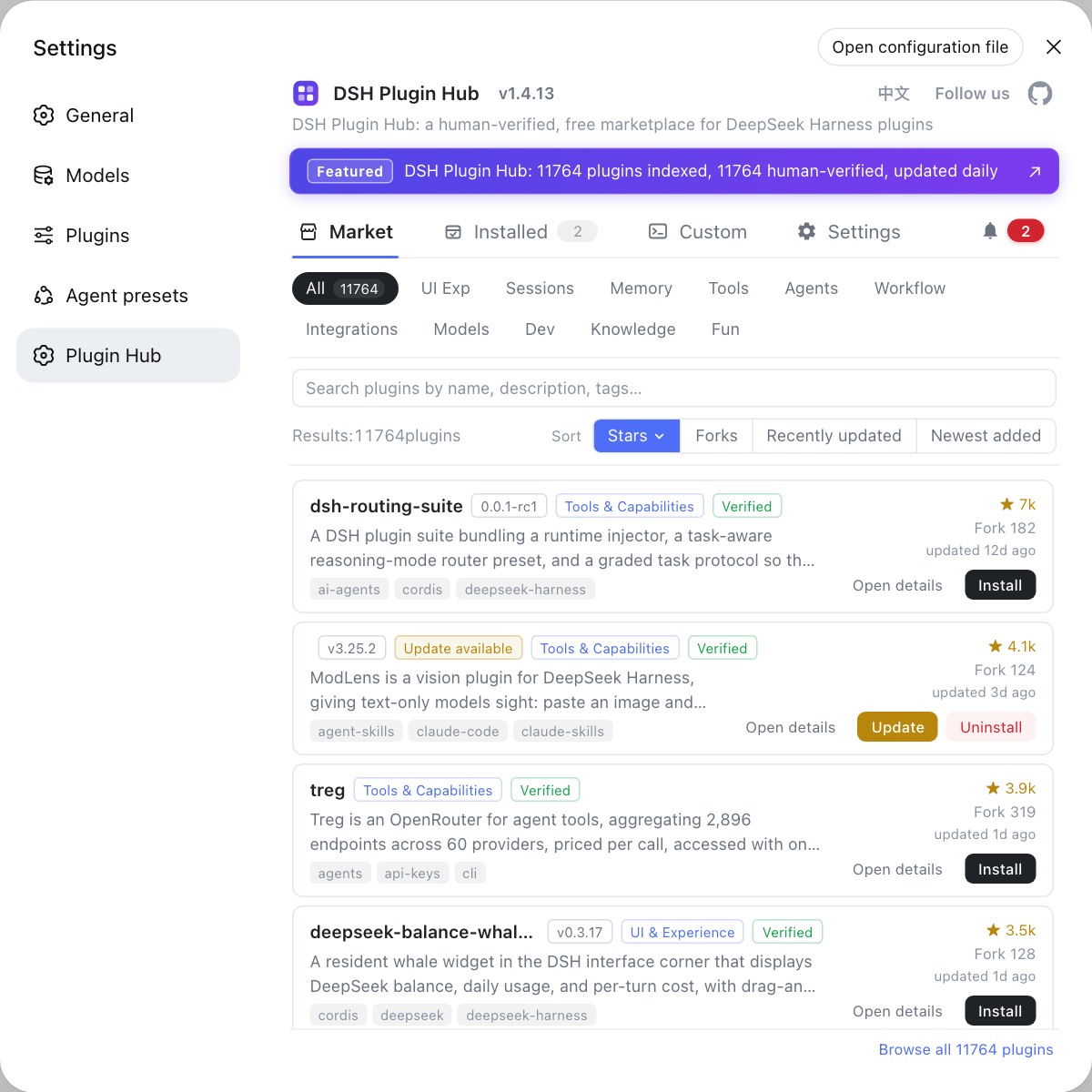
The installed list in the plugin market is the final judge; the command output has to agree with it. See using the plugin market for browsing and versions.
Notes and limits for slow DSH plugin installs
- Mirrors are fast but lag: a freshly published plugin or version may be missing from a mirror and fail with an immediate 404; the test is whether the official registry lists the same name.
- Proxies must allow two kinds of domains: both the registry and the plugin source, such as GitHub, have to be reachable or the install stalls halfway.
- Do not delete directories instead of uninstalling: manual deletion leaves declarations and files out of sync; use remove and add.
- A build stall is not a network problem:
gypormakeoutput means a toolchain issue, so switching mirrors will not help. - Classify before acting: slow, 404 and build stalls need different fixes, and blind reinstalls repeat the same mistake.
Sources: dsh CLI README, npm .npmrc configuration, dshplugin/dsh-plugin-hub
FAQ
**A slow DSH plugin download in the plugin market is usually not the plugin's fault — the fetch path is.** A slow DeepSeek Harness plugin install comes from one of three layers: a slow route from your machine to the registry, a lagging npm mirror, or a plugin with native dependencies that must compile locally. Decide first whether it is merely slow or truly stuck.
**When a DSH plugin install stalls halfway, look at the last few lines of output to see which stage it stalled on.** An install that stalls while downloading points at network or mirror settings, one that stalls with gyp or make keywords is compiling native dependencies, and one that stalls on authentication points at a proxy or private registry misconfiguration.
**Set the DSH plugin install mirror in .npmrc, where both npm and pnpm read it.** Run npm config set registry https://registry.npmmirror.com to change the default mirror, or append --registry=https://registry.npmjs.org to a single install to override it once. The npm_config_registry=... environment variable does the same for one command.
**To make DSH plugin installs use a corporate proxy, configure npm's proxy and https-proxy, or use environment variables.** Run npm config set proxy http://127.0.0.1:<port> and npm config set https-proxy http://127.0.0.1:<port>, or export HTTP_PROXY / HTTPS_PROXY for the current shell only. The proxy must allow both the registry and the plugin source domains, or installs still time out.
**If a DSH plugin install still fails after changing the mirror, uninstall first and reinstall rather than deleting directories by hand.** After an install fails halfway, run dsh plugin --profile web remove <package> to clear the entry, then rerun add against the new mirror. Deleting node_modules manually leaves dependency declarations and files disagreeing, which makes verification harder.
Related Terms
- npm registry mirror
- An npm registry mirror is a replica of the npm package registry; the official source is registry.npmjs.org, and domestic mirrors are often used for speed. It is controlled by the registry key in .npmrc, which npm and pnpm share, so one change applies to both.— npm Docs - .npmrc configuration
- .npmrc
- .npmrc is npm's configuration file holding keys such as registry, proxy and https-proxy. Because dsh plugin installs are driven by pnpm, and pnpm reads the same .npmrc, this is where mirror and proxy settings for plugin installs belong.— npm Docs - .npmrc configuration
- ERR_PNPM_FETCH_404
- ERR_PNPM_FETCH_404 means pnpm received a 404 while fetching from the configured mirror, so that mirror does not carry the package or version, which usually indicates sync lag. It is a source problem rather than a slow network, and the fix is to switch sources.— dsh CLI README
- native dependency build
- A native dependency build happens when a plugin includes C or C++ extensions that must be compiled on the local machine. It is slow and fails easily without a toolchain, showing up as a long stall or as gyp or make errors.— dsh CLI README
Sources
- dsh CLI README· deepseek-ai
- npm Docs - .npmrc configuration· npm
- dshplugin/dsh-plugin-hub GitHub repository· GitHub