Fix ERR_PNPM_FETCH_404 and npx install errors in DSH plugin
DSH plugin installs failing with ERR_PNPM_FETCH_404 or a broken npx @deepseek-ai/dsh have two distinct root causes: an npm mirror that has not synced the newest package (the 404 comes from the mirror, not from your command), and the node-pty native dependency shipping no prebuilt binary (on Linux it must be compiled locally). Switching to the official registry fixes the first; adding a compile toolchain and retrying fixes the second.
DSH plugin install errors: ERR_PNPM_FETCH_404 and npx failures
Error one: ERR_PNPM_FETCH_404. pnpm gets HTTP 404 while fetching a package from your configured npm registry, prints the ERR_PNPM_FETCH_404 code and aborts the install. It is one of the most reported install errors on the dshbase troubleshooting page (source):
- You run
dsh plugin add <package>(or any pnpm install of a freshly released package); - pnpm requests it from your current mirror (for example a regional mirror);
- The mirror does not have that version yet, returns 404, and pnpm exits with
ERR_PNPM_FETCH_404; - Key judgment: the 404 belongs to the mirror repository, not your network or a typo — search the same package on npmjs.com; if the official registry has it, the mirror is simply lagging.
Error two: npx install failure. npx @deepseek-ai/dsh fails while installing, with the stack pointing at node-pty. node-pty is the native module behind the dsh built-in terminal (the official repo lists it in pnpm-workspace.yaml as an allow-built native dependency, source). On Linux it ships no prebuilt binary, so the compiler must run at install time:
- Run
npx @deepseek-ai/dsh --version; - After the package fetch, the install stalls at the
node-ptycompile step; - The error contains
gyp/node-gyp/makekeywords, or the install simply fails; - After this step fails the
dshcommand is never produced — this is not a mirror problem, it is a toolchain problem, so treat it separately.
Why DSH plugin installs fail: mirror lag and missing prebuilt binaries
The two errors have unrelated root causes: ERR_PNPM_FETCH_404 is mirror sync lag (the freshly published package is not on the mirror yet), while npx install failures come from node-pty lacking prebuilt binaries (Linux compiles it on site). In detail:
- Mirror lag: npm mirrors are copies of the official
registry.npmjs.organd sync with a delay. A package published minutes or hours earlier may not exist on the mirror yet, so pnpm gets a 404 (source). dsh and its dependencies release frequently, making this time window easy to hit. - No prebuilt binary: node-pty ships prebuilt artifacts for some platforms only; on Linux it depends on the local
build-essential(GCC/make) andpython3toolchain to compile, and fails when those are missing or Node is too old (source). - The two problems stack: when the mirror lags, switch the registry; when the toolchain is missing, add compilers — do not swap the actions. Switching registries will not fix a compile failure, and adding compilers will not fix a mirror 404.
Fix DSH plugin installs: official registry, pinned mirror, or local build
Match the fix to the error: ERR_PNPM_FETCH_404 → official registry; npx install failure → toolchain plus pinned registry; both fail → build locally or install globally. Step by step:
-
Check the current registry to see whether you are on a mirror:
bashnpm config get registryhttps://registry.npmjs.org/means the official registry; anything else is a mirror — note it down, then temporarily try the official one. -
Confirm who is actually 404ing — query the latest version against the official registry to see whether the package is published at all:
bashnpm view <package> version --registry=https://registry.npmjs.orgA version number means the package exists and the mirror is simply lagging; a 404 here means the package may be unpublished or the name is wrong — search npmjs.com to double-check.
-
Retry with the official registry (fixes
ERR_PNPM_FETCH_404) — append--registryto the install command:bashdsh plugin --profile web add <package> --registry=https://registry.npmjs.orgThe environment-variable form works too:
bashnpm_config_registry=https://registry.npmjs.org dsh plugin add <package>Expected: pnpm moves into a normal dependency fetch instead of failing with
ERR_PNPM_FETCH_404right away. -
Install the compile toolchain (fixes npx failures). On Debian/Ubuntu:
bashsudo apt install build-essential python3A clean install with no errors is enough; also confirm Node is an LTS release (
node --versionshould printv20.xor newer). -
Retry npx with the official registry:
bashnpx @deepseek-ai/dsh --registry=https://registry.npmjs.orgExpected: the install reaches the download/compile stage instead of dying on node-pty. Mirrors usually catch up within hours, after which you can switch back.
-
Local build as the fallback: if compilation still fails, install globally to avoid npx re-fetching and recompiling every time:
bashnpm install -g @deepseek-ai/dshVerify with
dsh --version— a version number means the install succeeded.
How to verify a DeepSeek Harness install succeeded: version, plugin list, and Web UI
Installed does not mean usable — verify DeepSeek Harness and the DSH plugin with three checks: the CLI version, the plugin list, and a working Web UI. In order:
-
Check the CLI version:
bashdsh --versionA version number means the CLI works;
command not foundmeans the global install directory is off PATH — revisit step 6 of the fix section and confirm the install path. -
Check the plugin list (confirms the DSH plugin is registered in the current profile):
bashdsh plugin --profile web listThe package you just installed appears → the plugin is in. An empty list or an error means retracing the registry/toolchain steps above.
-
Check the Web UI:
bashdsh webWhen the terminal prints
dsh web: http://127.0.0.1:3080, open http://127.0.0.1:3080 — a page that loads normally means the whole chain works. -
Optionally prune the pnpm store: stale metadata from the earlier 404 can linger in the local cache; cleaning it makes the next install cleaner:
bashpnpm store pruneNo output or a completion message is normal.
Notes: DSH plugin — tell mirror lag from toolchain issues first
- For
ERR_PNPM_FETCH_404, suspect mirror lag first and try--registry=https://registry.npmjs.orgonce — do not rewrite the package name. - For npx failures, read the stack:
gyp/makekeywords point to the compile toolchain, not the network. - A mirror is a copy, the official registry is the source — when checking, use the official one; if it has the package, the mirror is just unsynced.
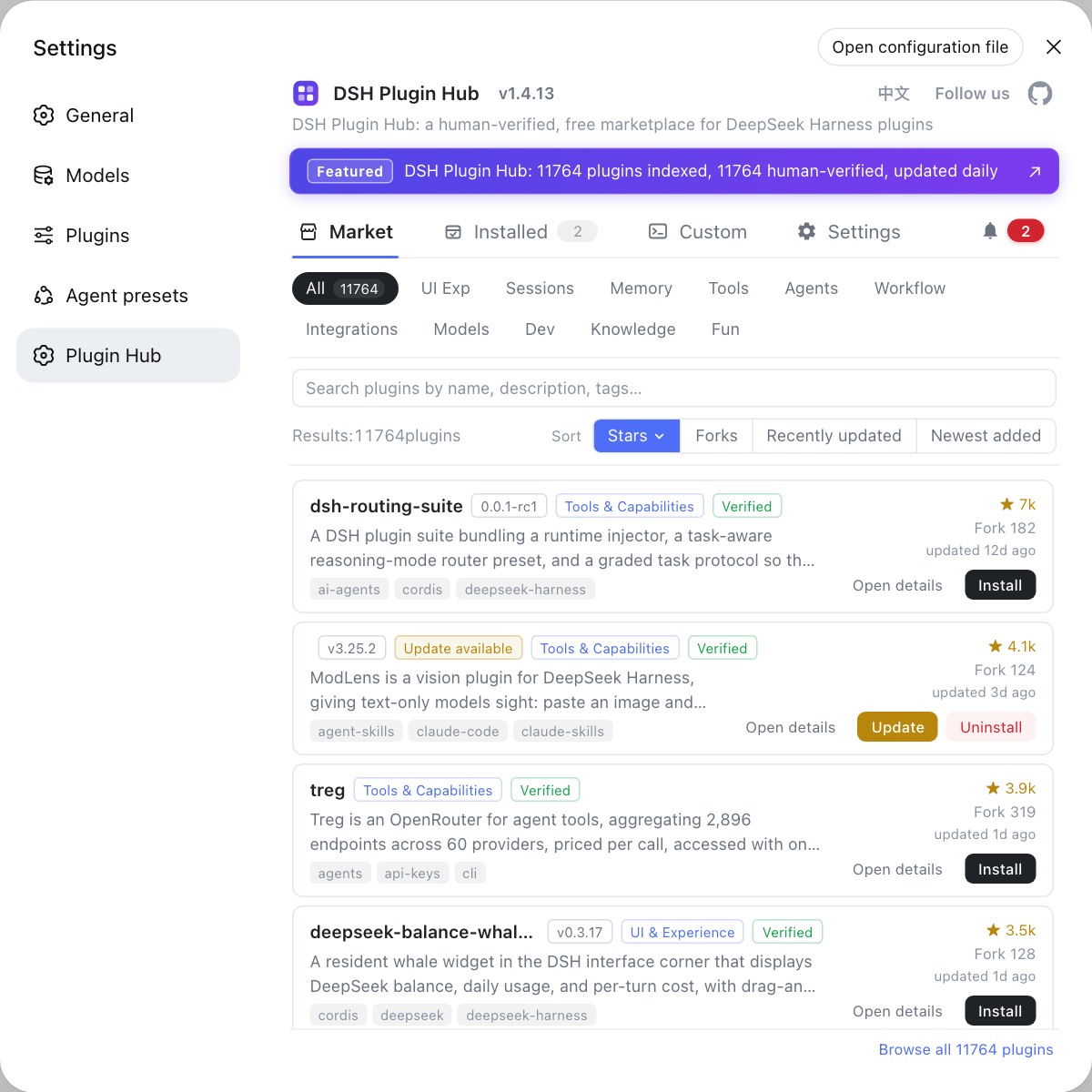
- After installing, head to Settings → Plugin Market for official ecosystem plugins — the DSH Plugin Hub store supports visual browsing and one-click installs, which is more reliable than hand-typed
dsh plugin add. - See install error troubleshooting for other install issues.
Sources: dshbase troubleshooting, DeepSeek Harness pnpm-workspace.yaml, @deepseek-ai/dsh on npm
FAQ
In DSH plugin installs, ERR_PNPM_FETCH_404 means pnpm got HTTP 404 from the npm registry you are currently using — the 404 comes from the mirror, not from your machine or your package name. Newly published packages take hours to sync to mirrors, so the mirror simply does not have the version yet (source: dshbase troubleshooting).
npx installs of DeepSeek Harness usually fail on node-pty, the native module behind the built-in terminal: on Linux it ships no prebuilt binary and must be compiled on your machine, which requires a build toolchain. Without build-essential and python3 the install dies at the compile step (source: DeepSeek Harness pnpm-workspace.yaml).
To switch a DSH plugin install to the official registry, append --registry=https://registry.npmjs.org to the install command, e.g. dsh plugin --profile web add <package> --registry=https://registry.npmjs.org, or use the environment form npm_config_registry=https://registry.npmjs.org dsh plugin add <package>. When the retry stops returning 404 immediately, the official registry is reachable.
For a DSH plugin that 404s on the mirror, fall back to a local build: install the compile toolchain first (on Debian/Ubuntu: sudo apt install build-essential python3), confirm Node is an LTS release, then retry with npx @deepseek-ai/dsh --registry=https://registry.npmjs.org. If it still fails, install globally with npm install -g @deepseek-ai/dsh and verify with dsh --version.
Related Terms
- ERR_PNPM_FETCH_404
- ERR_PNPM_FETCH_404 is the error code pnpm throws when a package fetch from the configured npm registry returns HTTP 404, meaning the registry mirror does not have the requested package or version — usually because the mirror lags behind the official registry.— dshbase troubleshooting
- npm registry mirror
- An npm registry mirror is a copy of the official package repository; npm/pnpm default to registry.npmjs.org, while regional mirrors trade sync lag for speed and may temporarily lack brand-new packages.— dshbase troubleshooting
- node-pty
- node-pty is a Node.js native module that provides pseudo-terminal (PTY) support, used by the DeepSeek Harness built-in terminal; on Linux it has no prebuilt binary and must be compiled from source during installation.— DeepSeek Harness pnpm-workspace.yaml
- npx
- npx is the package runner shipped with npm; npx @deepseek-ai/dsh fetches and runs dsh without a global install, which is the official quick-start way to try DeepSeek Harness.— npm documentation