What happens when you click Install in the DSH plugin market
Clicking Install in the DeepSeek Harness plugin market runs one dsh plugin --profile web add <package>: the package manager fetches the package, writes it into that profile's node_modules, and updates the profile's dependency record (source). There is no separate mechanism behind the interface; it presents a command's inputs, progress and result as a button and a progress bar. This article covers which command the button maps to, where files land, and how to reproduce the same step.
Which command the plugin market Install button maps to
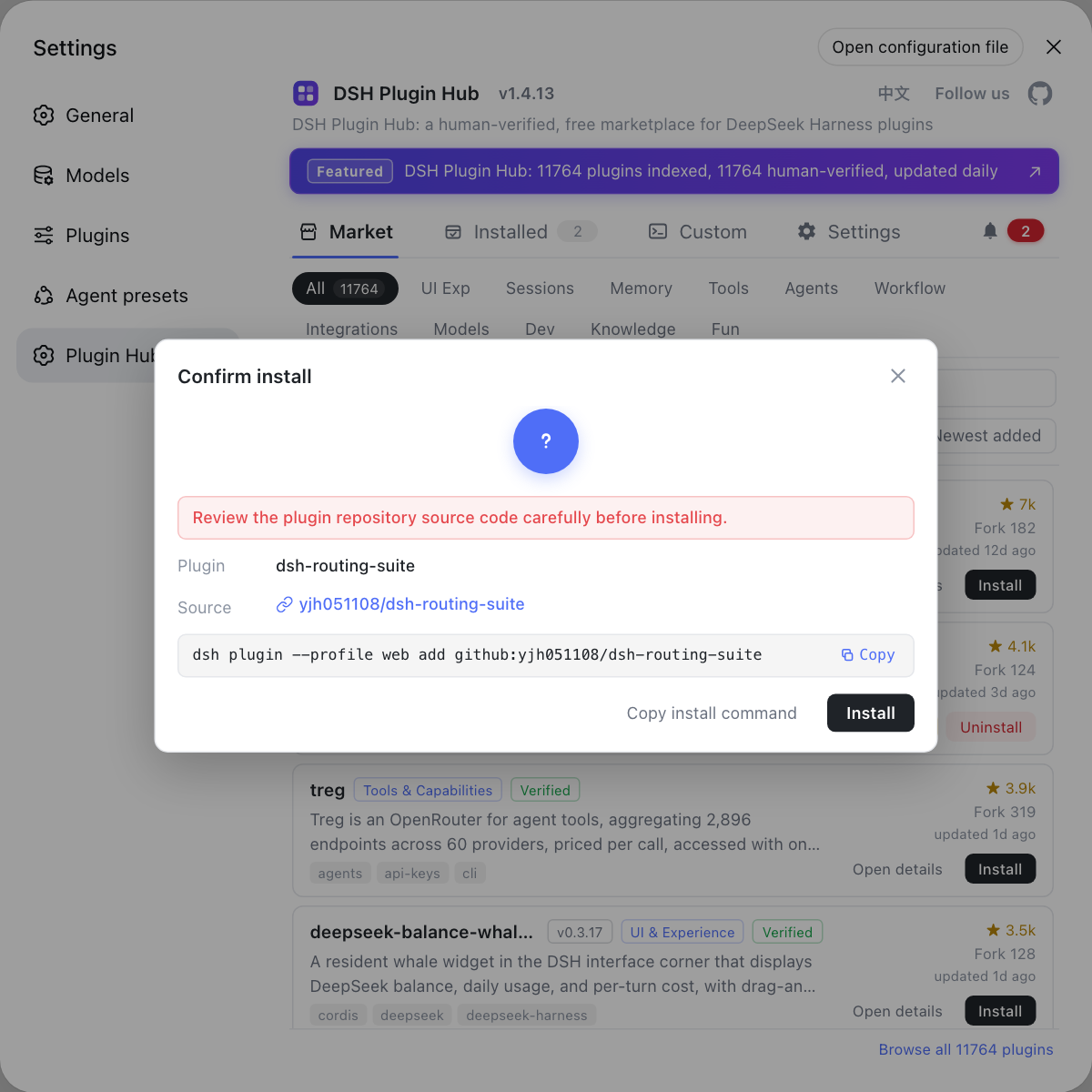
The equivalent command is dsh plugin --profile <name> add <package-or-repo>, where --profile takes the value of the profile the interface belongs to (source). One click breaks into three actions:
| Step | What you see | Equivalent action |
|---|---|---|
| Resolve the target | The dialog shows name and source | The add argument is the package name or github:owner/repo |
| Fetch and resolve | The progress bar advances | The package manager pulls from the registry or source |
| Write and record | The plugin appears under Installed | Write node_modules and update package.json |
So the command in the confirmation dialog is not decorative — it is exactly what this click will execute, and copying it is how you reproduce the step.
Where DSH plugin files land
The destination is the current profile's node_modules, at $DSH_HOME/profiles/<name>/node_modules; when $DSH_HOME is unset it defaults to ~/.dsh (source). Four steps to see the structure:
- Look at the profile directory — run
ls "$DSH_HOME/profiles/web". Expected:package.json, configuration andnode_modulesall appear. - Look at the top level — run
ls "$DSH_HOME/profiles/web/node_modules". Expected: top-level directory names match installed packages, and most are symlinks. - Find the real files — enter
node_modules/.pnpm. Expected: package content laid out per<name>@<version>(source). - Read the dependency record — open the profile's
package.json. Expected: the plugin sits independencies, anddsh.profile.bundleslists the bundles to activate.
One easy misreading: the built-in base, web and headless bundles do not resolve from the profile directory, so their absence from a profile's node_modules is expected rather than a failed install. See where DSH plugins are installed.
Reproducing the DSH plugin market install manually
Reproducing means doing in the terminal what the interface did: copy the dialog's command and run it with the correct --profile. Four steps:
- Install the market entry first — run
dsh plugin --profile web add dsh-plugin. Expected: after a restart, Settings shows the DSH Plugin Hub plugin market. - Pick a plugin and click Install — open Settings → Plugin Market and click Install on a card. Expected: a confirmation dialog appears with the plugin name, source and the command about to run.
- Copy the command and run it — paste it into a terminal, keeping
--profilealigned with the interface. Expected: the output matches the interface progress and the plugin appears under Installed. - Verify in two places — run
dsh plugin --profile web list, then check the plugin market's installed list. Expected: both show the plugin with the same version.
For the command's own flags and exit codes, see the dsh plugin add command.
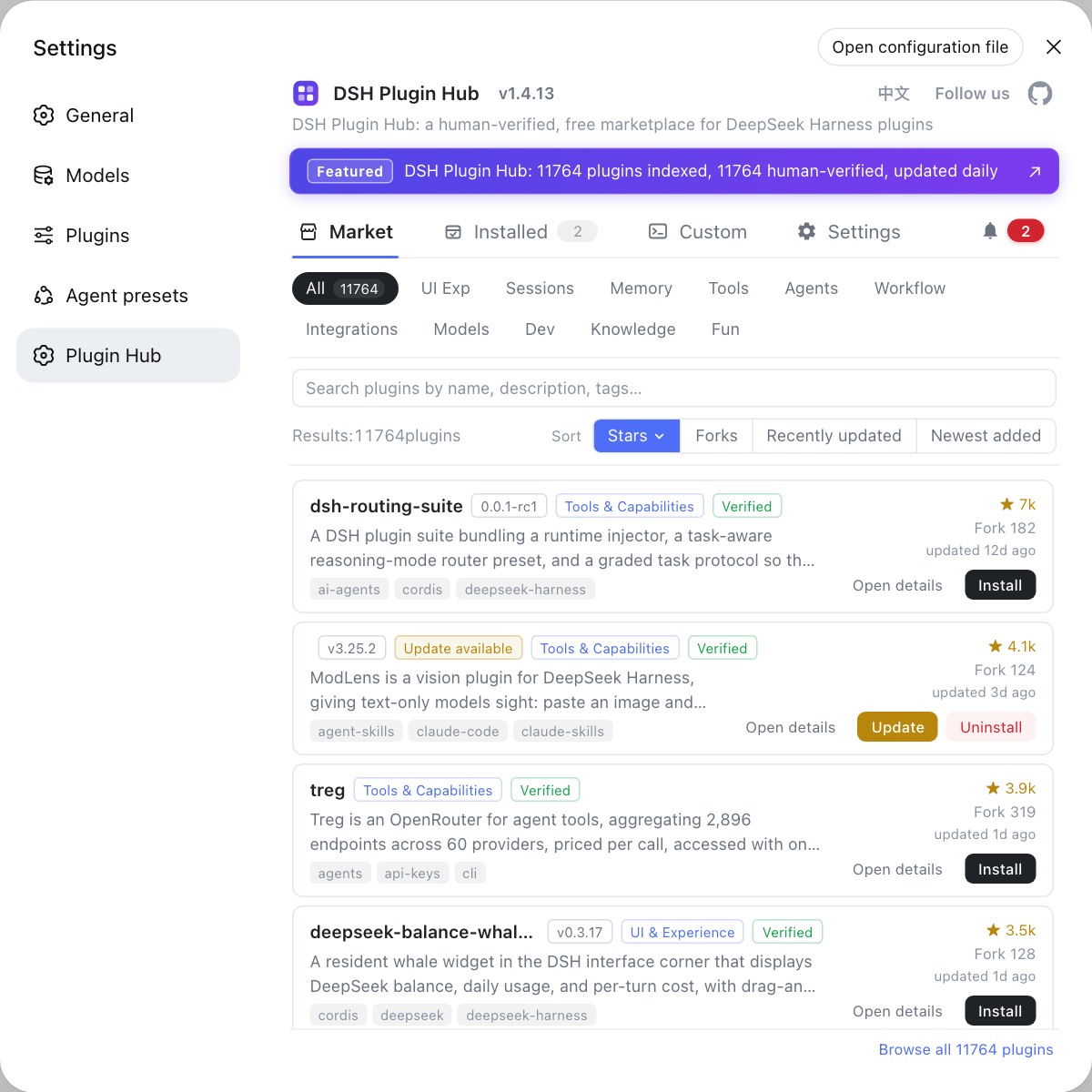
The plugin market visualises the fetch, write and record steps, while the CLI hands you the same flow directly; both act on one body of data.
Notes and limits on the DSH plugin install mechanism
- The interface adds no mechanism: the plugin market's Install and the CLI add are one implementation, with the interface presenting process and outcome.
- The profile decides the destination: the same plugin in two profiles is two independent records, and neither entry point sees the other's copy.
- Symlinks are not shortcuts: the top level is only an entry point, so edit files in
.pnpmor you will see changes that never take effect. - Built-in bundles are the exception: base, web and headless resolve from the host and never enter a profile directory.
- Install is not activation: written dependencies are not the same as a loaded plugin, and both
dsh.profile.bundlesand a restart are required.
Sources: dsh CLI README, Packaging and installing plugins (official docs), pnpm symlinked node_modules structure, dshplugin/dsh-plugin-hub
FAQ
**Clicking Install in the DeepSeek Harness plugin market is equivalent to running one dsh plugin add command in the terminal.** The Install button calls the same plugin install flow in the background and writes the package into the profile the interface belongs to; the command shown in the confirmation dialog is exactly what will run.
**Yes — the plugin market's Install and the CLI add install a DSH plugin through one implementation behind two entry points.** That implementation has only one logic path: resolve the target, hand fetching to the package manager, write into the profile directory and update the dependency record. The plugin market turns that into a button with a progress bar; the CLI exposes the same flow for you to call.
**Installed DSH plugin files land in $DSH_HOME/profiles/<name>/node_modules.** That is the standard pnpm layout: each package's real content is stored under node_modules/.pnpm as <name>@<version>, and the top level keeps symlinks pointing at it. Folder names at the top tell you what is installed, while .pnpm holds the files.
**To reproduce the same DSH plugin install, copy the command from the confirmation dialog and run it in the terminal.** In the DSH Plugin Hub plugin market at Settings → Plugin Market, click Install and the dialog shows the plugin install command about to run. Paste it into a terminal with the correct --profile value and the result matches the click.
**The market shows the DSH plugin as installed while dsh cannot see it because you are looking at a different profile.** Plugins are isolated per profile: the DeepSeek Harness plugin market acts on the profile its interface belongs to, while a terminal command may carry a different --profile value, and the two installed lists never overlap. Align the profile before judging the install.
Related Terms
- plugin market
- The plugin market is the catalog and install entry built into the DeepSeek Harness Web UI at Settings → Plugin Market. Its Install button does not introduce a second mechanism; it calls the dsh plugin install command and makes the process visible.— dshplugin/dsh-plugin-hub GitHub repository
- profile directory
- A profile directory is the on-disk home of one DeepSeek Harness runtime stack at $DSH_HOME/profiles/<name>, holding package.json, configuration and node_modules. It is the final destination of any plugin install.— dsh CLI README
- node_modules/.pnpm
- node_modules/.pnpm is pnpm's virtual store, where package content is laid out per <name>@<version> and the top level of node_modules keeps only symlinks. This is where to look to confirm a plugin's files really exist.— pnpm Docs
- dsh.profile.bundles
- dsh.profile.bundles is the activation list in a profile's package.json, naming the bundles to load in order. Together with dependencies it decides whether an installed plugin actually loads.— dsh CLI README
Sources
- dsh CLI README· deepseek-ai
- DeepSeek Harness Docs - Packaging and installing plugins· deepseek-ai
- pnpm Docs - Symlinked node_modules structure· pnpm