Update DSH plugins to a specific DeepSeek Harness version
Which version dsh plugin updates to depends on the range recorded in the profile: dsh plugin --profile <name> update <pkg> forwards its arguments to pnpm, and pnpm update only steps within the declared range instead of crossing a major boundary; use a dist-tag for prereleases and add pkg@version to pin an exact release (source).
The basic single-plugin steps, failure fallbacks and rollback are in how to update a DSH plugin. This article answers a narrower question: you ran update, but the plugin did not land on the version you wanted — the reason sits in version ranges, dist-tags and the lockfile.
Why dsh plugin update cannot reach the version you want
update performs an in-range step, honouring the range declared in the profile package.json, and it will not cross a major boundary just to chase the newest release (source).
Start with a range cheat sheet:
| Range form | Meaning | What update can do |
|---|---|---|
1.2.3 | exact pin | stays put |
~1.2.3 | same minor | up to 1.2.x |
^1.2.3 | same major | up to 1.x |
* | any version | may cross a major |
Five things make ranges click:
- The range lives in the profile package.json — under
$DSH_HOME/profiles/<name>, where plugins are recorded as out-of-tree dependencies. Expect to read each plugin's declared range there. ^and~loosen differently —^1.2.0may rise to the newest within the same major, while~1.2.0stays within the same minor. Expect the update result to follow the range, not simply the existence of a newer version.- Crossing a major takes an explicit target — when a plugin ships
2.0.0under a^1.2.0range, update will not take it there. Expectoutdatedto show a higher Latest while Current stays on 1.x after update, which is the range at work. - The range is a ceiling, not a target — update only takes the highest version available inside the range and will not jump outside it. Expect Current to stay at the range boundary even when the registry has something newer.
- Read the range with a read-only command — run
cat "$DSH_HOME/profiles/web/package.json"(usetypeon Windows). Expect to see each plugin name beside its range string instead of guessing.
How to update or install a specific or prerelease version
Reaching a specific version or prerelease relies on pnpm add: dsh plugin --profile <name> add <pkg>@<version> installs an exact release, while a dist-tag like @next resolves the matching prerelease channel (source).
Pick the form by target first:
| Target | Form |
|---|---|
| A specific stable release | add dsh-memory@1.2.3 |
| A prerelease channel | add dsh-memory@next |
| Roll back to an older release | add dsh-memory@1.1.0 |
Five forms by target:
- A specific stable version — run
dsh plugin --profile web add dsh-memory@1.2.3. Expect package.json and dependencies to update together and the exact version to install. - A prerelease channel — run
dsh plugin --profile web add dsh-memory@next, or write the full prereleasedsh-memory@1.3.0-rc.0. Expect it to resolve to that tag's prerelease; prereleases usually are not on the default latest channel and must be named explicitly. - Tighten the range to freeze behaviour — set the range to an exact version so later updates stop moving it. Expect a plain update to skip that plugin until you change the range with add again.
- Rolling back is also add — write
dsh plugin --profile web add dsh-memory@1.1.0. Expect the range and lockfile to move back together, cleaner than editing package.json and reinstalling. - Move one plugin at a time — name the package explicitly instead of guessing in bulk. Expect other plugins' ranges to stay untouched, keeping the blast radius small.
package.json and lockfile: confirming the effective version
The range is recorded in package.json and the exact resolved version in the lockfile; confirm the effective version from those two, or directly with outdated and list (source).
Verify in five steps:
- Run
outdatedto see the gap —dsh plugin --profile web outdatedlists Current, Latest and Want. Expect Want to be what the range can reach and Latest to be the registry's newest; a gap usually means the range is holding it back. - Check the installed version —
dsh plugin --profile web listreads the currently installed version. Expect to confirm the update actually landed on the target, not just edited package.json. - Read the profile package.json directly — run
cat "$DSH_HOME/profiles/web/package.json"(usetypeon Windows). Expect to see each plugin's declared range and whether it is the entry blocking the update. - Read the lockfile directly — run
cat "$DSH_HOME/profiles/web/pnpm-lock.yaml". Expect the exact resolved version and dependency graph, which is the source of truth when the range is wide. - Compare range against resolution — put the range from step 3 beside the exact version from step 4. Expect the two to agree on a clean state; a mismatch between the package.json range and the lockfile resolution means someone hand-edited it.
Notes on updating DSH plugins to a specific version
- update not crossing a major is by design — use add with an explicit target instead of retrying update.
- Prereleases carry compatibility risk — a dist-tag may not be fully aligned with the current DeepSeek Harness, so keeping a working version to fall back to is safer.
- Do not hand-edit the range and stop there — editing package.json directly can desync it from the lockfile; use add so both update together.
- Ranges differ per profile — each profile has its own package.json and dependencies; see how to update DSH plugins per profile.
- Let the range decide which command to use — a target inside the range goes through update, one outside goes through add. Expect fewer retries that could never take effect.
- Do not book prereleases and stable together — mixing them makes
outdatedLatest point at different channels and misleads the read. Expect to track prereleases as a separate line so updates stay predictable.
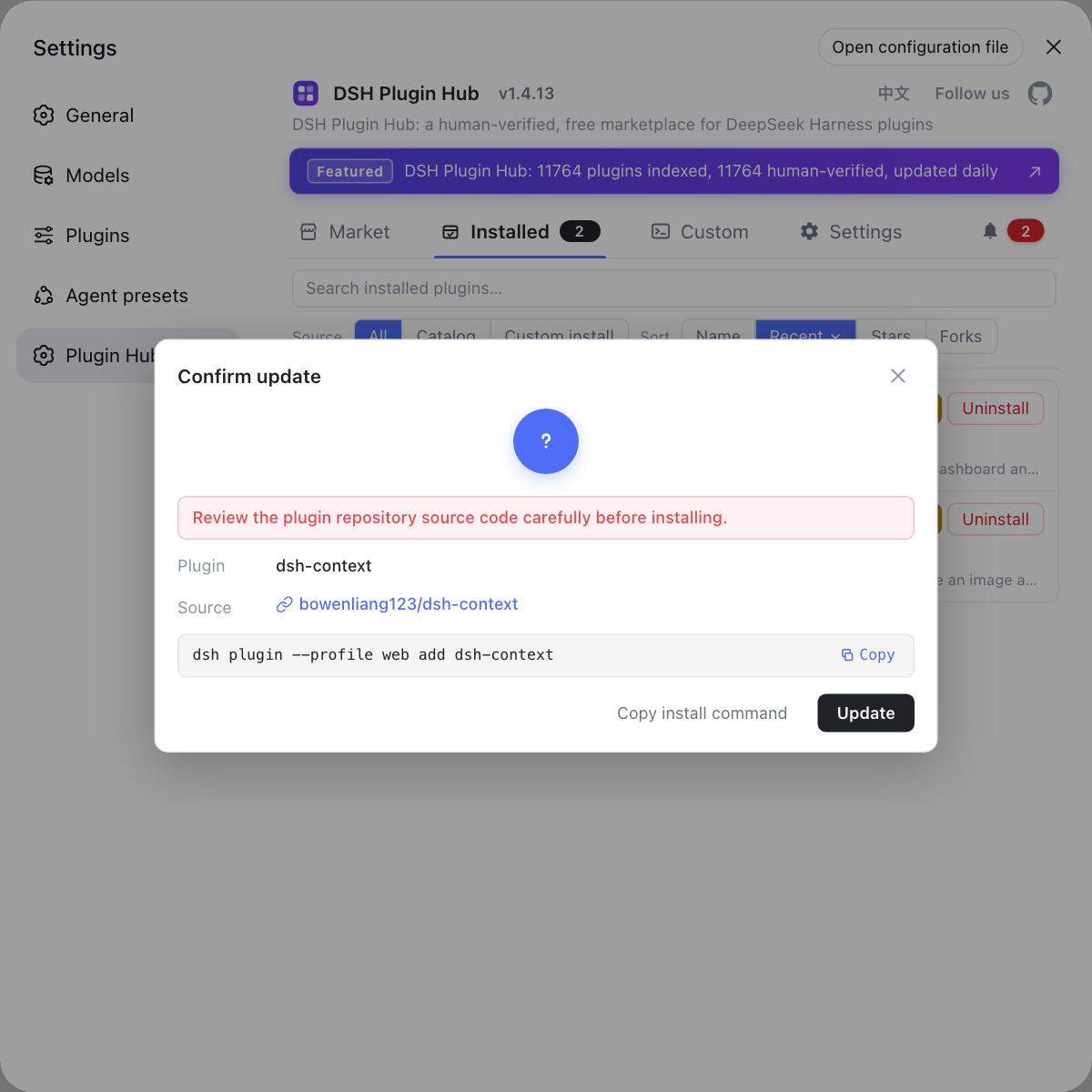
To skip the range and tag distinctions, use the built-in DSH Plugin Hub: its installed list flags DSH plugins with an available update, handles them in a click, and the confirmation dialog tells you which version you are moving to.
Sources: dsh CLI argument definitions (source), dsh CLI README, pnpm update docs, pnpm add docs
FAQ
Because dsh plugin forwards its arguments to pnpm, and pnpm update only steps within the declared version range instead of crossing a major boundary. dsh plugin update respects the range recorded in the profile package.json (such as ^ staying inside the same major), so crossing a major requires add with a target version.
Use a pnpm dist-tag or an explicit prerelease number, for example dsh plugin --profile web add dsh-memory@next, or dsh plugin --profile web add dsh-memory@1.3.0-rc.0. dsh plugin forwards the arguments to pnpm, so tags and prerelease versions resolve by pnpm rules.
Install the exact version with add: dsh plugin --profile web add dsh-memory@1.2.3. That command updates the profile package.json and the dependencies together, and once pinned a plain update will not move it easily. The basic single-plugin steps are in how to update a DSH plugin.
Run dsh plugin --profile web outdated and compare Current with Latest to see what changed, or run dsh plugin --profile web list to read the installed version directly. The profile package.json records the range, while the exact resolved version lives in the lockfile.
The range lives in the current profile's package.json under $DSH_HOME/profiles/<name>. You can edit it there, but the safer route is to pin with add so the package manager updates both package.json and the lockfile, avoiding a hand-edited range that contradicts the lockfile.
Related Terms
- version range
- A version range is the acceptable version interval declared for a plugin in the profile package.json, such as ^, ~ or an exact version; it decides how far dsh plugin update can move a plugin, and crossing it needs add with a target.— pnpm docs - pnpm update
- dist-tag
- A dist-tag is a label published on the npm registry that points at a version, such as latest, next or beta; dsh plugin add pkg@next resolves the tag to its prerelease version.— pnpm docs - pnpm add
- lockfile
- A lockfile records the exact version and dependency relationships each plugin resolves to in a profile; it pairs with the range in package.json, and dsh plugin update is judged against it when confirming the effective version.— pnpm docs - pnpm update
- prerelease
- A prerelease is a version with a suffix before the stable release, such as 1.3.0-rc.0; it usually does not sit on the default latest channel, so dsh plugin needs an explicit dist-tag or full version to install it.— pnpm docs - pnpm add