Update DSH plugins per profile in DeepSeek Harness
dsh plugin updates are per profile: each profile keeps its own package.json and node_modules under $DSH_HOME/profiles/<name>, and dsh plugin --profile <name> update affects only the environment you name, leaving other profiles' plugin versions untouched (source).
"Update every environment at once" is a common misconception: DeepSeek Harness has no global cross-profile plugin update entry point. For the plugin boundaries between the desktop app and the CLI, see DeepSeek Harness desktop vs CLI updates; to choose which version to land on, see update DSH plugins to a specific version. This article is about doing the per-profile update and verifying it.
Why DSH plugin updates are split per profile
A profile is DeepSeek Harness's unit of isolation: each profile has its own package.json and node_modules, so where a plugin is installed and at which version belongs to that profile alone (source).
Start with the profiles and who owns them:
| Profile | Directory | Managed by |
|---|---|---|
| web | $DSH_HOME/profiles/web | CLI |
| headless | $DSH_HOME/profiles/headless | CLI |
| desktop | $DSH_HOME/profiles/desktop | desktop app exclusively |
| custom | $DSH_HOME/profiles/<name> | CLI |
Five facts make separate updates necessary:
- Dependency directories are independent — each profile's dependencies live under
$DSH_HOME/profiles/<name>. Expect to see the plugin lists for web, headless or a custom profile separately. - Versions may differ — the same plugin can be a different version in each profile. Expect to trial a new version in one profile without affecting other environments.
- No global entry point — there is no single command that updates across all profiles. Expect to run one update per environment you care about.
- Isolation rests on directory boundaries, not command manners — each profile's dependencies sit in a physically separate node_modules. Expect two independent copies even when the same plugin is at the same version, so changing one never moves the other.
- Verify isolation with a read-only command — run
ls -l "$DSH_HOME/profiles". Expect one directory per environment that never overwrites another.
How to update DSH plugins per profile
The syntax names the environment with --profile after dsh plugin, updating a single plugin or every dependency in that profile; doing one profile at a time makes verification easier (source).
Follow six steps:
- See what can update in the target profile —
dsh plugin --profile web outdated. Expect the updatable plugins in that profile. - Update a single plugin —
dsh plugin --profile web update dsh-memory. Expect only that plugin in the web profile to move. - Update every dependency in that profile —
dsh plugin --profile web update(no package name). Expect all dependencies in web to update, with other profiles untouched. - Repeat for another profile — swap
--profile webfor--profile headlessor your custom profile name. Expect each environment to finish independently. - Confirm the profile directory exists first — run
ls -l "$DSH_HOME/profiles"(usediron Windows). Expect your target name among the existing environments instead of a typo landing on one you did not mean. - Verify each profile before moving to the next — run
listafter every profile you update. Expect a problem to surface in the environment that caused it instead of spreading.
One boundary matters for desktop: the desktop profile is held exclusively by the app and the CLI may not start or modify it, so desktop plugins update inside the app (source).
Confirming only the target profile changed
Compare by running outdated or list for each profile involved: a version that moved in the target and stayed put elsewhere proves isolation held (source).
Verify in five steps:
- Check the target profile —
dsh plugin --profile web listto confirm the plugin is now the new version. Expect a version number matching your intent. - Check another profile —
dsh plugin --profile headless listfor the same plugin. Expect it to keep the old version if it was not updated, showing nothing was dragged along. - Read the profile directory if needed — open the two profiles' package.json. Expect each to record its own range and version, confirming isolation.
- Look at the directories with a read-only command — run
ls -l "$DSH_HOME/profiles/web"andls -l "$DSH_HOME/profiles/headless". Expect each to hold its own node_modules, physically two dependency sets. - Compare the two package.json files — run
cat "$DSH_HOME/profiles/web/package.json"andcat "$DSH_HOME/profiles/headless/package.json". Expect the same plugin's range and version recorded separately, with one moved and the other untouched.
Notes on per-profile DSH plugin updates
- Do not treat "update all" as "update all environments" — an update without a package name covers one profile's dependencies only.
- One profile at a time is safer — it pinpoints which environment's update caused a problem.
- Desktop goes through the app — the CLI cannot reach the desktop profile, guaranteed by the exclusive lock.
- Get the custom profile name right — the value after
--profileis your profile name, and a typo targets a different environment. - Run outdated before update — see which plugins in the target profile can actually move. Expect to avoid sweeping in a plugin you did not mean to touch.
- Keep one profile un-updated as a baseline — leave one environment untouched. Expect a clean older version to compare against when something breaks.
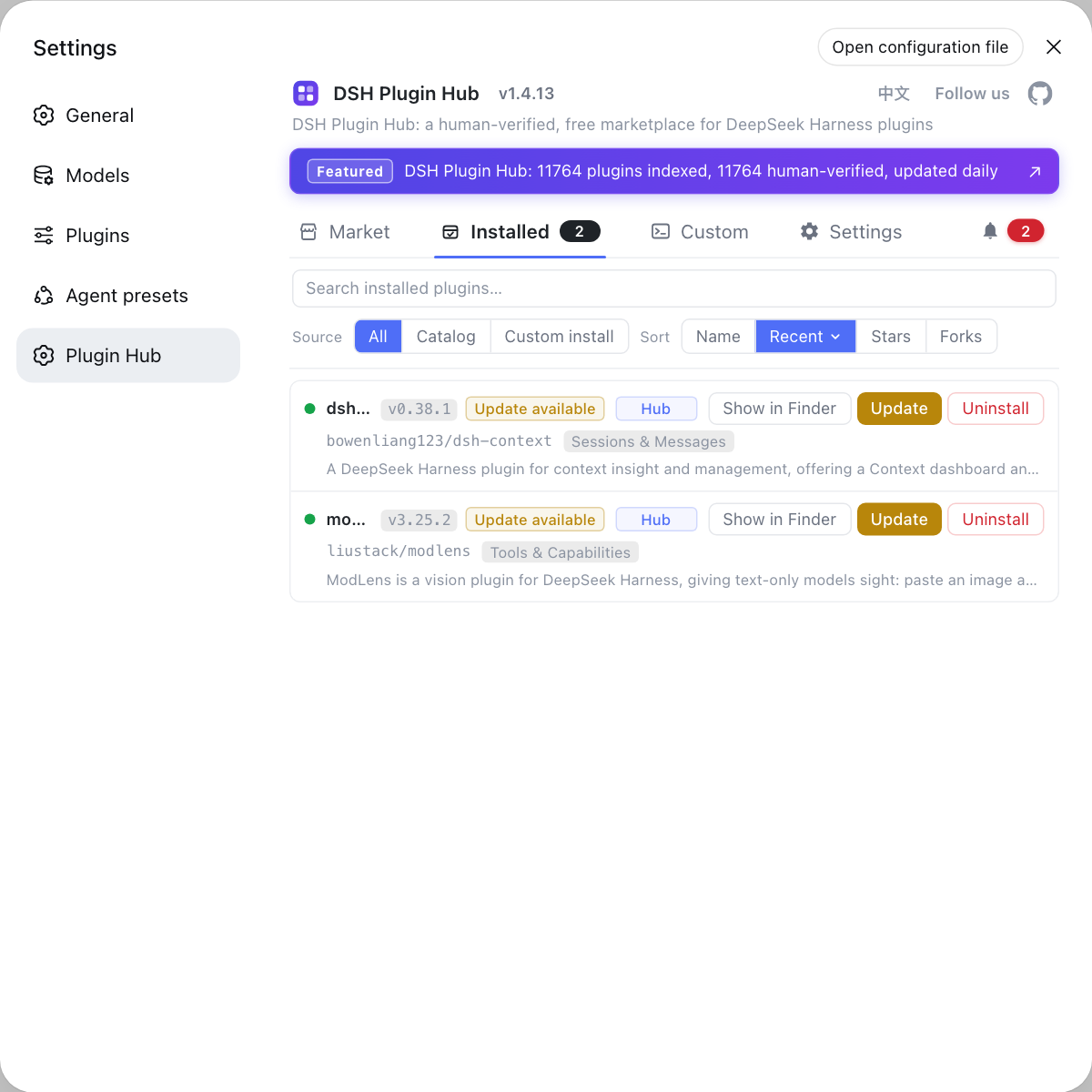
To avoid typing commands for each profile, use the built-in DSH Plugin Hub: its installed list shows the DSH plugins and update status for the current environment, updates happen in a click, and a confirmation dialog sits in front.
Sources: DeepSeek Harness CLI README, DeepSeek Harness desktop README
FAQ
No. A dsh plugin update only touches the profile you name with --profile, and each profile keeps its own package.json and node_modules under $DSH_HOME/profiles/<name>. So updating a plugin for web does not change the plugin versions in desktop or any custom profile.
Add --profile after dsh plugin to name the environment, for example dsh plugin --profile web update dsh-memory. Running dsh plugin --profile web update without a package name updates every dependency in that profile while still affecting only the web profile.
Because each profile is an independent dependency set and there is no global cross-profile update entry point. To update several environments you run dsh plugin --profile <name> update once per profile, which also lets you verify each environment instead of changing them all at the same time.
No. The desktop profile is held exclusively by the desktop app: Electron takes a single-instance lock before touching any profile and the CLI may not start or modify it, so desktop plugins update inside the app. The CLI manages web, headless and custom profiles.
Run outdated or list for each profile and compare, for example dsh plugin --profile web outdated against dsh plugin --profile headless outdated. If the version moved in the target profile and stayed put in the other, the update kept profile isolation.
Related Terms
- profile
- A profile is one independent runtime environment in DeepSeek Harness with its own config, sessions and plugin dependencies; once named with --profile, dsh plugin package operations land only inside that profile.— DeepSeek Harness CLI README
- profiles/<name>
- profiles/<name> is a profile's own directory under $DSH_HOME, such as $DSH_HOME/profiles/web, holding that profile's package.json and node_modules that other profiles never share.— DeepSeek Harness CLI README
- web profile
- The web profile is the web interface environment started by dsh web; it is a CLI-manageable profile whose plugins update through dsh plugin --profile web update.— DeepSeek Harness CLI README
- desktop profile
- The desktop profile is the profile exclusively held by the DeepSeek Harness desktop app at $DSH_HOME/profiles/desktop; the CLI may not start or modify it, and its plugins update inside the app.— DeepSeek Harness desktop README
Sources
- DeepSeek Harness CLI README (Profile usage)· deepseek-ai
- DeepSeek Harness desktop README· deepseek-ai