DeepSeek Harness desktop vs CLI updates: DSH plugin data
DeepSeek Harness desktop and the CLI are two separate update tracks: the CLI updates through npx, npm or source, the desktop app updates through a whole signed update unit, and neither upgrade pulls the other along. They share supported product data under $DSH_HOME, but never executables, plugin activation, lockfiles or node_modules (source).
Many people assume that updating the CLI must have made the desktop app new as well, then waste time when the versions disagree. Why a desktop update is a whole package is covered in is a DeepSeek Harness desktop update a whole-package upgrade. This article is specifically about the relationship between the two tracks: what runs separately and what is genuinely one copy.
DeepSeek Harness desktop and CLI are two update tracks
The desktop app and the CLI each maintain their own executable layer with completely different update methods, and upgrading one never drags the other along (source).
Lay the two tracks out by what they update:
| CLI track | Desktop track | |
|---|---|---|
| What updates | The dsh on your machine (npx / npm / source) | The whole signed update unit (shell + runtime + Node + pnpm) |
| How | Re-run npx, npm update -g @deepseek-ai/dsh, or git pull and rebuild | In-app check for updates, or a fresh app install |
| Blast radius | The CLI environment only | The desktop app only |
Three conclusions:
- The CLI track — update dsh via npx, npm or a source build. Expect the new dsh to appear in the CLI environment only, leaving the app untouched.
- The desktop track — update through the in-app updater or a fresh install, replacing the whole signed update unit. Expect the new dsh to ride along with the app, leaving the CLI environment untouched.
- Versions never pull each other — the dsh bundled in the app is always the same exact version as the published
@deepseek-ai/dsh. Expect the app version to track the desktop release, regardless of what you installed from the CLI. - Three dsh versions can coexist on one machine — a global npm install, an npx-resolved copy and the app's bundled runtime are independent. Expect
which dshand the app's "Check for Updates…" to legitimately report different versions; that is not a fault. - Keeping both current means updating both — no single command refreshes both tracks. Expect to treat "update the CLI" and "update the app" as two tasks, each verified on its own.
What the two tracks share: product data under $DSH_HOME
Supported product data such as sessions, settings, credentials and tasks lives under the shared $DSH_HOME, so the desktop app and the CLI read the same copy (source).
Know the shared boundary:
- Sessions are shared — both sides read session data from the same
$DSH_HOME. Expect a session you ran in the CLI to be visible on desktop. - Settings and credentials are shared — they live in the shared directory too. Expect a change on one side to apply to both, with no double configuration.
- Tasks are shared too — supported product data all lives under this same root. Expect a task recorded on one side to be visible on the other.
- The default path is
~/.dsh— with no environment override,$DSH_HOMEis~/.dsh. Expect to confirm in one place that both sides read the same data. - Confirm both sides point at one root — run
echo "$DSH_HOME"(an empty result means the default~/.dsh), thenls "$DSH_HOME". Expect to seeprofiles, sessions and settings, proving the sharing happens at this layer.
What the two tracks never share: executables, plugin activation, profile exclusivity
Executables, plugin activation, lockfiles and node_modules are never shared, and Electron takes a single-instance lock before touching any profile and holds profiles/desktop exclusively, so the CLI may not start or modify that profile (source).
Five hard boundaries:
- Executables are not shared — the app ships dsh as a full production dependency tree and never reads a globally installed dsh. Expect a CLI upgrade to leave the app's dsh version completely unchanged.
- Plugin activation and dependencies are not shared — plugin activation, lockfiles and
node_modulesare independent, and the app installs plugins into its own profile with bundled pnpm. Expect the app and CLI plugin lists on one machine to differ freely. - The profile is exclusive —
profiles/desktopis held by the app, and the CLI cannot start or modify it. Expect CLI attempts to touch the desktop profile to hit this boundary, which is the isolation working as designed. - Lockfiles are not shared either — the CLI and the app hold their own package transaction locks and never wait on each other. Expect the app running to have no bearing on updating dsh from the CLI, and vice versa.
- Check the boundary with a read-only command —
ls -l "$DSH_HOME/profiles"shows which profiles exist, with the app's one nameddesktop. Expect to confirm the app only touchesdesktopwhile theweb,headlessand other profiles you manage stay separate.
Notes on using the DeepSeek Harness desktop app and CLI together
- Do not expect one update to bring the other along — to make both current, update each track.
- End CLI commands before updating the app — the installer does not coordinate with a running command, so wrap up first.
- Install plugins per environment — the app and CLI do not share plugins, so do not assume a plugin exists on the other side; see how to update DSH plugins per profile.
- Check which side a version error comes from — the two tracks may legitimately differ, so confirm whether the error is desktop or CLI before debugging.
- Keep the three dsh versions apart — the global npm install, npx resolution and the bundled runtime are independent, and
dsh --versionreports only one of them, so do not judge everything from a single number. - Data is shared, but do not write from both sides —
$DSH_HOMEis one copy, yet the app exclusively ownsprofiles/desktop; leave changes to that profile to the app instead of a shell.
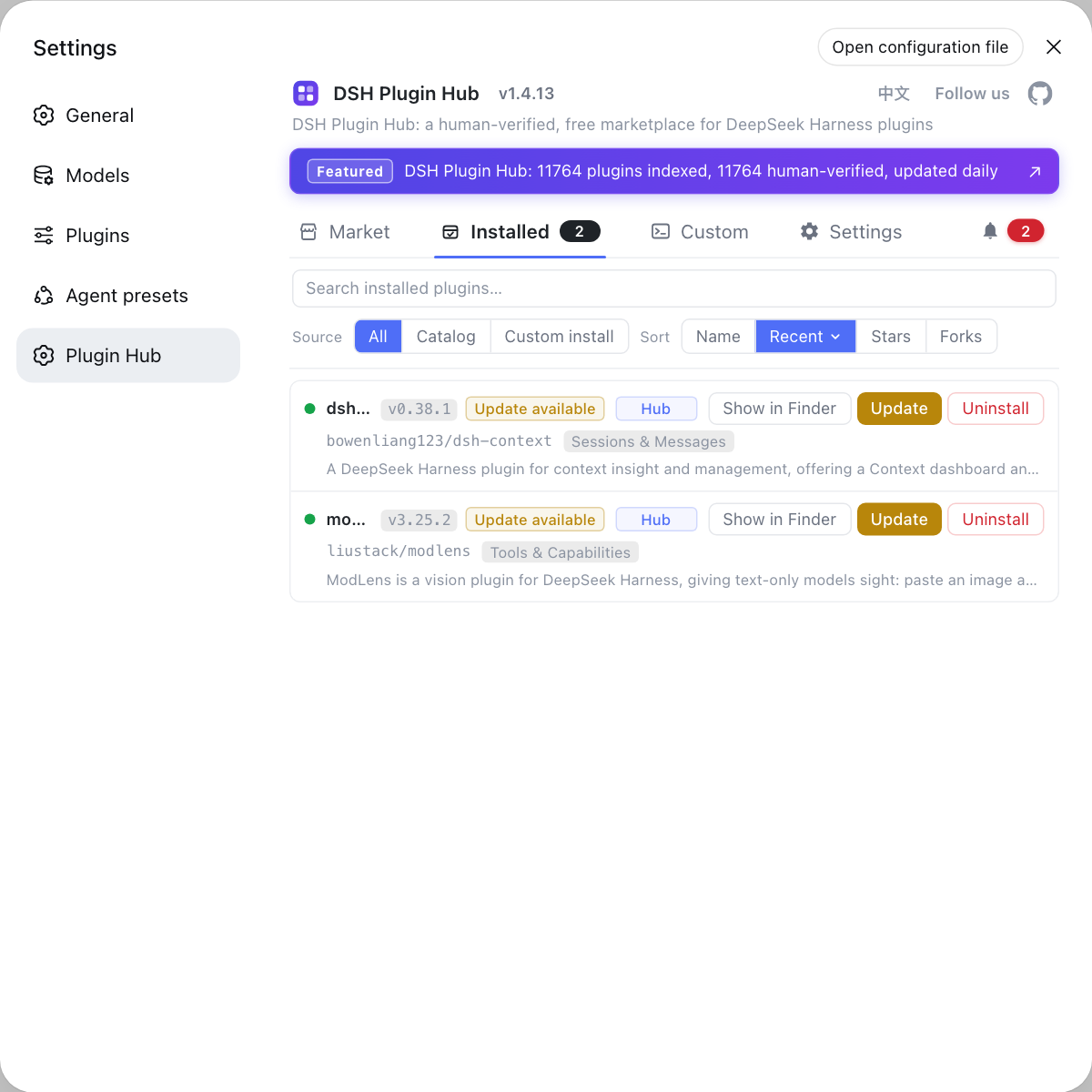
To manage plugins on both tracks, use the built-in DSH Plugin Hub instead of switching to the terminal: its installed list shows the DSH plugins and update status for the current environment, changes happen behind a confirmation dialog, and it beats comparing versions on each side.
Sources: DeepSeek Harness desktop README, DeepSeek Harness CLI README
FAQ
No. DeepSeek Harness desktop and the command line are two separate update tracks; the dsh bundled in the desktop app is always the same exact version as the published @deepseek-ai/dsh and follows the desktop release. Updating dsh with npx or npm affects only the CLI track, while the app keeps running the runtime inside its signed update unit.
They are not the same set. DeepSeek Harness desktop and the CLI share product data under $DSH_HOME, but plugin activation, executables, lockfiles and node_modules are not shared, and each installs plugins into its own profile. Installing a DSH plugin on desktop does not mean the CLI environment has it.
Yes. Supported product data such as sessions, settings, credentials and tasks lives under the shared $DSH_HOME, so DeepSeek Harness desktop and the CLI read the same copy. The executable layer is not shared, so the data sits together while the runtimes stay separate.
Because Electron takes a single-instance lock before touching any profile and holds profiles/desktop exclusively, and the CLI may not start or modify that profile. This keeps the desktop runtime consistent and stops the CLI and desktop from changing the same profile at once.
Normally not, because each track updates its own runtime. The one caveat is not to leave a CLI command running while the desktop app updates or uninstalls, since the installer does not coordinate with a running command; end the dsh process in your terminal first.
Related Terms
- state ownership
- State ownership is the data boundary DeepSeek Harness desktop draws: supported product data such as sessions, settings, credentials and tasks lives under the shared $DSH_HOME, while executables, plugin activation and locks are not shared.— DeepSeek Harness desktop README
- profile exclusivity
- Profile exclusivity means Electron takes a single-instance lock before touching any profile and holds profiles/desktop exclusively, so the CLI may not start or modify that profile.— DeepSeek Harness desktop README
- single-instance lock
- The single-instance lock is the lock DeepSeek Harness desktop takes at startup to ensure only one desktop instance operates a profile and to keep the CLI out of profiles/desktop.— DeepSeek Harness desktop README
- supported product data
- Supported product data is the state DeepSeek Harness shares between desktop and CLI, including sessions, settings, credentials and tasks, all stored under $DSH_HOME.— DeepSeek Harness desktop README
Sources
- DeepSeek Harness desktop README· deepseek-ai
- DeepSeek Harness CLI README· deepseek-ai