Fix a failed DeepSeek Harness desktop update and DSH plugins
A failed DeepSeek Harness desktop update does not roll back: update and plugin package operations modify the current profile directly after stopping the Host, and on failure they keep the modified files, report the error, and leave an incomplete marker for the next startup to retry (source).
"Update failed" has two shapes on desktop: the app's own update failing, and a plugin package operation that runs as part of updating the app. This article covers the recovery semantics for both — why there is no rollback, what the load page and error page offer, and what a Desktop reset really costs. If you installed through the command line, failure handling is entirely different; see how to fix a failed dsh update.
Why a failed DeepSeek Harness desktop update does not roll back
The desktop app builds no staging directory, activation log or rollback copy; it chooses "modify in place, then retry" over "revert when it cannot finish", so the cost of failure is preserved state that the next startup settles (source).
Five actions define this behaviour:
- Stop the Host, then modify the current profile — plugin changes run in place instead of being copied to a temporary directory first. Expect the change to land where it will actually take effect, with no separate activation step.
- Keep modified files and report the error — an interrupted operation cleans nothing up and restores nothing, pointing the error at the failing step. Expect to see whether it stopped at dependency install, linking or build.
- Leave an incomplete marker for the next startup — the app runs transaction recovery against the profile at launch. Expect reopening the app to let desktop finish or settle the previous operation, with no manual file deletion.
- No staging directory to fall back to — the app builds no staging directory, writes no activation log and keeps no rollback copy. Expect no "roll back to the previous version" button, and no reason to hand-build one.
- The transaction lock keeps concurrency out — a package transaction holds
$DSH_HOME/profiles/desktop/lockexclusively until the pnpm process exits. Expect another process that wants the same profile to wait rather than corrupt it from both ends.
This "no rollback" stance is the opposite of command-line installs, where failures are usually settled by pinning a version or reinstalling, as covered in how to fix a failed dsh update. The app's choice is to preserve the state and let the next launch settle it.
What the DeepSeek Harness desktop load page and error page offer
The load page does not depend on the Host, so it renders even when the Host will not start and shows restart and reinstall guidance; the error page lists available recovery actions, and Disable Plugins and Reset Desktop appear only when the packaged app's resources support recovery (source).
Work from cheapest to most expensive in five steps:
- Restart the app first — close and reopen so startup transaction recovery can process the incomplete operation. Expect most self-healing failures to recover here.
- Read the error page guidance — it lists the recovery actions currently available, so follow them. Expect to know whether to disable plugins or reinstall next.
- Disable plugins to isolate the cause — if Disable Plugins is offered, stop plugins and start again to test whether a DSH plugin is breaking startup. Expect a clean start to point at a plugin, and continued failure to point at something lower.
- Run a read-only health check — in a terminal run
ls -l "$DSH_HOME/profiles/desktop"for the directory layout andcat "$DSH_HOME/profiles/desktop/package.json"for the dependency manifest. Expect to tell a missing dependency from a broken shared link before choosing the next move. - Reinstall the app — reinstall the desktop app per the load page guidance. Expect installing to the same location to keep using the existing profile data instead of starting over.
What a Desktop reset deletes: cost and boundaries
Reset Desktop deletes every entry under $DSH_HOME/profiles/desktop except the held transaction lock and keeps no backup; shared tasks, settings and $DSH_HOME/.env stay untouched (source).
Know the cost before you reset:
- What goes — entries under
profiles/desktop, including plugins installed in that profile, while the transaction lock is kept. Expect to reinstall that profile's plugins afterwards. - What stays — shared tasks, settings and
$DSH_HOME/.envare outside the deletion scope. Expect your sessions, credentials and other shared data to remain. - No backup — a reset keeps no copy, so nothing is recoverable from here. Expect to confirm first that every plugin can be reinstalled.
- Copy the profile yourself if you want a safety net — on macOS / Linux run
cp -R "$DSH_HOME/profiles/desktop" "$DSH_HOME/profiles/desktop.bak", on Windows userobocopy "<src>" "<dst>" /E. Expect that copy to still hold plugin configs if you need to look them up later. - A last resort — because there is no rollback and no backup, reset only after restart, disabling plugins and reinstalling all fail. Expect to treat it as the final recovery step, not the first.
Notes on recovering from a DeepSeek Harness desktop update failure
- Do not force-kill the app mid-update — desktop relies on startup transaction recovery to settle incomplete operations, and repeated force-kills only restart that process.
- Separate the two failure types — app update failures go through the load page and error page; plugin package failures go through the failing step in the error message. Command-line installs differ, covered in how to fix a failed dsh update.
- End CLI commands before updating — the installer does not coordinate with a running command, so operating from both ends increases the chance of a hang.
- Note your plugin list before a reset — since a reset keeps no backup, listing the DSH plugins to reinstall makes recovery faster.
- Remember which step failed — dependency install, host-package linking and build each call for different handling; the step word in the error message is your clue, so read it before recovering.
- Verify plugin versions after recovery — reopening successfully does not mean every plugin is back in place, so check the installed list and restore whatever is missing.
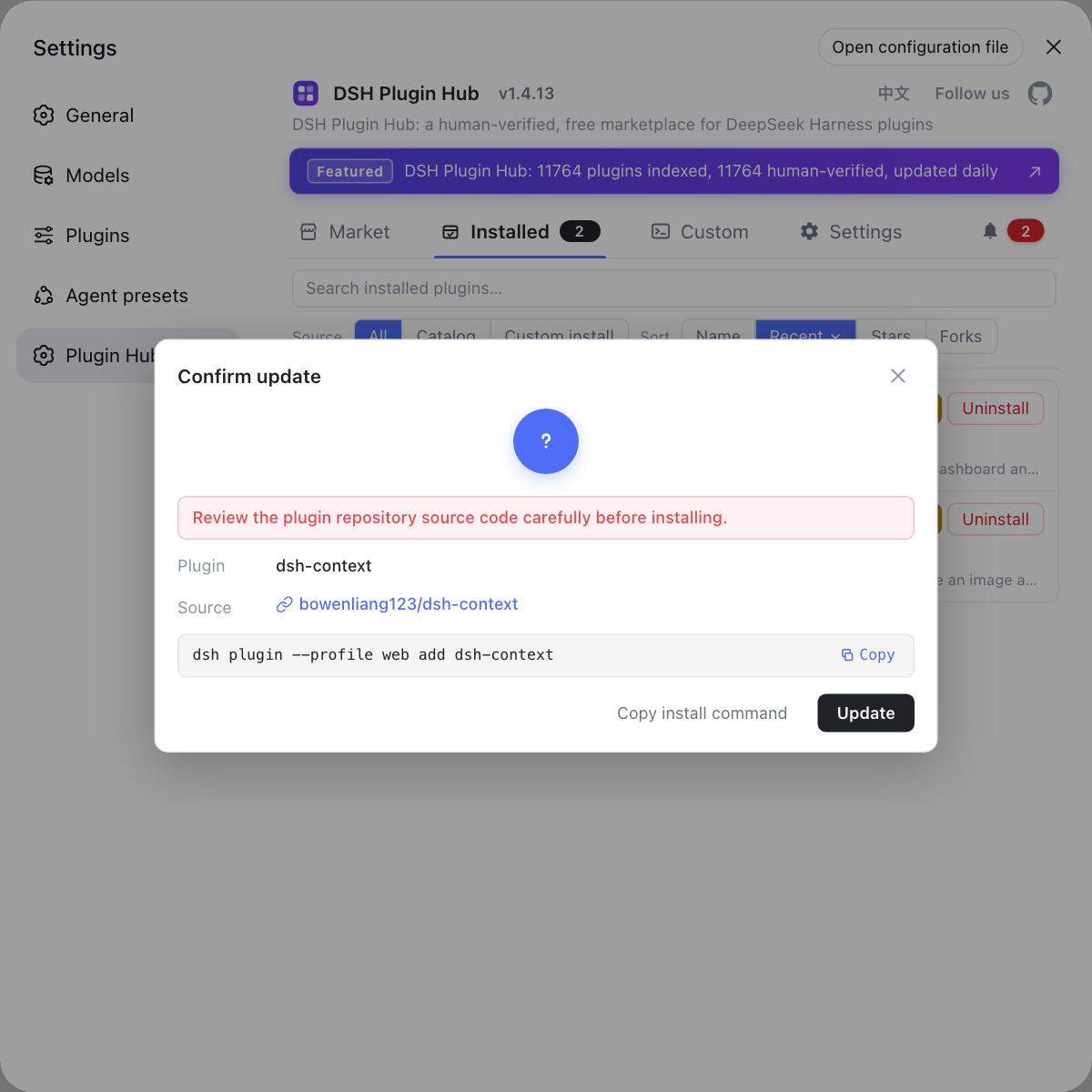
If your failure is really "a plugin did not catch up with the new runtime", use the built-in DSH Plugin Hub instead of debugging one by one: the installed list shows which plugins can update, changes happen behind a confirmation dialog, and reinstalling after recovery is quick.
Sources: DeepSeek Harness desktop README, Electron desktop packaging and updates Agent Note
FAQ
No. DeepSeek Harness desktop creates no staging directory, activation log or rollback copy; when an update or plugin package operation fails it keeps the modified files and reports the error, and an incomplete operation leaves a marker for the next startup to retry. Recovery after a failure is therefore a manual path.
The DeepSeek Harness desktop load page does not depend on the Host, so it can show restart and reinstall guidance even when the Host will not start. Restart the app first as the load page suggests; if repeated restarts still fail, reinstall the desktop app as the official guidance describes, and installing to the same location keeps using the existing profile data.
Reset Desktop deletes every entry under $DSH_HOME/profiles/desktop except the held transaction lock, and it keeps no backup, so plugins installed in that profile must be reinstalled. Shared tasks, settings and $DSH_HOME/.env are unaffected, so the reset does not clear those shared items.
Both are recovery actions with different scope. Disable Plugins only stops plugins from loading during troubleshooting while keeping their files, which helps identify the plugin that breaks startup; Reset Desktop clears the whole profiles/desktop profile at a much higher cost, so it comes last. Both buttons appear only when the packaged app's resources support recovery.
The incomplete marker left in the profile triggers transaction recovery on the next startup, and DeepSeek Harness desktop automatically tries to finish or settle that operation. You do not delete files by hand; if startup still errors, restart as the load page suggests, and only then consider Reset Desktop.
Related Terms
- transaction recovery
- Transaction recovery is what DeepSeek Harness desktop runs against a profile at startup to settle an incomplete plugin package operation; a failed operation leaves a marker that recovery completes or converges on the next launch.— DeepSeek Harness desktop README
- transaction lock
- A transaction lock is the lock file DeepSeek Harness desktop holds while recording a transaction for profiles/desktop, located at $DSH_HOME/profiles/desktop/lock; a Desktop reset keeps the held lock and deletes the rest.— DeepSeek Harness desktop README
- load page
- The load page is the DeepSeek Harness desktop startup screen that renders without the Host, offering restart and reinstall guidance even when the Host is down, making it the first recovery entry point after a failed update.— DeepSeek Harness desktop README
- Reset Desktop
- Reset Desktop is a DeepSeek Harness desktop recovery action that deletes everything under $DSH_HOME/profiles/desktop except the transaction lock and keeps no backup, rebuilding that profile when disabling plugins cannot recover it.— DeepSeek Harness desktop README
Sources
- DeepSeek Harness desktop README· deepseek-ai
- Electron desktop packaging and updates Agent Note· deepseek-ai