Windows long-path delete failures: DeepSeek Harness
Windows cannot delete dsh node_modules mainly because the path exceeds MAX_PATH 260: DeepSeek Harness profile dependencies live inside node_modules, which is deep and long, and combined with the project directory it goes over, so deletion reports path too long / path not found / directory not empty (source).
This guide covers three steps: why deletion fails, four ways to break through in order, and verifying plus preventing it. Per-platform leftover locations are in DeepSeek Harness uninstall paths by platform; this article focuses on Windows long-path delete failures.
Windows cannot delete dsh node_modules: MAX_PATH 260 and deep directories
The traditional Windows path limit is MAX_PATH 260 characters; DeepSeek Harness profile dependencies live inside node_modules, whose path is already long, and combined with user directories and nested projects it easily goes over, so deletion fails (source).
Confirm it is a long path issue first:
- Read the error message — "path too long", "path not found" or "filename or extension too long" point to long paths. Expected: the long-path direction is set.
- Measure the path length — Paste the target path into a text editor and count; over 260 means it exceeds the limit. Expected: the exact over-limit directory is identified.
- Check whether long paths are enabled — Run
reg query "HKLM\SYSTEM\CurrentControlSet\Control\FileSystem" /v LongPathsEnabled. Expected: a value of0x1means enabled,0x0or missing means not. - Check for a directory-not-empty error — Sometimes it reports "the directory is not empty". Expected: this is the long path preventing the delete from recursing all the way down; same root cause.
Step 3's result decides the route: with long paths enabled, delete directly from the deep directory first; without it, either enable long paths or go straight to the mirror method that does not depend on long paths.
Four ways to break through the Windows long-path delete limit
The four routes go from cheapest to costliest: enable LongPathsEnabled, delete deepest-first, mirror an empty directory with robocopy /MIR and delete, then rename to shorten the path; robocopy's mirror processes items one by one and is not bound by one long path (source).
Try them in order, each with a verifiable expectation:
- Enable long paths — In an elevated terminal run
reg add "HKLM\SYSTEM\CurrentControlSet\Control\FileSystem" /v LongPathsEnabled /t REG_DWORD /d 1 /f, then restart the process or system. Expected: long-path-aware apps handle paths over 260 characters andrd /S /Qdeletes deep directories. - Delete deepest-first — Navigate into the deepest subdirectory in Explorer or a terminal and delete inward out, keeping each path segment short. Expected: after emptying layer by layer, upper paths shorten and become deletable.
- Mirror an empty directory with robocopy — Create an empty directory, run
robocopy <empty-dir> <target-dir> /MIR, thenrmdir /S /Q <target-dir>. Expected: the mirror empties the target and the now-empty directory deletes successfully. - Rename to shorten the path — Rename a middle parent directory to a 1-2 character name. Expected: the whole path shortens markedly and deletes right after.
Step 3 is the most universal fallback: robocopy /MIR compares source and target item by item and removes extra files and subdirectories in the target, working with relative paths rather than being bound by one long path in a command-line delete, so it clears what rd cannot. Step 4's rename is a "physical shortening" of the path, simple and direct for a single remaining long directory.
Verifying the delete and preventing a repeat
After deleting, confirm the directory is truly gone and consider putting $DSH_HOME on a short path; placing the data root in a short drive-root directory and avoiding deeply nested projects greatly reduces triggering the 260 limit again (source).
Finish in order:
- Confirm the directory is gone — Run
diror check Explorer for the target directory. Expected: it is gone with no leftovers. - Check parent directories — Walk upward for empty leftover directories. Expected: empty scoped directories are cleaned too.
- Reinstall on a short path — If moving the data root to a short path, complete the migration first. Expected: node_modules additions stay far from the 260 limit.
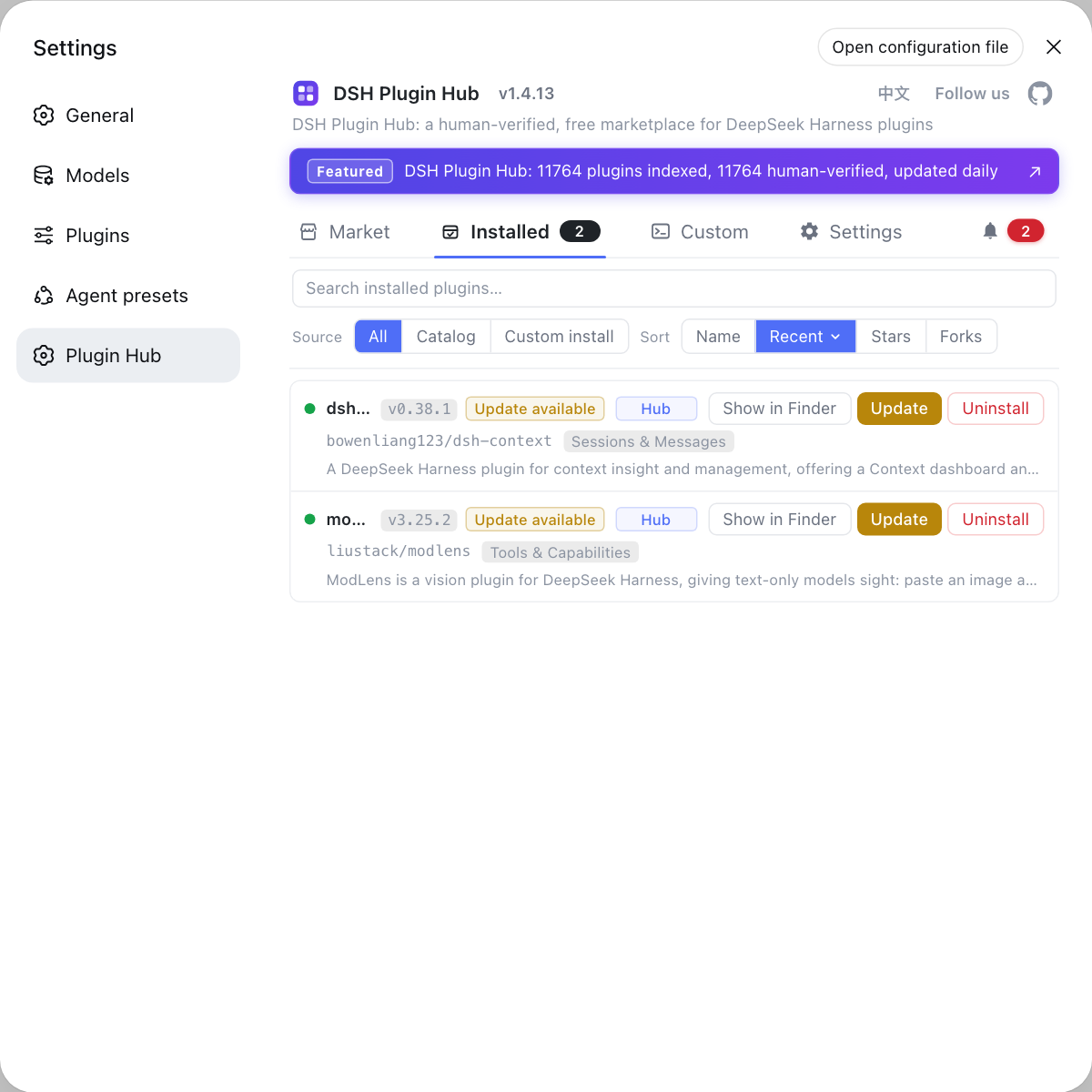
- Reinstall plugins and check — Return to the DSH Plugin Hub installed list to reinstall as needed. Expected: plugins are restored and no delete failure recurs.
Step 3 is the cure: the path problem is not a flaw in the delete method but a structural cause — the path is simply too long. Keeping $DSH_HOME on a short path and projects in shallow directories beats working around it on every delete.
Notes on deleting long-path dsh directories on Windows
- Confirm it is a long path: path too long, path not found, directory not empty with a path over 260 all point to it.
- Order methods by cost: enable long paths, delete deepest-first, robocopy mirror, then rename.
- robocopy is the universal fallback:
/MIRan empty directory to empty the target, then delete the shorter directory. - Renaming is powerful: shrink one middle directory name and the whole path shortens immediately.
- Short paths cure it: keep $DSH_HOME and projects in shallow directories to reduce repeats.
After cleaning leftovers, use the DSH Plugin Hub installed list to reinstall plugins on demand, more reliably than pulling a pile of dependencies by hand.
Sources: Microsoft Docs: Maximum Path Length Limitation, Microsoft Docs: robocopy, DeepSeek Harness CLI README (official repository)
FAQ
Windows cannot delete DeepSeek Harness node_modules because the path usually exceeds the MAX_PATH 260 limit. DeepSeek Harness profile dependencies live inside node_modules, which is deep and long, and combined with the project directory it easily goes over, so deletion reports path too long, path not found or directory not empty. Enable long path support or shorten the path to fix it.
To enable long path support, turn on LongPathsEnabled. Set LongPathsEnabled to 1 under the registry key HKLM\SYSTEM\CurrentControlSet\Control\FileSystem, or enable long paths via Group Policy; restart the relevant process or system afterward. Once enabled, applications that support long paths can handle paths over 260 characters, making deep node_modules deletion much smoother.
Several methods work without long paths: delete from the deepest directory upward so each path segment stays under the limit; mirror an empty directory onto the target with robocopy /MIR to empty it before removing the directory; or rename a parent directory to a very short name to shorten the whole path and then delete. The three can be combined.
When robocopy mirrors an empty directory onto the target with /MIR, it removes the extra files and subdirectories in the target as needed, and it processes items one by one rather than being bound by a single long path in a command-line delete. After mirroring empties the target, rmdir /S /Q removes the now shorter directory successfully, a common way around the long path limit.
Put the DeepSeek Harness data root on a short path. The default $DSH_HOME is ~/.dsh, but a Windows user's home path is sometimes already long; point it to a short drive-root directory instead and avoid placing projects in deeply nested folders. With a shorter base path, node_modules additions are unlikely to approach the 260 limit.
Related Terms
- MAX_PATH
- MAX_PATH is the traditional 260-character Windows path limit; beyond it, programs without long path support report path too long or path not found when deleting or accessing files.— Microsoft Docs
- LongPathsEnabled
- LongPathsEnabled is a Windows registry switch under HKLM\SYSTEM\CurrentControlSet\Control\FileSystem; when set to 1, applications that support long paths can handle paths over 260 characters.— Microsoft Docs
- robocopy /MIR
- robocopy /MIR is robocopy's mirror mode, which mirrors a source directory fully onto a target; using an empty source empties the target content, often used to work around the long path limit before deleting a directory.— Microsoft Docs
- $DSH_HOME
- $DSH_HOME is the DeepSeek Harness product data root, defaulting to ~/.dsh, holding sessions, settings and each profile's node_modules; putting it on a short path reduces Windows long path problems.— DeepSeek Harness CLI README
Sources
- Microsoft Docs: Maximum Path Length Limitation· Microsoft
- Microsoft Docs: robocopy· Microsoft
- DeepSeek Harness CLI README· deepseek-ai