Fix a hanging dsh plugin remove in DeepSeek Harness
A hanging dsh plugin remove is almost never the command itself but the pnpm it forwards to still running: a slow registry or mirror, lockfile contention, or another dsh process holding the same profile lock. The desktop transaction exclusively holds profiles/desktop/lock until the pnpm process exits, so concurrent remove and install on one profile wait on each other (source).
This guide covers three steps: where it hangs, why locks wait on each other, and the diagnosis order plus safe abort. Manual fallbacks for a remove error are in Troubleshooting DSH plugin uninstall failure; this article focuses on hanging and timeouts.
dsh plugin remove hangs: pnpm is usually still running
dsh plugin remove forwards the operation to pnpm, so the step that hangs is pnpm's; three common causes are a slow registry / mirror, lockfile contention, and a download genuinely in progress (source).
Decide where it hangs first:
- Check whether pnpm runs — On macOS / Linux run
ps aux | grep pnpm; on Windows runtasklist | findstr /i pnpm. Expected: a running process means it is still working, so do not kill it yet. - Check the registry config — Run
pnpm config get registryandnpm config get registry, and compare with.npmrc. Expected: you see whether it uses the official source or a mirror; an unreachable mirror gives no response for a long time. - Check whether the lockfile is held — Look for another process writing in the same profile directory. Expected: you can tell whether a concurrent operation contends for the same lock.
- Check network reachability — Confirm the registry domain is reachable and the proxy is correct. Expected: you rule out the most common patient-wait case, a simply slow network.
Steps 2 and 4 separate two kinds of "hang": a slow network is a patience matter (pnpm runs with network activity, so wait), while lock contention is a structural matter (pnpm runs with no IO, so find the lock-grabbing process). Mixing them kills what should be waited for and waits on what should be stopped.
The desktop transaction lock: concurrent operations on one profile wait on each other
The desktop package transaction exclusively holds profiles/desktop/lock until the pnpm process exits, and a reset also keeps that directory and lock until initialization and Host startup complete. So a second remove / install on the same profile waits until the first finishes (source).
Confirm lock contention with commands:
- Check whether the lock file exists — On macOS / Linux run
ls -la "$DSH_HOME/profiles/desktop/lock"; on Windows rundir "%DSH_HOME%\profiles\desktop\lock". Expected: a present lock means a transaction is unfinished. - Count related processes — Run
pgrep -fl "dsh|pnpm"/tasklist | findstr /i "dsh pnpm". Expected: more than one means concurrent operations may be waiting on each other. - Check whether it is the same profile — Confirm the concurrent operations target the same profile. Expected: the same profile waits; different profiles do not block each other.
- Serialize — End or wait for the previous operation, then run the current one. Expected: the second operation no longer waits idly and proceeds normally.
Step 2's result decides the action: as long as the same profile is in use, two remove / install operations are a queue, not a parallel pair. Run them serially, and use different profiles for parallelism; a single profile allows only one package operation at a time.
Diagnosis order and safe abort when dsh plugin remove hangs
The order is "network first, then lock contention, then process action", and a safe abort means "do not force delete a directory writing a transaction"; while hanging, check progress in the notification center and fall back to the UI uninstall if needed (source).
Run in order with a verifiable expectation each step:
- Confirm network and registry — Rerun
pnpm config get registryand check the source is reachable and the proxy correct. Expected: once the network issue is fixed, the stuck pnpm proceeds. - Then check lock contention — Use the previous section to see whether a concurrent process holds the same profile lock. Expected: the lock-grabbing process is found.
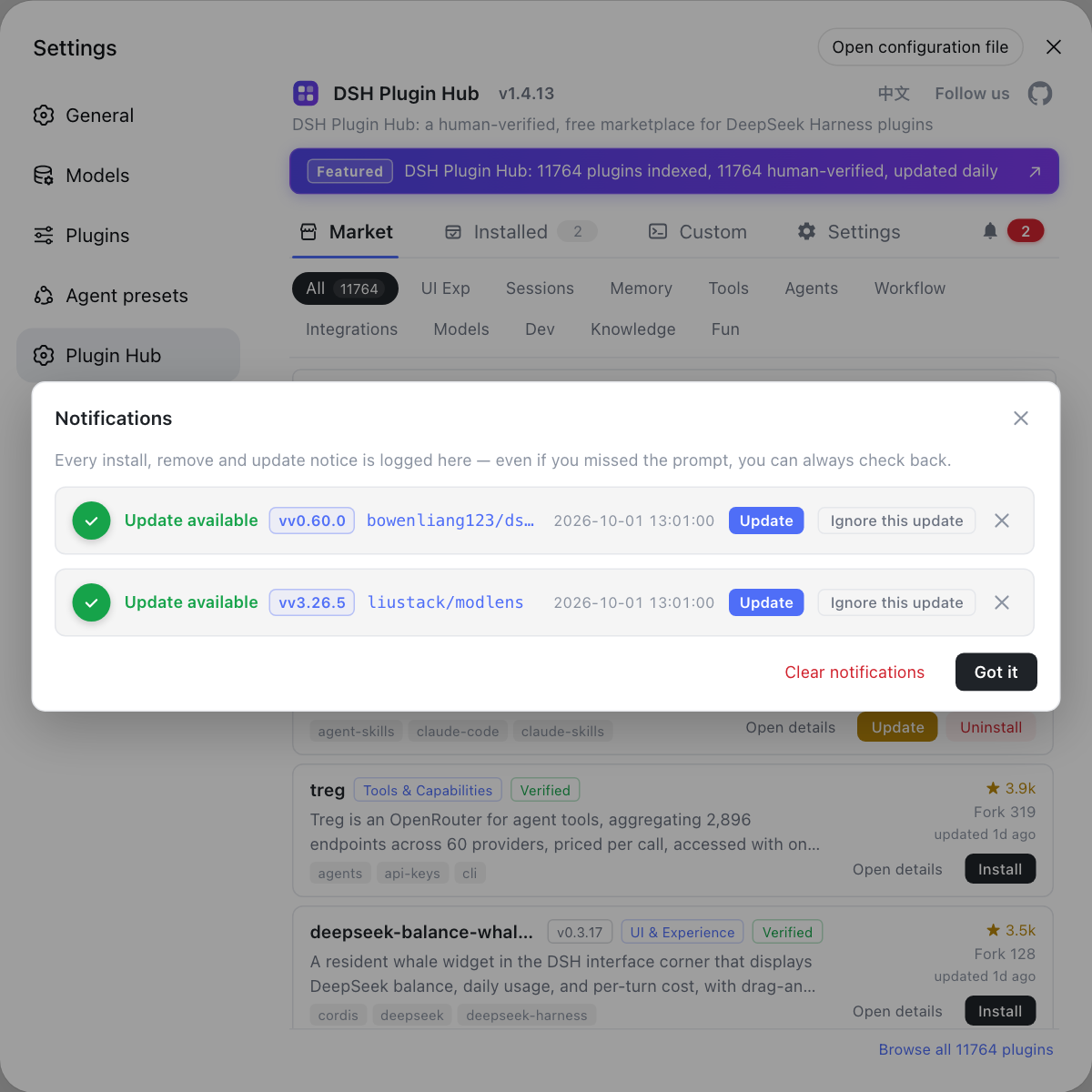
- Check progress before waiting or aborting — Open the DSH Plugin Hub notification center. Expected: an in-progress task with activity means keep waiting; only a long no-progress task warrants an abort.
- End the process safely — Prefer a graceful exit; force kill only an unresponsive one. Expected: the process releases the lock and the transaction is no longer interrupted midway.
- Fall back to UI uninstall — After the process ends, click uninstall in the installed list and confirm. Expected: it uses the same transaction and lock, and this time does not hang.
Step 4's bottom line matters: the worst things to do while stuck are repeatedly retrying remove and force deleting the profile directory. Retries stack concurrent requests and worsen contention, while a force delete of a transaction directory can corrupt the package manager state — and since the official docs say failures do not roll back, recovery is harder.
Notes on a hanging dsh plugin remove
- Tell slow network from lock contention: a slow network means wait, contention means find the lock grabber.
- One package operation per profile: concurrent remove / install always wait on each other; serial is faster.
- Do not force delete a transaction directory: writing the store or lockfile mid-delete corrupts state and does not roll back.
- Prefer a graceful process exit: force killing can leave a transaction midway.
- The UI can fall back: after the stuck process ends, retry uninstall from the UI for clearer feedback.
To see active tasks and progress while stuck, the DSH Plugin Hub notification center and system log lay out the uninstall trace, better than waiting blindly in a terminal.
Sources: DeepSeek Harness desktop README (official repository), DeepSeek Harness CLI README (official repository), pnpm Docs: settings
FAQ
A dsh plugin remove hangs most often because pnpm is still running: a slow registry or mirror that delays a response, lockfile contention, or another dsh process holding the same profile lock. The CLI forwards remove to pnpm, so the command itself is rarely the problem; the step it waits on is. Check whether pnpm runs first, then decide whether it is slow network or lock contention.
Package operations on the same profile contend for the same lock. The DeepSeek Harness desktop transaction exclusively holds profiles/desktop/lock until the pnpm process exits, and another remove or install on that profile can only wait meanwhile. It looks like both operations are stuck, but they are waiting on the same lock. Run them serially instead of concurrently.
No, do not delete a profile directory that is writing a transaction. While remove hangs, pnpm may still be writing the store or changing the lockfile, so force deleting the directory corrupts the package manager state. The official docs also state a failed plugin change keeps partial modifications without rolling back, so a hard delete only makes recovery harder. Wait or end the process safely, then retry.
The order is network first, then lock contention, and only then process action. Check whether pnpm runs, whether the registry config is reachable, and whether a download is in progress; then check whether another dsh process holds the same profile lock; only after ruling these out consider ending the process safely. Avoid repeated retries and force deleting the directory, which both worsen lock contention.
Yes, once the hanging CLI operation has ended or exited. The desktop UI uninstall uses the same package transaction and lock, so while that stuck process still holds the lock the UI uninstall waits too; after it ends, click uninstall in the DSH Plugin Hub installed list, where a confirmation dialog and progress make it clearer than waiting blindly in a terminal.
Related Terms
- dsh plugin remove
- dsh plugin remove is the DeepSeek Harness CLI entry to uninstall a plugin; it forwards arguments to pnpm, so when the command hangs you usually inspect pnpm, the network and the lock rather than the command.— DeepSeek Harness CLI README
- lockfile contention
- Lockfile contention is the mutual wait when multiple processes want to change the same lockfile; a package manager allows only one process to modify the lockfile at a time, so concurrent remove or install operations queue up.— pnpm Docs
- $DSH_HOME/profiles/desktop/lock
- $DSH_HOME/profiles/desktop/lock is the lock file the DeepSeek Harness desktop package transaction holds; the transaction exclusively holds it until the pnpm process exits, so concurrent operations on the same profile wait here.— DeepSeek Harness desktop README
- profile
- A profile is an independent runtime environment in DeepSeek Harness, each with its own package.json and node_modules; package operations on one profile contend for the same lock while different profiles do not block each other.— DeepSeek Harness CLI README
Sources
- DeepSeek Harness CLI README· deepseek-ai
- DeepSeek Harness desktop README· deepseek-ai
- pnpm Docs: settings (lockfile)· pnpm