DeepSeek Harness session migration after a dsh update
When old sessions fail to open after a DeepSeek Harness update, the usual cause is a changed session format version, not deleted session data. The session format is an integer separate from the package version; the official design introduces a new format without rewriting released data, and old sessions are migrated on read while the source file stays untouched (source).
This article covers the "kept but unreadable" migration and compatibility problem. If you are worried about losing config and data on update, the answer is that data is kept — see does a dsh update lose data. If the session log itself is corrupt rather than version-incompatible, see fix a corrupt session log.
Why old sessions stop opening: the session format version is not the package version
In DeepSeek Harness the session format version and the dsh package version are two separate things, and updating dsh can advance the session format by one level — which is exactly why old sessions stop opening. The official docs require keeping the session format integer apart from package release versions, SQLite schema versions, projection-unit versions and protocol-wrapper versions; they are not interchangeable (source).
Put the version types side by side to see what each governs:
| Version type | What it governs | When it moves |
|---|---|---|
| Package release version | the published dsh version | every release |
| Session format version | the structure of a session log | structural changes to headers, event envelopes, core event semantics or surface reconstruction |
| SQLite schema version | the storage table structure | storage structure changes |
| Projection-unit version | the structure of a projection unit | unit structure changes |
| Protocol-wrapper version | the protocol wrapper structure | wrapper structure changes |
When does the format version move? Only for a structural change to headers, event envelopes, core event semantics or surface reconstruction. Backward-compatible changes can stay at the current version through new acknowledgements, so not every update touches old sessions — only a breaking structural change needs migration.
How DeepSeek Harness keeps old sessions compatible: no rewrite plus read-side migration
The core compatibility rule is simple: introducing a new format never rewrites released data, and migration happens on the read side instead of editing files in place. Six design points back this up:
- Every historical format is archived — each historical session format has its own format document, and change records acknowledge exact transitions using snapshots kept in the repository, covering every integer below the current writer version.
- Migration on read, source untouched — a historical read open may return the migrated in-memory artifact without writing; a write open publishes only the final current successor before appending. The source path, bytes and inode stay unchanged (source).
- No fallback to a predecessor — selecting a newer or invalid generation must not cause a fallback to a predecessor, which prevents reading a half-finished artifact.
- Strict restore validation —
sessionFormatCatalog.createRestore(header, { recovery: 'strict', validation: 'current' })verifies physical decoding, the full migration chain and the installed current session validation. - The chain is adjacent and stepwise, not one jump — moving from format N to the current writer version runs N→N+1→… step by step rather than skipping levels.
- A failed migration does not pollute the source — because conversion happens on the read side, a failed read leaves the source file as it was, so retrying or reading it with an older version never writes the file badly.
How to judge before updating and handle old sessions after
Judge in two steps: check the target version for breaking changes and back up before updating, then open old sessions read-first after updating to confirm they migrate. Follow these six steps:
- Check the version line first — record the current version with
dsh --versionand check whether the target release notes mention a breaking session or storage format change. - Back up the session directory — the 0.1.0-rc.8 release rebuilt the SQLite backend with an incompatible storage structure and told users to back up the
~/.dshdata first (source):bashcp -r ~/.dsh/sessions ~/.dsh-sessions-backup - Open old sessions read-first after updating — migration runs on read, so confirm the session opens with complete content before appending new messages; if migration has a problem, the source file is still clean.
- Keep the original file when a session will not open — do not overwrite, rename or delete it; read it with the matching historical version or wait for the migration chain to be fixed, because the original data is your last fallback.
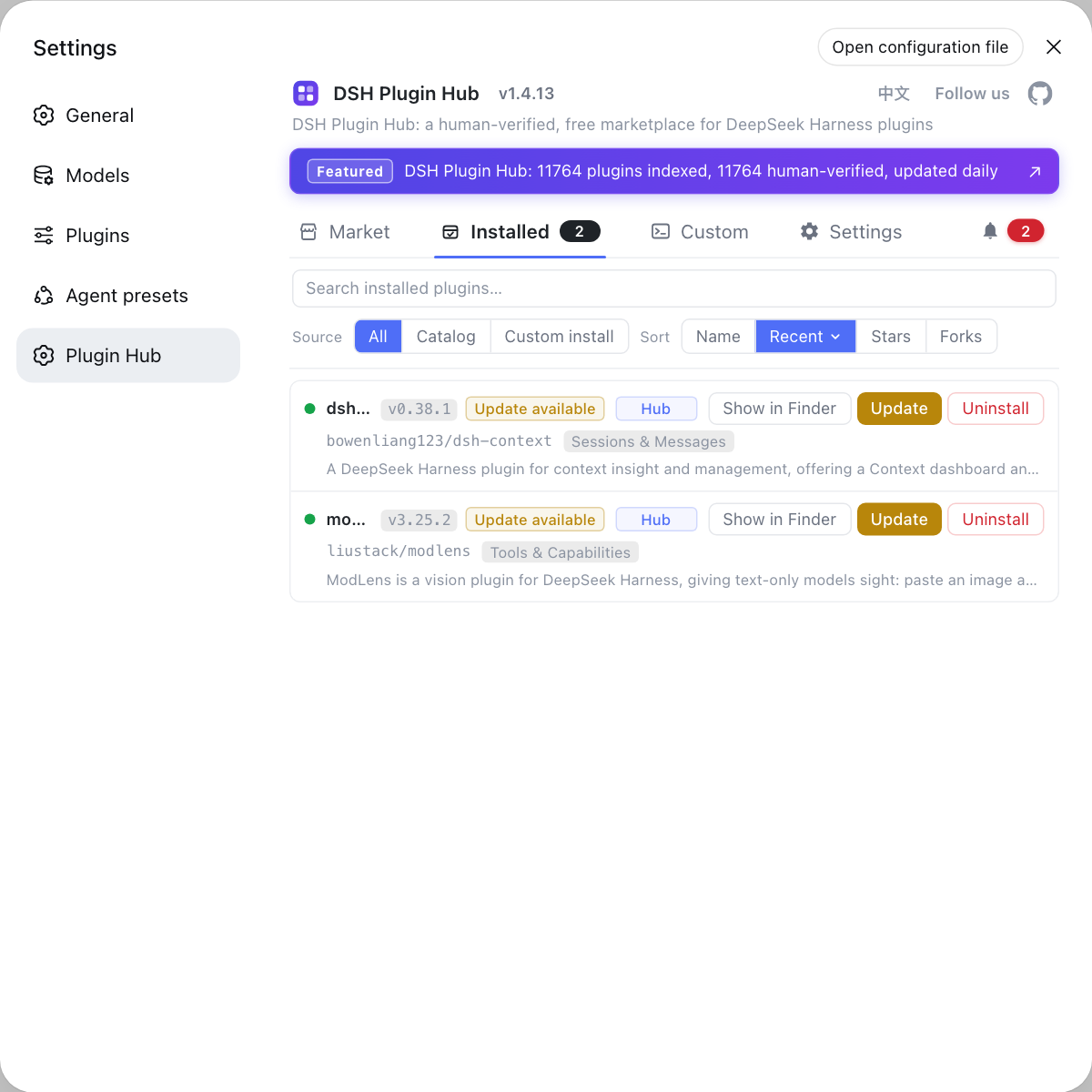
- Check plugin versions before enabling session-related DSH plugin — plugins that declare session events must be compatible with the target format, so check the installed list in DSH Plugin Hub for update badges and confirm compatibility first.
- Finally confirm read-only that the source file was not rewritten — after opening an old session, run
ls -l ~/.dsh/sessions(usediron Windows). Expect the old file still at its original path with the pre-update timestamp, confirming migration did not edit the source in place.
Notes on handling old sessions after an update
- Back up before you update — across breaking changes, a backup is the only reliable way to roll back; do not wait until a session will not open.
- Migration is a read operation — old session files are never rewritten in place, so treat an unreadable session as a read-path and version-compatibility issue, not file corruption.
- Do not mix up the version types — plugin versions, dsh package versions and session format versions have different meanings; check them separately before updating.
- Use the official record — the project keeps a document and snapshot for every historical format, so rely on the format documents and change records instead of hand-editing session files.
- Keep the backup outside the repository — do not park the backup where an update or cleanup can overwrite it. Expect a clean, usable copy when something actually breaks.
- Keep a reader for the old format on hand — across breaking changes, hold on to an older version. Expect a second read path for old sessions as a fallback instead of hunting for tooling later.
Plugins are a separate chain: when you update a session-related DSH plugin, use the installed list in DSH Plugin Hub to check the version and update badge, and confirm compatibility with the target format before updating so old sessions are not blocked by changed plugin event declarations.
Sources: DeepSeek Harness Cookbook - adding a Session log format version (official repo), Session Persistence Event Catalog, v0.1.0-rc.8 Release
FAQ
DeepSeek Harness does not delete old sessions when it changes the session format version. Released data is not rewritten; old session files stay in place and are migrated on read, so the original file remains even when the new version cannot open it yet.
The dsh session format version is not the same as the dsh package version. It is a separate integer, distinct from package release versions, SQLite schema versions, projection-unit versions and protocol-wrapper versions; it only increments for structural changes to headers, event envelopes, core event semantics or surface reconstruction.
DeepSeek Harness updates should be preceded by a session backup, especially across breaking changes. The 0.1.0-rc.8 release rebuilt the SQLite backend with an incompatible storage structure and told users to back up the ~/.dsh data first; sessions usually live under ~/.dsh/sessions.
A DeepSeek Harness session that will not open can usually be recovered because migration is a read-side operation. The source path, bytes and inode stay unchanged, so read it with the matching historical format or wait for the migration chain; keep the original file instead of overwriting it.
Check DSH plugin compatibility in DSH Plugin Hub before you update DeepSeek Harness. Look at the installed list for update badges and confirm that plugins declaring session events are compatible with the target format; keep plugin versions and session format versions separate.
Related Terms
- Session format version
- The session format version is an integer that identifies the structure of a DeepSeek Harness session log. It is separate from package release versions, SQLite schema versions, projection-unit versions and protocol-wrapper versions, and it only increments for structural changes to headers, event envelopes, core event semantics or surface reconstruction.— DeepSeek Harness Cookbook - adding a Session log format version
- Migration chain
- The migration chain is the set of adjacent N-to-N+1 converters DeepSeek Harness uses to move a historical session format forward to the current one. Reading an old session runs this chain in memory, so the source file is never rewritten.— DeepSeek Harness Cookbook - adding a Session log format version
- SESSION_FORMAT_VERSION
- SESSION_FORMAT_VERSION is the constant declared in DeepSeek Harness core session types that states which format the writer currently produces. After an update it decides which version new sessions are written in and how far old sessions must be migrated.— DeepSeek Harness Cookbook - adding a Session log format version
- Session persistence catalog
- The session persistence catalog is the DeepSeek Harness index of every durable session event, covering logical and physical headers, event envelopes and every plugin declaration merge, and it is used to validate that a session structure is complete and readable.— DeepSeek Harness Session Persistence Event Catalog