Update DeepSeek Harness from source: build and verify
A dsh source update is: git pull to fetch code, align the repo's pinned pnpm@11.7.0 through Corepack, pnpm install dependencies, rebuild with pnpm run build, then verify with pnpm run typecheck and a source launch (source).
This article covers the source path only. If you installed with npx, npm or the desktop app, updates work differently; compare the three in how to update dsh to the latest version. The source path gets you unreleased commits, at the cost of running the pull-dependencies-build-verify cycle each time.
Step one: pull the code and align the pnpm version
The first hurdle is not pulling code but meeting the toolchain requirements: Node.js supports 22.19+ and 24+, pnpm must resolve through Corepack to the repo's pinned pnpm@11.7.0, and Git must be 2.26 or newer (source).
The toolchain floors are:
| Tool | Requirement |
|---|---|
| Node.js | 22.19+ or 24+ |
| pnpm | resolves through Corepack to pnpm@11.7.0 |
| Git | 2.26+ |
Prepare in five steps:
- Pull the latest source — run
git pullin the repo directory. Expect the local source to match the target branch's latest commit. - Align the pnpm version — check whether
pnpm --versionresolves through Corepack; if not, runcorepack enable, and usecorepack prepare pnpm@11.7.0 --activateif needed. Expectpnpm --versionto return the repo's pinned version, not an arbitrary system pnpm. - Confirm the Node and Git version lines — use Node.js 22.19+ or 24+, and Git 2.26+. Expect versions to satisfy these before moving on, instead of failing halfway through a dependency install.
- Check all three versions read-only before touching code — run
node --version,pnpm --versionandgit --version. Expect all three on their required lines before any change. - Check the branch and remote state — run
git statusandgit branch -vv. Expect no surprise local changes and a branch that tracks the remote, so the pull does not run into a conflict midway.
Installing dependencies and rebuilding: pnpm install and pnpm run build
Install dependencies with pnpm install and rebuild with pnpm run build: the latter runs both the Host and Client aggregates' tsc and tsdown in dependency order and finishes with the web build (source).
Five steps:
- Install dependencies — run
pnpm install. Expect dependencies in place, with the postinstall configuring worktree-local Lefthook hooks. - Reinstall hooks only if missing — when dependencies were restored from cache or postinstall was skipped, run
node scripts/install-lefthook.mjs. Expect the Git hooks to be restored so pre-commit checks work. - Rebuild artifacts — run
pnpm run build. Expect the Host and Client phases to complete in order and generate web output; usepnpm run build:officialfor release-style output that omits the local dirty marker. - Check the dependency directory read-only before building — run
ls -l node_modules(usediron Windows). Expect the directory to be present and not empty or half-installed. - Do not rush into the build if install failed — read the
pnpm installoutput and locate the missing package first. Expect to avoid entering the build with incomplete dependencies and burning a cycle for nothing.
Verifying after the update: version markers, typecheck and source launch
Verification has three layers: read the version markers embedded in the build, run pnpm run typecheck, then start from source with pnpm dsh (source).
Confirm each of five layers:
- Read the version markers —
pnpm run buildembeds the root package version, the seven-character source commit, and a dirty marker when Git reports local changes. Expect the version to match the commit you pulled; usepnpm run build:officialfor release style. - Run typecheck — execute
pnpm run typecheck. Expect a successful exit, meaning type and source checks pass; it is also the recommended first check after a fresh clone. - Start from source — run
pnpm dsh --profile headless "summarize this workspace"orpnpm run start:web. Expect a normal start and one real call, confirming the source update is usable. - Check the output was produced by this run read-only — use
ls -lto read the modification time of the build output directory. Expect a timestamp matching this build, ruling out "it never rebuilt and you are still running the old artifact". - Confirm the runtime version matches the artifact — the version shown when starting from source should match the marker embedded in layer one. Expect the two to agree, proving you are running the freshly rebuilt output.
Notes on updating dsh from source
- Keep code, dependencies and toolchain in one OS — WSL 2 keeps the checkout in the Linux filesystem and native Windows in the Windows filesystem, because cross-filesystem access slows Git, installs and builds.
- Install dependencies per environment — native binaries and links can differ per OS, so Windows and WSL each need their own
pnpm installand build. - Do not commit
.env— keep real credentials in a gitignored.envat the repo root, read from the environment. - Stuck on old behaviour? Suspect the build first — confirm
pnpm run buildcompleted, then usepnpm run typecheckand a source launch to locate the issue. - Record a working baseline before pulling — note the commit that currently runs, so you can switch back when needed. Expect a rollback reference when a source update goes wrong.
- Do not commit build artifacts as source changes — generated output is local build state. Expect a clean
git statuswhere the dirty marker reflects only real source edits.
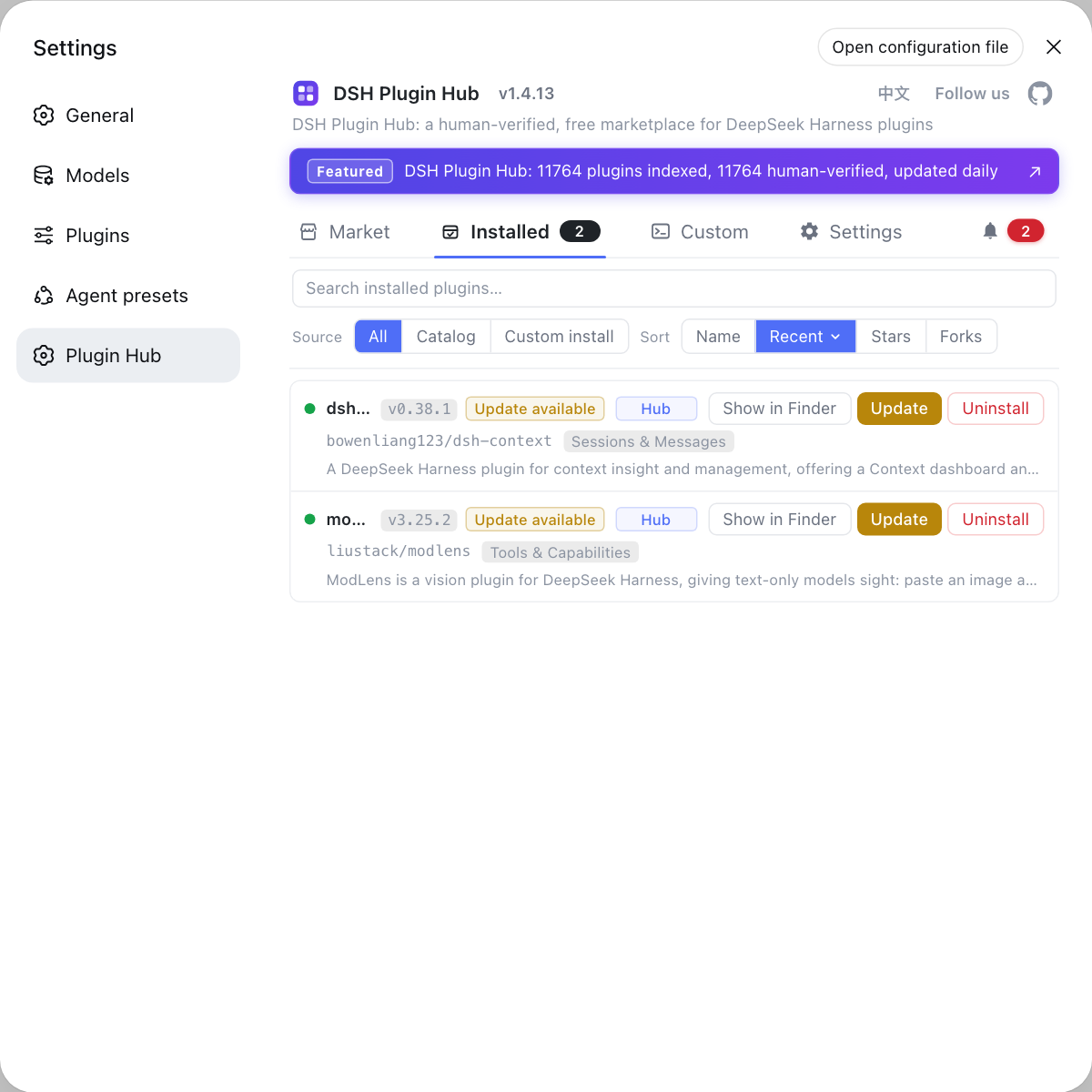
The source path gets the latest code running; updating the plugins themselves is a separate set of commands, best handled through the built-in DSH Plugin Hub: its installed list flags updatable DSH plugins, handles them in a click, and shows a confirmation dialog first.
Sources: DeepSeek Harness Development Guide, Node engine floor Agent Note
FAQ
A dsh source update runs git pull, corepack enable, pnpm install and pnpm run build in that order. After pulling, align pnpm to the pinned pnpm@11.7.0 through Corepack, install dependencies and build; then verify with pnpm run typecheck and start from source with pnpm dsh.
The repo pins pnpm@11.7.0 in package.json and provides it through Corepack, so run corepack enable first so pnpm --version resolves through Corepack. If the version is still wrong, run corepack prepare pnpm@11.7.0 --activate instead of installing dependencies with an arbitrary system pnpm.
Because pnpm run build embeds the root package version, the seven-character source commit and a dirty marker when Git reports local changes. For release-style output use pnpm run build:official, which is the cross-platform local equivalent of the CI and release build and omits the local dirty marker.
Run pnpm run typecheck, which signals a passing type and source check by exiting successfully, then start once from source with pnpm dsh --profile headless or pnpm run start:web. A source update is complete when it builds, passes typecheck and starts from source.
Keep the checkout, dependencies and toolchain in one operating system environment: put the checkout in the Linux filesystem for WSL 2, and in the Windows filesystem for native Windows, because cross-filesystem access slows Git, dependency installs and builds. Install dependencies once per environment, since native binaries and links can differ.
Related Terms
- Corepack
- Corepack is the package manager version manager bundled with Node.js; the DeepSeek Harness repo pins pnpm@11.7.0 in package.json, and corepack enable makes pnpm --version resolve to that version through Corepack.— DeepSeek Harness Development Guide
- Lefthook
- Lefthook is the Git hook tool DeepSeek Harness uses; the pnpm install postinstall configures worktree-local hooks, and when dependencies are restored from cache or postinstall is skipped you run node scripts/install-lefthook.mjs.— DeepSeek Harness Development Guide
- dirty marker
- The dirty marker is embedded by pnpm run build when Git reports local changes, distinguishing a local build from a release build; pnpm run build:official omits it.— DeepSeek Harness Development Guide
- build:official
- build:official is pnpm run build:official, the cross-platform local equivalent of the CI and release build; it runs the complete build and omits the local dirty marker.— DeepSeek Harness Development Guide
Sources
- DeepSeek Harness Development Guide· deepseek-ai
- DeepSeek Harness Node engine floor Agent Note· deepseek-ai