Choosing a DSH plugin knowledge base: how doc Q&A works
Choosing a DSH plugin knowledge base does not start with who has the most features — it starts with separating it from long-term memory plugins, because they solve two different problems: a knowledge base answers "what do the documents say", a memory plugin answers "what did we talk about before". Once you have picked a side, only three things matter: which retrieval method it uses (pure keyword, pure semantic, or hybrid), whether it needs an extra embedding model or runtime, and which profile the index hangs off — those three decide whether it works right after install or needs an environment configured first.
Separate the two kinds of DSH plugin first: memory records sessions, knowledge bases answer documents
Memory plugins and knowledge base plugins have completely different data sources: the former distills conclusions from sessions, the latter builds an index from files, so neither replaces the other (source). Side by side:
| Dimension | Memory plugin | Knowledge base plugin |
|---|---|---|
| Where data comes from | Conclusions, preferences, project facts produced in sessions | Documents, notes, code in the workspace |
| Typical question | "What plan did we settle on last time?" | "Where is module A's auth flow documented?" |
| When it updates | Continuously written during conversation | Index rebuilt or incrementally updated when documents change |
| Main risk | Stale memory, cross-contamination | Runaway index scope, noise crowding out results |
If your need is "let the model understand a set of my documents", you are looking at a knowledge base plugin; if it is "stop re-explaining the background every time", that belongs to memory plugins — see the comparison and selection guide in what memory plugins does dsh have?. The two can be installed together, but decide which half each one solves before you install.
How a knowledge base DSH plugin works: indexing, retrieval, and whether you need a model
Knowledge base plugins differ mainly at the retrieval step: a pure keyword approach works right after install, a hybrid approach has better recall but needs an embedding provider; where the index is built and which files it covers determine whether answers are accurate (source). Look at three layers:
-
Build the index — split documents, extract text, write into a local index store. This usually runs in the plugin's background and is asynchronous, so asking immediately after install often finds it unfinished.
-
Retrieve — three routes, using actual plugins as examples:
- Pure keyword (TF-IDF): no external API and no embedding model, usable right after install. The example is
dsh-plugin-rag, which indexes project files by keyword and supports CLI search, with configurable index paths and result counts, automatically skipping directories likenode_modules(source). - Hybrid retrieval: fuses lexical and semantic results into one ranking. The example is
docindex, which uses SQLite FTS5 for lexical retrieval, layers local-embedding semantic retrieval on top, and fuses them with RRF, supporting Chinese word segmentation, incremental updates, and exact line-number citations (source). It needs a fairly recent Node runtime, so check before installing. - Service-based retrieval: turns the knowledge base into a resident service exposing retrieval over an MCP channel. The example is
local-rag-wiki, which provides a governed Markdown wiki per repository with semantic search and controlled read/write, used to accumulate project knowledge across sessions (source).
- Pure keyword (TF-IDF): no external API and no embedding model, usable right after install. The example is
-
Hand it to the model — retrieval results enter the conversation as tools or context injection. Most plugins register a set of query tools the model calls when needed; some also inject index statistics into the system prompt so the model knows up front that a queryable library exists. Which capabilities a plugin adds to the model can be checked piece by piece using what's inside a dsh plugin?.
Whether you need an embedding model depends on how you ask: if terms in your documents are stable and your questions reuse them, pure keyword is enough; if questions often rephrase or cross languages, hybrid retrieval pays off. The extra cost is embedding provider configuration and index build time.
Wiring up a DSH plugin knowledge base: which profile, which directories, how to verify a hit
Wiring up takes three steps: install the plugin per profile, define the index directories, then verify a hit with a term that exists only in your documents (source).
- Install into the profile you will actually use. A knowledge base follows the profile, and the command form matches other plugins:
# npm package name
dsh plugin --profile web add dsh-plugin-rag

# direct from GitHub
dsh plugin --profile web add github:johnxu22786/docindex
--profile is required and decides which $DSH_HOME/profiles/<name> the plugin lands in. Installing only into web while running tasks under headless is the most common cause of "installed but cannot find it"; the isolation details are in installing one DSH plugin into multiple profiles.
-
Define the index directories. The principle is "few and accurate": rule out
node_modules, build output, and logs first, then add the document directories you actually ask about one by one. Most plugins expose the index path as a config option; after changing it, trigger a rebuild or wait for incremental updates to catch up — incremental and watch capabilities vary by plugin. -
Verify a hit. Do not ask broad questions like "what is this project about"; ask about a specific term or identifier that could only appear in your documents:
# after installing, first confirm the plugin is in the target profile
dsh plugin --profile web list
Only when the answer contains that term and cites the file (some plugins give exact line numbers) is it genuinely wired up. If the answer is vague or says it cannot find it, check in order: does the index scope cover that document → has indexing finished → does the term you asked about match the wording in the document.
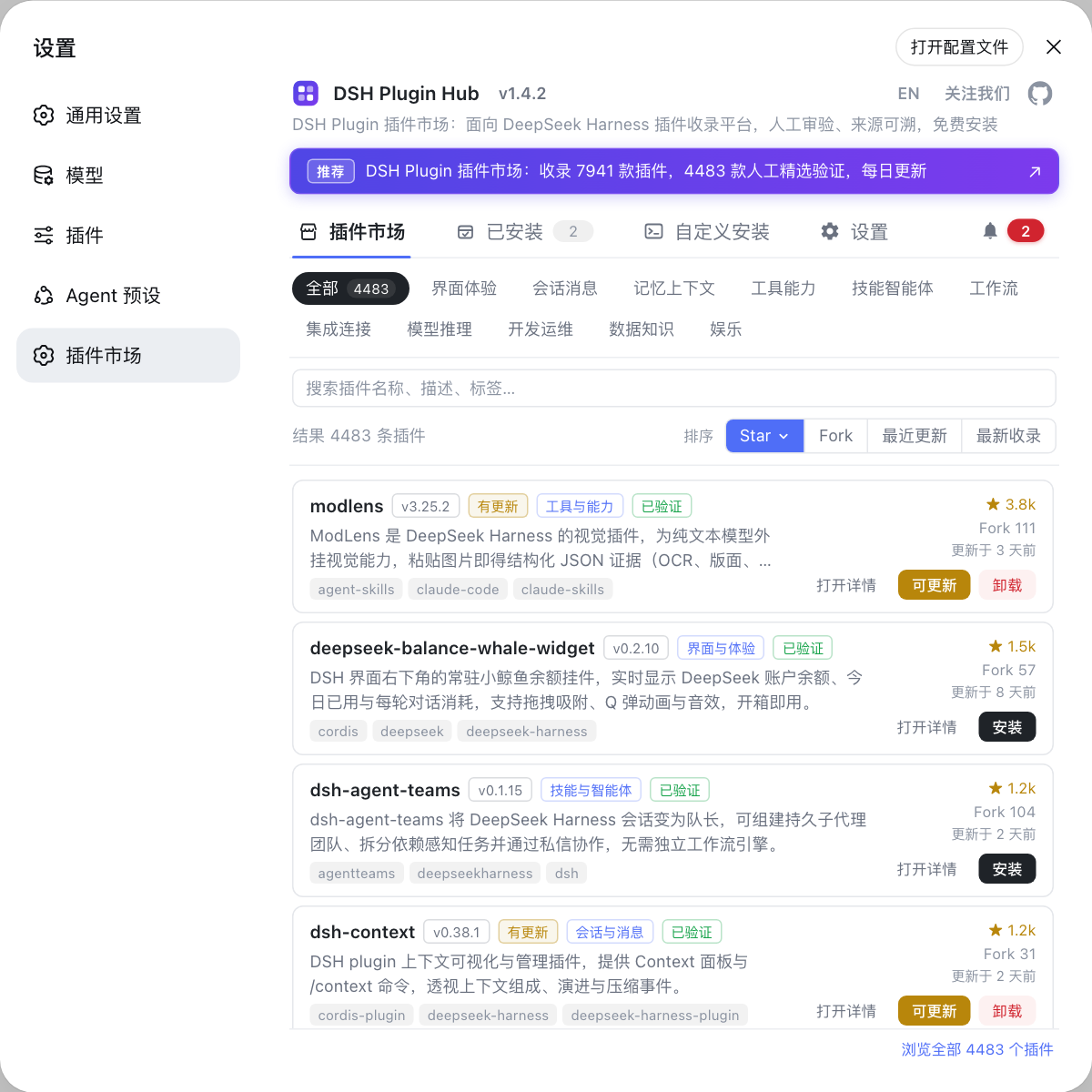
- Check two things before choosing: version and environment requirements (hybrid retrieval options often set a minimum Node version), and maintenance status plus permission scope — indexing means it must read your files. How to judge both is in is this DSH plugin worth installing?. To find similar plugins and compare cards side by side, open Settings → Plugin Marketplace in DSH Plugin Hub and browse the "knowledge base" category item by item.
DSH plugin knowledge base notes
In one line: first decide whether it answers documents or records sessions, then look at retrieval method and index scope, and finally verify on the right profile. Six reminders:
- Do not use a memory plugin as a knowledge base: memory distills from sessions, knowledge indexes files — different data sources, not interchangeable;
- Indexing is asynchronous: asking right after install often yields nothing, so wait for the build to finish before verifying;
- Keep the index scope small rather than large: a whole-repo index pulls in output and logs, slowing the build and diluting results;
- Hybrid retrieval carries extra cost: check the embedding provider and runtime version first, rather than discovering after install that it cannot run;
- Plugins follow the profile: web, headless, and desktop do not share plugins, so install into whichever you use;
- Check permissions and maintenance status first: index-type plugins must read your files, so run through the trust signals before deciding.
If you would rather not try commands one by one, the Plugin Marketplace in DSH Plugin Hub has a knowledge base category where cards show plugin type, install command, and a trust confirmation dialog, and the marketplace runs the install for you — handy for a quick trial before fine-tuning the index scope from the command line.
Sources: dsh CLI README, DSH Plugin Hub, dsh-plugin-rag, docindex, local-rag-wiki
FAQ
A DSH plugin knowledge base answers "what do the documents say", while a long-term memory plugin answers "what did we talk about before". The former indexes Markdown, PDF, and code files in your workspace for the model to retrieve and cite; the latter distills conclusions from sessions for reuse across conversations. Their data sources, failure modes, and tuning levers all differ, and mixing them up usually serves neither purpose well.
Knowledge base plugins for DeepSeek Harness do not necessarily need an embedding model: a pure keyword approach (such as TF-IDF retrieval) depends on no external API and no embedding model, and works right after install — at the cost of weaker recall when questions are paraphrased. A hybrid approach fuses lexical and local-embedding semantic results for better recall, but requires configuring an embedding provider and its runtime. Choose by whether the terminology in your documents is stable.
A knowledge base DSH plugin installs per profile like any other plugin: the command is dsh plugin --profile <name> add <package or github:owner/repo>, with --profile required, deciding which profile hosts the index service. Note that it follows the profile — installed only into web, a task run under headless cannot reach that knowledge base, so install it into every profile that needs it.
The most direct way to verify a DSH plugin knowledge base is live is to ask about a specific term that exists only in your documents. With a healthy index the answer contains that term and cites the file (some plugins even give exact line numbers). If the model answers vaguely or says it cannot find it, first check whether the index scope covers your documents, then whether indexing has finished — indexing is asynchronous, so asking immediately after install often means it is not built yet.
The indexing scope of a DSH plugin knowledge base follows a "few and accurate" principle: indexing only the document directories you actually ask about usually beats indexing the whole repository. A whole-repo index drags in node_modules, build output, and logs, which both slows the build and lets noise crowd out retrieval results. Most plugins offer exclude rules — rule out output directories first, then add directories one by one as needed.
Related Terms
- knowledge base plugin
- A knowledge base plugin is the document-Q&A category within dsh plugin: it builds a searchable index from documents in the workspace or specified directories for the model to retrieve and cite when answering. It answers what the documents say, not what was discussed in the conversation.— DSH Plugin Hub
- TF-IDF keyword retrieval
- TF-IDF is a fully local term-weighting retrieval method that scores a term by how often it appears in a document versus how rare it is across the corpus. Knowledge base plugins using it need no external API and no embedding model, and work right after install.— dsh-plugin-rag
- hybrid retrieval
- Hybrid retrieval fuses lexical results (such as SQLite FTS5) with semantic vector results and ranks them together, commonly via RRF. It is more likely to hit questions phrased differently than a single method, at the cost of configuring an embedding provider and the corresponding runtime.— docindex
- index scope
- Index scope is which directories and file types a knowledge base plugin actually collects. It decides both whether Q&A can hit and how long index building takes along with retrieval noise — most plugins skip output directories like node_modules by default and allow custom include and exclude rules.— docindex
Sources
- dsh CLI README· deepseek-ai
- DSH Plugin Hub· dshplugin
- dsh-plugin-rag· YYTbit
- docindex· JohnXu22786
- local-rag-wiki· ihorleleka