GitHub DSH plugin: DeepSeek Harness topic, source, install
The most direct way to find a DSH plugin on GitHub is the dsh-plugin topic, which aggregates in one page the third-party repositories that extend DeepSeek Harness with host capabilities, agent tools, connectors and custom settings UIs (source). Once you have candidates, read the source to check whether each is worth a closer look, then decide whether to install it. This guide covers three things: how to use the topic, what to read in the source, and how to install what you find into DeepSeek Harness.
How to use the GitHub dsh-plugin topic to filter plugins
The dsh-plugin topic page is the set of all repositories carrying that tag, and toggling the sort between "by Stars" and "Recently updated" is the least effortful filter (source). Do it in order:
- Open the topic page — visit
https://github.com/topics/dsh-plugin. Expected: a row of repository cards taggeddsh-plugin, each with a description, update time and language. - Sort by Stars to see popular ones — use the sort dropdown in the top-right and switch to Most stars. Expected: plugins the community endorses, tested by time, rise to the top.
- Sort by Recently updated to see what is alive — switch to Recently updated. Expected: still-maintained repos stand out, so you avoid one untouched for half a year.
- Narrow with language and keyword filters — use GitHub search syntax, for example:
Expected: only the language and type you care about remain, shrinking the candidate list sharply.
topic:dsh-plugin language:javascript - Note the candidate repos — record the
owner/repoyou are interested in and move to reading the source. Expected: you hold a shortlist with repo addresses.
Combine the two sort strategies: sorting only by Stars misses good new plugins, while sorting only by update time can surface unproven new repos. Circle a range by Stars first, then drop the stale ones by update time, for the highest hit rate.
The topic page has limits too, so do not treat it as the only entry point. First, it is incomplete: if an author never adds the dsh-plugin topic to a repo, it will not appear here, so cross-check with GitHub keyword search and catalogued entries on DSH Plugin Hub. Second, quality is uneven: the topic only means "this tag was added", not an official endorsement or a quality guarantee, and same-named forks sit side by side. Expected: circle a range with the topic and fill gaps with the Hub and search — walk on both legs so you neither miss options nor get misled.
What to read in DSH plugin source: only what discovery needs
After clicking into a repo, the discovery and evaluation stage does not need the whole source: four things are enough — the manifest, dependencies, permission surface and update time (source). Check each:
- Manifest — open
package.jsonand check that the package name, version anddsh-related declarations are self-consistent. Expected: the README's install command lines up with the actual package name and version. - Dependency declaration — see which services it
injects (such astoolsorllm) to know which prerequisites it needs. Expected: you can judge its dependence on the host version and other plugins. - Permission surface — check whether it reads environment variables, needs the network or registers a large capability. Expected: the smaller the permission surface, the more worth trying first.
- Update time and activity — check the last commit time and whether Issues get replies, to avoid a repo untouched for half a year. Expected: you filter out stale implementations before deciding whether to dig deeper.
Digging into "how it works inside" belongs elsewhere. For the apply(ctx) entry, the plugin lifecycle and context injection, see the DSH plugin anatomy guide; for the full trust criteria — license, commit frequency, Issue responsiveness and permission surface — see the DSH plugin trust signals guide. This article only covers using the discovery stage to decide, at the lowest cost, whether something is worth a closer look, leaving the deep dive to those two.
How to install a DSH plugin you found on GitHub
The next step after discovery is installing into the harness: either install in one click from a catalog entry on DSH Plugin Hub, or use a github: direct install (source). Two paths:
- Search the Hub first — search the plugin name in the DSH Plugin Hub market. Expected: if it is catalogued, you see the name, description, Stars, last update time and install command.
- Install with the catalog entry's standard command — for example:
Expected: the terminal echoes that it joined thebash
dsh plugin --profile web add <package-name>webprofile, installing the stable package that matches the published version. - Use a
github:direct install when there is no catalog entry — the fallback command:Expected: it installs the repo's current state; note it does not follow a published version, so stability and rollback are weaker than a catalogued release.bashdsh plugin --profile web add github:<owner>/<repo> - Restart and verify — restart
dsh weband confirm in the Installed list that the plugin appears and loads. Expected: it shows up in the list and works as its README describes. - Install into the right profile — use
--profile webfor anything hooking the Web UI; a wrong profile means it will not appear in the interface. Expected:dsh plugin --profile web listshows the plugin.
Laying out the three stages — discover, evaluate, install — as one checklist keeps you from skipping a step:
| Stage | What to check | Where | Pass criterion |
|---|---|---|---|
| Discover | Topic tag, Stars, update time | GitHub topic page / search | The repo really carries dsh-plugin and has recent commits |
| Evaluate | Manifest, dependencies, permission surface, trust signals | Repo source / trust-signal criteria | Consistent package name, acceptable permissions, active maintenance |
| Install | Catalog entry's standard command or github: direct install | DSH Plugin Hub / CLI | Installed into the right profile and visible in the list |
One easy trap: a github: direct install follows the repo's current state and does not track a published version, so it is weaker on stability and rollback than a catalog entry; prefer a Hub catalog entry, and use a direct install only when the entry is missing and you really want the latest commit.
To be found rather than to search yourself: if you author plugins, adding the dsh-plugin topic to your repo after publishing gets it scanned and catalogued automatically; the full flow is in how to publish a DSH plugin to the Hub. If you have not written a plugin yet, start with how to develop a DSH plugin.
Notes and limits for finding DSH plugins on GitHub
Remember three things — the topic is only discovery, the source is the judgement, the catalog entry is easier — and hunting for plugins on GitHub stops being a maze.
- The topic is not official: the
dsh-plugintopic aggregates third-party repos with no affiliation to DeepSeek AI, and being listed is not an official endorsement. - Same name, different source is common: one plugin name may have several implementations, so go by Stars, update time and the Hub catalog entry, and do not install a stale fork.
- A
github:direct install follows the repo's current state: for a version you can control and roll back, prefer the standard command from a Hub catalog entry. - Check permissions before installing: for a plugin that reads keys, goes online or registers a large capability, try it in a temporary environment first, and confirm the behaviour before adopting it long term.
- Confirm it loads after install: only when
dsh plugin --profile web listshows the name and the interface really works is it properly installed; installed but missing from the load list is a different story. - Lean on the official docs: judge legitimacy by the official your first plugin page, where
apply(ctx)is the hard gate. - Do not treat Stars as the only standard: a high Star count does not mean it fits your current DeepSeek Harness version, so check its dependency declaration and last commit time before deciding to try it.
- Do discovery and evaluation in two passes: shortlist candidates on the topic page first, then check manifest and permission surface one by one; do not sink into source detail the moment you open a repo, since the deep dive belongs to the anatomy and trust-signal articles.
Rather than paging through GitHub one screen at a time, guessing which repo installs and later landing on a stale fork, circle the candidates with the dsh-plugin topic first, then go back to DSH Plugin Hub's notification center to watch installation progress and results, carrying one line from discovery to done. Its home page is https://dsh-plugin.org/.
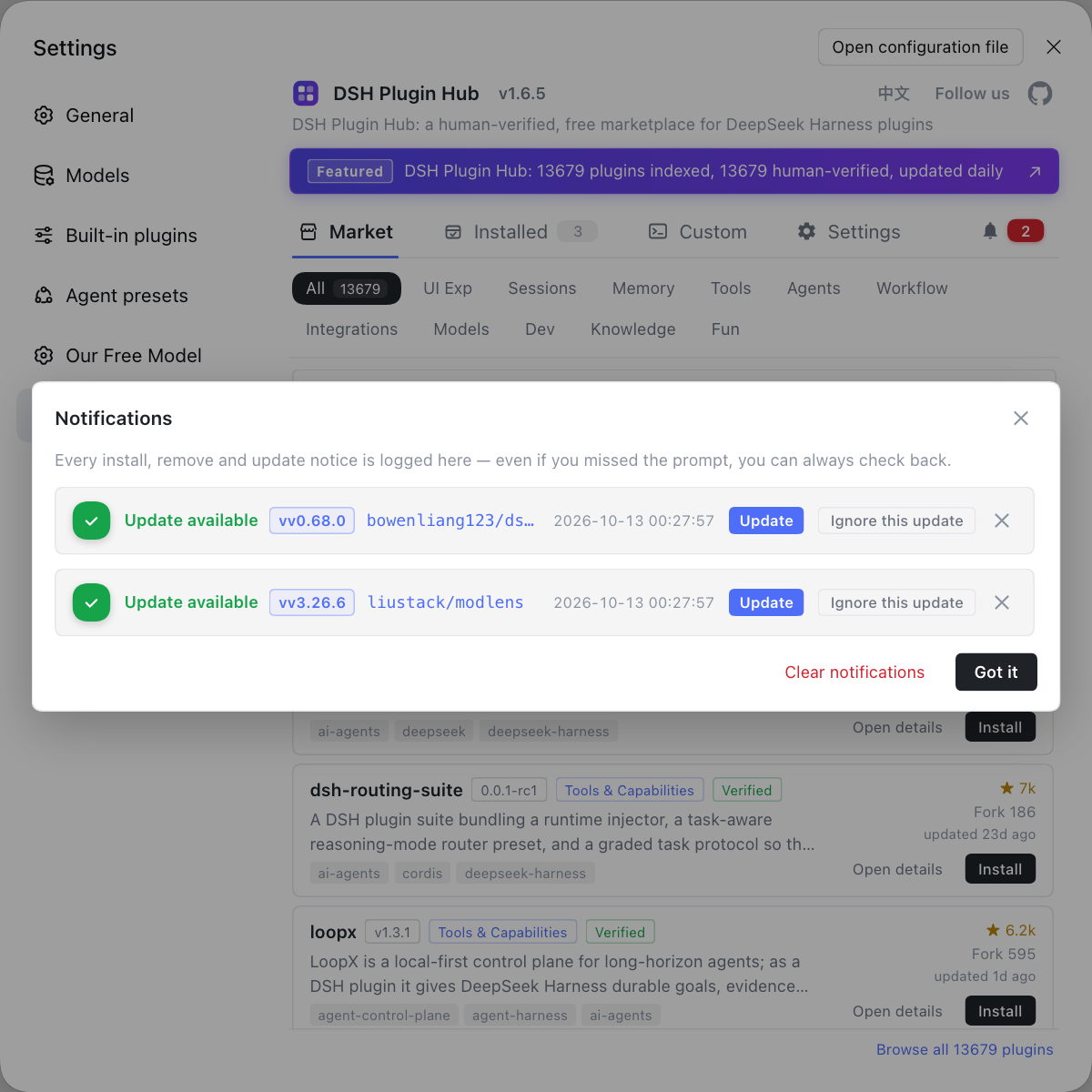
Sources: GitHub Topic - dsh-plugin, DeepSeek Harness docs - your first plugin, dshplugin/dsh-plugin-hub.
FAQ
Open topics/dsh-plugin on GitHub to see every repository carrying that tag, then use the sort buttons to filter by Stars or Recently updated, which is the most practical approach. The topic page aggregates third-party plugins for DeepSeek Harness, covering host capabilities, agent tools, connectors and custom settings UIs. Sorting by Stars surfaces what the community endorses, while Recently updated prioritises what is still maintained; combine the two to shortlist candidates before reading source.
Focus on four things: whether it exports apply(ctx), which inject dependencies it declares, the package name and version in package.json, and the license and permission notes. A DeepSeek Harness plugin is essentially a TypeScript module that exports an apply function, which the framework calls at load time with ctx passed in; without that export it is not a loadable plugin. Then check which services it injects, whether it reads environment variables and whether it needs the network, to judge how much permission it wants.
Two paths: search for a catalog entry in the DSH Plugin Hub market and install in one click, or install directly with github:<owner>/<repo>. The direct command looks like dsh plugin --profile web add github:owner/repo, which installs the repo's current state and does not follow a published version. The easier route is to confirm on DSH Plugin Hub that it is catalogued and install with the standard command the entry gives, keeping source and version more controllable.
Look at three places: Star and Fork counts, the last update time, and whether the README's install command and repo description are self-consistent. Same-name, different-source entries are common in the DSH plugin ecosystem, so prefer the one that is actively maintained, has a complete README and an install command that lines up. If unsure, go by the repo the DSH Plugin Hub catalog entry points to, and avoid installing a long-stale fork.
Check four trust signals: license, recent commits, Issue discussion and permission surface — the clearer the license, the more active the commits, the more responsive the Issues and the smaller the permission surface, the more worth trying first. Confirm in particular whether it reads your keys, needs the network or declares a large capability. Try a plugin with a big permission surface in a temporary environment first, and adopt it long term once the behaviour matches expectations, which is the usual way of filtering plugins in the DeepSeek Harness ecosystem.
Related Terms
- dsh-plugin topic
- dsh-plugin is the GitHub topic label that aggregates third-party DeepSeek Harness plugins; a repository that adds it under Topics is collected on the topic page. It covers extensions such as host capabilities, agent tools, connectors and custom settings UIs.— GitHub Topic - dsh-plugin
- apply(ctx)
- apply(ctx) is the entry function a DeepSeek Harness plugin exports, which the framework calls at load time with the context object ctx passed in, through which the plugin registers capabilities. A module without an apply export cannot load as a plugin.— DeepSeek Harness docs - your first plugin
- inject
- inject is the dependency list a DeepSeek Harness plugin declares, telling the framework which services (such as tools or llm) it needs ready before loading. The framework ensures those services are prepared before running apply.— DeepSeek Harness docs - your first plugin
- github: direct install
- github: direct install is installing a DSH plugin straight from a GitHub repo via dsh plugin add github:<owner>/<repo>, which installs the repo's current state and does not follow a published version. It suits chasing the latest commit but is less stable than installing a published release.— dshplugin/dsh-plugin-hub
Sources
- GitHub Topic - dsh-plugin· GitHub
- DeepSeek Harness docs - your first plugin· deepseek-harness
- dshplugin/dsh-plugin-hub· dshplugin