Where to install DSH plugins: npm, GitHub, or local tarball?
DeepSeek Harness plugins come from three sources: prebuilt npm packages, GitHub source that needs a prepare script plus an allowBuilds grant, and local tarballs for internal distribution. The three commands are dsh plugin --profile web add <name>, dsh plugin --profile web add github:owner/repo, and dsh plugin --profile web add ./package.tgz - this guide covers each command, the authorization differences, and when to pick which, then points you to DSH Plugin Hub for one-click installs (source).
Overview: three sources, three commands
Installing a DSH plugin means adding its bundle to the current profile; the source only changes the address form in the command. Keep these conclusions in mind:
- npm: add the package name - prebuilt, no authorization, the smoothest path;
- GitHub source:
github:owner/repo- pulls source, requires build authorization, the most error-prone; - Local tarball: a
.tgzfile path - prebuilt, no authorization, built for internal distribution.
All three install the same thing - a plugin dependency plus config layer in the profile. The difference is where the package comes from and whether a build step runs (source).
Source 1: npm packages - prebuilt and ready to run
npm packages are prebuilt at pnpm publish time, so what you install is directly runnable code with no build authorization (source). The commands:
# Install an npm package (add the package name)
dsh plugin --profile web add <package-name>

# Confirm it is installed (list plugins in the current profile)
dsh plugin --profile web list

# Remove it when you no longer need it
dsh plugin --profile web remove <package-name>
Three traits:
- Ready to run: build artifacts are already inside the package, so no "missing lib/" load failures;
- No authorization: no build scripts run, pnpm does not block you;
- Versions managed by npm: upgrades and dependency resolution go through the registry - the most complete ecosystem.
Source 2: GitHub source - prepare script and allowBuilds
A GitHub install pulls source, not build artifacts. The author must ship a prepare script, and you must grant allowBuilds in the profile's pnpm-workspace.yaml before the first add succeeds (source). The commands:
# Install from GitHub source
dsh plugin --profile web add github:owner/repo

# Lock a commit so later pushes cannot silently change what actually runs
dsh plugin --profile web add github:owner/repo#<sha>
Your first add will likely fail - pnpm >=10 refuses to run build scripts for git dependencies until explicitly allowed. dsh tells you the fix: copy the exact package key printed by pnpm into the profile's pnpm-workspace.yaml:
allowBuilds:
  <package-name>: true
Save the file and re-run the add command above.
Take this grant seriously: it lets that package's code execute on your machine during install, outside any sandbox the agent runs in (source). So:
- Only grant
allowBuildsto packages whose source you trust; - Prefer locking the commit (
#<sha>) so later pushes cannot silently change what runs; - If install reports missing build artifacts (e.g.
entry file missing), the author likely forgot apreparescript - switch to the npm version instead.
Source 3: local tarballs - built for internal distribution
A tarball is a prebuilt archive created with pnpm pack; point dsh at the file and install, with no build authorization required (source). The command:
# Install a local tarball (.tgz file)
dsh plugin --profile web add ./hello-plugin-0.1.0.tgz
When to use it:
- Internal distribution: hand over a .tgz instead of publishing to public npm;
- Offline environments: machines that cannot reach the registry can still install;
- Pre-release self-test: run
pnpm packand verify in a local profile before publishing.
Which source to pick: start with DSH Plugin Hub one-click installs
The CLI sources each have a hurdle, so the most practical path is installing DSH Plugin Hub first and letting its built-in plugin store handle one-click installs - the Hub routes you to the right channel automatically. Install the Hub itself:
dsh plugin --profile web add dsh-plugin
Restart dsh web and open Settings > Plugin Market: browse 10000+ community plugins by category, click a card to install with live progress, and every plugin shows its source - npm or GitHub distribution. The Hub preflights packages before install, catching "missing build artifacts" problems that would otherwise crash your app on the next restart.
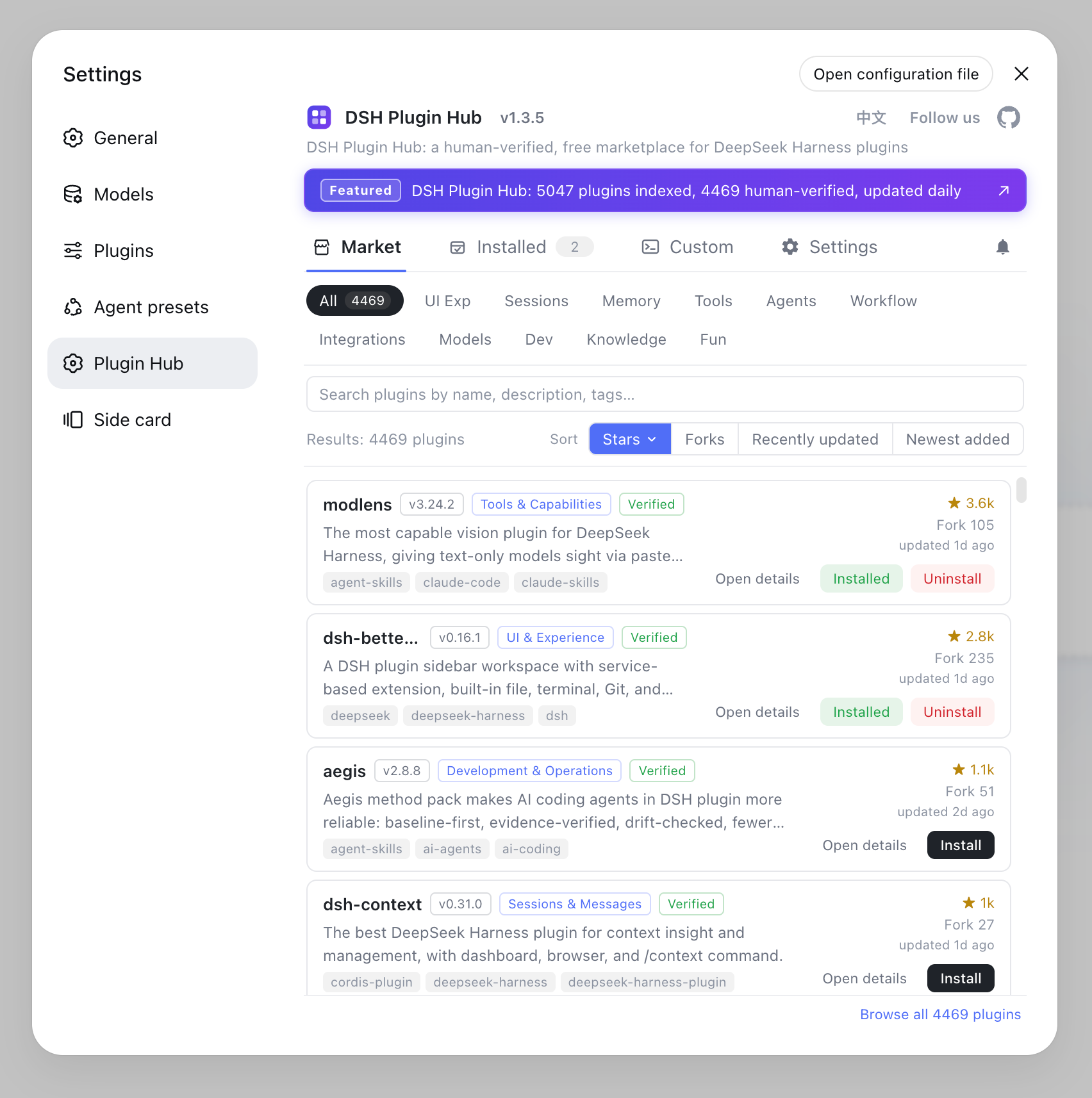
Summary:
- Daily use: built-in plugin store or direct npm packages - zero authorization, zero setup;
- Trusted source with a prepare script: only then use GitHub, and lock the commit;
- Internal or offline: local tarballs;
- Beginners stay off GitHub source: the authorization flow plus build artifacts are two hurdles; see Uninstall DSH plugins in DSH Plugin Hub for the failure fallback.
Notes
One sentence: your source decides whether a build authorization is needed - npm and tarballs are free, GitHub source is not. Three reminders:
- GitHub source is a security decision:
allowBuilds: truelets package code execute on your machine during install - only for trusted source; - Missing artifacts crash on restart: git-distributed packages without
lib/fail to load; post-install checks catch it, but picking the npm version beforehand is safer; - Verify tarball integrity: for files from unofficial channels, check the sha256 before installing.
Sources: DeepSeek Harness docs - Bundling and installing plugins, dsh CLI README, deepseek-ai/deepseek-harness
FAQ
Three sources: npm (add the package name), GitHub source (github:owner/repo), and local tarballs (a .tgz produced with pnpm pack). The easiest path is installing DSH Plugin Hub and using its built-in plugin store for one-click installs.
npm packages are prebuilt (lib/ is compiled at publish time), so one add command works with no authorization. GitHub installs pull source, not build artifacts: the author must provide a prepare script and you must allow builds in the profile's pnpm-workspace.yaml before the first add succeeds.
pnpm >=10 refuses to run build scripts for git dependencies until explicitly allowed, so the first add fails and dsh tells you the fix: copy the exact package key printed by pnpm into pnpm-workspace.yaml as allowBuilds: { <name>: true }, then re-run add. Granting it lets that package's code execute on your machine during install.
Point dsh at the file: dsh plugin --profile web add ./hello-plugin-0.1.0.tgz. A tarball is a prebuilt package created with pnpm pack, so no build authorization is needed. It suits internal distribution, offline installs, and pre-release testing.
For daily use prefer npm or the built-in plugin store - zero authorization, zero setup. Use GitHub source only when you trust the code and the author provides a prepare script (and lock the commit). Use local tarballs for internal or offline distribution. GitHub source is the most error-prone; beginners should avoid it.
Sources
- DeepSeek Harness docs - Bundling and installing plugins· deepseek-harness
- dsh CLI README· deepseek-ai
- deepseek-ai/deepseek-harness GitHub repository· GitHub