Fix deepseek messages request failed (404): DSH plugin
The full form of this error is "this turn failed / DeepSeek messages request failed (404)" — error X → do W: check the provider's baseURL and api protocol first, then confirm whether a reverse proxy mangled a path prefix like /v1, and point the request back at the correct endpoint (source). It carries an explicit HTTP 404, which means the request did go out and simply hit a nonexistent endpoint, so the focus shifts from "is the network up" to "is the address right." This is a configuration-layer guide; for the transport failed it is easily confused with, see DeepSeek Harness messages transport failed.
What the "deepseek messages request failed (404)" error means
It means DeepSeek Harness sent the model request and the server returned HTTP 404 "not found" — the request reached a server, but that path does not exist on it (source). Three key points:
- It is a business error, not a fallback label — an error with an explicit status code is thrown as a
LlmErrorkeeping its own identity, so you see(404)rather than a vaguetransport failed. - It means the request was actually sent — the exact opposite of a local failure where "the request never went out," so network and auth are not the first suspects.
- It points at "the endpoint does not exist" — if any one of the endpoint address, the protocol or the proxy path is off, you get a 404.
See how it differs from its neighbour so you do not head the wrong way:
| Error | HTTP status code? | Request sent? | First suspect |
|---|---|---|---|
| messages request failed (404) | yes, an explicit 404 | sent | endpoint address / protocol / proxy path |
| messages transport failed | no (fallback) | uncertain | connection layer or local preparation |
One line: 404 is "the address is wrong," transport failed is "cannot say what is wrong" — look for a concrete status code first.
Troubleshoot DeepSeek Harness messages request failed (404): baseURL, protocol, proxy
The check order is fixed: whether the provider's baseURL is complete → whether the api protocol matches the service → whether a reverse proxy mangled the path. Four steps (source):
- Recheck the provider's baseURL — in "Settings → Models," or in the
providersblock ofcordis.patch.yml, verifybaseURLis complete and has no trailing slash. Expected: the address matches the base URL the provider's docs give, for examplehttps://api.openai.com/v1. - Check the api protocol — confirm
apimatches the peer's interface format: one ofopenai-completions,openai-responsesoranthropic-messages. Expected: when the protocol does not match the service the path is assembled wrong; set it to the matching one. - Inspect the reverse proxy path prefix — if you go through an nginx-style proxy, confirm a prefix like
/v1is passed through untouched rather than stripped or rewritten. Expected: the path upstream receives is exactly the path the provider'sbaseURLassembles. - Send a request to verify — save and send a message. Expected: no more 404, a normal response; the change takes effect on the next request with no restart.
If you are standing up your own or a third-party compatible service, these fields must line up:
# $DSH_HOME/profiles/<profile>/cordis.patch.yml (structural sketch)
providers:
  openai:
    apiKeyEnv: OPENAI_API_KEY
    baseURL: https://api.openai.com/v1
    api: openai-completions
    models:
      - gpt-4o
Rule out these common misjudgments early:
- Treating a 404 as a network problem and retrying — a 404 is the server explicitly saying "path not found"; retrying changes nothing, you must change the address.
- Reading baseURL but not the protocol — with the wrong protocol, even a correct baseURL can assemble a request path that lands on a nonexistent endpoint.
- Ignoring the proxy layer — direct works but the proxy 404s, the problem is almost certainly the proxy's path rewriting; see how to configure a network proxy for DeepSeek Harness.
Separating it from transport failed: one has a status code, one asks whether it was sent
The only reliable test between the two is this: was the request sent, and does it carry a concrete HTTP status code (source). Split them apart:
- The line with
(404)= the request was sent — the server returned an explicit 404, so the connection is fine and the problem is at the endpoint-address layer. transport failed= the failure could not be classified — it is thrown by the transport layer's catch-all, its causes may be all over the place, and the request may not have gone out at all.- Look at the request count before the status code — a request count of 0 with a failure in tens of milliseconds leans local-preparation; a real request with a status code is split by that code.
One more to watch for on its own: "some plugin broke the model config" can also show up as a wrong endpoint address and therefore a 404. Especially for plugins recently installed or updated that touch the providers config, reviewing their sources and change records one by one is far more efficient than flipping through config files blindly.
It also helps to know that a 404 is returned per request, not per session: each new message assembles its own path, so a wrong baseURL fails on every single turn while a correctly configured one recovers the very next message after you save. That is why the quickest experiment is always "fix the address, send one message," rather than restarting the host or clearing the session — neither touches the provider block where the mistake actually lives. And if only one provider among several 404s, you can be confident the network and the credential are fine and the fault is entirely inside that provider's own address or protocol fields.
Before troubleshooting a DSH plugin model-endpoint error
Before changing any DeepSeek plugin's config, confirm the model-endpoint layer cleanly on its own, so you do not mistake "address misconfigured" for "a plugin broke." Three notes:
- First tell which family the error belongs to — the one with
(404)is an endpoint problem, the one withtransport failedis a connection/preparation problem; do not use one troubleshooting routine for both. - Read the endpoint config in one place —
baseURL,apiandmodelslive together; change them and one request verifies it, no restart needed. - Keep changes traceable — manage plugin additions, removals and version updates in one place; when you suspect a plugin broke the config, the installed list and system logs in DSH Plugin Hub let you check "what changed recently."
Notes and limits when using DSH plugin
- A trailing slash in
baseURLmatters — one slash too many or too few can assemble an invalid path; copying it verbatim from the provider's docs is safest. - The protocol must match the service — using
openai-completionsagainst an anthropic-style interface fails; confirm the peer's interface format before picking a protocol. - The proxy is a common variable — direct works but the proxy 404s, check the proxy's path-rewrite rules first.
- The real key is not in the patch file — structural config such as
baseURLlives incordis.patch.yml, while the real key lives in a credentials file; keep the two separate. - The wording follows your installed official version — the exact phrasing may change between versions, but the test is always "was the request sent, and does it carry a status code."
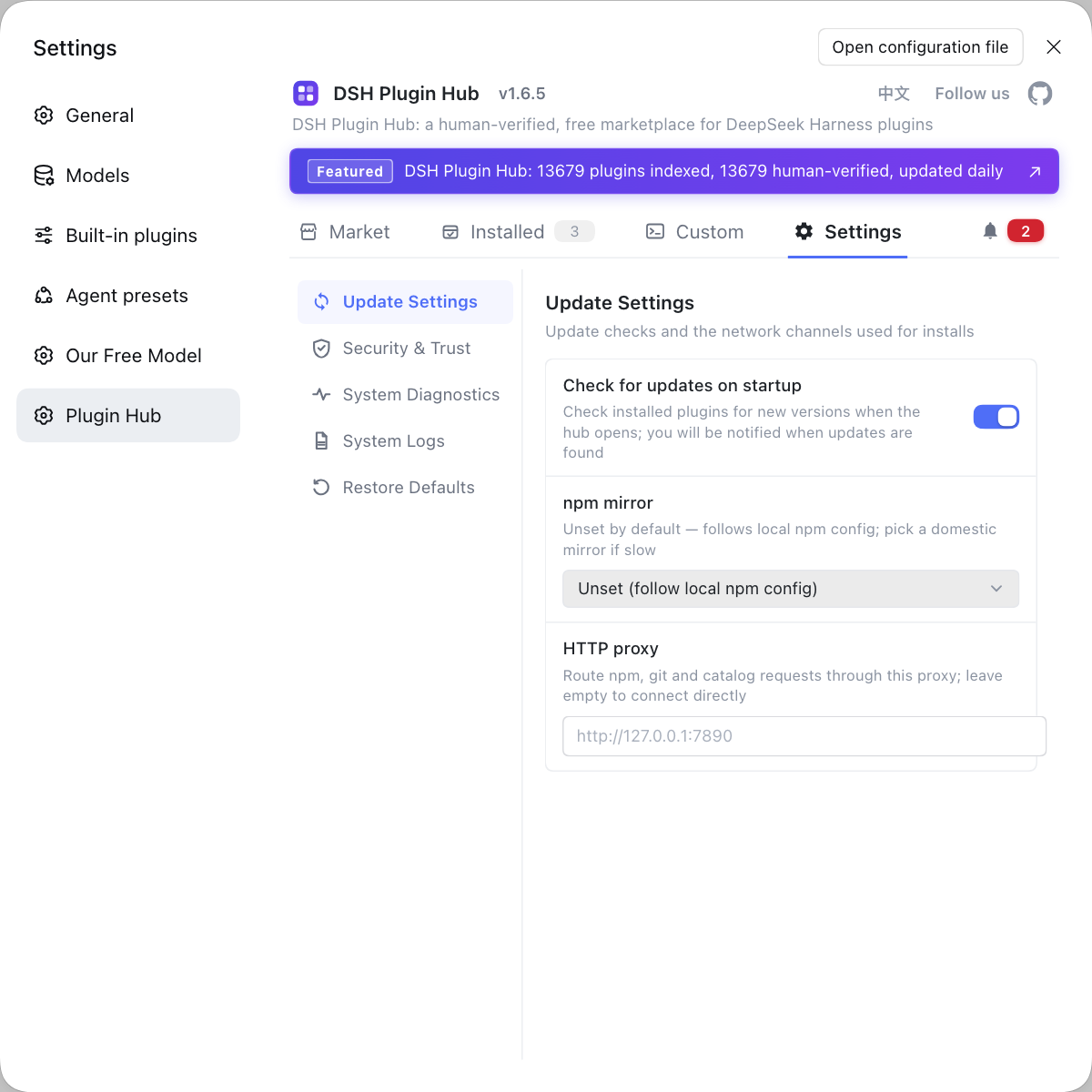
Rather than retrying a 404 again and again while worrying that some plugin broke your model config, use DSH Plugin Hub to keep plugin sources and changes in one place: the installed list reviews them one by one, the settings page collects related behaviour, and when you really need to clear a suspect you uninstall it first and retry — far less hassle than reading a config file line by line.
Sources: DeepSeek Harness Docs - Configure model providers, DeepSeek Harness source - llm-deepseek/src/adapter.ts, #7834.
FAQ
In DeepSeek Harness it means the model request reached a nonexistent endpoint and the server returned HTTP 404. It is an HTTP business error thrown as a LlmError that keeps its own status code, so the focus is whether the endpoint address is right, not whether the network is up.
Check the provider block's baseURL first, then whether the api protocol matches the service. DeepSeek Harness uses one of openai-completions, openai-responses or anthropic-messages; when the protocol does not match the service the request path is assembled wrong and comes straight back as 404.
Very likely the proxy is not passing the path prefix through intact. If a prefix like /v1 is stripped or rewritten wrongly on the proxy side, upstream receives a nonexistent path and returns 404. Align the proxy's forwarding rules with the provider's baseURL so the path arrives unchanged.
Look for a real HTTP return code. messages request failed (404) carries an explicit 404, which means the request went out and only the endpoint does not exist; transport failed is the transport layer's fallback label, meaning the failure could not be classified and the request may not have gone out at all.
Review the plugins you installed or updated most recently, especially any that touch the providers config. Use a central view to check plugin sources and change records — faster than reading the config file line by line — and uninstall the suspect plugin and retry.
Related Terms
- baseURL
- baseURL is the base address of a provider's API in DeepSeek Harness, and requests are appended after it; when baseURL is wrong or inconsistent with a proxy path, upstream returns 404.— DeepSeek Harness Docs - Configure model providers
- provider
- A provider is the party carrying a model service in DeepSeek Harness; each provider has an id and is associated with an API key, a baseURL and a model list, and it appears as one entry under Settings → Models.— DeepSeek Harness Docs - Configure model providers
- 404
- 404 is HTTP's "not found" status code, meaning the request path does not exist on the server; in DeepSeek Harness it usually means the endpoint address or protocol is assembled wrong rather than a network interruption.— DeepSeek Harness source - llm-deepseek/src/adapter.ts
- TRANSPORT
- TRANSPORT is DeepSeek Harness's transport-layer fallback error code, meaning the failure could not be classified; it is a different classification path from a 404 that carries an explicit HTTP status code.— #7834 - After deleting an attachment object every request in the session fails
Sources
- DeepSeek Harness Docs - Configure model providers· deepseek-ai
- DeepSeek Harness source - llm-deepseek/src/adapter.ts· deepseek-ai
- #7834 - After deleting an attachment object every request in the session fails and is misreported as "DeepSeek Messages transport failed"· deepseek-ai (GitHub Discussions)