DSH plugin: loading the provider directory failed
loading the provider directory failed: settings are unavailable in this browser means the DeepSeek Harness settings page, while loading the provider directory (llm.providers), cannot get the settings mirror in the browser context, so the page falls back to the fallback text. Error X → do W: reopen the page with the authenticated address dsh web prints, then refresh or restart the host to reconnect the page-to-host settings channel — it is not your model config being written wrong (source).
One caveat: the full combined string comes from user searches and feedback as a scene summary; what can be matched verbatim in the official repository are its two parts — "provider directory loading" and the fallback text settings are unavailable in this browser. So the sections below state only what official evidence supports: setting data is provided by the host, the page pulls it in a single request, and the channel breaking yields this message (source). Three things in order: what it is, how to fix it, and how it differs from the generic settings error.
What the loading the provider directory failed error means: why the provider directory fails to load
The provider directory is a "list of configurable providers" (llm.providers) the model settings page needs, and it is packed into the same snapshot as the settings mirror; when the browser context cannot get the settings mirror and the list cannot load either, the page reports "provider directory failed to load" for that step (source). Three parts make up the snapshot:
| Part | What it is | Symptom when broken |
|---|---|---|
| provider directory | the configurable llm.providers list | "provider directory failed to load" |
| settings mirror | the settings snapshot the host provides | the fallback text when there is no initial response |
| referenced credentials | the credential descriptors referenced by settings | a credential error when missing |
Read it in this order:
- It is "data did not arrive", not "config written wrong" — the page simply did not get the snapshot, and the config on disk is still there. Expected: after the channel recovers and you refresh, the model list shows normally.
- It happens on the browser-context side — the host process provides the settings mirror and the page pulls it; a wrong address, a cached old page, or a dropped connection all land here. Expected: with the correct auth address, the data can be pulled.
- It often travels with the fallback text — when the mirror has no initial response, the page falls back to
settings are unavailable in this browser, and the title adds "provider directory failed to load" — essentially the same thing. Expected: seeing both strings together is normal, so do not treat it as two separate errors.
Keep one sentence: this is a page-to-host settings-channel problem, so fix the channel first, not the config.
A quick way to tell it is not a config problem: the model list is empty, but the config file is not. If you open settings.yaml and the provider entries are all there while the page still shows the fallback text, the data never left the host toward the page — a channel symptom, not a file symptom. Editing settings.yaml in that state usually does nothing, because the page never received the snapshot you are trying to correct.
Fix the browser context: open the auth URL and clear the cache
The fix order is "open the correct auth address → hard-refresh the page → restart the host and reconnect" — the settings mirror is provided by the host process, and once you reconnect that request channel the provider directory loads naturally (source). Run the steps in order:
- Open the auth address that
dsh webprints — in the terminal that starteddsh web, copy the authenticated address it printed and open it in the browser. Expected: the?token=in the address is exchanged for a session and the page can pull the settings and provider directory. - Hard-refresh the page — press the refresh button first; if that fails, reload bypassing the cache —
Cmd+Shift+Ron macOS,Ctrl+Shift+Ron Windows. Expected: the mirror request is re-issued and the fallback text disappears. - Try another browser or a private window — open the same auth address in a different browser or a private window. Expected: with old cache and local extensions ruled out, the provider directory loads normally.
- Restart the host and reconnect — press
Ctrl+Cin the terminal that starteddsh web, then run:Expected: the terminal prints the listening address again; open it in the browser with the new address and the settings page recovers (source).bashnpx @deepseek-ai/dsh web - Look at the real error — the fallback text masks the underlying cause. Press F12 to open DevTools → Network panel, refresh the page, and see what the settings-related requests returned (500 / 404 / timeout). Expected: with the concrete failure in hand, you can treat the right cause.
Why the order matters: hard-refreshing re-issues the snapshot request but reuses the same session, so it fixes a stale page; opening the printed auth address rebuilds the session, so it fixes a wrong or expired address; restarting the host rebuilds the channel itself, so it fixes a host-side fault. Going cheapest to most disruptive means you stop at the first step that works instead of restarting the host for a cached page.
One plugin-related note: if the settings page will not open, the plugin market column often will not open with it — do not rush to clear the cache repeatedly; confirm the channel is restored first. The browsing and management entry point before and after installing plugins is DSH Plugin Hub, so come back to it once the settings page recovers.
How it differs from the generic settings unavailable error
The relationship is "tree and branch": settings are unavailable in this browser is the generic fallback when the settings mirror has no initial response and covers the whole settings channel; loading the provider directory failed is only the provider-directory step failing, usually alongside a browser-context problem (source). Compare them:
| Aspect | This error (provider directory failed) | Generic settings unavailable |
|---|---|---|
| Points at | the provider-directory step did not load | the whole settings mirror has no initial response |
| High-frequency scene | browser context / wrong address, cached old page | any settings read failing |
| Fix focus | auth address, hard-refresh, another browser | restart the host, rebuild the connection |
| Remote difference | memory scope is not persistent, so it recurs | also a settings-channel problem |
- Common ground: both say "the page did not get the host's settings data", and neither calls for editing
settings.yamlfirst. Expected: fix the channel first; the config usually does not need touching. - Difference: this one focuses on the "provider directory" step, so any scene involving the model-provider list should think of it first. Expected: the problem narrows quickly to the model settings page.
- Do not reinvent the wheel: the full treatment of the generic settings error (restarting the host, remote memory scope, and so on) is already written in DSH reports "settings are unavailable in this browser"; this page only adds the "provider directory + browser context" branch. Expected: the two do not overlap, and you pick one by symptom.
The misjudgment to avoid is treating this as a DeepSeek Harness bug. The provider-directory step failing is a broken page-to-host channel, not a defect in the model settings code; changing the model provider, re-entering credentials or reinstalling the app does not help while the channel is down, and it risks side effects. Restore the channel first, and only then look at the settings.
Troubleshooting notes for a DSH plugin settings page
- Fix the channel before touching config — provider directory loading failure is a read failure, not config corruption.
- Trust the auth address — only open the page with the address
dsh webprinted this run, never an old tab's address. - Keep the hard-refresh order right — refresh first, then switch browsers, then restart the host, saving one startup.
- Remote needs a reconnect — SSH/remote browser settings are not persistent, so refresh the page after reconnecting.
- Read Network for the real cause — the fallback text hides the real status code; continue from there.
The official DSH plugin mechanism behind provider directory loading
Two official mechanics: settings data is provided by the host process and pulled by the page on request; and the settings scope has an explicit state machine, so when it is unavailable the whole settings block degrades. Two points:
- The settings mirror is host-provided —
settings are unavailable in this browseris the fallback result ofmirrored.error ?? 'settings are unavailable in this browser'— a mirror error shows the real error first, and only no initial response falls to this sentence (source). Expected: the fallback disappears once the channel is fixed. - Remote scope is memory mode — a remote browser does not persist to the host and does not auto-restore when the connection is rebuilt, so remote access more easily repeats settings errors (source). Expected: in remote scenes, treat "reconnect + refresh" as a fixed move.
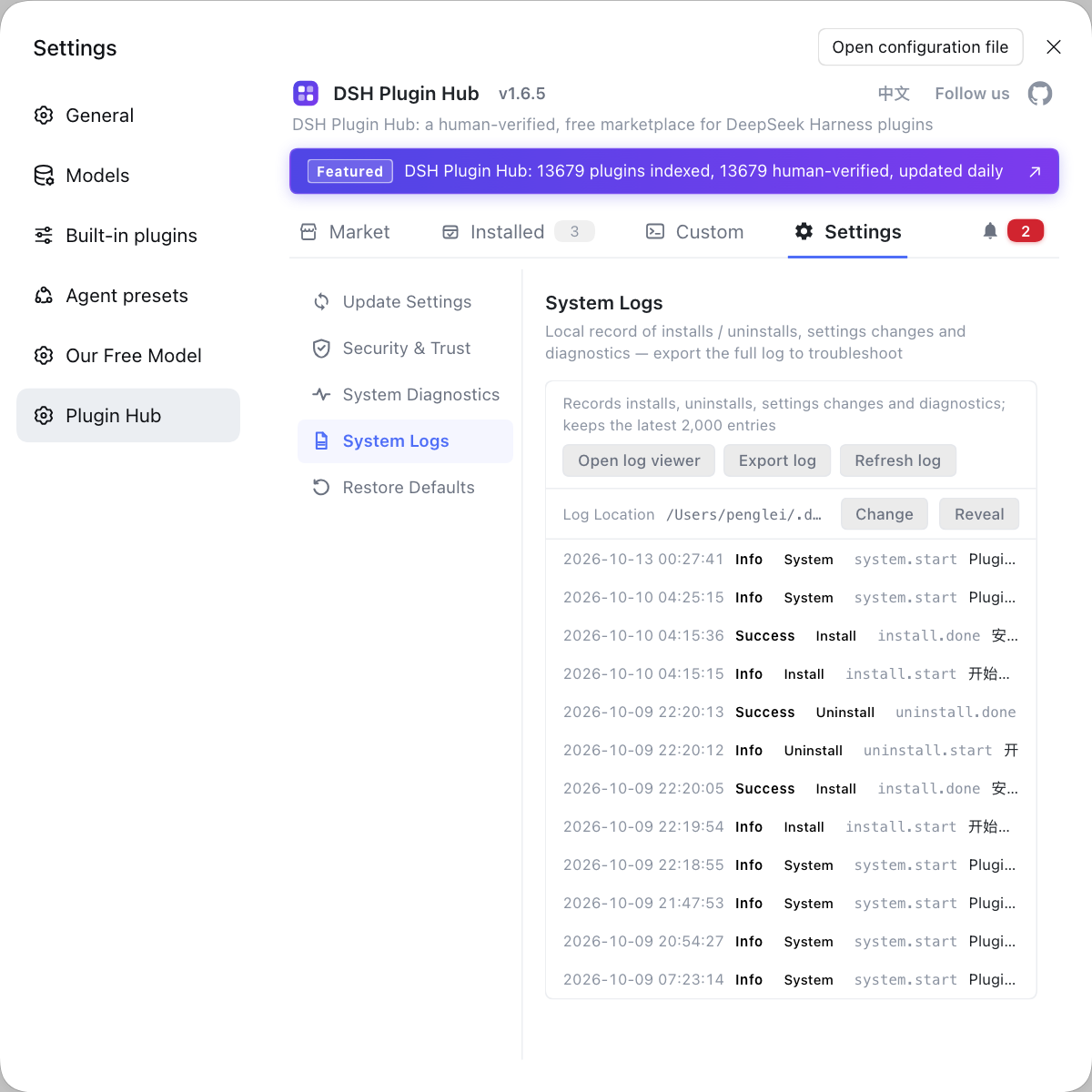
Rather than bouncing between browser caches and auth URLs, hand plugin management to DSH Plugin Hub: the market, the installed list and the system log all sit in one interface, so whichever step sticks you can read the log right there. Its home page is https://dsh-plugin.org/.
Sources: ui-settings-models store.ts (source), welcome-store.ts (source), Web UI guide (official docs).
FAQ
It means the DeepSeek Harness settings page, while loading the provider directory (llm.providers), cannot get the settings mirror in the browser context, so the page falls back to the fallback text. The root cause is that the page-to-host settings channel is broken, not that your model config is wrong; refreshing the page or restarting the host usually restores it.
Open the authenticated address that dsh web prints after it starts, because DeepSeek Harness serves the settings mirror only through that address. DeepSeek Harness serves settings data from the host process, and the printed address carries the authentication token; opening an old, stale tab or another machine's address leaves the page without the settings mirror, so it reports the provider directory failed to load.
In DeepSeek Harness this error can be partly fixed by clearing the cache or switching browsers, because it is really the settings mirror not being fetched. When DeepSeek Harness throws this error, hard-refresh first — Cmd+Shift+R on macOS, Ctrl+Shift+R on Windows — to bypass the cache; if that fails, open the printed auth address in a different browser or a private window; the settings mirror loads as a single request and a page reload fetches it again.
Yes, it differs: the DeepSeek Harness remote browser's settings scope is memory mode, effective only inside the current process and never persisted back to the host, so it does not auto-restore when the connection is rebuilt. Check the connection to the host (SSH forwarding, remote port), refresh the page after reconnecting, and do not go editing settings.yaml.
In DeepSeek Harness they are closely related but not identical: settings are unavailable in this browser is the generic fallback when the settings mirror has no initial response, while loading the provider directory failed is specifically the provider-directory step failing. The generic case has its own settings unavailable article.
Related Terms
- provider directory
- The provider directory is the directory of configurable model providers (llm.providers) in the DeepSeek Harness settings page; the model settings page relies on it to list available providers and models.— DeepSeek Harness source - ui-settings-models store.ts
- settings mirror
- The settings mirror is the settings snapshot that the DeepSeek Harness host process provides for the page to read; when the mirror has no initial response, the page shows the fallback text settings are unavailable in this browser.— DeepSeek Harness source - ui-settings-models store.ts
- settings are unavailable in this browser
- settings are unavailable in this browser is the fallback text DeepSeek Harness shows when the settings mirror fails to load, appearing when the settings scope is in the unavailable state and showing up on both the models page and the welcome banner.— DeepSeek Harness source - ui-settings-models store.ts
- memory scope
- memory scope is the settings scope the DeepSeek Harness remote browser uses, effective only inside the current process and never persisted to the host, so it does not auto-restore when the connection is rebuilt.— DeepSeek Harness source - welcome-store.ts