DeepSeek Harness compaction: early trigger and stuck switch
DeepSeek Harness (DSH)'s context compaction has a set of failures that "look independent but share a source": with a 262K model window it auto-compacts at 186K and the compaction is slow; after switching from a 1M-window model to a 200K-window model the whole session hangs, every request 400s and /compact fails too; once the context really overflows the session becomes permanently unusable; /compact sometimes just reports imageRequestPricing is not a function; and there is a most-hidden one — compaction silently burns about a quarter-million extra uncached tokens each time. Behind these symptoms are one set of config and three implementation details: the trigger threshold is the smaller of min(W×0.8, W−O−headroom), and the default headroomTokens of 65536 is an absolute constant; when the summary request is built it does not check whether the target model can fit it and does not carry the session's reasoning tier; and the tokenMeter adapter call guards the wrong place with optional chaining. This article lists the changeable config item by item in three parts, "when it compacts → can it compact → how much it costs" (#9131, #9814, #9635, #9629, #9278).
DeepSeek Harness when it compacts: it triggers at 186K because headroom is absolute
In one sentence: the trigger point is not "a percentage of the window" but the smaller of min(window×0.8, window−output reserve−headroom); headroomTokens defaults to 65536 and does not scale with the window, so on a medium-window model the second branch is often the one hit first. The symptom is "it starts compacting when there is clearly still room", and the log shows hints like summary is not smaller than the shadowed content (#9131).
The formula and defaults from the community's README and source check:
| Item | Default | Note |
|---|---|---|
thresholdRatio | 0.8 | the coefficient of the first branch: window × 0.8 |
headroomTokens | 65536 (absolute) | the subtrahend of the second branch, not scaling with the window |
output reserve O | about 6K | as declared by the model/route |
summary maxTokens | defaults to headroomTokens | i.e. a summary can generate up to 64K at once (including reasoning tokens) |
Plugging in 262K: the first branch is 209.6K and the second is 262K − 6K − 65.5K ≈ 190K — the second branch is smaller, so it actually triggers at about 190K, matching the user's observed 186K (#9131).
DeepSeek Harness why compaction is especially slow also comes from the same default
maxTokens defaults to headroomTokens (65536), meaning a summary call can generate up to 64K tokens (including reasoning) — this is the main source of "compaction is slow", not that compaction itself is complex (#9131).
DeepSeek Harness six configurable items (all at the compaction plugin layer)
- Lower
headroomTokens(for example to 16384), so the second branch no longer takes effect too early:
headroomTokens: 16384
- Move
thresholdRatiocloser to 1, but note it must be greater than the retention ratio, or you get jitter where "it triggers again right after compacting" (#9131). - Override separately per
{provider, model}, to avoid one set of parameters applied to all models:
modelPolicies:
  - provider: <your provider>
    model: <your model>
    headroomTokens: 16384
    thresholdRatio: 0.9
- Explicitly set a smaller
maxTokensfor the summary call, cutting the main cause of "compaction is slow" (#9131). - Attach a tool-result pruning plugin:
dsh-compaction-tool-result-prunertakes the "no model call" pruning path, reducing the volume that needs summarizing (#9131). - Or just turn off auto-compaction: set the automatic mode to
auto: falseand compact manually with/compact, at the cost of watching the context yourself (#9131).
DeepSeek Harness can it compact at all: switching to a small-window model hangs
In one sentence: the threshold is recomputed for the target model's window (that step is correct), but when the summary request is built it does not check whether the target model can fit it — it sends the whole history as-is to "the small-window model you just switched to", so the summary request itself exceeds the limit and necessarily fails; the auto-compaction path also silently swallows the failure, leaving only an upstream 400 in the UI. The symptom is that after switching from a 1M-window model to a 200K-window model, every request in the session fails, and /compact fails the same way (#9814).
DeepSeek Harness three-step criteria + two fixes
- Look at the symptom timing: the problem appears "after switching the model", not that the session was always like this; it was fine before the switch. This is the strongest fingerprint for this point (#9814).
- Confirm that the failing request is the summary request, not the main request: if the main request's volume does not itself exceed the window, but it 400s immediately after the model switch, it is almost certainly the summarization path blowing up (#9814).
- Fix 1: pin the summary provider to a large-window model.
summarizationProvider:
  provider: <large-window provider>
  model: <large-window model>
Note: this is only a stopgap — if the history itself already exceeds the window of every available model, the deadlock still exists (#9814).
- Fix 2: install the community plugin that reroutes to a larger route by declared window,
@argszero/dsh-compaction-target-guard, which after a rejected summary switches by declared window to a route that can fit it and retries:
npm i @argszero/dsh-compaction-target-guard
- Note the declared window may not match reality: if the provider's declared window is larger than the server's actual limit, this point's judgment will keep being wrong, and you need to check that too (#9814).
DeepSeek Harness after overflow: why the session is "permanently" unusable
In one sentence: three layers stack up — the local pressure estimate understates the real prompt, the summary replays the whole shadow region as-is to the same route that just overflowed, and there is no forced recovery entry in the product — so once it overflows it can never compact again. The typical error strings are CONTEXT_WINDOW_EXCEEDED and Compaction could not produce a useful summary (#9635).
The three layers, unpacked (given by the reporter, confirmed by the community checking the source item by item):
- Estimation bias: the local pressure heuristic understates the real prompt volume (the magnitude given in the thread is about
0.67×), so "it looks like it has not exceeded yet" when it already has; - Replay self-harm: the summary request replays the entire shadow region as-is to the same route that just overflowed — the replay is a deliberate design of
summarizer.ts(to reuse the KV cache), at the cost that the summary request itself also exceeds the limit; - No manual exit: there is no
/compact --forcein the product, nor a non-LLM forced-truncation path, so once it enters this state the user has no recovery button to click (#9635).
DeepSeek Harness four-step self-rescue
- Pin a large-window model for summarization (the
summarizationProviderfrom the previous section) — so the summary request can be caught. - Install the overflow-recovery plugin
@argszero/dsh-overflow-recovery: after a rejection it drops the oldest droppable segment and retries, a "lossy but life-extending" route (#9635).
npm i @argszero/dsh-overflow-recovery
- Offline surgery: edit that session's JSONL directly, delete the oldest droppable segment, then reopen the session. Always back up first, and keep the order and numbering of the remaining events unchanged (#9635).
- Preventive config: lower
headroomTokensproportionally, movethresholdRatiolater, attach a tool-result pruning plugin, to avoid actually reaching overflow (back to the first section of this article).
DeepSeek Harness is compaction expensive: the summary request misses one reasoning tier, cache hits drop to 1%
In one sentence: the summary request is built without the same reasoning_effort as the session, so its cache key differs from the main request and the whole latter half misses the cache — each compaction produces about 250K extra uncached tokens. After changing the summary request's reasoning tier to match the session, the hit rate rose from 1.2%–8% to 99.9% (#9629).
According to the community's source check: the summary-building code of compaction-basic contains no reasoningEffort string at all, while the main request carries the session's effort, so the two cache keys differ (#9629).
Handling steps:
- Quantify first: compare the usage statistics before and after one compaction, and watch whether "uncached input tokens" shows an order-of-magnitude spike (the magnitude in the thread is about 250K each time).
- Backfill the reasoning tier: install the community plugin
@argszero/cordis-plugin-aux-reasoning, which backfills auxiliary calls with the session's reasoning level bypurposetag:
npm i @argszero/cordis-plugin-aux-reasoning
- Verify: trigger compaction again and watch whether uncached input tokens fall markedly and the cache hit rate rises above ninety percent.
- Note the conclusion boundary: the reporter did not claim "upstream necessarily computes the cache key this way", only that the A/B phenomenon holds — so treat it as a reproducible optimization rather than a settled conclusion (#9629).
DeepSeek Harness cannot compact: /compact reports imageRequestPricing is not a function
In one sentence: optional chaining ?. only guards "the adapter does not exist", not "the adapter exists but does not implement this method", so a third-party adapter registered by duck typing can make tokenMeter throw a TypeError at the image-pricing stage and compaction fails entirely. The error text is:
command.execute failed: gateway/internal: this.adapters.get(...)?.adapter.imageRequestPricing is not a function
According to the reporter's analysis (endorsed by the community's review): this is unrelated to which specific plugin it is — uninstalling the vision and search plugins still reproduces it, showing it hits "some adapter is missing a method" rather than "some plugin wrote it wrong" (#9278).
DeepSeek Harness three-step handling
- First confirm it is not plugin-caused: temporarily disable the vision/search plugins and re-run
/compact; if it still reports the same message, the single-plugin factor is ruled out (#9278). - Install a guard plugin to work around it: the reporter published
c6huli/dsh-llm-pricing-guard, which treats "the adapter does not have this method" as "no image pricing" (#9278). - Code-side fix direction: replace
?.with atypeof … === 'function'guard that keeps thethisbinding, and havetokenMetertreat a missing method as no image pricing (#9278).
DSH plugin troubleshooting notes
The recommended troubleshooting order for compaction problems is: first "when it triggers" → then "who the summary is sent to" → finally "how much it cost", the three steps corresponding to the three sections here; do not mix up the config changes. Nine points:
headroomTokensis an absolute constant: it does not scale with the window, which is the root cause of "premature compaction on a medium window" (#9131).thresholdRatiocannot equal the retention ratio: set too late, compaction jitters (it triggers again right after finishing) (#9131).- The summary's default
maxTokensalso follows headroom: this is the direct cause of "compaction is slow", and setting it smaller explicitly is most effective (#9131). - After a model switch, suspect the summary target first: recomputing the threshold is fine, the problem is that the summary does not check whether it fits (#9814).
- The replay is a design, not a bug: understanding this, you will not "wait for the official fix to remove the replay" (#9635).
- After overflow, back up before touching the JSONL: deleting a segment offline is a workable self-rescue, but without a backup there is no way back (#9635).
CONTEXT_WINDOW_EXCEEDED≠ quota exhausted: the two read similarly but mean completely different things, so do not fix in the "top up" direction (#9635).- When compaction gets expensive, check the reasoning tier first: the summary request missing
reasoningEffortis the root cause of cache invalidation, at a magnitude up to 250K tokens each time (#9629). - State the fix status honestly: the five above are all unfixed in the versions the discussions refer to (
0.2.0-rc.2–0.2.1-alpha.*); everything given here is config-level and user-side handling (tuning parameters, pinning the summary provider, pruning plugins, offline segment deletion), not an official fix.
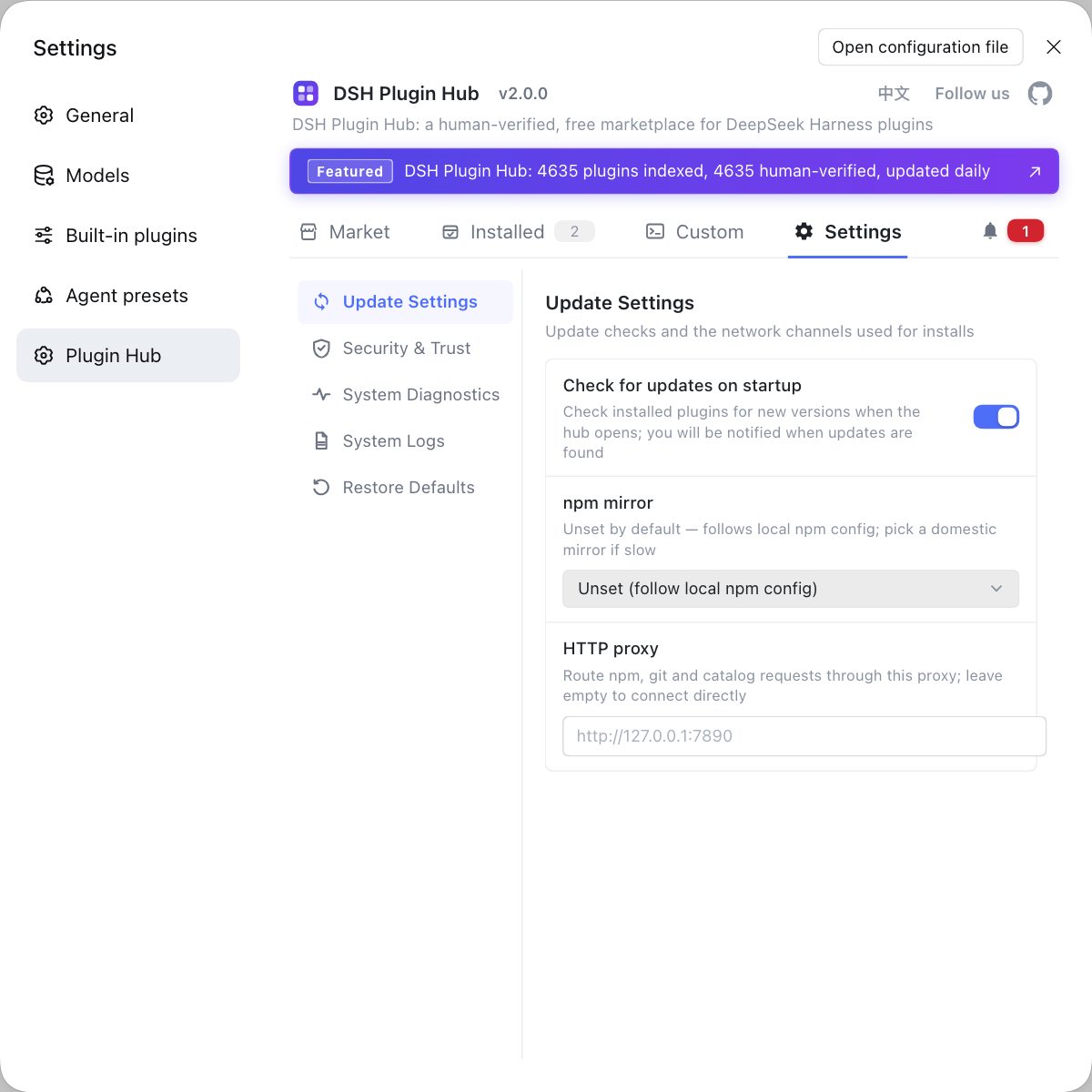
Compaction problems are often tangled up with "which plugins are installed" — after all, the summary provider, the pruning plugin, and the pricing guard are all plugin-shaped. If you want to see in a UI which plugins the current environment has loaded and what was recently installed/uninstalled, rather than typing commands in various places, use a visual plugin marketplace such as DSH Plugin Hub: the installed list, install/uninstall history, and system logs are collected in one place, making config conflicts much faster to sort out.
Source: Discussion #9131, Discussion #9814, Discussion #9635, Discussion #9629, Discussion #9278.
FAQ
In DeepSeek Harness it auto-compacts at 186K because the trigger threshold is not a single percentage but the smaller of min(window×0.8, window−output reserve−headroom), and headroomTokens defaults to the absolute constant 65536 that does not scale with the window. Working the formula backward, 186K means the second branch is the one in effect, not the 0.8 one. To trigger later, change headroomTokens in the config (for example to 16384) and move thresholdRatio closer to 1.
In DeepSeek Harness the hang after switching to a small-window model happens because the summarization request is sent to the target model itself. The threshold is recomputed for the target model's window (that step is correct), but when the summary request is built it does not check whether the target model can fit the whole history, so the summary request carries the whole history and is sent to a small-window model and necessarily exceeds the limit; the auto-compaction path also silently swallows the failure, so the UI only shows the upstream 400. Mitigations are to pin the summarization provider to a large-window model, or use a community plugin that reroutes to a larger route by declared window.
In DeepSeek Harness the overflow-bricked session comes from three layers stacking up: the local pressure estimate understates the real prompt, the summary replays the whole shadow region as-is to the same route that just overflowed, and there is no forced-truncation recovery entry in the product. Workable self-rescue is to pin a large-window model for summarization, use an overflow-recovery plugin, or edit the session JSONL offline to delete the oldest droppable segment and reopen. Note that the replay is a deliberate design (to reuse the cache), not a plain bug.
In DeepSeek Harness, imageRequestPricing is not a function is a classic case of optional chaining used in the wrong place: ?. only guards "the adapter does not exist", not "the adapter exists but does not implement this method". When a third-party plugin registers an adapter by duck typing without an image-pricing method, tokenMeter throws a TypeError at the image-pricing stage, unrelated to which plugin it is (uninstalling the vision and search plugins still reproduces it). A workaround is to install a community guard plugin that treats the missing method as "no image pricing".
In DeepSeek Harness it is not normal for compaction to spend a lot of uncached tokens every time. The compaction summary request is built without the same reasoning_effort as the session, so its cache key differs from the main request and the whole latter half misses the cache. In the thread, changing the summary request's reasoning tier to match the session raised the cache hit rate from 1.2%–8% to 99.9%, saving about 250K uncached tokens per compaction. Handling is a community plugin that backfills the reasoning level for auxiliary calls, or pinning the summary provider to the same tier.
Related Terms
- headroomTokens
- headroomTokens is the number of tokens reserved "for later output" in DeepSeek Harness's compaction config, defaulting to 65536, and it is an absolute constant that does not scale with the model window. Together with thresholdRatio it determines the auto-compaction trigger point, and it is often used as the output cap of the summary call.— https://github.com/deepseek-ai/deepseek-harness/discussions/9131
- thresholdRatio
- thresholdRatio is the ratio coefficient in the compaction trigger threshold, participating with headroomTokens in the min(window×ratio, window−output reserve−headroom) computation. The closer it is to 1, the later compaction triggers; but it must leave more margin than the retention ratio, or you get jitter where compaction triggers again right after finishing.— https://github.com/deepseek-ai/deepseek-harness/discussions/9131
- summarizationProvider
- summarizationProvider is the model route used to perform the compaction summary. It is independent of the current session model, so it can be pinned to a model with a larger window; when the session model's window is too small, whether it is pinned to a large-window model directly decides whether compaction can complete.— https://github.com/deepseek-ai/deepseek-harness/discussions/9814
- CONTEXT_WINDOW_EXCEEDED
- CONTEXT_WINDOW_EXCEEDED is the error code returned when "input plus output exceeds the model window", an over-limit kind of failure rather than insufficient quota. It is also one of the criteria for context overflow, and its meaning is completely different from "quota exhausted".— https://github.com/deepseek-ai/deepseek-harness/discussions/9635
Sources
- #9131 — With a 262K context, why does auto-compaction start at 186K every time· deepseek-ai (GitHub Discussions)
- #9814 — Switching from a large context-window model to a small one hangs: the summarization request itself exceeds the limit· deepseek-ai (GitHub Discussions)
- #9635 — [compaction bug] Session becomes permanently unusable on context overflow· deepseek-ai (GitHub Discussions)
- #9629 — The compaction summary lacks reasoningEffort, so cache hits drop to 1% and each compaction spends about 250K uncached tokens· deepseek-ai (GitHub Discussions)
- #9278 — DSH 0.2.0-rc.2 compaction fails: imageRequestPricing is not a function· deepseek-ai (GitHub Discussions)