DeepSeek Harness Linux desktop: Add Workspace, icons, names
**Several problems in DeepSeek Harness (DSH) on the Linux desktop share one highly consistent cause: the step of reading desktop-environment information per the spec is not done fully — the directory picker backend is fixed once at startup (with no fallback when the native dialog fails to surface), the empty value of an environment variable is not treated as the default per the spec, and desktop-entry escapes are not decoded per the spec. So you see three symptoms that do not look like one thing at all: clicking "Add Workspace" does nothing at all (no dialog, no error); after setting a data directory variable to an empty string, all file-association applications and icons disappear; and some applications' names show with backslashes while their icons cannot be found and vanish (#8835, #8926, #8980).
DeepSeek Harness Add Workspace does nothing: the picker backend was chosen wrong with no fallback
In one sentence: the picker backend is sampled once at startup and settles on the native option; once the native dialog fails to surface, the pick request waits forever, the UI treats "in progress" as true and silently ignores all later clicks, and there is no runtime fallback to the built-in browser option. The symptom is "clicking Add Workspace does nothing at all, with no dialog and no error" (#8835).
DeepSeek Harness three-step criteria: first tell "never called" from "called but not surfaced"
- Run the picker program once directly (execute the directory-selection command in a terminal, for example zenity's directory selection). It pops up → the call is fine and the problem is in-app presentation/focus; it does not pop up → the problem is in the desktop environment or the program itself. This step halves the search space (#8835).
- Confirm the startup environment: the discussion points out the selection condition is "Wayland + a picker program exists on the system + display-related variables are present", and when met it picks the native option — so "it works when changing the session type on the same machine" is not a contradiction (#8835).
- Distinguish "no reaction" from "clicked but did not move": if the button has a brief state change after the click (for example it greys out), it entered the wait; if it does not change at all, the click was more likely ignored (#8835).
DSH plugin two workarounds
- Pin the picker to the built-in browser version: fix the browser option in the profile patch to avoid the native dialog (#8835).
- Start without the display variables (for example, removing
WAYLAND_DISPLAYandDISPLAYand running in the web form):
env -u WAYLAND_DISPLAY -u DISPLAY dsh web
#   Expected: the picker no longer tries the native option and Add Workspace works
(#8835)
- Upstream requests (two): runtime degradation (fall back to the browser option automatically when the native one fails) + an explicit switch (so the user can specify the backend directly) (#8835).
DeepSeek Harness null XDG variables hide all handlers and icons
In one sentence: reading the default uses the pattern "take the default only when the value is undefined", and an empty string is not undefined — the empty value is treated as valid, the search paths are all empty, and no handler or icon can be found. Yet the desktop specification requires the default to be taken in both cases. The symptom is an empty file-association application list and a 404 icon route (#8926).
DeepSeek Harness three-step confirmation and handling
- Confirm the variable really is empty (rather than unset):
env | grep -E '^XDG_DATA_(HOME|DIRS)='
#   Expected: an empty-value output such as XDG_DATA_HOME=
If this shows an empty value and unseting it restores things, this is the case (#8926).
- Temporary workaround: unset the variable (rather than leaving it empty) so it returns to its default (#8926).
- Fix: change "take the default only when undefined" to "take the default for an empty value too" — the reporter provided a corresponding production patch and verified it across multiple versions (#8926).
- Note the blast radius: the same resolver is also reused by the icon route of "open with an application", so after the fix the icons and handlers should recover together (#8926).
DeepSeek Harness names with backslashes, disappearing icons: desktop-entry escapes not decoded
In one sentence: the name and icon fields in desktop entry files allow backslash escapes (such as \s, \n, \t, \r and \\), and the reader only splits and trims whitespace without decoding, so the literal value is used directly to look up the name and icon, and shows empty when it is not found. The symptom is a name shown as something like Localized\sViewer and a vanished icon (#8980).
DeepSeek Harness four-step confirmation and handling
- Confirm the desktop entry really contains escapes: check the name/icon fields (for example the localized name field) in the corresponding
.desktopfile; expect to see backslash sequences (#8980). - Confirm another name in the same file displays fine (the ones without escapes), showing it is escape handling rather than the file being unreadable (#8980).
- Fix: decode escapes once for the name and icon fields; be careful not to touch the executable-file-related fields (the discussion explicitly points out this limitation, to avoid breaking command parsing) (#8980).
- Verify: reopen the application list; expect names to show as readable text and icons to appear normally (#8980).
DSH plugin troubleshooting notes
The common entry point for these three problems is "first look at the actual contents of the environment and desktop files, then see whether the app interpreted them per the spec". Seven points:
- For "no reaction", first tell "never called" from "called but not surfaced"; running the picker directly in a terminal is the fastest step (#8835).
- The backend being fixed at startup is one root cause: it works when changing the session type, showing the sampling timing is the key (#8835).
- "A wait that never returns + a busy flag that stays true" = later clicks are silently ignored (#8835).
- Null ≠ unset: the two mean the same thing in the specification, but implementations often treat them differently (#8926).
- The same resolver is reused by multiple features: fix one place and the icons and handlers recover together (#8926).
- Escape decoding must be field-scoped: names and icons must be decoded, executable-related fields must be left alone (#8980).
- State the fix status honestly: all three are unfixed in the versions the discussions refer to; for the null-value one the reporter provided a verified production patch that is not merged, and the other two have only fix directions proposed, so what is currently available are workarounds like "pin the browser option / start without the display variables / unset the variable".
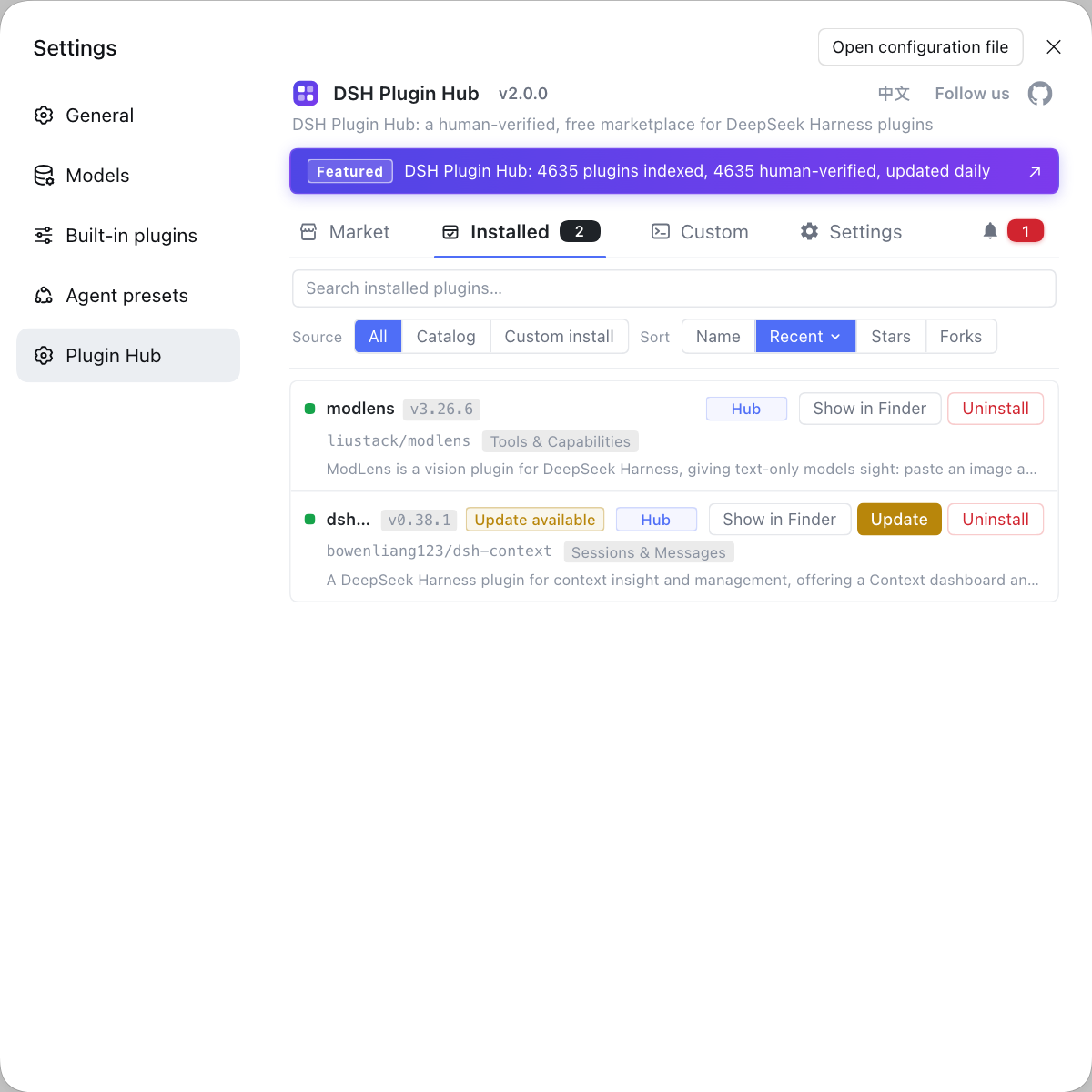
Problems like these on the Linux desktop often require first confirming "which plugins are installed in this environment, and whether any plugin replaced the system interaction". Instead of typing commands everywhere, use a visual plugin marketplace such as DSH Plugin Hub: the installed list, install/uninstall history, and system logs are gathered in one panel.
Source: Discussion #8835, Discussion #8926, Discussion #8980.
FAQ
In DeepSeek Harness, clicking Add Workspace does nothing because the picker backend is chosen once at startup: when the display variables are present and a picker program exists on the system it picks the native option, and once the native dialog fails to surface the pick goes into a permanent wait, so the UI treats "in progress" as true and ignores all later clicks silently, with no runtime fallback to the built-in browser option. The workaround is to pin the picker to the built-in browser version, or to start without the display variables set (for example, removing the relevant environment variables and running in the web form).
In DeepSeek Harness, the fastest way to tell "never called" from "called but not surfaced" is to run the picker program directly in a terminal (for example zenity's directory-selection command) and see whether it pops up. If it does, the call is fine and the problem is in-app presentation or focus; if it does not, the problem is in the desktop environment or the program itself. This step halves the search space and keeps you from trying arguments over and over in the app config.
On Linux, DeepSeek Harness loses all file-association applications and icons after the XDG data directory variable is set to an empty string because reading the default uses the pattern "take the default only when the value is undefined", and an empty string is not undefined, so the empty value is treated as valid, the search paths are all empty, and no handler or icon can be found. The fix is to change the check to "take the default for an empty value too"; the reporter provided a corresponding production patch and verified it.
DeepSeek Harness fails to show some applications' icons while their names still carry backslashes because the name and icon fields in desktop entry files allow escape sequences, and the reader only splits and trims whitespace without decoding them, so the literal value is used directly to look up the name and icon, and shows as empty when it is not found. The fix is to decode escapes once for these name and icon fields, but be careful not to touch the executable-file-related fields.
Yes — all three DeepSeek Harness Linux desktop problems stem from a poorly done "read desktop environment information per the specification" step: the picker backend should not be fixed once and for all, an empty environment variable should be treated as the default per the specification, and desktop-entry escapes should be decoded per the specification. So the common approach is: first confirm the actual contents of the environment variables and desktop files, then check whether the app interpreted them per the specification.
Related Terms
- XDG Base Directory specification
- The XDG Base Directory specification defines the config, data, and cache directories of Linux desktop applications and their environment variables. The specification requires the default value to be used when a variable is unset or empty, so an implementation that "uses the default only when undefined" loses all default paths in the empty-value case.— https://github.com/deepseek-ai/deepseek-harness/discussions/8926
- desktop-entry escaping
- The desktop-entry specification allows backslash escape sequences in string values (such as backslash plus s, n, t, r, and a backslash itself). These fields must be decoded when read, otherwise you get literal text rather than the real name or icon name.— https://github.com/deepseek-ai/deepseek-harness/discussions/8980
- directory picker backend
- The directory picker backend is the implementation an application uses to pop up a directory-selection dialog, either the system-native option or the application's built-in browser interface. DeepSeek Harness selects the backend once at startup and does not fall back at runtime after that, so the feature becomes entirely unusable when the native option fails.— https://github.com/deepseek-ai/deepseek-harness/discussions/8835
- directoryBusy
- directoryBusy is a flag used to avoid popping up multiple selection dialogs at once. In the current implementation it stays true while a pick request is in a waiting state; if that request never returns, the flag stays true and later clicks are silently ignored.— https://github.com/deepseek-ai/deepseek-harness/discussions/8835
Sources
- #8835 — [Bug] Add Workspace unresponsive on Linux desktop — native picker (zenity) dialog never surfaces· deepseek-ai (GitHub Discussions)
- #8926 — [Bug][Linux] Empty XDG data variables hide registered file handlers and icons· deepseek-ai (GitHub Discussions)
- #8980 — [Bug][Linux] Escaped desktop-entry names display literally and icons disappear· deepseek-ai (GitHub Discussions)