DeepSeek Harness macOS: fullscreen black, lost window
**DeepSeek Harness (DSH) desktop on macOS has a pitfall especially worth remembering: in native fullscreen, clicking "Check for Updates…" and confirming turns the main window black — or makes it disappear entirely, recoverable only by quitting the process and reopening; if the window was fullscreen in a separate Space, it cannot be recovered from the Dock or the switcher, and the "About" menu triggers it through the same path. The diagnosis is fairly clear: the update prompt is a transparent, borderless child window destroyed after confirmation; the parent window uses a combination of vibrancy and a transparent background, and after destruction there is no parent redraw, so the picture stays in a black state; at the same time the child window does not declare "not fullscreenable" (that property defaults to allowed), which triggers a system Space transition and leaves the main window in the original Space — this is exactly what explains the two different manifestations, "standard fullscreen goes black but is still clickable" and "in a separate Space it disappears for good" (#9312, #9035).
DeepSeek Harness symptoms and criteria: two manifestations, one cause
In one sentence: the same dialog child window, missing a parent redraw after destruction plus one unnecessary Space transition, produces both "black screen" and "window disappears". The two symptoms compare as follows (#9312, #9035):
| Symptom | Site characteristics | Notes |
|---|---|---|
| Whole screen goes black | The picture is all black, but the window still responds to clicks | Shows both the process and the window object are alive, just not redrawn (#9312) |
| Window disappears | Happens when the window is fullscreen in a separate Space; neither the Dock nor the switcher can retrieve it | The Space transition leaves the main window in the original Space, with no recovery entry (#9035) |
DeepSeek Harness three-step confirmation
- Confirm the trigger path: it must go through the three steps "fullscreen → click Check for Updates (or About) → confirm"; the background auto-check does not use this dialog, so it does not trigger (#9312).
- Confirm the black screen is still interactive: click on the sidebar area of the black screen; if there is a response, it is a rendering-layer problem rather than a crash — this criterion keeps you from mistaking it for a dead process (#9312).
- Confirm "About" also reproduces: cross-validating with it through the same path pins the problem directly on that dialog implementation, not on the update logic (#9312).
DeepSeek Harness one-line fix direction and user-side workarounds
In one sentence: the fix comes down to two things — declare that child window "not fullscreenable", and ensure the parent window redraws once after the child window is destroyed. Per the discussion's check, the first is a one-line-level change and has been verified on some official version (#9312).
Fix direction:
- Set the transparent overlay window to "not fullscreenable" to avoid triggering the Space transition (#9312).
- Force one parent redraw after the child window is destroyed (the vibrancy + transparent background combination especially needs it) (#9312).
- Version note: the discussion points out the relevant file is byte-for-byte identical in the latest version and on main, i.e. not fixed yet (#9312).
User-side avoidance list (ordered by how recommended it is):
- Do not click "Check for Updates" or "About" while fullscreen — this is the least effort (#9312).
- When you need a manual check, leave fullscreen first and return to a normal window before clicking (#9312).
- Keep the background automatic check: it does not use that dialog and is a safe path (#9312).
- When it has already gone black/disappeared: quit the process and reopen. Do not repeatedly click the Dock icon trying to wake it; the discussion's site shows there is no normal recovery entry in a separate Space (#9035).
DSH plugin troubleshooting notes
This problem is cheap to troubleshoot because the criterion is nearly obvious at a glance: it reproduces only with macOS fullscreen + the dialog path. Six points:
- "Reproduces only when fullscreen" is the first criterion; clicking updates when not fullscreen is completely normal (#9312).
- "Black but still clickable" = a rendering problem, not a crash (#9312).
- "Window disappears" and "black screen" are two degrees of the same cause; do not treat them as two bugs (#9035).
- That "About" reproduces is a valuable cross-check; do it first (#9312).
- The background automatic check is a safe path and can serve as a temporary substitute (#9312).
- State the fix status honestly: the discussion clearly points out the relevant implementation is byte-for-byte identical to main, i.e. not fixed; one workable fix (declaring it non-fullscreenable) has been verified by other users but not merged, so the current handling is "avoid clicking updates while fullscreen", not "wait for the update to fix it".
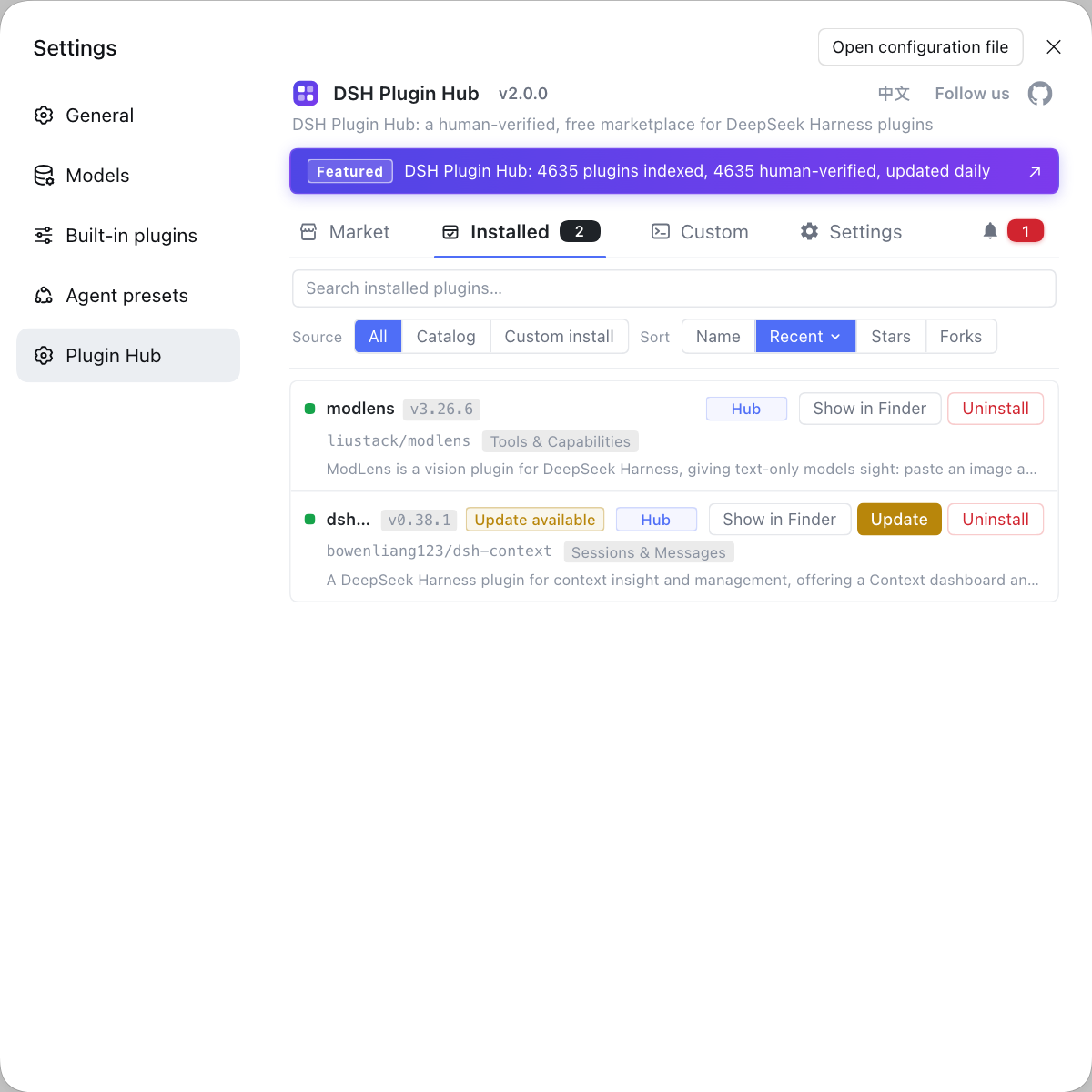
Desktop problems like these that "reproduce only in a specific window state" easily make you suspect a plugin is affecting window rendering. If you want to rule out the plugin layer first, instead of typing commands everywhere, use a visual plugin marketplace such as DSH Plugin Hub: the installed list, install/uninstall history, and system logs are gathered in one panel.
Source: Discussion #9312, Discussion #9035.
FAQ
DeepSeek Harness goes black after you confirm Check for Updates in macOS fullscreen because the update prompt is a transparent, borderless child window destroyed after confirmation, and the parent window uses vibrancy plus a transparent background, so destroying the child does not trigger a parent redraw and the picture stays black. At the same time the child window does not declare "not fullscreenable", so by default it triggers a system Space transition and leaves the main window in the original Space. A workable workaround is not to click Check for Updates while fullscreen (the background auto-check does not use this dialog); the fix direction is to declare that child window non-fullscreenable and add one parent redraw.
The DeepSeek Harness window disappears in a separate Space because the same cause is amplified there: the parent window is not redrawn after the child window is destroyed, and the system Space transition leaves the main window in the original Space, so it is neither visible in the current Space nor has a normal recovery entry. In such a case you can only quit the process and reopen; prevention is the same as for the black-screen case — avoid this dialog path while fullscreen.
The DeepSeek Harness "About" menu triggers the same problem because it goes through the same dialog path and the same kind of child window implementation as the update prompt. So the avoidance list should include "About" too, not just Check for Updates.
No — that the DeepSeek Harness window still responds to clicks during the black screen shows both the process and the window object are alive and only the picture has not been redrawn, so it looks frozen. The criterion is that "black but clickable" is a rendering problem, not a crash; the only real recovery is to trigger a draw again, and the easiest way is to quit the process and reopen.
DeepSeek Harness can avoid this fullscreen black screen without upgrading in two ways: first, do not click Check for Updates or About while fullscreen; second, keep the automatic check in the background (it does not use that dialog). If you must check manually, leaving fullscreen and returning to a normal window before clicking is the most reliable approach.
Related Terms
- update overlay (transparent overlay)
- The update overlay is the borderless, transparent child window the DeepSeek Harness desktop uses to show the update prompt, destroyed after confirmation. It does not declare "not fullscreenable", so in a fullscreen scenario it triggers a system Space transition and, after destruction, leaves the parent window missing one necessary redraw.— https://github.com/deepseek-ai/deepseek-harness/discussions/9312
- vibrancy
- vibrancy is the macOS capability that gives a window's background a frosted-glass blur, common in sidebar-style interfaces. Combined with a fully transparent background it relies on resetting the background parameters and redrawing at runtime; if the parent window is not redrawn after the child window is destroyed, the picture may remain in an un-updated state.— https://github.com/deepseek-ai/deepseek-harness/discussions/9312
- fullscreenable
- fullscreenable is a window property that determines whether the window is allowed to enter system fullscreen (and trigger a Space transition). It defaults to allowed, so a short-lived child window that does not explicitly declare itself non-fullscreenable causes an unnecessary Space switch when shown or destroyed.— https://github.com/deepseek-ai/deepseek-harness/discussions/9312
- separate Space
- A separate Space is macOS's multi-desktop mechanism, and a fullscreen window usually occupies its own Space. If a window is left in the original Space and the current Space does not show it, the user may be unable to retrieve it from the Dock or the switcher, appearing as a "permanently vanished window".— https://github.com/deepseek-ai/deepseek-harness/discussions/9035
Sources
- #9312 — [Bug][Desktop][macOS] Fullscreen: black screen / window disappears after confirming Check for Updates…· deepseek-ai (GitHub Discussions)
- #9035 — [BUG] macOS: fullscreen window in a separate Space disappears permanently after clicking "Check for Updates"· deepseek-ai (GitHub Discussions)