DeepSeek Harness: GIF first frame, Android EACCES upload
DeepSeek Harness (DSH) has two image-and-attachment problems that are especially easy to misjudge, and their directions are exactly opposite: one is "information got dropped but nobody says so"—read_image accepts an animated image, but hands the model only the first frame, and the result mentions neither the frame count nor any note, so the model describes the animation as a still image; the other is "an environment precondition is unmet but the error is very short"—in a restricted environment like an Android app sandbox, attachment upload always fails, reporting EACCES: permission denied, open '/data/user/0', because the attachment durable-directory sync walks all the way up to the filesystem root, and the upper directories give an ordinary app only execute, not read. The former should be handled as a contract plus an observability gap ("first frame only" is documented; what is missing is the "notice"), and the latter should be worked around by path boundary (changing the data directory) or left to the fix (skip on a permission error) (#8793, #9247).
DSH plugin GIF first frame only: dropping frames is the contract, not telling is the defect
One-line conclusion: read_image accepts an animated image by sniffing the file header, but attachment normalization re-encodes it into a single static image, keeping only the first frame—the frame count is already lost before the model sees it; and the result carries neither a frame count nor a text note, so the model uses the animation as if it were a still. (#8793)
DSH plugin diagnosis and position: don't blend two things into one
This point matters, because it decides what you should report (#8793):
| Item | Nature | Basis |
|---|---|---|
| "Animated images degrade to static, keeping only the first frame" | A documented contract, not a defect | The attachment module's notes state this behavior plainly (#8793) |
| "The model is never told the frame count" | A defect, and the thing to fix here | The returned result has only an image reference: no text, no frame count (#8793) |
So the correct feedback position is: the result should carry the original frame count and the tool description should explain the animated-image behavior, not "why are frames dropped" (#8793).
DSH plugin three-step confirmation and handling
- Confirm the diagnosis: have the agent read an obviously moving animated image and watch it describe "a static picture"; at the same time check whether the tool return has any frame count or note—both true together is this entry (#8793).
- User-side workaround (recommended, least effort): extract frames from the animation yourself and tile them into one contact sheet before handing it to
read_image:
# Extract several key frames and tile them horizontally into one static image (illustrative)
ffmpeg -i anim.gif -vf "fps=1,scale=320:-1,tile=4x3" -frames:v 1 contact-sheet.png
That way the model sees an image that packs multiple frames of information into one frame, preserving an overview of the motion and avoiding the "the model thinks this is a still" misunderstanding (#8793).
- Upstream fix (two small points): when the source file has more than one frame, include the frame count in the returned result (for example
originalFrames: 3), and add a line about the animated-image behavior in the tool description (#8793). - Verify: after extracting frames, rerun and confirm the model can describe multiple stages of motion; if it still describes a still, check whether the tiled image was compressed too much to show the differences (#8793).
DSH plugin attachment always fails in an Android restricted environment: the sync walks all the way to the filesystem root
One-line conclusion: to guarantee that attachments land durably, the attachment module syncs level by level upward from the data directory all the way to the filesystem root; in an Android app sandbox the upper directories (such as /data/user/0) give an ordinary app only execute, not read, so opening them read-only always fails—and the whole attachment write flow aborts there. The error is EACCES: permission denied, open '/data/user/0', while plain-text sessions work perfectly (#9247).
DSH plugin diagnosis: two contrasts pin it down immediately
- "Text fine, only attachments fail": it means this attachment path has an extra precondition, while the network and credentials are fine (#9247).
- The failing path is the filesystem root or a parent of the data directory, not your workspace: this is the fingerprint of this entry—if the failing path were inside the workspace, it would be a different class of permission problem (#9247).
- Note this is not Android-specific: the discussion states plainly that the behavior also holds on other similarly restricted filesystems (as long as an upper directory is not readable by the process), so the investigation approach generalizes (#9247).
DSH plugin three-step handling
- Change the data directory (user-side workaround): put DSH's data directory on a path the app itself can read and write, avoiding a case where an upper directory is not readable (#9247).
- Fix direction (a patch given and tested in the discussion): make the sync step skip rather than abort on
EACCES/EPERM; the premise is that the directory is not writable (keep that premise—otherwise the durability guarantee is weakened) (#9247). - Verify: rerun the same image attach operation; expect no more
EACCES, and reading the attachment afterward works (#9247). - Also remember: the test expectations include assertions about "which directories need to be synced", so they must be updated too when you change this (the knock-on work the discussion mentions) (#9247).
DSH plugin troubleshooting notes
This family has only two members, but their directions are completely different: one is "missing information", the other is "an environment precondition". First check whether there is an error, then decide which way to think. Seven points:
- No error, just a wrong description → investigate toward "missing information" (the animated-image entry) (#8793).
- An
EACCESwith the path at the filesystem root → investigate toward "environment precondition" (#9247). - "Text fine, attachments fail" is a very strong scope limiter; use it first (#9247).
- Don't report the animated-image entry in the wrong direction: the contract itself is fine; what is missing is the "notice" (#8793).
- Frame extraction and tiling is the most practical user-side move, faster than waiting for the fix (#8793).
- The premise for skipping the sync is "the directory is not writable"; don't loosen the durability guarantee just to get around the error (#9247).
- State the fix status honestly: both are unfixed in the versions the discussions refer to; the animated-image entry is "documented behavior plus an observability gap", and the reporter's patch for the attachment entry is not merged, so for now only user-side workarounds like changing the directory exist.
When investigating attachment and image problems, the "environment" layer often decides the conclusion—especially where the data directory lives. If you would rather see the plugin and log layer clearly first, instead of typing commands everywhere, use a visual plugin marketplace such as DSH Plugin Hub: the installed list, install/uninstall history, and system logs are all in one panel.
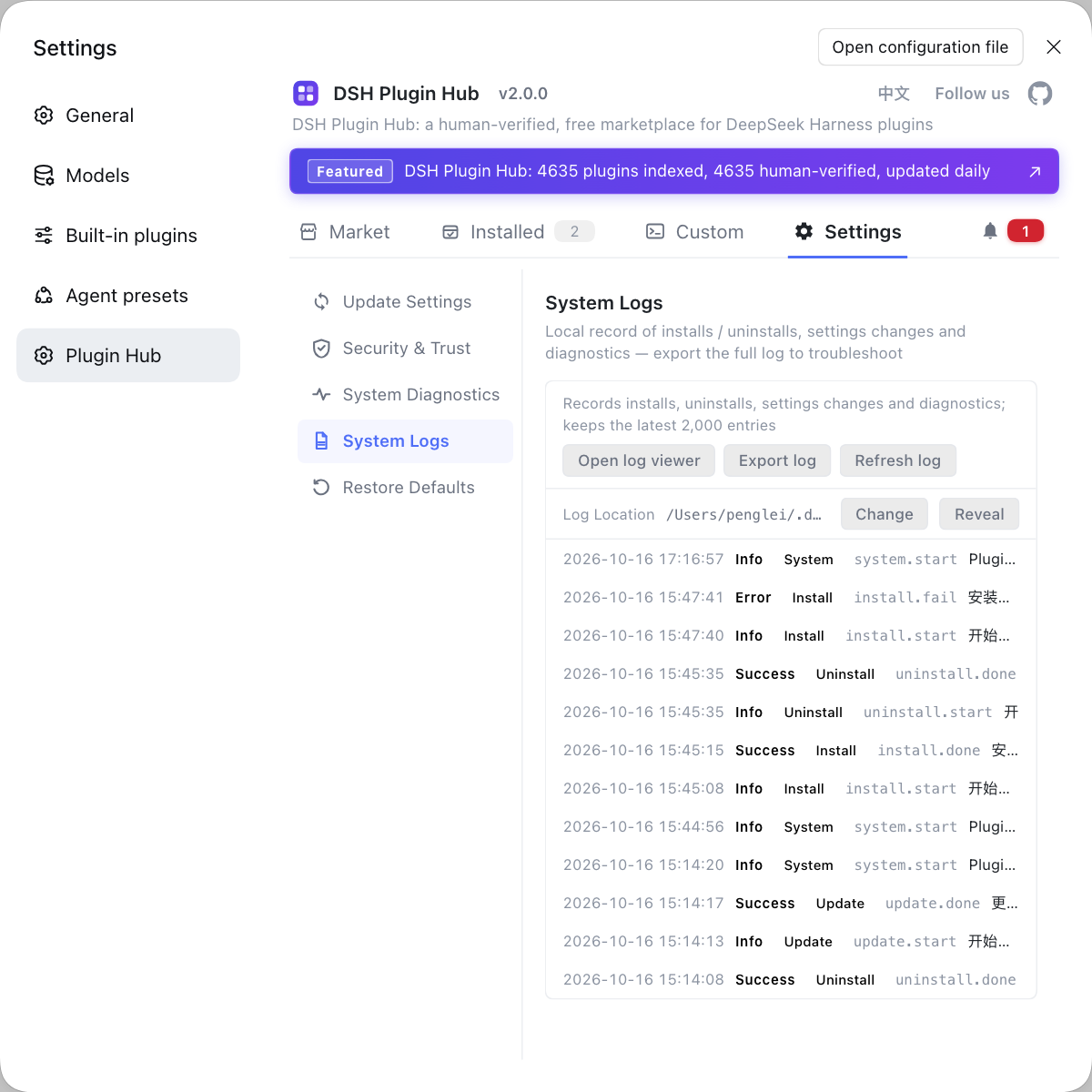
Source: Discussion #8793, Discussion #9247.
FAQ
In DeepSeek Harness the model sees a still because what is handed to it is actually a single static image. The tool sniffs the file header and accepts the animated type, but the attachment-normalization step re-encodes it into a single static format, so the frame count is already lost before the model sees it; and the result has neither a text note nor a frame-count hint, so the model has no way to know it was animated. To avoid it, extract frames with ffmpeg yourself and tile them into one contact sheet first; the minimal fix is to include the original frame count in the result when the source file has more than one frame and to add a line about it in the tool description.
In DeepSeek Harness "first frame only" is itself a documented contract, so that part is not a defect—the attachment module's notes state plainly that animated images degrade to static and keep only the first frame; the real problem is that the model is never told this, and the result is used as if it were complete information. So the feedback position should land on "the result lacks a frame count and a note", not on "why are frames dropped".
In DeepSeek Harness the upload always fails because the attachment's durable-directory validation syncs upward from your data directory all the way to the filesystem root, and the upper directories give an ordinary app only execute, not read, so opening them read-only is bound to fail. The workaround is to point the data directory at a path the app itself can read; the long-term fix is to make this step skip rather than abort when it hits a permission error (the patch given in the discussion takes that direction, on the premise that the directory is not writable).
In DeepSeek Harness, "text fine, attachment fails" tells you the problem is in the attachment occupancy path, not that the network or permission config is broken overall. Attachment writing involves syncing the durable directory and landing objects on disk, and text messages do not take that path, so this difference narrows the scope to the attachment module; a further diagnostic is to see whether the failing path in the error is the filesystem root or a parent of the data directory, rather than your workspace.
Related Terms
- read_image
- read_image is one of DeepSeek Harness's file tools, used to hand an image file to the model as image content. It decides the type by sniffing the file header, then hands the image to the attachment layer for normalization and encoding, so the form delivered to the model is decided by the attachment layer.— https://github.com/deepseek-ai/deepseek-harness/discussions/8793
- attachment normalization
- Attachment normalization is the re-encoding step DeepSeek Harness performs before delivering an image to the model, to unify format and size. For animated images this step degrades them to a single static image, keeping only the first frame.— https://github.com/deepseek-ai/deepseek-harness/discussions/8793
- durable home
- Durable home is the directory the attachment module uses to guarantee that attachments are persisted, and after a write it syncs upward level by level to make sure metadata lands on disk. It walks from the data directory to the filesystem root, so on a restricted filesystem it meets upper directories that cannot be opened read-only.— https://github.com/deepseek-ai/deepseek-harness/discussions/9247
- EACCES
- EACCES is the POSIX permission-denied error code, meaning the process lacks the permission needed to access that path. In DeepSeek Harness's attachment scenario it usually means some upper-level directory is not readable by the current process.— https://github.com/deepseek-ai/deepseek-harness/discussions/9247
Sources
- #8793 — read_image passes only the first frame of an animated GIF, with no notice· deepseek-ai (GitHub Discussions)
- #9247 — attachment-local: durable-home walk reaches the filesystem root — image attachments fail with EACCES· deepseek-ai (GitHub Discussions)