DeepSeek Harness web vs desktop: which DSH plugin form
DeepSeek Harness's web and desktop forms are not two products but two carriers of the same web app: the web form is started with dsh web and reached in a browser at 127.0.0.1:3080; the desktop wraps it in an Electron app whose UI loads in the app window (source). This guide explains the differences along three directions: what each form is, how their capabilities differ, and how you should choose.
DSH plugin overview: remember "one app, two shells"
The key fact is that the desktop is an Electron shell wrapping the full dsh web app, not a separately written client. Once you grasp this, every later difference follows: they run the same UI logic and the same plugin mechanism, differing only in how the shell starts, whom it exposes to, and whether it ships a portable runtime.
| Dimension | Web (dsh web) | Desktop (DeepSeek Harness Desktop) |
|---|---|---|
| Carrier | A local web service + a browser | An Electron app window |
| Entry | Open 127.0.0.1:3080 in a browser | Open the app directly |
| Profile | web | desktop (the CLI does not take over) |
| Public exposure | Can expose with --public-url | Never enters a browser address bar |
DSH plugin forms: a Web UI in the browser and a standalone desktop app
The web form is a local web service, and the desktop is an Electron app that locks the UI inside the app window. Their entry points and startup differ:
- Web form — started with
dsh web(ornpx @deepseek-ai/dsh web); the service listens on127.0.0.1:3080by default, and any browser can use it at that address (source). Expected: the terminal prints the local address and the browser shows the full interface. - Desktop — download the dmg / exe from the official site, install and open the app; the UI loads through the in-app
dsh-app://protocol and does not jump to a browser (source). Expected: after launch it stays on a loading page inside the app window, then enters the interface.
A common trap: the desktop does not face the browser, so do not expect to type 127.0.0.1:3080 in the address bar to open the desktop; it listens on an OS-assigned temporary port by default, which is already staggered from the web form's fixed 3080.
DSH plugin capabilities compared: plugin ecosystem, local capability, cross-device access and resource use
Both share exactly the same plugin mechanism (both add plugins from the same market), with differences concentrated in local capability, external reachability and runtime environment. Item by item:
| Capability | Web | Desktop |
|---|---|---|
| Plugin ecosystem | Same plugins and market; installed in the web profile | Same plugins and market; installed in the desktop profile |
| Local files / sessions | Same machine as the terminal, reads and writes the workspace directly | Same machine, with a native directory picker in the UI |
| Cross-device access | Can be exposed; other devices' browsers can reach it | UI locked in the app window, unsuitable for cross-device |
| Runtime | Uses the system's Node / package manager | Ships Node, pnpm and Python runtimes with the package |
| Listening port | Default 3080 (fixed) | OS-assigned (no clash with 3080) |
A few points expanded:
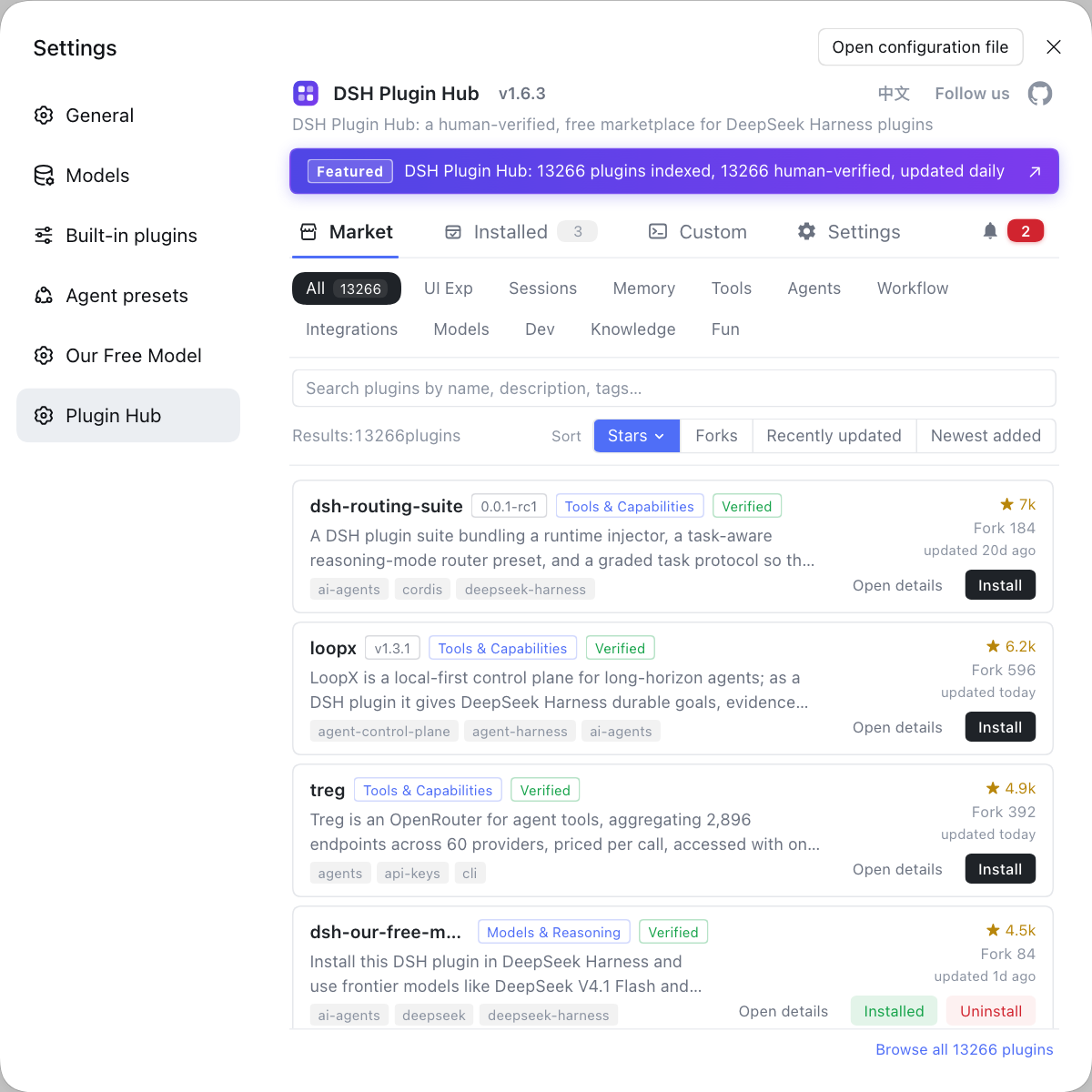
- The plugin ecosystem is the same but does not sync automatically. Both forms install plugins from the same market, with identical commands and experience; but plugins land in their own profiles — what is installed in the web profile does not automatically appear in the desktop profile, so switching forms means reinstalling in the new environment. Finding plugins, installing them and browsing similar implementations can all go through DSH Plugin Hub.
- Local capability differs little. Both run on the same machine and both can read and write the workspace; the desktop additionally offers a native directory picker attached to the app window, while the web form uses the host's own directory picker.
- External reachability is the dividing line. The web form is a standard local web service that can be published with
--public-urland a reverse proxy, so it can be reached on a phone or another computer; the desktop is designed for single-machine use and is not oriented to a browser address bar. For cross-device configuration, see DeepSeek Harness mobile access. - Runtime and footprint differ. The web form depends on the Node and package manager in your system; the desktop ships its own Node, pnpm and Python distributions, using the built-in runtime for all package operations, at the cost of a larger installer and more disk use.
How to choose the DSH plugin form: Web UI for a quick start, the desktop for always-on and local integration
The choice hinges on just two things: whether you need cross-device access and whether you want to fuss less over the environment. Comparing the options:
- Just want to be up and running fast → pick the web form. One
npx @deepseek-ai/dsh webcommand and a browser, good for trials and temporary use. Expected: inside the interface within minutes. - Daily use, always-on as a desktop app → pick the desktop. Install and open, no terminal window occupied, and the bundled runtime saves environment setup. Expected: double-click the icon to enter the interface directly.
- Need cross-device / remote access → pick the web form. It is naturally a web service that can be exposed, used with a public address. Expected: other devices' browsers can reach the same session data.
- Need to manage plugins from the command line or script it → pick the web form. Commands such as
dsh plugin --profile web ...act on the web profile directly and connect smoothly to scripted flows.
What config do the two share? Shared data, no shared executable layer. Sessions, settings and keys all live under the same $DSH_HOME (default ~/.dsh), so switching forms needs no model reconfiguration; but executable packages, node_modules and lock files are independent, and plugins are installed per profile. The desktop's profile is exclusively its own and cannot be started or modified from the command line.
DSH plugin caveats
Both the web and desktop forms carry this DSH plugin, and the following caveats apply to either one. Item by item:
- Do not mix up profiles: the web form is the web profile, the desktop exclusively uses the desktop profile; plugins and config take effect per profile, so when troubleshooting first confirm which side they are installed on.
- The desktop does not use the browser: it loads its UI through an in-app protocol, so address-bar access is invalid and it does not serve externally.
- Ports do not conflict: the web form is fixed at 3080, the desktop defaults to an OS-assigned port, so both can run at once.
- Do not move data carelessly:
$DSH_HOMEholds sessions and credentials, so confirm the impact before migrating or cleaning it. - Configure a model first either way: whichever form you pick, the first step is filling in a model provider and key in the settings, or sessions will not work.
Sources: dsh CLI README, DeepSeek Harness desktop README, dshplugin/dsh-plugin-hub
FAQ
Both are official forms; the desktop is essentially an Electron shell wrapping the full dsh web app. The web form is started with dsh web and reached in a browser; the desktop packages it into a standalone app whose UI loads through an in-app protocol, so no browser is needed. They run the same web app, not two different products.
The desktop listens on an OS-assigned port by default, so it does not collide with the web form's fixed 3080. The web form dsh web binds 127.0.0.1:3080 by default; the desktop also binds 127.0.0.1 but lets the system assign the port, and only changes it when you explicitly configure a port for the webserver. So both can run at once without competing.
The plugin mechanism is exactly the same, but plugins live in their own profiles, so you install them separately. The web form installs into the web profile, and the desktop uses its own exclusive desktop profile. They share the same plugin market and install commands, but installed plugins do not sync automatically, so after switching forms you reinstall them in the corresponding environment.
Cross-device access relies on the web form plus a public address; the desktop is for the local machine. The web form is a standard local web service that can be exposed with --public-url and a reverse proxy, so you can reach it in another device's browser; the desktop locks the UI inside the app window and is not oriented to a browser address bar, so it is unsuitable for cross-device use.
Sessions, settings and credentials are shared, while executable packages and plugins are independent. Both read the same $DSH_HOME data root, so model keys and session history are common; but executable packages, node_modules and lock files are not shared, and plugins are separated by profile, so changing one side will not break the other side's versions.
Related Terms
- Web UI (dsh web)
- The Web UI is the form in which DeepSeek Harness runs its interface in a browser, started by the `dsh web` subcommand and serving a local web service at 127.0.0.1:3080 by default. It belongs to the web profile.— dsh CLI README
- DeepSeek Harness desktop
- The DeepSeek Harness desktop is an Electron app wrapping the full dsh web app, with its UI loaded through the in-app `dsh-app://` protocol, not oriented to a browser address bar, and with plugins and runtime managed by the app's bundled runtime.— DeepSeek Harness desktop README
- profile (the environment a form maps to)
- A profile is an ordered stack of plugins and config in DeepSeek Harness; the web form maps to the web profile and the desktop exclusively uses the desktop profile. A plugin installed into a profile only affects that environment.— dsh CLI README
- $DSH_HOME
- $DSH_HOME is the data root of DeepSeek Harness, at ~/.dsh by default, holding sessions, settings, credentials and plugins, shared by the web and desktop forms.— DeepSeek Harness desktop README
Sources
- dsh CLI README· deepseek-ai
- DeepSeek Harness desktop README· deepseek-ai
- dshplugin/dsh-plugin-hub· dshplugin