DeepSeek Harness status plugins: DSH plugin boot animations
The status-animation DSH plugins of DeepSeek Harness are a class of interface plugins that turn the startup process or runtime state into animation — boot splashes, UI entrance transitions and usage/balance status pulses all count (source). This article surveys the representative implementations of this niche, the unified install entry, and whether they are worth installing.
DSH plugin overview: one for looks, one with information
These plugins fall roughly into two kinds: pure-looks boot animations, and status bars carrying real state information. Compare:
| Type | Representative | What it shows | Carries information |
|---|---|---|---|
| Boot animation | dsh-550c-boot, dsh-boot-anim | Those few seconds at startup | Basically none, pure looks |
| Status bar | dsh-damage-pulse | Usage and spend while running | Yes, the animation carries data |
Remember this first: boot kinds solve "does startup look good", status-bar kinds solve "is the state easy to read".
What these DSH plugins do: turn startup and runtime state into animation
What they share is that they do not touch the model or tools, only add motion at the interface layer. Concretely, three things:
- Cover the startup process — play a full-screen splash or transition during startup, turning the wait into imagery. Expected: a more complete startup experience.
- Add an entrance to the interface — panels and elements appear with a transition animation. Expected: interface switches look smoother.
- Visualize state as a pulse — changes in usage, balance and billing are shown as an animated bar. Expected: the state is readable at a glance.
The important thing is not to confuse their layer: these plugins are interface-layer patches; they change "what you see", not "what the model can do", so they have no effect on features, permissions or the sandbox.
DSH plugin roundup: boot animations and status bars
A walk through the representative implementations, with the install entry going through the plugin market uniformly. Quick look:
- dsh-550c-boot — a full-screen 550C boot splash that can cover the built-in Loading card, supports simple/full modes and four phosphor color schemes, and can be skipped at any time (source). Good for: people who like a hardcore boot screen but still want to be able to skip it.
- dsh-boot-anim — a SteamOS-style seven-segment boot animation plus UI ring-by-ring entrance transitions, implemented via host-side injection, with zero dependencies, zero source changes and one-click revert (source). Good for: people who want a low-risk trial that can revert to default at any time.
- dsh-damage-pulse — usage and balance monitoring with a whale-girl animation, presenting billing, peak/off-peak pricing and three-tier cost statistics (source). Good for: people who want to keep an eye on token consumption and spend.
- Similar variants — there are also boot implementations with sound, a clip library and time-of-day splashes; styles are more varied, so pick by preference.
Unified install method (four steps):
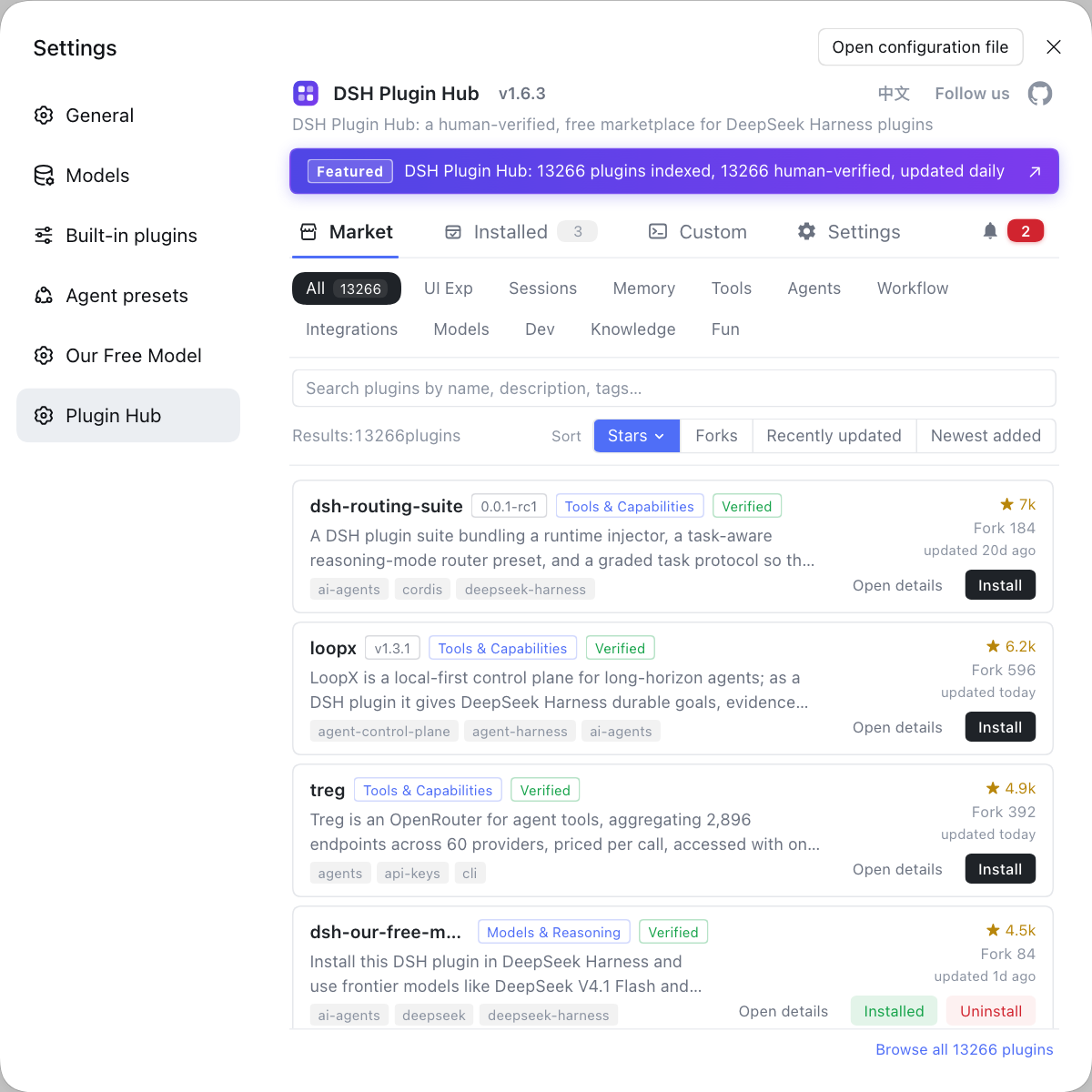
- Open the market — search in DSH Plugin Hub by keywords such as animation, boot and status. Expected: a list of similar plugins with compatibility state.
- Read the entry — check the style, modes, whether it can be skipped, and whether extra dependencies are needed. Expected: you know which part of the interface it changes.
- One-click install and restart — click install, then restart
dsh web; you can also use the command linedsh plugin --profile web add <package>. Expected: the animation takes effect at startup. - Uninstall if you dislike it — uninstalling from the installed list restores the look. Expected: the interface returns to default.
DSH plugin: is it worth installing — pure decoration or real information
The test is simple: does it give you "good-looking" or "useful". Three angles:
- Impact on performance and startup time — a boot animation is essentially a layer of playback over the startup process; the overhead is usually small, but it does take up some startup time to play, and the gap depends on the animation's complexity and whether it has sound or video. Expected: if you are sensitive to startup speed, pick an implementation that can be skipped.
- Pure decoration vs real information — pure splash kinds give only visual benefit; status-bar kinds (such as balance and usage pulses) also help you keep an eye on consumption, an interface enhancement with real value. Expected: installing purely for looks is fine, but prefer status-bar kinds when you want a payoff.
- Maintenance and compatibility — interface plugins follow changes in the core package; before installing, check maintenance activity and compatible versions. Expected: avoid the animation breaking or the interface misbehaving after an upgrade.
DSH plugin notes
These are the DSH plugin points to remember before adding this kind to the interface layer. Item by item:
- Do not misjudge the layer: they only change interface looks; they do not affect model capabilities or permission boundaries.
- Prefer skippable ones: when you are sensitive to startup speed, choose an implementation that supports skipping the animation.
- Status bars are better value: animations carrying real data (usage, balance) pay off more than a pure splash.
- Check the source: verify inclusion and version on a legitimate market; do not install interface patches from unknown repos.
- Uninstall if it annoys you: interface plugins revert on uninstall, so there is no need to keep them around.
Sources: dsh-550c-boot, dsh-damage-pulse, dsh-boot-anim, dsh CLI README
FAQ
This class of DSH plugin turns the startup process or runtime state into animation: a splash at boot, interface elements with entrance transitions, and a status pulse when usage or balance changes. They mostly fall under looks and status hints, changing neither model capability nor tool behavior — a "good-looking + easy-to-read" interface-layer patch.
Both are boot animations, but they differ in style and modes: dsh-550c-boot adds a full-screen 550C boot splash that can cover the built-in Loading card, supports simple and full modes and four color schemes, and can be skipped at any time; dsh-boot-anim offers a SteamOS-style seven-segment boot animation plus UI ring-by-ring entrance transitions, implemented via host-side injection, zero-dependency and one-click revert. Just pick the style you like.
It is not just decoration: it monitors DeepSeek usage and balance and presents billing, peak/off-peak pricing and three-tier cost statistics as animation. In other words, it adds a visual layer to status information — behind the whale-girl animation is token consumption and spend data, making it a status bar "with information" rather than pure looks.
A boot animation usually just wraps the startup process in a display layer; the overhead itself is small, but it does take a little startup time to play. The gap depends on animation complexity and whether it has sound or video; if you are sensitive to startup speed, choose an implementation that supports skipping, or simply do not install this pure-looks kind.
The plugin market is the simplest: open DSH Plugin Hub, find the target plugin by keywords such as animation, boot and status, and install it with one click. You can also install from the command line with dsh plugin --profile web add <package>; after installing, restart dsh web, and uninstall and update are handled centrally in the installed list.
Related Terms
- dsh-550c-boot
- dsh-550c-boot is a DSH plugin that adds a full-screen 550C boot splash to the DeepSeek Harness client; it can cover the built-in Loading card, supports simple/full modes and several color schemes, and can be skipped.— dsh-550c-boot (dsh-plugin.org)
- dsh-damage-pulse
- dsh-damage-pulse is a DSH plugin that monitors DeepSeek usage and balance, presenting billing, peak/off-peak pricing and three-tier cost statistics with a whale-girl animation; it is a status-bar plugin with information.— dsh-damage-pulse (dsh-plugin.org)
- boot splash
- A boot splash is a full-screen splash or transition animation played during the DeepSeek Harness startup phase, used to cover the loading process and unify the look. It does not change model or tool behavior.— dsh-boot-anim (dsh-plugin.org)
- status pulse
- A status pulse is an interface element that visualizes runtime state (such as usage, balance and billing) as an animated bar or pulse, signaling the state while carrying looks. Unlike a purely decorative animation, it carries information.— dsh-damage-pulse (dsh-plugin.org)
Sources
- dsh-550c-boot (dsh-plugin.org plugin entry)· dsh-plugin.org
- dsh-damage-pulse (dsh-plugin.org plugin entry)· dsh-plugin.org
- dsh-boot-anim (dsh-plugin.org plugin entry)· dsh-plugin.org
- dsh CLI README (plugin add semantics)· deepseek-ai