DeepSeek Harness search plugins: DSH plugin web and reader
Search-class DSH plugins for DeepSeek Harness fall roughly into three kinds: web search (live answers), page reading and scraping (full page text), and external retrieval (third-party retrieval sources) (source). This roundup sorts out the three kinds by purpose and gives selection criteria plus how to manage and triage them after installation.
The three groups of search and reader DSH plugins
Search plugins essentially add the "get information beyond the training data" link to DeepSeek Harness, and they split into three kinds by responsibility. The official tool catalog already has built-in web_search and web_fetch (source), and plugins enhance or replace them. The three kinds are:
- Web search — fetch live answers, with implementations such as
free-searchand various web search plugins (dsh-free-search). Expected: one question returns the latest answer or summary. - Page reading / scraping — pull whole page text back, represented by the deepread family (dsh-deepread). Expected: you read the full text rather than only a search summary.
- External retrieval — connect a third-party retrieval backend such as modsearch or openwrite. Expected: retrieval goes through your own data source.
In one sentence: search solves "is it there", reading solves "is it complete", and external retrieval solves "is it my source".
How to choose a DeepSeek Harness search DSH plugin: three needs, three groups
Selection comes down to one line: use a search plugin for live answers, a reading plugin to read a full page, and an external retrieval plugin to connect your own source. How to judge each need, and its representative implementations:
- Live answers — when you need the latest facts, market data, or news. Expected: a search plugin returns a conclusion in one call.
- Full page — when you need original detail and long-form analysis. Expected: a reading plugin fetches the whole text, avoiding summary distortion.
- Third-party retrieval source — when you have your own retrieval service or corpus. Expected: an external retrieval plugin wires the backend in with a controllable scope.
The three can be stacked, but install one of each and get it working before filling gaps, so the tool list does not fill up with similar capabilities you cannot tell apart.
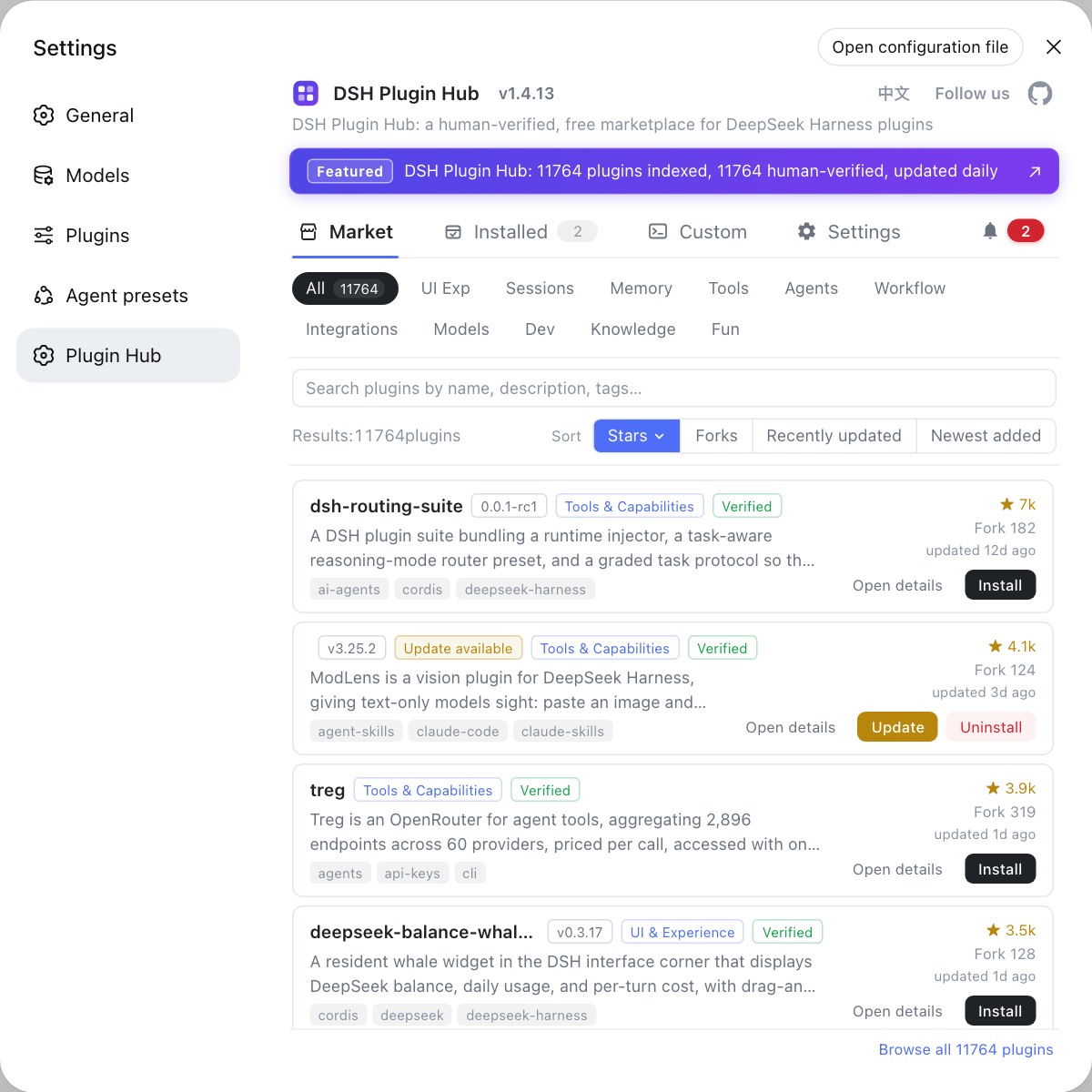
Managing installed DSH plugins and triaging search issues
Managing search plugins is mostly about "seeing which tools you have", and triaging is mostly about "the gateway and custom sources". Steps:
- Check the official tool catalog first — confirm the names and parameters of built-in
web_search/web_fetchand plugin tools. Expected: you know which tools you hold. - Review installed entries in one place — check compatibility status and maintenance activity of installed plugins on DSH Plugin Hub. Expected: you decide which few to keep.
- Run one real retrieval — ask a question that needs the web and see whether a tool call fires. Expected: you separate "not installed properly" from "not triggered".
- Check the gateway and source on errors — when nothing comes back, check the request gateway and key first, then the reachability of a custom retrieval source. Expected: you locate the specific link; details are in how to fix web search gateway errors.
- Start and stop as needed — keep only the kind you actually use and disable the rest. Expected: a clean tool list that does not confuse the model's choice.
DSH plugin notes for search-class plugins
- Separate built-in from plugin first:
web_search/web_fetchare built-in; plugins supplement them, so do not install duplicates. - A summary is not full text: for detail, add a reading plugin rather than stretching a search summary.
- The gateway is a frequent failure point: custom gateway and key issues are the most common, so check there first.
- Keep third-party sources controllable: external retrieval sources involve data boundaries, so confirm scope and permissions.
- Minimize permissions: if you only need information, stop at search / reading and leave browser control alone.
- Verify results: web content needs a second source check, and key claims should follow primary material.
Sources: DeepSeek Harness docs - tool schema catalog, dsh-free-search (DSH Plugin Hub), dsh-deepread (DSH Plugin Hub).
FAQ
Search-class DSH plugins for DeepSeek Harness fall roughly into three kinds: web search, page reading and scraping, and external retrieval. Web search fetches live answers, with implementations like free-search and various web search plugins; page reading and scraping pulls full page text back, represented by the deepread family; external retrieval brings third-party retrieval sources such as modsearch and openwrite in. Clear categories keep selection from getting messy.
Choose by need: install a web search plugin for live answers, a page reading or scraping plugin to read a full page, and an external retrieval plugin to connect a third-party source. Web search is low-latency and gives answers directly; reading plugins pull whole page text, suited to deep reading; external retrieval plugins wire your dedicated retrieval backend into DeepSeek Harness. The three can be stacked, but getting one of each running smoothly first is more stable.
Several search DSH plugins can make it unclear which tool to use, and the way to manage them is to see them all in one place and start or stop them as needed. DeepSeek Harness's built-in web_search / web_fetch and plugin-registered tools appear together in the tool list, so start by confirming each tool's name and parameters in the official tool catalog. Then review installed entries together in the marketplace and decide what to keep by compatibility status and maintenance activity.
When a search DSH plugin returns nothing, check the gateway and key configuration first, then the reachability of any custom retrieval source. Common causes are a wrong request gateway, an expired key, or an unreachable custom retrieval source; these cluster most around custom gateway setups, and the steps are covered in the dedicated gateway troubleshooting article. Confirming whether you are using the built-in web_search or a plugin tool saves half the detours.
Web search fetches answers, page reading fetches body text, and browser control performs actions — capability increases in that order, so choose by whether you need to act. To merely get information, a search or reading DSH plugin is enough and lighter; only when you need to click buttons, fill forms, and run multi-step flows do you bring in a browser control plugin. Most information tasks do not need browser control, and the wider the permission surface, the more care is required.
Related Terms
- web search plugin
- A DSH plugin that wires live retrieval into DeepSeek Harness, letting the model get information beyond its training data. Representative implementations include free-search and various web search plugins.— DSH Plugin Hub - dsh-free-search
- page reading (deepread)
- The DSH plugin capability that scrapes a whole page's body text and converts it into model-readable content, with the deepread family as its representative. It solves the problem of search giving only a summary with no full text.— DSH Plugin Hub - dsh-deepread
- web_search / web_fetch
- Built-in web capability tools in the DeepSeek Harness official tool catalog, responsible for retrieving and scraping web content respectively, registered into the tool registry by the plugins that provide them. Third-party search plugins are usually replacements or supplements for them.— DeepSeek Harness docs - tool schema catalog
- external retrieval source
- A third-party retrieval backend connected to DeepSeek Harness through a plugin, such as the services behind implementations like modsearch and openwrite. It routes retrieval through your own dedicated data source rather than general web search.— DSH Plugin Hub - dsh-free-search
Sources
- DeepSeek Harness docs - tool schema catalog· deepseek-harness
- dsh-free-search (DSH Plugin Hub entry)· dsh-plugin.org
- dsh-deepread (DSH Plugin Hub entry)· dsh-plugin.org