dsh purge vs uninstall: DSH plugin data on DeepSeek Harness
dsh purge is not an official DeepSeek Harness command — the official CLI has no purge subcommand at all; dsh-purge is a community DSH plugin, and "purge" in the sense of wiping data means deleting directories under $DSH_HOME (source). Most people who search the term mash three different things into one: a command that does not exist, a plugin whose name collides, and the instinct to "clear everything". This article does not repeat uninstall steps — those live in uninstall DeepSeek Harness commands. It does one thing: draw the line between a data wipe (the "purge" instinct) and uninstalling a DSH plugin, then cover when to wipe, how to do it at the file layer, and what mis-clearing costs. If you first want the concept itself, see what is dsh purge; to look a plugin up by name, use DSH Plugin Hub.
Three look-alikes: dsh purge, dsh-purge (a DSH plugin) and "wiping data"
dsh purge, dsh-purge and "wiping data" are three different things: dsh purge is a subcommand that does not exist, dsh-purge is a community DSH plugin, and "purging the data" means deleting the $DSH_HOME directory. Where each comes from, exactly which entry modes the official CLI has, and what the dsh-purge plugin really does are all spelled out in what is dsh purge, so this article does not repeat them. Just remember one thing: purge is not an official command — get that right and the boundary and file-layer steps below start from the correct premise.
The boundary between a wipe and uninstalling a DSH plugin
Wiping data (purge) touches the contents of the data directory, while uninstalling a DSH plugin touches the dependency manifest and the load list — the two never substitute for each other. Side by side, the boundary is obvious:
| Dimension | Data wipe / purge | Uninstalling a DSH plugin |
|---|---|---|
| Target | contents under $DSH_HOME | dependency manifest + load list |
| How | file-layer deletion (no official command) | dsh plugin --profile web remove <package> |
| Blast radius | sessions, config, keys and plugin deps all go | only that one plugin comes out |
| Reversible | no — back up first | yes — reinstall restores it |
| Residue | — | override layer, pnpm cache |
The two mistakes people make most are mirror images of each other:
- Wanting to drop one plugin, they wipe the data: sessions, keys and other plugins go with it, at a cost far beyond the benefit. Dropping a plugin should go through remove only.
- Wanting a fresh start, they uninstall a plugin only: remove takes out just that one package, while
settings.yaml, session logs and other plugins all remain — it never "cleans up", and it leaves override lines incordis.patch.yml.
This is why "uninstall ≠ delete sessions ≠ wipe data" are three independent things. The only decision that matters is one sentence: are you deleting "one plugin's registration" or "the contents of the whole data directory"? The former goes through remove; only the latter is a file-layer delete. What residue exists and how to clear it layer by layer is in uninstall leftovers — out of scope here.
When to wipe, how to do it, and what an accidental wipe costs
Only wipe the data directory when you are certain you want a factory-fresh state; to drop one plugin day to day, always use remove. There is no official command for wiping, so every step is a file-layer action — think each one through. In order:
- Decide the scope first: do you want "drop one plugin", "clear chat history only", or "reset the whole install"? Expected result: three answers map to three operations, so settle it before you touch anything and avoid deleting something you wanted to keep.
- Back up everything first (the only safety net before deleting):
cp -r "$DSH_HOME" "$DSH_HOME.bak"
Expected result: a full copy containing config, keys, sessions and plugins, ready to restore at any time. 3. Reset just one profile: delete its directory and it rebuilds on next launch.
rm -rf "$DSH_HOME/profiles/web"
Expected result: dsh web recreates a brand-new web profile on next launch, and third-party plugins you installed must be reinstalled — this is a controlled partial wipe.
4. Reset the whole install: delete the entire data directory.
rm -rf "$DSH_HOME"
Expected result: the directory is gone; after reinstall you are factory-fresh and must re-enter model keys. 5. Clear chat history only, keeping config and plugins: stop dsh first, then delete just the sessions directory.
cp -r "$DSH_HOME/sessions" "$DSH_HOME/sessions.bak" && rm -rf "$DSH_HOME/sessions"
Expected result: sessions are emptied; config, keys and installed plugins are untouched.
6. Verify: run echo $DSH_HOME to confirm the path and ls "$DSH_HOME" to check whether the directory is still there. Expected result: the state matches the scope you chose in step 1.
Remember an accidental wipe as "delete the wrong layer, lose that layer": delete sessions and you lose chat history; delete profiles/<name> and you lose every third-party plugin and local config for that profile; delete the whole $DSH_HOME and keys, sessions and plugins go together — and there is no recycle bin. The only thing that saves you is the backup in step 2 — so "back up before you delete" is not a courtesy, it is a hard precondition for this kind of operation.
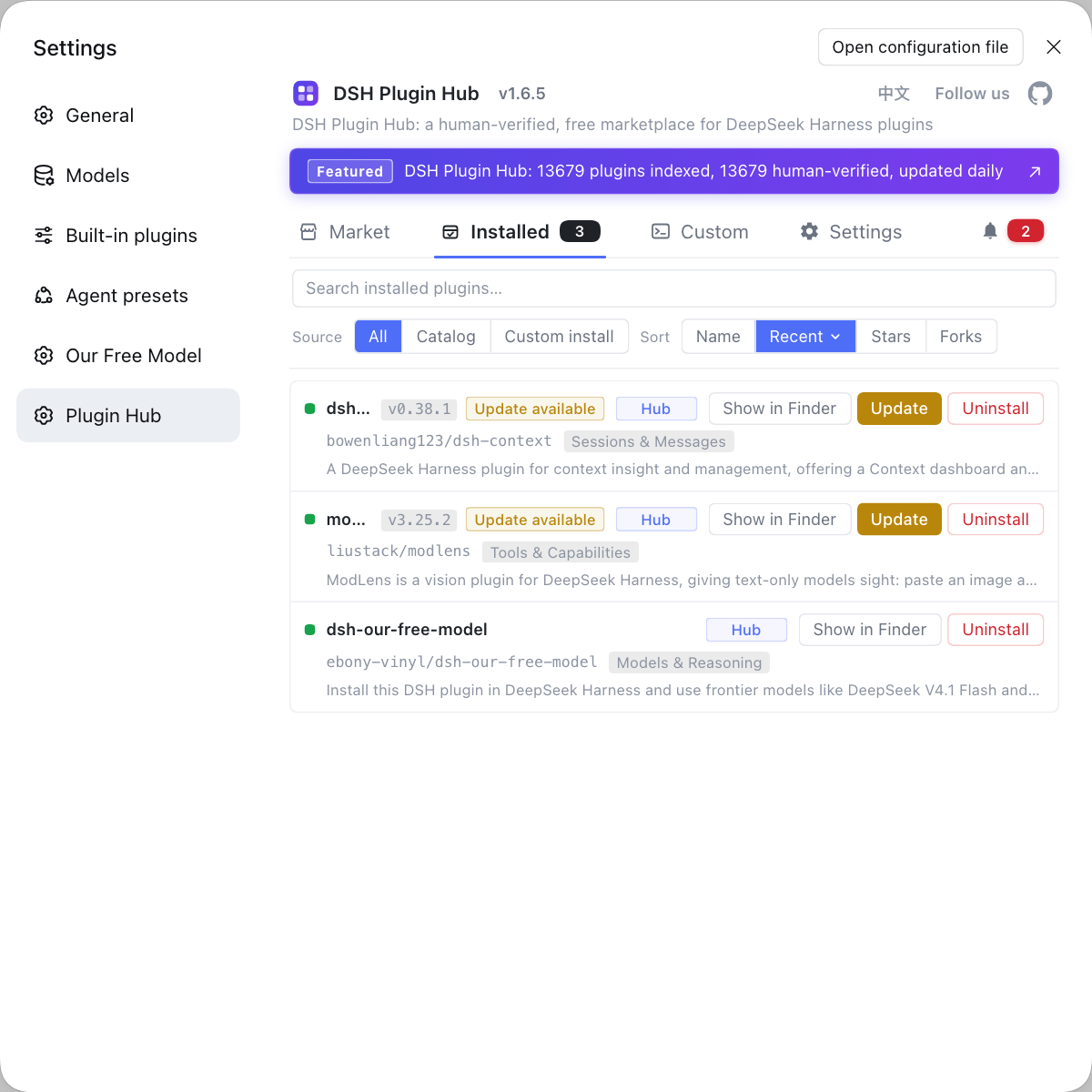
When you cannot tell which layer to clear, do not rush to delete — open the "Installed" list in DSH Plugin Hub, see exactly which plugins you have and each one's source and version, then decide whether to drop a single plugin or wipe the whole data directory.
Sources: dsh CLI README, deepseek-ai/deepseek-harness, Community plugin repo - dsh-purge, dsh-purge plugin entry.
FAQ
No — the DeepSeek Harness CLI has no purge subcommand, so dsh purge is not a command you can run. The official entry points are only dsh <name> / dsh --profile <name>, dsh web, and dsh plugin --profile <name> <pnpm args>, with no purge and no clean. So the real answer to "clears what" is not a command but the files you delete yourself: sessions under $DSH_HOME/sessions, plugin dependencies under $DSH_HOME/profiles/<name>/node_modules, and leftover config in settings.yaml and cordis.patch.yml.
No — dsh-purge is not a cleaner; it is a community DSH plugin positioned as jailbreak prompt management that rewrites default copies, permission policy and tool limits. It does ship its own dsh-purge command plus /purge and /rules slash commands, but those only apply or revert patches inside the plugin: they touch no pnpm cache and delete no user data. Installing it as a one-click wipe starts from the wrong premise.
Wiping data touches the contents of the whole $DSH_HOME directory, while uninstalling a DSH plugin touches the dependency manifest and the load list — neither replaces the other. Dropping a plugin means dsh plugin --profile web remove <package>, which takes out only that one package; session logs, settings.yaml, keys and other plugins all stay, and override lines in cordis.patch.yml remain. A full reset means deleting the data directory in addition to removing plugins.
Wipe the data directory only when you are sure you want a factory-fresh state, and a mistaken delete is unrecoverable — there is no recycle bin. The only safety net before deleting is a full backup: run cp -r "$DSH_HOME" "$DSH_HOME.bak" first, then copy it back if something goes wrong. To drop a single plugin day to day, always use remove and never touch the whole data directory.
Use the officially supported remove rather than hard-deleting files: dsh plugin --profile web remove <package> takes the package out of dependencies and dsh.profile.bundles together. If you truly need a file-layer fallback, only delete the profile directory, which dsh rebuilds: rm -rf "$DSH_HOME/profiles/web", and the next dsh web recreates a fresh profile, though installed third-party plugins must be reinstalled. Hand-deleting node_modules without touching the manifest still leaves the host looking for that package and erroring on boot.
Related Terms
- dsh purge
- dsh purge is not a subcommand of the official DeepSeek Harness CLI: the official entry points are only dsh <name> / dsh --profile <name>, dsh web, and dsh plugin --profile <name> <pnpm args>, with no purge and no clean. What shows up in searches as dsh purge either refers to the community plugin dsh-purge or is a spoken shorthand for the act of wiping data.— dsh CLI README (entry modes, profile and dsh plugin forwarding)
- dsh-purge
- dsh-purge is a community DSH plugin positioned as jailbreak prompt management: it rewrites default copies, permission policy and tool limits, and groups patches with Rules cards. It ships its own dsh-purge command plus /purge and /rules slash commands, but those are internal plugin instructions, not host CLI subcommands, and they do no disk cleanup.— dsh-purge plugin entry
- $DSH_HOME
- $DSH_HOME is the DeepSeek Harness user data directory, defaulting to ~/.dsh when unset; it holds settings.yaml, .credentials.yaml, the sessions log and each profile's plugin dependencies under profiles. It is the sole target of a data wipe, and deleting it is irreversible.— dsh CLI README (entry modes, profile and dsh plugin forwarding)
- dsh plugin remove
- dsh plugin remove is the DeepSeek Harness command that uninstalls a plugin, shaped as dsh plugin --profile <name> remove <package>; it removes the pnpm dependency and strips the package from the profile's dsh.profile.bundles load list at once. Unlike a data wipe, it touches only one plugin's registration and leaves the sessions and config in the data directory alone.— dsh CLI README (entry modes, profile and dsh plugin forwarding)
Sources
- dsh CLI README (entry modes, profile and dsh plugin forwarding)· deepseek-ai
- deepseek-ai/deepseek-harness· GitHub
- Community plugin repo - dsh-purge· yujunzhixue
- dsh-purge plugin entry· DSH Plugin Hub