dsh-purge explained: DeepSeek Harness cache vs uninstall
The DeepSeek Harness CLI has no purge subcommand — dsh-purge is a community DSH plugin (a red-team prompt-management plugin), not a cache cleaner or an uninstall command (source). Most people searching the term want "how do I clean a DSH plugin out properly", and those are two separate operations: pnpm store prune for cleanup and dsh plugin --profile web remove <package> for uninstall. To look up plugin entries, search by name on DSH Plugin Hub.
There is no purge command: what this DSH plugin actually is
The official entry points are only a handful, and purge is not among them (source). The CLI README lists dsh <name> / dsh --profile <name> to boot a profile, dsh web to boot the Web profile, and dsh plugin --profile <name> <pnpm args> to manage that profile's plugins. There is no purge, no clean, and no "clear cache" subcommand — so anything shaped like dsh purge is not an official command.
So what is dsh-purge? It is a community DSH plugin. Judging by its repo and plugin market entry, this kind of plugin does red-team work for security purposes: it manages jailbreak prompts and rewrites host policy (default copies, permission policy, tool limits). The purge in the name invites the assumption that it "cleans everything in one click", but its function has nothing to do with disk cleanup:
- It does not clean caches. It never touches the pnpm store and reclaims no space from node_modules.
- It does not replace uninstall. Installing and removing the plugin itself still uses
dsh plugin --profile web add/remove. - It edits host behaviour. What it changes is the policy side — default copies, permissions, tool limits — which is "editing configuration" rather than "deleting files".
So the first thing to fix is the mental model: treating dsh-purge as a cleanup tool misreads the risk. The risk, the compliance boundary and why such plugins get blocked by safety policy are covered in the jailbreak series: mechanics in DeepSeek Harness jailbreak explained and jailbreak prompt mechanics, and install or block triage in jailbreak plugin install fails.
Official entry points, and what each one actually changes
Only three entry points exist, and none of them is a file-cleaning command — that is the fact worth memorising (source).
| Official entry point | What it does | Purge-shaped? |
|---|---|---|
dsh <name> / dsh --profile <name> | boot a profile | No |
dsh web | boot the Web profile | No |
dsh plugin --profile <name> <pnpm args> | manage that profile's plugins, forwarding to pnpm | No — it forwards pnpm arguments |
The third row is the important one: because it forwards arguments to pnpm, cleanup does exist — but it arrives through pnpm's own commands (pnpm store prune), not through a DeepSeek Harness purge.
DSH plugin cleanup versus uninstall: keep the operations apart
Cleanup changes reproducible files; uninstall changes the manifest and the load layer — neither substitutes for the other. Split everything that looks like "deleting" in DeepSeek Harness into three operations:
- Uninstall a plugin (changes the manifest):
dsh plugin --profile web remove <package>. It clears two things at once — the profile's pnpm dependency and the matching entry indsh.profile.bundles. Details are in dsh plugin remove. - Clean a cache (reproducible files only):
pnpm store prune, which reclaims package content in the pnpm store that nothing references; it is content-addressed, so packages a profile still references are not deleted (source). Becausedsh pluginforwards its arguments to pnpm, you can run it inside the profile directory too. - Uninstall the whole app (changes the product): removing the npm-installed CLI or the desktop app is another order of magnitude and has nothing to do with a single plugin.
There is a fourth category that gets missed: your own override layer. A cordis.patch.yml in the profile directory is an override you wrote, and remove will not clear it for you — pruning a cache certainly will not either. What residue to check, what to clear and what to keep is in uninstall residue cleanup and disk not freed after uninstall.
The boundary in one line: prune the cache to save disk, run remove to actually take a plugin out, and know that rewriting host policy is what plugins like dsh-purge do — not cleanup.
Three operations and the three records they touch
Every "delete" in DeepSeek Harness hits at most two of three records, and knowing which is which makes the outcome predictable (source).
| Operation | Files on disk | dependencies in the profile | dsh.profile.bundles load list |
|---|---|---|---|
cache prune (pnpm store prune) | touched (unreferenced cache only) | untouched | untouched |
| deleting a directory by hand | touched | untouched — left hollow | untouched — left hollow |
dsh plugin --profile web remove | removed | cleaned | cleaned |
your own cordis.patch.yml override | written by you | untouched | untouched |
Read it as three records: cleanup touches only record one; remove touches records two and three; and your own override is a record nothing automated maintains for you. A hollow record two or three is exactly the "it seems to have vanished" case in the next section.
Verifying a DSH plugin before and after, and restoring a plugin that seems gone
Verify in three places — the installed list, the profile manifest and the composed tree; restore according to whether the manifest is gone or only the files are.
Before and after cleanup or uninstall, check in order:
# 1. Installed list: the tally for this layer
dsh plugin --profile web list
# Expect: the target plugin appears in the list

# 2. Profile manifest: both dependencies and dsh.profile.bundles
cat ~/.dsh/profiles/web/package.json
# Expect: the target package name appears under dependencies

# 3. Composed tree: see the layers actually loaded without booting
dsh --profile web --dump-config | grep -n "<package>"
# Expect: the matching load-layer line is printed with its line number
If a plugin "seems to vanish" after cleanup, decide which case you are in:
- Manifest intact, files gone (the classic result of pruning a cache or deleting
node_modulesby hand): DeepSeek Harness still resolves the package named inbundlesand errors on boot or load. Rerunpnpm installin the profile directory to restore the dependency from the manifest. - Manifest cleared too (a real
remove): reinstall. Usedsh plugin --profile web add <package>, or find it by name in the plugin market on DSH Plugin Hub and install from there, then confirm withlistagain.
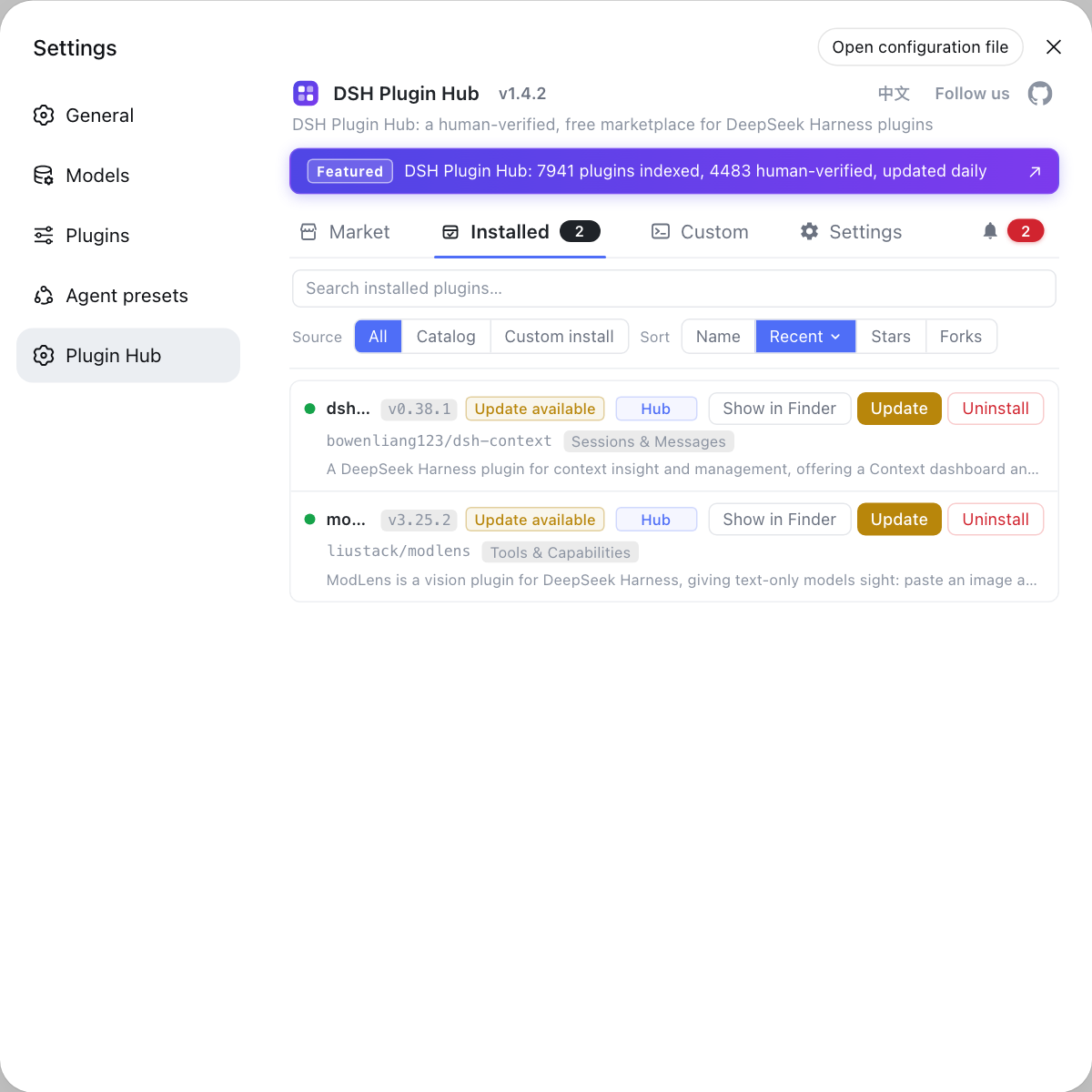
Notes on DSH plugin dsh-purge, cleanup and uninstall
Keeping cleanup, uninstall and policy rewriting as three separate things is the whole point here.
- Do not treat dsh-purge as a cleaner: it is not an official command and clears no disk; it does red-team prompt management and host policy rewriting.
- Cleanup only deletes reproducible files:
pnpm store prunetargets unreferenced cache content, and a prune just means a fresh download next time. - Uninstall must clear the manifest:
removetakes outdependenciesanddsh.profile.bundlestogether, while deleting a directory by hand leaves a hollow manifest. - Clear your own override layer yourself: hand-written references in
cordis.patch.ymlare not managed by pnpm andremovewill not touch them. - Target the right profile:
--profiledecides which manifest you edit, and plugins installed under another profile are unaffected. - To reinstall, use the market: DSH Plugin Hub lets you look plugins and their sources back up by name.
Common misconceptions about DSH plugin dsh-purge, cleanup and uninstall
Five assumptions that make people delete the wrong thing:
- "
dsh-purgeclears disk space." No — it is a community red-team plugin that manages jailbreak prompts and rewrites host policy; it touches no cache. - "With no purge command, there is no way to uninstall." No —
dsh plugin --profile web remove <package>is the uninstall path. - "Deleting node_modules is uninstalling a plugin." No — the manifest still lists it, so DeepSeek Harness keeps resolving a package that is no longer on disk.
- "Pruning a cache will break my profile." Usually not — the store is content-addressed, referenced packages stay, and a reinstall is just a fresh download.
- "A clean uninstall also wipes my own overrides." No —
cordis.patch.ymlis yours, andremovewill not touch it.
Source: DeepSeek Harness CLI README, Community plugin repo - dsh-purge, dsh-purge plugin entry, pnpm store docs.
FAQ
No — the DeepSeek Harness CLI has no purge subcommand. The official entry points are dsh <name> / dsh --profile <name>, dsh web, and dsh plugin --profile <name> <pnpm args>. There is no purge or clean command for files. The name dsh-purge belongs to a community DSH plugin and has nothing to do with official cleanup.
Its community repo and plugin market entry place this DSH plugin as a red-team plugin for security work: it manages jailbreak prompts and rewrites host policy rather than clearing caches. It will not clean node_modules or reclaim disk; instead it changes host behaviour such as default copies, permission policy and tool limits, so know what it edits before installing or removing it.
In DeepSeek Harness, what you clean are reproducible files, and the command is pnpm store prune, which reclaims package content in the pnpm store that nothing references. Because dsh plugin forwards its arguments straight to pnpm, you can run the same command inside the relevant profile directory. The store is content-addressed, so packages still referenced by a profile are not deleted — cleanup is comparatively safe, but the next install of that package becomes a fresh download.
For a DSH plugin, cleanup changes reproducible files (caches, node_modules); uninstall changes the manifest and the load layer. Removing a plugin means dsh plugin --profile web remove <package>, which takes the package out of dependencies and dsh.profile.bundles together. Deleting a directory or pruning a cache leaves both manifests untouched, so DeepSeek Harness still resolves a package that is no longer there.
To restore a DSH plugin, first decide whether the manifest is gone or only the files are. If you pruned a cache or deleted node_modules while the manifest still lists it, rerun pnpm install inside the profile directory to restore the dependency. If it was removed and the manifest no longer lists it, reinstall with dsh plugin --profile web add <package>, or find it by name in the plugin market on DSH Plugin Hub.
Related Terms
- dsh-purge
- dsh-purge is a community DSH plugin positioned as a red-team plugin for security work: it manages jailbreak prompts and rewrites host policy such as default copies, permission policy and tool limits. It is neither an official DeepSeek Harness command nor a cache or uninstall tool.— Community plugin repo - dsh-purge
- pnpm store prune
- pnpm store prune is a pnpm command that reclaims package content in the content-addressed store that no project references. It counts as cleanup rather than uninstall, because what it deletes is reproducible cache content and project manifests are unaffected.— pnpm store (including pnpm store prune)
- dsh plugin remove
- dsh plugin remove is a DeepSeek Harness command that uninstalls a plugin, shaped as dsh plugin --profile <name> remove <package>; it deletes the pnpm dependency and strips the package from the profile's bundle list at once, which is what separates it from cache pruning or deleting a directory by hand.— DSH CLI README (entry modes and dsh plugin forwarding)
- profile
- A profile is the ordered stack of plugin layers DeepSeek Harness boots, held under $DSH_HOME/profiles/<name>; the directory holds both pnpm dependencies and your own override files, so be clear which one you are touching.— DSH CLI README (entry modes and dsh plugin forwarding)
Sources
- DSH CLI README (entry modes and dsh plugin forwarding)· deepseek-ai
- Community plugin repo - dsh-purge· community
- dsh-purge plugin entry· DSH Plugin Hub
- pnpm store (including pnpm store prune)· pnpm