Fix "pnpm failed in profile directory" for DSH plugins
dsh: pnpm failed in profile directory ... is a truncated error: it is only the wrapper DSH plugin puts around a pnpm failure, and the real cause comes after the ellipsis. There are only three causes worth chasing — pnpm missing from PATH, a pnpm major version mismatch with the profile, or a profile node_modules tree linked to a deleted pnpm store. Read the full second line, match it to one of the three, and you never need to reinstall DSH.
How to read this DSH plugin error: dsh plugin is a wrapper, the cause is after the ellipsis
dsh plugin --profile <name> <args> does not install anything itself — it forwards everything after --profile to the pnpm inside the profile directory, so any pnpm failure is wrapped into this one line. That is why the message says in profile directory: it tells you where pnpm ran, not that the plugin itself is broken (source).
Three things to remember when reading it:
in profile directoryis location, not cause: it points at$DSH_HOME/profiles/<name>(on WindowsDSH_HOMEis usually%USERPROFILE%\.dsh). Before editing files or rerunning pnpm,cdthere.- The real cause follows the ellipsis: that is where DSH plugin and DeepSeek plugin install failures are explained, for example
'pnpm' is not recognized as an internal or external command,different major version of pnpm, orERR_PNPM_UNEXPECTED_STORE. - No underlying cause printed means the output was cut off: rerun the command and keep the full log with something like
2>&1 | tee install.loginstead of reading only the last terminal line.
In one sentence: this message answers "where did it fail", not "why did it fail".
The three causes behind DSH plugin install errors, and how to fix each
Each cause has its own fix, so identify the right one before touching anything. The discriminator is the text after the ellipsis:
- pnpm is not on PATH — the error comes with
'pnpm' is not recognized as an internal or external command. dsh plugin does not degrade gracefully: if pnpm cannot be found it fails outright rather than switching to npm or yarn (source). Install pnpm and make it executable:
npm install -g pnpm        # global install
pnpm --version             # must print a version
After installing, open a new terminal and rerun dsh plugin add — PATH changes never reach an already-open window. On Windows prefer npm install -g pnpm: corepack enable pnpm needs write access to C:\Program Files\nodejs\ and reports EPERM when permissions fall short (source).
- The pnpm major version does not match the profile — the error comes with
different major version of pnpm. Go into the profile directory, let pnpm rebuild the dependencies for the current version, then install again:
cd "$DSH_HOME/profiles/web"                              # Windows: cd %USERPROFILE%\.dsh\profiles\web
pnpm install --config.confirm-modules-purge=false        # pre-approve the node_modules rebuild
confirm-modules-purge=false removes the interactive confirmation that would otherwise stall the rebuild (source). A variant of the same class reports pnpm v11.12.0 is a broken release: the profile's packageManager field is pinned to a broken version. Update the pin in $DSH_HOME/profiles/web/package.json to a newer working release and rerun the same command — the plugin package is not involved (source).
- The profile's node_modules links to a pnpm store that no longer exists — the error comes with
ERR_PNPM_UNEXPECTED_STORE. A common trigger is a plugin manager's preview directory being cleaned up, leaving dangling links insidenode_modules(source). Relink from the current store:
CI=true dsh plugin --profile web install     # CI=true rebuilds node_modules without prompts
dsh plugin --profile web add <package>       # install the plugin again afterwards
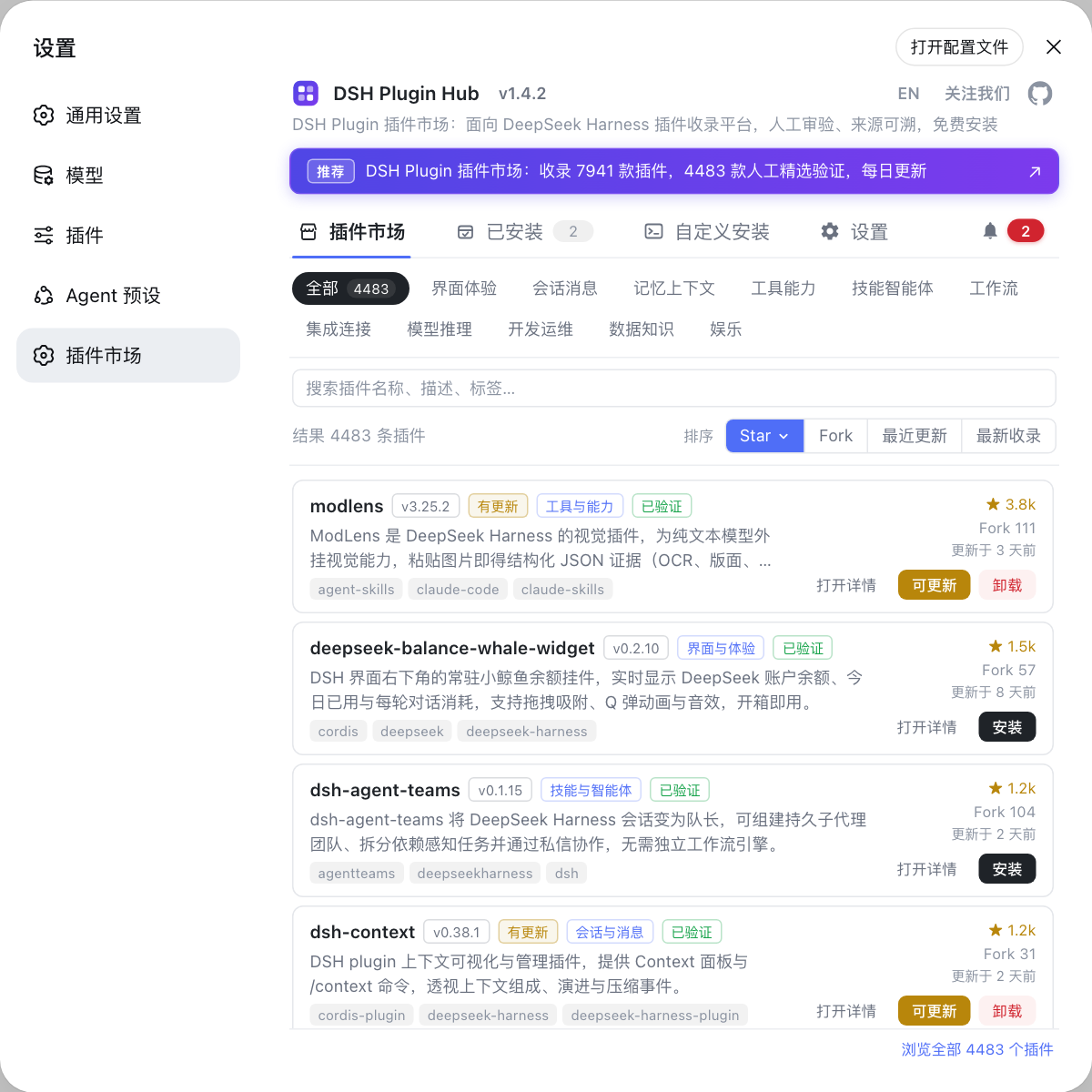
Fixing this environment class is easier from the plugin market: uninstall and reinstall the same plugin under Settings → Plugin Market, which is DSH Plugin Hub — it is equivalent to rerunning add and syncs the profile manifest for you.
One error that gets mixed in here: ERR_PNPM_IGNORED_BUILDS means a build script was not approved, and its fix is completely different — see allowBuilds troubleshooting for dsh plugin add.
How to confirm the DSH plugin really installed after the fix
A command that does not error only proves pnpm finished; whether the plugin is active is a separate check — "the package is there" and "the config layer is attached" are two different claims. Verify in three steps:
- Check the package: confirm the dependency really landed in the profile.
dsh plugin --profile web list                # depth 0 by default, direct dependencies only
dsh plugin --profile web list --json         # use JSON in scripts instead of parsing the tree
The full list usage is covered in dsh plugin list.
- Check the config layer: this is the real "it works" criterion.
dsh --profile web --dump-config | grep "# ==" -A 2
When the output shows the # == <package> layer, the plugin's config layer is loaded. If list shows it but dump-config does not, you installed a plain package that does not declare dsh.bundle, and no config layer will activate.
- Restart and look at the UI: restart DSH and check that the plugin's entry points (settings form, tool list, status bar item) appear. Expected: the entry is visible and opens, not merely a new dependency line.
DSH plugin troubleshooting notes
Decide whether this is an environment problem or a plugin problem before choosing to fix the environment or replace the plugin.
- Read after the ellipsis first: that is the cause;
in profile directoryonly says where it failed. - Do not reinstall DSH before confirming the cause: all three causes live in the pnpm or PATH layer, and reinstalling the core will not help.
- Reopen the terminal after environment changes: PATH and pnpm installs never apply to an already-open window.
cdinto the profile directory before running pnpm by hand: running it elsewhere putsnode_modulesin the wrong place.- Do not depend on interaction in scripts: pre-answer with
CI=trueor--config.confirm-modules-purge=false, as covered in running dsh plugin commands in scripts and CI. - Match the error code before acting:
ERR_PNPM_IGNORED_BUILDSis a build-policy issue and unrelated to the three causes here. - Confirm the profile path per platform: default
$DSH_HOMElocations are listed in where the DSH config file lives. - When in doubt, reinstall from the market: uninstalling and reinstalling the same plugin in DSH Plugin Hub is safer than hand-editing the profile manifest.
Source: DeepSeek Harness CLI README, pnpm error codes, dsh-vision-bridge README, dsh-desktop README, dsh-agentmemory README, dsh_token_usage README.
FAQ
This DSH plugin error is a wrapper dsh puts around a pnpm failure, and the real cause sits on the line after the ellipsis — usually pnpm missing from PATH, a pnpm major version that does not match the profile, or a node_modules link pointing at a deleted pnpm store. Copy the full output before you try to fix anything.
It means pnpm is not on PATH, and dsh plugin does not fall back to another package manager — it forwards arguments to pnpm verbatim, so a missing pnpm fails the whole command. Install it with npm install -g pnpm, open a new terminal, confirm pnpm --version works, then rerun the original dsh plugin add.
That message means the dependencies in the DSH plugin profile directory were installed by a different pnpm major version. Go into the profile directory (for example $DSH_HOME/profiles/web), run pnpm install --config.confirm-modules-purge=false so pnpm rebuilds node_modules for the current version, then rerun dsh plugin add.
ERR_PNPM_UNEXPECTED_STORE when installing a DSH plugin means the profile's node_modules links back to a pnpm store that no longer exists, which commonly happens after a plugin manager's preview directory is cleaned up. Relink from the current store by running CI=true dsh plugin --profile <name> install, then add the plugin again.
A clean dsh plugin add exit only means the command ran, not that the plugin is active. Check that dsh --profile web --dump-config prints the # == <package> layer, which proves the config layer is attached; dsh plugin --profile web list only proves the package reached the profile's node_modules.
Related Terms
- profile directory
- The profile directory is a DSH profile's own working directory, located at $DSH_HOME/profiles/<name> (on Windows DSH_HOME is usually %USERPROFILE%\.dsh). dsh plugin runs pnpm inside this directory, which is why every pnpm-layer error mentions it.— https://github.com/deepseek-ai/deepseek-harness/blob/master/apps/cli/README.md
- ERR_PNPM_UNEXPECTED_STORE
- ERR_PNPM_UNEXPECTED_STORE is raised by pnpm when it finds that the existing node_modules links to a different store. Inside DSH it usually means the profile's dependencies point at a store that has been deleted, so they must be relinked from the current store.— https://pnpm.io/errors
- confirm-modules-purge
- confirm-modules-purge is a pnpm setting that controls whether rebuilding node_modules requires interactive confirmation. Passing --config.confirm-modules-purge=false pre-approves the rebuild, which keeps scripts and dependency repairs from stalling on a prompt.— https://pnpm.io/settings
- dump-config
- dump-config is a dsh flag used as dsh --profile <name> --dump-config to print the config layers a profile actually loads. Only when the output contains `# == <package>` is the plugin's config layer truly attached.— https://github.com/deepseek-ai/deepseek-harness/blob/master/apps/cli/README.md
Sources
- DeepSeek Harness CLI README (dsh plugin forwards args to pnpm in the profile directory)· deepseek-ai
- pnpm error codes (ERR_PNPM_UNEXPECTED_STORE)· pnpm
- dsh-vision-bridge README: dsh plugin forwards to pnpm; full error when pnpm is missing· GitHub (zzdream67)
- dsh-desktop README: fixing different major version of pnpm inside the profile directory· GitHub (SuperPaiGu)
- dsh-agentmemory README: ERR_PNPM_UNEXPECTED_STORE and rebuilding with CI=true· GitHub (elementor-i)
- dsh_token_usage README: pnpm v11.12.0 is a broken release and pinning packageManager· GitHub (xbyzzZ)