DeepSeek Harness pentest plugins: DSH plugin security
The pentest DSH plugins of DeepSeek Harness are a class of plugins that fold authorized security testing and CTF solving into the session — they freeze the methodology, process orchestration, evidence chain and toolbox so the agent advances at a set cadence, instead of leaving loose commands and execution logs for the model to improvise on (source). This article works through three directions — what they solve, which implementations exist, and where the compliance line runs — and ends with a risk-control checklist.
DSH plugin overview: where security-testing plugins sit, and their boundary
First pin the position down: this class is a "hardening layer for process and tools", not an "unlocker of model capability", and certainly not a way around authorization. What it adds is the part a model lacks — turning knowledge into a paced, traceable, reproducible operating flow. The demands fall into three groups:
| Demand | Typical scenario | Representative direction |
|---|---|---|
| Authorized pentest | Systematic testing of owned / authorized targets | Exploration chain, PTES orchestration |
| Red-team drill | Drills and methodology hardening | Multi-mode workbench, phase gates |
| CTF contest | Timed solving and writeups | Topic skills, evidence review |
Remember in one line: they let you "test more systematically and record more completely", but whether you may test depends on whether you hold authorization. This article unfolds over three directions: what they solve, which implementations exist, and how to hold the compliance line.
What DSH plugins solve: hardening authorized pentest and CTF flows
The core problem these DSH plugins solve is that "the model knows a lot yet lacks process traction". Three things get filled in:
- Turn methodology into process — split penetration into clear phases such as reconnaissance, exploitation and reporting, so the agent advances by phase instead of lurching from one idea to the next. Expected: the test has a cadence and can be traced back.
- Manage evidence and assets — record targets, clues, verification results, assets and vulnerabilities into a structured view rather than leaving them scattered in the conversation. Expected: when the test ends you can produce a reviewable chain and list.
- Attach a toolbox — through a Docker toolbox or an external tool configuration, bring scanners and analysis scripts into a controlled execution scope. Expected: tool calls have a boundary and leave a trail.
It is worth stressing that the value of this stack lies in "doing the work more steadily when you are authorized", not in "being able to do it without authorization" — flip that direction and it becomes a source of risk rather than a tool. The plugins do not grant any legal or platform permission; they only make an already-permitted engagement more orderly. If you cannot answer "who authorized this target, and until when", no plugin should be pointed at it.
Another way to see it: these plugins organize an engagement, they do not perform it. Scanning, probing and exploitation still invoke the same underlying tools you would run by hand, and each result still needs a human to interpret it. The plugin's contribution is cadence and traceability — a phase boundary you can point at, a chain you can export — which is exactly what a report needs and exactly what an unstructured chat session tends to lose.
DSH plugin roundup: dsh-pentest, dsh-pentester and red-team builds
A few clear routes have already formed in the community: recording and visualization, process orchestration, a red-team workbench, and CTF solving. One by one:
- dsh-pentest (authorized pentest mode) — organizes an in-scope pentest flow into an actionable exploration chain, recording targets, clues and verification results, and presenting exploration-chain, vulnerability, asset and report views in the web UI; running it needs Node.js 22.5 or newer (source). Good for: people who want to record a pentest in a structured way and view an exploration-chain graph. Note that its repository is currently archived, so check maintenance status when selecting.
- dsh-pentester (PTES orchestration) — applies PTES methodology as an executable orchestration with a Root-Orchestrator pattern, where the root session is the sole decision maker and delegates reconnaissance, exploitation and reporting to parallel subagents, integrating a Docker toolbox and phase management (source). Good for: teams that want multi-agent collaboration across a full PTES flow.
- dsh-redteam-model (red-team workbench) — turns the DSH web UI into a red-team operations workbench, with ten self-contained security-research modes and seventeen runtime plugins, plus phase-gate checks, round-by-round governance injection, tool interception and campaign memory (source). Good for: people who want to harden methodologies such as penetration, code audit, evasion countermeasures and incident tracing into modes.
- dsh-plugin-ctf (CTF solving) — built for capture-the-flag events, providing 11 topic skills, an evidence-review flow, 4 analysis scripts and a Playwright MCP browser isolated from your everyday Chrome (source). Good for: competitors who need reproducible writeups.
A quick selection table:
| Plugin | Route | Key capability | Install channel |
|---|---|---|---|
| dsh-pentest | Recording and visualization | Exploration chain, asset/vulnerability views, report | GitHub |
| dsh-pentester | Process orchestration | PTES, Docker toolbox, subagent delegation | npm |
| dsh-redteam-model | Red-team workbench | Ten modes, phase gates, campaign memory | GitHub |
| dsh-plugin-ctf | CTF solving | 11 skills, evidence review, isolated browser | GitHub |
The table makes one thing plain: these are tools for a workflow, and the workflow is the point. Two of them share little beyond the domain — one records, one orchestrates, one drills, one competes — so do not expect a single plugin to cover design-through-report on its own. To install by command line, use the same channel as any other plugin, for example:
dsh plugin --profile web add dsh-pentester
DSH plugin compliance limits: authorization, scope and tracing
Compliance is not an add-on note; it is the first precondition for using this class of plugin — act only within an authorized scope. Hold the line with these five steps:
- Obtain written authorization — clarify who authorizes, which targets are covered and for how long, and keep a written record. Expected: you hold a traceable authorization credential.
- Define the test scope — write down target domains, IPs and systems, and touch nothing outside the scope to avoid collateral damage to related assets. Expected: the scope list names specific assets.
- Isolate the runtime environment — validate the flow in a self-built lab, a CTF environment or an isolated network rather than hitting production directly. Expected: test traffic and production data stay separate.
- Keep a full trail — use the plugin's recording and exploration-chain abilities to save the operation path so problems can be reviewed. Expected: chain, asset and vulnerability records can be exported and checked.
- Set a stop condition — stop immediately on signals such as business impact or contact with sensitive data, and notify the authorizing party. Expected: there is a clear "see the signal, stop" red line.
In one line: authorization is the floor, recording is the safeguard, isolation is the habit. Get all three right and the tool is meaningful; skip one and it becomes a liability. Automating a flow does not remove the need for a human to decide what is in scope — the plugin follows the scope you set, and nothing more.
Notes and limits for using DSH plugins
The more capable this class of DSH plugin (DeepSeek plugin) is, the more its limits belong up front. Item by item:
- Unauthorized testing may be illegal: test only assets you own or are explicitly authorized to test — a red line that cannot be traded away.
- Preview-stage compatibility risk: DeepSeek Harness is still in preview, so interfaces may change; check the compatible version noted on the entry before installing.
- Watch maintenance status: some implementations (such as dsh-pentest) have archived repositories, so when selecting confirm whether they are still maintained and avoid an abandoned version.
- Toolboxes bring extra dependencies: capabilities such as the Docker toolbox introduce external dependencies and permissions; confirm the host meets the conditions before deploying.
- A record is not a conclusion: an automated exploration chain is an aid; the final judgment still needs human review, so do not treat an inference as a confirmed vulnerability.
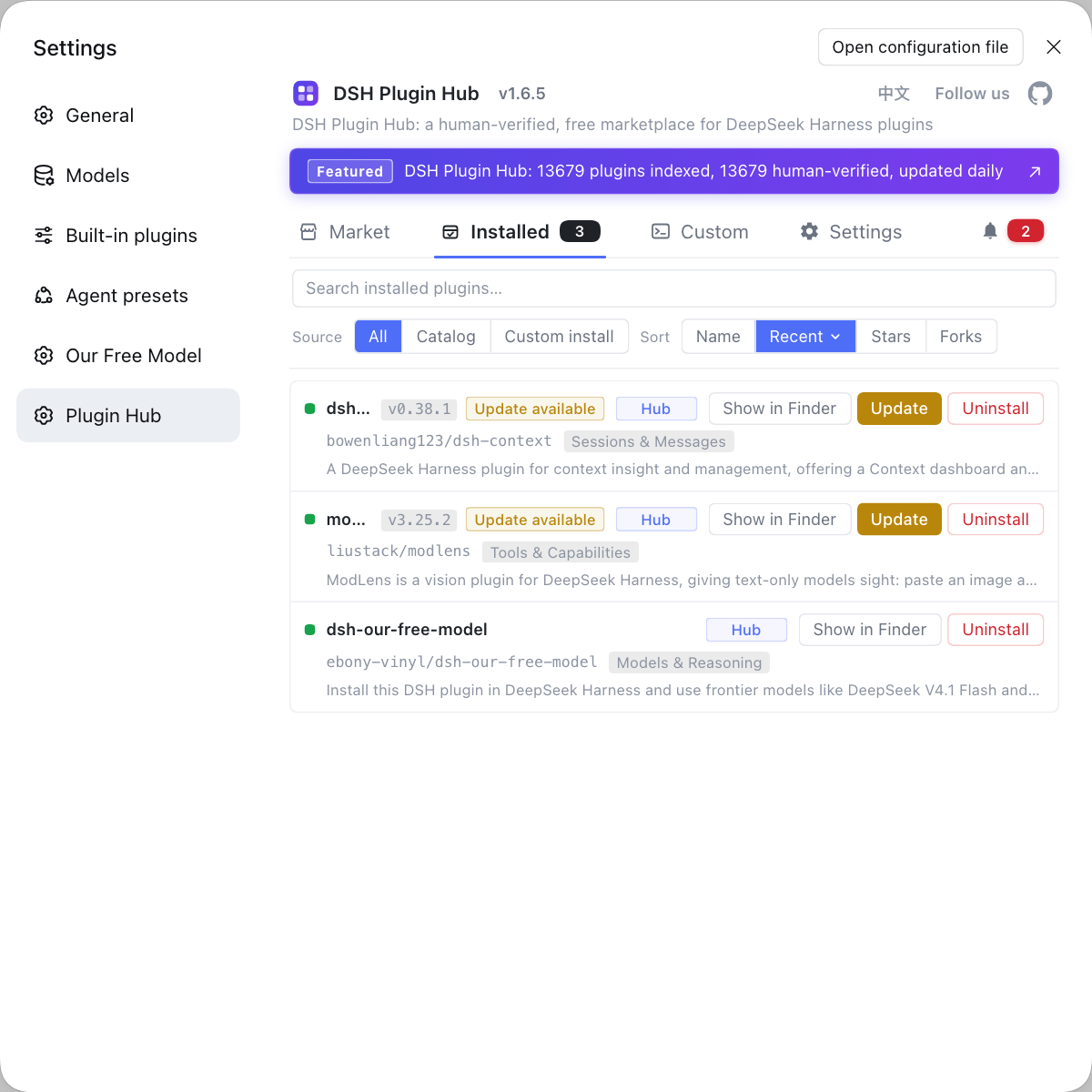
This toolkit is also, at heart, installing and managing plugins — rather than hoarding security plugins and toolbox configs across scattered repos, you can find them together with DSH Plugin Hub, the official community market for DeepSeek Harness at https://dsh-plugin.org/: browsing, one-click install, uninstall and update detection in one place, and centralized management with update badges in the installed list.
Sources: dsh-pentest (dsh-plugin.org), dsh-pentester (dsh-plugin.org), dsh-redteam-model (dsh-plugin.org), dsh CLI README.
FAQ
Pentest DSH plugins solve the problem of folding security testing and CTF workflows into a DeepSeek Harness session, under authorization: they freeze the methodology, process orchestration, evidence chain and toolbox in place so the agent advances at a set cadence. They do not change model capability; they add process and tools, turning scattered commands and notes into a reproducible chain.
Both are DSH plugins, but they lean differently: dsh-pentest is a pentest mode that records targets, explored clues, verification results and asset vulnerabilities and shows an exploration-chain graph in the web UI, while dsh-pentester follows PTES methodology with a Root-Orchestrator pattern that delegates parallel subagents and attaches a Docker toolbox. Choose the former for recording and visualization, the latter for orchestration and multi-agent work.
Red-team and CTF DSH plugins target different scenarios: dsh-redteam-model turns DSH into a red-team operations workbench with ten built-in security-research modes and phase-gate governance, while dsh-plugin-ctf targets capture-the-flag contests with 11 topic skills, an evidence-review flow and an isolated browser. The former suits drills and live workflows; the latter suits competition solving and writeup reproduction.
Using pentest DSH plugins must stay inside a written, authorized scope — test only assets you own or are explicitly authorized to test, because unauthorized testing can be illegal. Validate the flow in a self-built lab or CTF environment first, isolate network and data, keep a full trail, and set a clear stop condition for the engagement.
Pentest and red-team DSH plugins install uniformly through the plugin market or the command line, and updates are handled centrally in the installed list. Open DSH Plugin Hub, find the entry by keywords such as pentest, redteam or ctf and install it with one click, or run dsh plugin --profile web add dsh-pentester; restart dsh web afterwards for it to take effect.
Related Terms
- dsh-pentest
- dsh-pentest is a pentest-mode DSH plugin for DeepSeek Harness that organizes an authorized penetration flow into an actionable exploration chain, recording targets, clues, verification results and asset vulnerabilities and presenting them as an exploration-chain graph in the web UI.— dsh-pentest (dsh-plugin.org)
- dsh-pentester
- dsh-pentester is a pentest-orchestration DSH plugin for DeepSeek Harness that applies PTES methodology as an executable flow using a Root-Orchestrator pattern, delegating parallel subagents for reconnaissance, exploitation and reporting, with a Docker toolbox attached.— dsh-pentester (dsh-plugin.org)
- PTES
- PTES is a penetration testing execution standard methodology that divides a test into stages such as intelligence gathering, threat modeling, vulnerability analysis, exploitation, post-exploitation and reporting. DSH plugins such as dsh-pentester use it to organize subagents and stage progression.— dsh-pentester (dsh-plugin.org)
- CTF
- CTF (Capture The Flag) is a class of information-security competition in which participants solve challenges to obtain a flag. DSH plugins such as dsh-plugin-ctf bring web, reverse, Pwn and forensics solving flows into the session and provide evidence review.— dsh-plugin-ctf (dsh-plugin.org)
Sources
- dsh-pentest (dsh-plugin.org plugin entry)· dsh-plugin.org
- dsh-pentester (dsh-plugin.org plugin entry)· dsh-plugin.org
- dsh-redteam-model (dsh-plugin.org plugin entry)· dsh-plugin.org
- dsh CLI README (plugin add semantics)· deepseek-ai