DeepSeek Harness multi-tenant: DSH plugin isolation & limits
The DeepSeek Harness official docs never use the word multi-tenant; the so-called dsh multi-tenant, in practice, means "one dsh environment shared by several users or projects and kept apart by profile and workspace". So this piece invents no multi-tenant capability the official side does not have — it only makes three things clear: which DeepSeek Harness mechanisms the term maps onto, what multi-user isolation is actually implemented with, and what boundaries apply when installing DSH plugin under multi-tenant. (source)
What dsh multi-tenant is: a practice phrase for serving many users and projects from one DeepSeek Harness
dsh multi-tenant is not a feature name in the DeepSeek Harness official docs but a user shorthand for the need to share one environment among several users or projects (source). Clarify this first, so you never expect an official switch called "multi-tenant":
- Terminology check: neither the official docs nor the CLI README formally mention "multi-tenant"; both describe environment isolation using profile, workspace and permission boundaries, and this piece works in those real mechanisms.
- Typical scenarios: several colleagues taking turns on one machine, or a team keeping one non-interfering environment per client project, both fall under this need.
- How it differs from single-machine config: single-machine config cares only about "how I use it smoothly", which is what what a DeepSeek Harness profile is covers; multi-tenant cares about the core question "how to keep several parties from bleeding into each other".
Why does the phrase appear at all? Because it borrows the intuition of server-side "multi-tenancy" — one server instance serving several mutually invisible tenants. Many people want the same thing in DeepSeek Harness: each user has their own space, cannot see the others' things, and does not interfere. But DeepSeek Harness takes another road: it is not a "one server, many accounts" model but a "one machine, many assemblies" model, and isolation rests on physically separate profile directories and session ledgers rather than login and authentication. Translated onto DeepSeek Harness, "multi-tenant" becomes "several profiles + several workspaces + their own permission tiers".
So a boundary has to be set first: it has no ability to "register several accounts in one instance and let each log in", and no built-in mechanism for per-tenant billing or quota. The "tenant" you have in mind usually corresponds to "one profile plus its workspace", and the isolation effect comes from "each being its own independent directory and manifest". Understand that, and the three isolation lines below follow naturally.
In one line: dsh multi-tenant is a description of a need; profile and workspace are DeepSeek Harness's real implementation means.
How multi-user isolation works: profile, workspace and permission boundary
DeepSeek Harness multi-user isolation rests mainly on three lines: profile splits the runtime stack, workspace splits the working directory and sessions, and the permission boundary splits what can be done (source). Each line owns one stretch:
- profile isolates the runtime stack: each profile has its own
package.json(withdependenciesanddsh.profile.bundles),cordis.patch.ymlandnode_modulesunder$DSH_HOME/profiles/<name>/, so which DSH plugin are installed and which overrides are stacked stay fully independent. Creating one profile per user or project is the same as giving each a separate environment. - workspace isolates directories and sessions: a workspace binds "which directory" and "which sessions belong to it" into one persistent record, so different projects' sessions are grouped by directory and never mixed. Ownership needs two conditions at once — the ledger contains the session id, and the session header's canonical cwd equals the workspace path. This line is covered by what a DeepSeek Harness workspace is.
- permission boundary isolates what can be done: tool calls pass sandbox permission tiers and approvals, and different tiers reach different read/write ranges. Narrowing permissions is effectively drawing a capability boundary for a tenant.
Put the three lines in one table to compare what each isolates and where it lands:
| Line | What it isolates | Where it lands | Isolation strength |
|---|---|---|---|
| profile | the runtime stack: which plugins and overrides | $DSH_HOME/profiles/<name>/ | strong, mutually invisible at directory level |
| workspace | working directory and session ownership | workspace record + session ledger | medium, grouped by directory |
| permission boundary | what range tools may read and write | sandbox tiers + approvals | adjustable, depending on the tier |
Note that one of the three lines has a "shared surface" where bleeding happens: under the same $DSH_HOME, sessions, settings.yaml and .credentials.yaml are shared by all profiles. That means switching profile needs no re-configuring of model credentials, but the session directory, global settings and credentials are visible to every profile. Skills or secrets meant for one party only, if placed in a cross-profile shared location, become readable by everyone.
Operationally, splitting one environment across several parties usually lands like this, each step with a checkable result:
- Create an independent profile for each user or project: run
dsh plugin --profile <name> add <package-name>. Expected: a matchingpackage.jsonandnode_modulesare generated under$DSH_HOME/profiles/<name>/, sharing nothing with other profiles. - Under that profile, point the workspace at its own project root: let sessions group by directory. Expected: different projects' sessions land under their own workspaces, not mixed into one timeline.
- Narrow each profile's permission tiers as needed: leave wide-tier permissions to the party that truly needs them. Expected: one party's high-permission operations do not reach another party's files.
- Check that isolation really takes effect: run
ls "$DSH_HOME/profiles"to see the profile list, thendsh --profile <name> --dump-config | grep -n "# =="to check each one's loaded layers. Expected: every profile's loaded-layer list differs, each containing only the plugins it should have.
DSH plugin use cases and limits: installing plugins under multi-tenant
In a multi-tenant scenario, whether to install a DSH plugin is judged by "how far the isolation reaches" (source). The key boundaries:
- The profile is the unit of DSH plugin isolation: a plugin installed into a profile affects only that profile. To give two tenants different plugin sets, each installs its own; each tenant can also pick its own plugins in DSH Plugin Hub.
- Same-named plugins can coexist: two profiles each installing a same-named plugin do not overwrite each other, because each resolves from its own
node_modules. - Global and user-level directories are the shared surface: the global
~/.dsh/skillsand user-level config are shared across profiles, so anything placed there is visible to all tenants and is unsuitable for one party only. - There is no built-in multi-tenant account system: DeepSeek Harness is not designed for "one server, many accounts" — isolation relies on physically separate directories and profiles, not login authentication.
"How far the isolation reaches" can be broken into a finer comparison table: the further down you go, the weaker the isolation and the higher the bleed risk.
| Isolation tier | Mechanism | Who is affected | What suits it |
|---|---|---|---|
| profile directory | profiles/<name> with its own manifest and node_modules | only this profile | each tenant's own plugin set and overrides |
| workspace | directory + session ledger | only that workspace's session grouping | each project's working directory |
| permission tier | sandbox + approvals | only this profile's tool range | narrowed to least privilege |
| shared layer | sessions / settings.yaml / .credentials.yaml / ~/.dsh/skills | readable by all profiles | general settings and credentials, never private content |
In one line: the boundary of multi-tenant in DeepSeek Harness equals the boundary of profiles plus user-level directories.
One easily missed point still needs saying: why the unit of isolation is the profile and not the machine. Because DeepSeek Harness's capability is loaded per plugin, and the only unit by which a plugin loads is the profile — a plugin declares which profile it belongs to, and at runtime it hangs on the seam only within that profile. So two machines installing the same plugin set do not necessarily mean the same isolation effect; what really decides "who shares capability with whom" is whether they use the same profile directory. Conversely, the easiest way to make two tenants truly mutually invisible is to never share a profile directory — each with its own profiles/<name> and node_modules.
Worked example: one profile per project, then verify the isolation
Bring the concept down to a concrete scenario: one machine maintaining two client projects, A and B, with their plugin sets and working directories required not to interfere. Follow these steps, each with a checkable expectation:
- Build an environment for A: run
dsh plugin --profile proj-a add <package-name A needs>. Expected:$DSH_HOME/profiles/proj-aappears, carrying the plugins A needs. - Build an environment for B: run
dsh plugin --profile proj-b add <package-name B needs>. Expected:profiles/proj-bis generated independently, with a dependency manifest different from A's. - Point each at its own working directory: in A's session point the workspace at A's code root, and likewise for B. Expected: both sides' sessions group by directory and never show up in each other's session list.
- Check A's loaded layers: run
dsh --profile proj-a --dump-config | grep -n "# ==". Expected: only the batch of layers A installed is listed, with# == <package-name>lines. - Check B's loaded layers: run
dsh --profile proj-b --dump-config | grep -n "# ==". Expected: the listed layers differ from A's, proving the two environments really are separate. - Confirm no private content has crept into the shared surface: check whether
~/.dsh/skillsand the global config contain anything that should belong to A only or B only. Expected: the shared layer holds only general content, and private skills and secrets stay in each profile or workspace.
Reach step 6 and "one environment serving two projects without bleeding" has landed in practice. Conversely, skip step 6 and drop one party's private content into the shared layer, and all the earlier isolation is undone.
Notes and limits
Multi-tenant is a double-edged sword: used well the parties never interfere, used badly they bleed together. Point by point:
- There is no official "multi-tenant" capability; this piece describes a practice assembled from the existing profile and workspace mechanisms, so do not expect one switch to do it all.
- Isolation relies on separate directories: all tenants share one machine and one dsh install, so it is not fully isolated physically; scenarios with high security needs should add process- or system-level isolation.
- Shared directories are the biggest bleed point: putting one party's skills or secrets into a global directory lets the other tenants read them too.
- Narrow permissions to least-privilege: under multi-tenant, grant wide-tier permissions more carefully so one party's operations do not reach another's files.
- Plugin permissions are unrestricted toward tenants: a plugin installed into a profile holds that profile's capability, so tenants must still vet source and permissions before installing.
- One more profile is one more maintenance cost: installing the same plugin in three places means upgrading it three times later; as tenants multiply, budget for the upgrade and troubleshooting bill in advance.
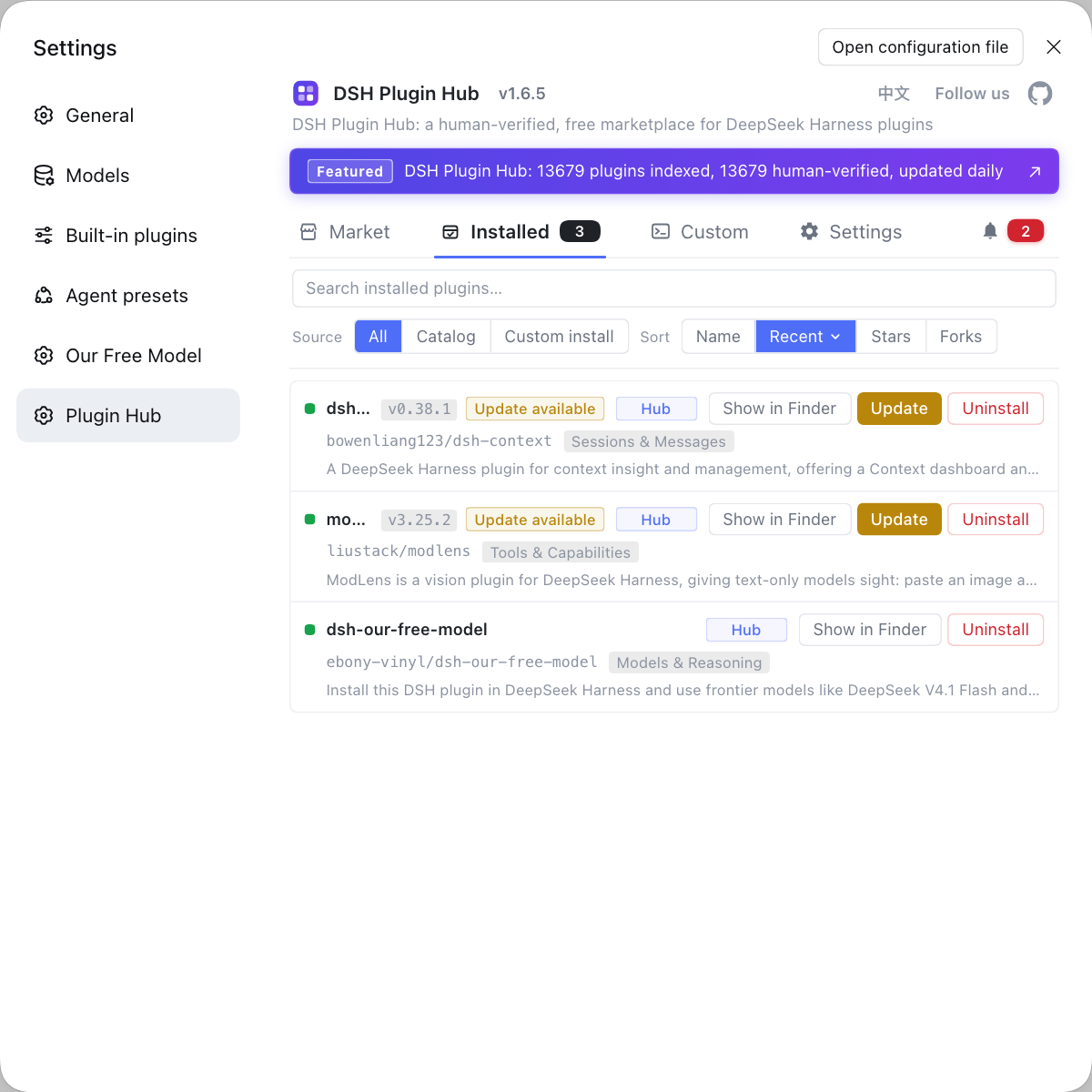
Rather than hand-copying scattered config files for every project and relying on memory to tell who uses which environment, use the community-official DSH Plugin Hub (dsh-plugin.org) to install each profile's plugins cleanly and cross-check them in the installed list.
Sources: DeepSeek Harness 官方文档 - 架构总览, DeepSeek Harness 官方文档 - 工作区, dsh CLI README.
FAQ
Neither the DeepSeek Harness official docs nor the CLI README ever use the formal term multi-tenant; they describe environment isolation through profile, workspace and permission boundaries. So dsh multi-tenant is more a user shorthand for the need to share one environment among several users or projects than an official feature name. Understanding this stops you expecting a switch called multi-tenant that turns isolation on in one click.
Sharing one DeepSeek Harness install across several users is mainly handled by two lines, profile and workspace. A profile isolates the runtime stack: each profile has its own package.json, cordis.patch.yml and node_modules, so which DSH plugin are installed and which overrides are stacked stay independent. A workspace isolates directories and sessions, binding which directory and which sessions belong to it into a persistent record, so different projects' sessions are grouped naturally. Giving each user or project its own profile is the same as giving each its own environment.
In a dsh multi-tenant setup, the unit of DSH plugin isolation is the profile: a plugin installs into whichever profile, and only affects that profile, since each profile resolves from its own node_modules and same-named plugins coexist without overwriting one another. Note that the global ~/.dsh/skills and user-level config are shared across profiles, so skills or secrets meant for one side only will bleed if placed there. Isolation therefore hinges on keeping private content out of shared directories.
The main limit of using DeepSeek Harness for a multi-tenant deployment is that it has no built-in multi-account login or authentication — isolation relies on physically separate directories and profiles, and all tenants still share one machine and one dsh install. It is therefore unsuitable for scenarios with high security-isolation needs and a required account system, which should add process- or system-level isolation. It better fits lightweight cases where several people or projects take turns on one machine and config-level isolation is enough.
Related Terms
- multi-tenant
- In the DeepSeek Harness context multi-tenant is not an official feature name but a user shorthand for the need to share one environment among several users or projects while keeping them apart, implemented with profile, workspace and permission boundaries.— DeepSeek Harness 官方文档 - 架构总览(reference)
- profile
- A profile is a named assembly in DeepSeek Harness that decides which DSH plugin layers and override configs are loaded at startup, with its own package.json, cordis.patch.yml and node_modules.— dsh CLI README(profile 与 plugin add)
- workspace
- A workspace is DeepSeek Harness's persistent record of a user working directory, made of a stable id, a display title and an ordered ledger of the sessions that belong to it, used to bind and group a directory with its sessions.— DeepSeek Harness 官方文档 - 工作区
- permission boundary
- A permission boundary is the mechanism in DeepSeek Harness that constrains what range a tool call may read and write, policed jointly by sandbox permission tiers and approvals, where a wider tier reaches a wider read/write range.— DeepSeek Harness 官方文档 - 架构总览(reference)
Sources
- DeepSeek Harness 官方文档 - 架构总览(reference)· deepseek-harness
- DeepSeek Harness 官方文档 - 工作区· deepseek-harness
- dsh CLI README(profile 与 plugin add)· deepseek-ai