DSH plugin agent teams: multi-agent orchestration guide
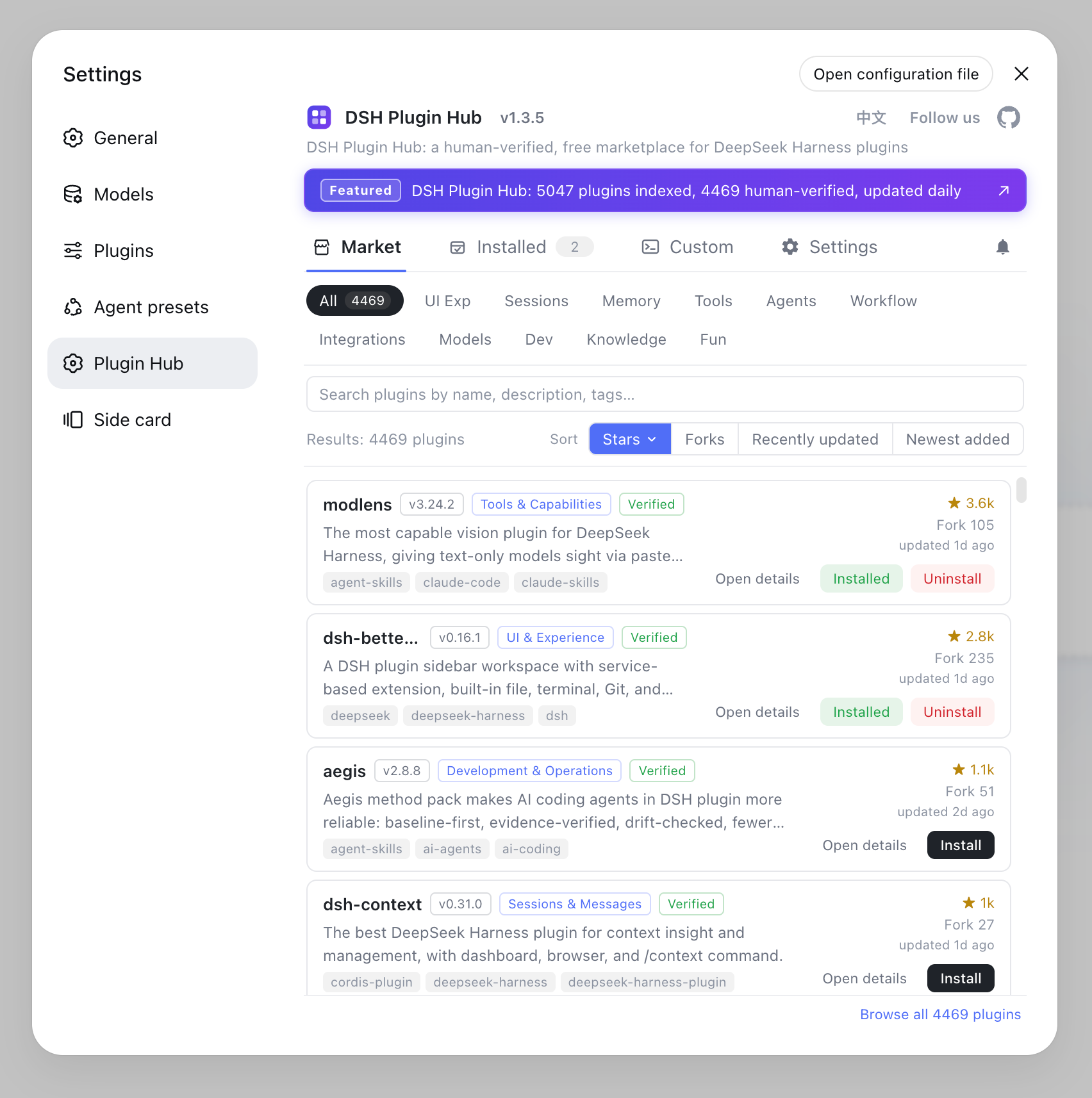
dsh-agent-teams turns your current DeepSeek Harness session into a "captain": it builds a persistent sub-agent team, splits the goal into dependency-aware tasks, and dispatches work through a shared scheduler (source). Getting started takes three steps — install it, hand it a big goal, and watch progress in the panel. It ships its own team protocol, 14 coordination tools, persistent state, and a live web panel, with no separate workflow engine required. To see what other agent or sub-agent plugins exist in the community, filter by purpose in the DSH Plugin Hub.
What the dsh-agent-teams DSH plugin is: turn the current session into a captain
The division of labor is clear: the captain splits the goal, members do the work, and the scheduler hands out tasks by dependency (source). Four key mechanisms:
- Captain delegation: the current session creates the team, assigns roles to members, and compiles one final result;
- Persistent members: members are resumable sub-agents that can be woken again for later turns, not used once and discarded;
- Dependency-aware tasks: tasks carry explicit state, and a task whose dependencies are unmet cannot be claimed, preventing false starts;
- Direct messages and a live panel: members message each other and the captain directly without routing through you; the web panel puts segmented progress, the member roster, and an interactive task dependency graph in one place.
State is file-backed: team data lives under the workspace's .agent-teams/ directory, and the web panel reads that on-disk state and overlays live sub-agent activity.
DSH plugin getting started in three steps: install, delegate, watch the panel
Install → delegate → watch the panel, with only one restart between them (source). Follow this order:
- Install. For CLI / Web:
dsh plugin --profile web add --save-exact @nanmicoder/dsh-agent-teams@0.1.23
Swap --profile for the profile you actually use. Then restart that profile's process and refresh the browser — installing a plugin does not upgrade the host, since plugin and host each have their own latest channel. On desktop, open Plugins → Add plugin in the sidebar, enter the package spec @nanmicoder/dsh-agent-teams@0.1.23, choose Enable now after install, and restart the desktop app if the host asks. Note it is a package spec, not an npm or GitHub web address.
- Delegate. It registers the
/agent-teamscommand, so no "please use AgentTeams" phrasing is needed:
/agent-teams review the commits after v0.5.3 from performance, security, and product angles, and compile a report
Plain natural language can also trigger it. The default flow is plan first: it gives you a not-yet-started member roster and task dependency graph, and only starts scheduling when you click Approve & Run, at which point each member begins with its own first ready task.
- Watch progress. Click View team on the team card in the conversation header or below a reply to open the native Team collaboration tab. Wide windows split into columns and narrow ones stack; clicking a task locates its owner, and clicking a member icon opens that member's session. Closing this tab does not stop the team, and you can reopen it from the conversation; completed teams keep a full archive.
Where the dsh-agent-teams team state lives: one disk record, the panel is a window
The team's source of truth is disk, not the panel: the panel just reads .agent-teams/ and overlays live activity (source). What actually gets persisted:
| Record | What it stores | Why it matters |
|---|---|---|
| Member roster | Each member's id, role, backend, and status | Lets a member be woken again instead of recreated, and lets you see who is idle |
| Tasks and dependencies | Task state plus which tasks must finish first | A task with unmet dependencies cannot be claimed, which is what prevents false starts |
| Inter-member messages | Direct messages between members and the captain | Members coordinate without every exchange passing through you |
| Live activity | The running sub-agent turns, overlaid on the file state | The panel shows progress in real time on top of what has been persisted |
Three conclusions follow:
- Closing the panel does not stop the team — persistence is on disk, so the tab is a view, not the engine;
- A multi-process edit is not coordinated — state files serialize within a single process, so two processes working the same team can conflict;
- The panel shows what was persisted, not what a model intended — a model may occasionally finish work without updating task state, and the display reflects the record.
Which DeepSeek Harness tasks are worth a team, and which get slower
There is only one criterion: can the task be split into independent subtasks that can progress at the same time? (source). A quick judgment table:
| Shape of the task | Verdict | Reason |
|---|---|---|
| Multi-angle review of the same changes | Worth a team | Each role reads independently and results merge into one report |
| Research across several independent sources | Worth a team | Branches do not depend on each other, so they truly run at once |
| Parallel edits across modules with clear boundaries | Worth a team | Conflicting edits are unlikely and work splits cleanly |
| Editing a single file | Not worth it | Coordination overhead outweighs the work itself |
| A strictly serial chain | Not worth it | The dependency graph degenerates into a line; a team adds no speed |
| A task needing constant back-and-forth | Not worth it | The captain still produces a plan to confirm, so small tasks take a detour |
Typical cases worth a team:
- Multi-angle review: give the same set of changes to members in different roles (performance / security / product) to read in parallel, then merge into one report;
- Multi-source research: run several independent research branches at once, each member bringing back its own conclusions;
- Parallel cross-module changes: engineering work with clear module boundaries and non-conflicting edits.
Typical cases not worth a team:
- Small tasks that edit one file: the coordination overhead outweighs the work itself;
- Tightly serial coupling: every step waits on the last, so the dependency graph degenerates into a line and a team adds no speed;
- Frequent back-and-forth confirmation: the captain also produces a plan for you to confirm, so small tasks take a detour.
Relation to the DeepSeek Harness sub-agent mechanism, and member boundaries
Members are sub-agents: the member backend uses the DeepSeek Harness subagent mechanism, and memberProvider refers to the sub-agent runtime backend (spawn / fork), not the LLM provider (source). A few boundaries to keep in mind:
- Members are zero-interaction by default: by default members inherit the captain's current model route, auto-snapshotting the provider, model, and reasoning effort; you only specify a member's
provider+modelwhen you explicitly want a heterogeneous team; - You can switch the model backend but not the LLM source by default:
memberProvideronly switches how a sub-agent runs; to route across model providers, use the member-level optional fields; - Nesting is off by default:
memberMaxDepthdefaults to0, so members cannot spawn nested sub-agents; set it to1to allow one level; - Tool policies are visibility, not a sandbox: the
allow/denyintoolPoliciestrim the global tools the model can see; this is a policy layer, not an OS sandbox or authorization boundary; - One captain, one active team: a captain carries only one team at a time, state files serialize within a single process, and multiple processes editing the same team are not coordinated;
- The panel shows persisted state truthfully: a model may occasionally finish work without updating task state, and the panel shows what has been persisted.
To configure subagent delegation itself more deeply (how providers register, how to pick a backend by name), see how to configure subagent delegation; for day-to-day install / uninstall command details, see how to uninstall plugins with dsh plugin remove.
Is the dsh-agent-teams DSH plugin actually running? Three checks
Before blaming the model, confirm the install landed and the host picked it up (source). Run these from the profile directory you installed into:
dsh plugin --profile web list
# should show @nanmicoder/dsh-agent-teams with its pinned version

grep -A5 '"dependencies"' "$DSH_HOME/profiles/web/package.json"
# should list the package key with the 0.1.23 spec

grep -R "agent-teams" "$DSH_HOME/profiles/web/cordis.patch.yml"
# should show the bundle registered by the plugin

ls -la .agent-teams/
# after a run, should show the team state files
Expected: list and package.json agree on the same version, the patch file mentions agent-teams, and .agent-teams/ appears only after you have started at least one team. If the manifest lists the package but the panel shows no team tab, the usual cause is a missing host process restart, because the running process still holds the old set.
Common misconceptions about the dsh-agent-teams DSH plugin
- Thinking a team is always faster: a team buys coordination, and coordination costs overhead; on serial or single-file work it is slower than doing it yourself.
- Expecting a web address to install it: this is a package spec (
@nanmicoder/dsh-agent-teams@0.1.23), not an npm or GitHub URL, and Git installs need a commit that contains build artifacts. - Assuming members can nest freely:
memberMaxDepthdefaults to0, so members cannot spawn sub-agents until you explicitly allow a level. - Reading
toolPoliciesas a sandbox:allow/denyonly trim the tools the model can see and call on the model side; they are not an OS sandbox or an authorization boundary. - Believing the panel is the engine: the panel reads persisted
.agent-teams/state and overlays live turns; closing the tab does not stop the team, and the display reflects the record rather than a model's intent.
Notes on the dsh-agent-teams DSH plugin
In one line: it suits splittable parallel work, and remember to restart the host process after install.
- Install the package spec:
@nanmicoder/dsh-agent-teams@0.1.23, not a web address; Git installs need a commit with build artifacts; - Match the host version: this plugin recommends host
0.2.0-rc.2, and since the host is still an RC, each has its ownlatestchannel; - Restart after install: without a restart the process still runs the old set;
- Do not team up for small tasks: coordination overhead and plan confirmation slow simple tasks down;
- No nesting by default: members cannot spawn sub-agents unless you explicitly allow a level;
- Plan before execution: by default you must click Approve & Run to schedule, an intentional confirmation gate;
- Check similar plugins in the market: the DSH Plugin Hub lets you compare agent / sub-agent plugins and their source repos.
Sources: DeepSeek Harness Docs - Subagent subsystem, DeepSeek Harness CLI official README, Community plugin repo - dsh-agent-teams, dsh-agent-teams plugin entry.
FAQ
The dsh-agent-teams DSH plugin turns your current DeepSeek Harness session into a "captain" that automatically builds a persistent sub-agent team to do the work. The captain creates the team, assigns roles, splits the goal into tasks with dependencies, and compiles a final result. It ships its own team protocol, 14 coordination tools, persistent state, a shared task scheduler, and a live web panel, so no separate workflow engine is needed. Members are resumable sub-agents that idle, claim the next ready task, and can be woken again for later turns, and they can message each other directly rather than routing everything through you.
Getting a DSH plugin agent team running takes three steps: install it, hand it a big goal, then watch progress in the panel. Install with dsh plugin --profile web add --save-exact @nanmicoder/dsh-agent-teams@0.1.23, then restart the profile process and refresh the browser. Installing a plugin does not upgrade the host, because plugin and host each have their own latest channel. Then type /agent-teams <goal> or say "Use AgentTeams to..." in natural language. By default it first gives you a not-yet-started member roster and task dependency graph, and only starts scheduling when you click Approve & Run.
Manually opened sub-agents are one-off delegations you watch one by one, whereas the DSH plugin gives you persistent members plus a shared scheduler. Members are resumable sub-agents that idle then claim the next ready task, and can be woken for later turns; they can message each other directly without routing through you. Tasks carry explicit dependency state, tasks with unmet dependencies cannot be claimed, and the captain produces one merged result. The trade-off is that you gain coordination but also coordination overhead, so it pays off on work that can really run in parallel.
With a DSH plugin agent team, naturally splittable and independent parallel subtasks are worth it; small, tightly serial work is slower. Good examples are multi-angle code review, multi-source research, and parallel changes across modules — these really do progress at once. Conversely, editing one file, tasks that need frequent back-and-forth, or tasks where every step depends on the last, only add coordination overhead. The captain also produces a plan for you to confirm first, so small tasks take a detour. A quick test: if you cannot name two subtasks that could start at the same moment, a team will not speed it up.
In a DSH plugin team, not by default — the member nesting depth memberMaxDepth defaults to 0, so members cannot spawn nested sub-agents. To allow it, set it to 1 for one explicit level. To trim a member's tools, declare allow / deny by id in the toolPolicies config: deny hides those global tools from that member's schema and refuses calls, while allow keeps only the listed tools (the four coordination tools always remain). Note this is a model-side tool-visibility and call policy, not an OS sandbox or authorization boundary.
Related Terms
- dsh-agent-teams
- dsh-agent-teams is a multi-agent team collaboration plugin for DeepSeek Harness: it turns the current session into a captain, builds a persistent sub-agent team, splits dependency-aware tasks, and coordinates through messages without a separate workflow engine.— Community plugin repo - dsh-agent-teams
- captain
- The captain is the controlling session in a team: it creates the team, assigns roles, splits the goal into dependency-aware tasks, compiles the final result, and archives the whole team record. Only one captain with one active team runs at a time.— Community plugin repo - dsh-agent-teams
- sub-agent
- A sub-agent is the sub-agent mechanism in DeepSeek Harness that can be delegated work, and it is the runtime form of a dsh-agent-teams member — a member is a resumable sub-agent that can be woken for later turns.— DeepSeek Harness Docs - Subagent subsystem
- toolPolicies
- toolPolicies is the member tool policy config in dsh-agent-teams; it declares allow / deny lists by member id to trim the global tools that member can see. It belongs to model-side tool visibility and call policy, not an OS sandbox or authorization boundary.— Community plugin repo - dsh-agent-teams
Sources
- DeepSeek Harness Docs - Subagent subsystem· deepseek-harness
- DSH CLI official README (plugin add and profiles)· deepseek-ai
- Community plugin repo - dsh-agent-teams· community
- dsh-agent-teams plugin entry· DSH Plugin Hub