How to add a memory MCP plugin to DeepSeek Harness
DeepSeek Harness connects MCP memory servers through @deepseek-ai/dsh-mcp-client: local servers use transport: stdio with command and args, remote ones use streamable-http with url and headers, and the model side sees tools named mcp__<serverName>__<tool>. Three reference configs ship for memorix, mcp-reference-memory and engram, all off by default and loaded with --patch.
How to connect a memory MCP server in DeepSeek Harness: dsh-mcp-client and three reference configs
DeepSeek Harness provides MCP support through the client package @deepseek-ai/dsh-mcp-client, and the project ships three reference configs for memorix, mcp-reference-memory and engram under apps/cli/config/examples/mcp-memory, all off by default (source). Connecting takes four steps:
- Know the reference configs — the three overlays target different memory backends:
memorix.cordis.yml,mcp-reference-memory.cordis.ymlandengram.cordis.yml. Expected: pick the one closest to your needs as a template. - Choose a load method — point
--patchat the file, or move its contents into$DSH_HOME/profiles/<name>/cordis.patch.yml. Expected: without loading, these configs do nothing at all. - Set data directory variables — add
MEMORIX_DATA_DIR,MEMORY_FILE_PATH,ENGRAM_DATA_DIRorENGRAM_PROJECTper backend. Expected: data lands in the directory you choose, easy to back up. - Verify at startup — after launch, check the tool list for
mcp__-prefixed tools. Expected: their appearance means the connection succeeded.
How to configure a local MCP server in DeepSeek Harness: transport: stdio and command
A local MCP server uses transport: stdio in the plugin entry with command, args, env and cwd fields, and serverName gives the service name; at startup the command is launched as a child process communicating over standard input and output (source). The field list:
name— the plugin name, pointing at@deepseek-ai/dsh-mcp-client.serverName— the name of this MCP service, deciding the tool prefix. Expected: choose a clear, stable name such asmemory.transport: stdio— declares communication through a local child process.commandandargs— the executable to launch and its arguments. Expected: the command must be runnable on the target machine.envandcwd— environment variables and working directory passed to the child process. Expected: data-directory variables usually go here.insertandid— control placement and unique identity so the entry coexists with existing config.
# $DSH_HOME/profiles/<profile>/cordis.patch.yml (illustrative structure)
- insert:
    - name: "@deepseek-ai/dsh-mcp-client"
      id: memory-mcp
      config:
        serverName: memory
        transport: stdio
        command: npx
        args: ["-y", "some-memory-mcp"]
        env:
          MEMORY_FILE_PATH: /path/to/memory.json
How to configure a remote MCP server in DeepSeek Harness: streamable-http and tool naming
A remote MCP server sets transport to streamable-http and supplies url plus optional headers; once connected, tools are exposed to the model as mcp__<serverName>__<tool> (source). Configure it like this:
- Switch to a remote transport —
transport: streamable-httpwithurlpointing at the server. Expected: no local child process is needed. - Add auth headers — put a token in
headerswhen auth is required. Expected: never commit long-lived tokens to a repository. - Know the full tool name — a server tool
searchunderserverName: memoryis exposed asmcp__memory__search. Expected: the model calls by the full name, and renaming it breaks the call. - Verify connectivity — trigger a retrieval-style operation after startup. Expected: results coming back mean the path works.
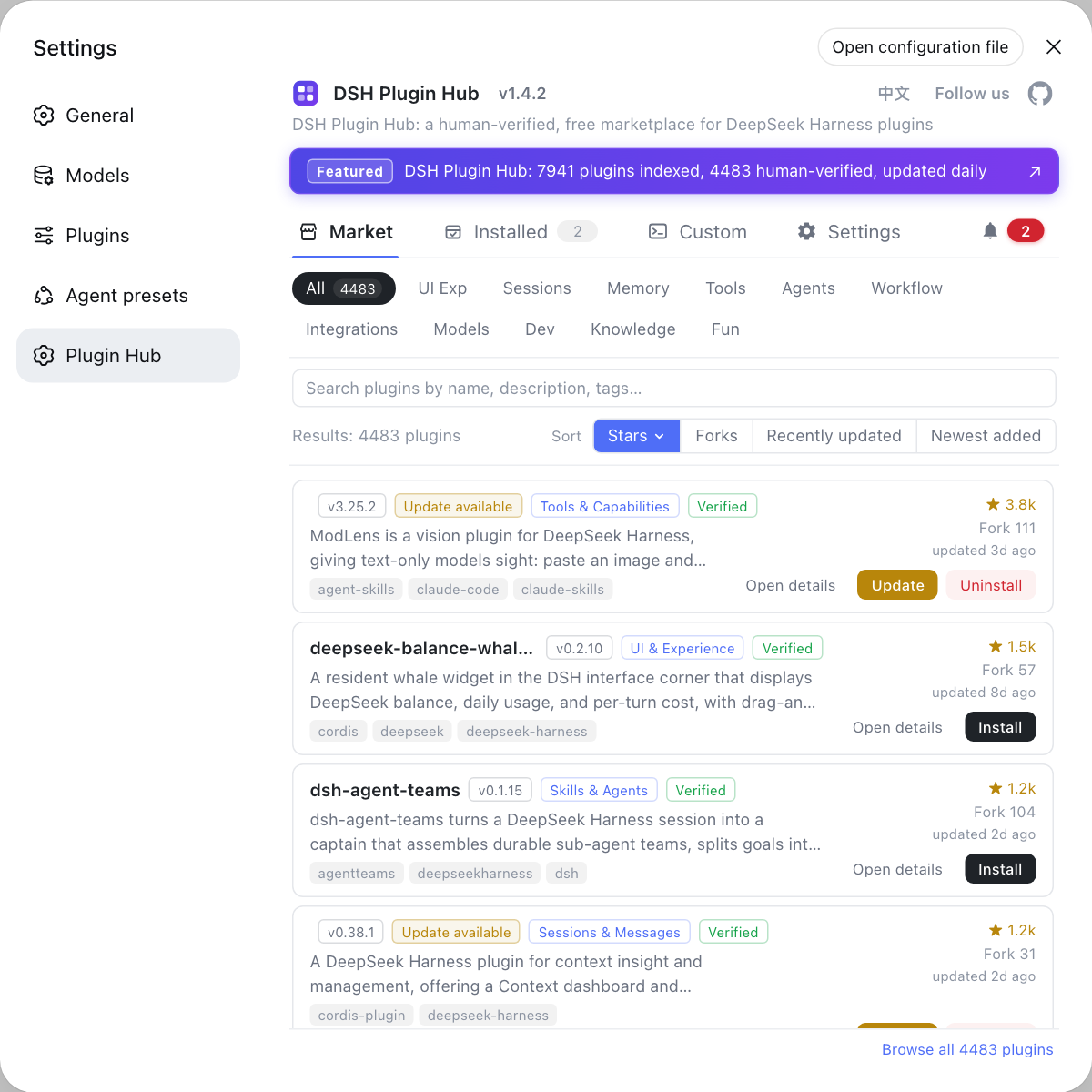
If you want ready-made DSH plugins for memory instead of wiring MCP yourself, filter by "memory" in the DSH Plugin Hub.
Caveats and limits of DeepSeek Harness MCP memory configuration
- Reference configs are off by default: the three under
apps/cli/config/examples/mcp-memoryare examples only and need--patchor a move into a patch to take effect. serverNamedecides the tool name: changing it changesmcp__<serverName>__<tool>, breaking calls you already wrote.commandmust run locally: the stdio approach depends on a locally executable command, which may be absent in CI or a container.- Keep tokens out of the repo: remote MCP
headersoften carry a token, so inject them from environment variables. - Set data directories explicitly: without
MEMORIX_DATA_DIRand similar variables, data may land on a default path that is hard to find when backing up or migrating.
For the install side of MCP plugins, see dsh plugin multi-profile install; for override order, see How to change DSH plugin config.
Sources: MCP memory (official docs), dsh CLI README (official repository)
FAQ
DeepSeek Harness connects to MCP servers through the client package @deepseek-ai/dsh-mcp-client, and the project ships three reference configs for memorix, mcp-reference-memory and engram under apps/cli/config/examples/mcp-memory. Those three are off by default and must be loaded with --patch.
A local MCP server uses transport: stdio in the plugin entry, with fields for command, args, env and cwd, and the service name given by serverName. At startup the command is launched as a child process that communicates over standard input and output.
A remote MCP server sets transport to streamable-http and supplies url plus optional headers. Unlike stdio it needs no local child process, which suits an existing memory service endpoint.
DeepSeek Harness exposes each MCP server's tools as mcp__<serverName>__<tool>, where serverName is the service name from your config and tool is the name the server exposes. The model calls by this full name, so serverName should be clear and stable.
Because they are only example overlays under apps/cli/config/examples/mcp-memory and are not loaded by default. To use one, point the startup flag --patch at the matching cordis.yml, or move its contents into a profile cordis.patch.yml.
Related Terms
- dsh-mcp-client
- dsh-mcp-client is the MCP client plugin package of DeepSeek Harness (@deepseek-ai/dsh-mcp-client), which connects supported MCP servers and exposes their tools to the model.— DeepSeek Harness official docs - MCP memory
- MCP
- MCP (Model Context Protocol) is the open standard for connecting external tools and data sources to a model under one protocol, and DeepSeek Harness consumes MCP servers as a client through dsh-mcp-client.— DeepSeek Harness official docs - MCP memory
- transport: stdio
- transport: stdio is how DeepSeek Harness connects a local MCP server, launching a child process via command, args, env and cwd and communicating over standard input and output.— DeepSeek Harness official docs - MCP memory
- mcp__<serverName>__<tool>
- mcp__<serverName>__<tool> is the naming rule DeepSeek Harness uses when exposing MCP tools, where serverName is the configured service name and tool is the server-side tool name, and the model calls by this full name.— DeepSeek Harness official docs - MCP memory
Sources
- DeepSeek Harness official docs - MCP memory· deepseek-ai
- dsh CLI README· deepseek-ai