Install DSH plugins safely: trust & GitHub allowBuilds
To install DSH plugins safely, grade the source first: marketplace picks and npm prebuilt packages are the low-risk options; a GitHub source install fetches source rather than build artifacts and may ask you to grant build-script execution through the allowBuilds allowlist — which the official docs define as permission to run that package's code on your machine at install time. Grant it only to packages you trust, and pin the commit.
First, grade the source: a trust ladder
Before installing, answer "where is this plugin from and what is its code", then choose how to install. By trust level, high to low:
- Plugins curated by official docs and community marketplaces: human-picked with traceable origin (such as the entries in DSH Plugin Hub) — the least hassle for beginners.
- npm prebuilt packages: artifacts are built at publish time, so
dsh plugin add package-nameworks immediately and no build script runs — the smallest risk surface (source). - GitHub source: the most flexible but your responsibility — you get source, not artifacts, and may need to authorize a build script, as below.
The rule: you are not trusting "this command"; you are trusting "this package's code will run on your machine". Only install source you can read or whose origin you trust enough.
The build-script catch of GitHub source installs
dsh plugin add github:owner/repo fetches source, not build artifacts, and two points deserve attention (official tutorial wording, source):
- Missing artifacts fail to load: a git install runs no build script. When a TypeScript repo does not commit
lib/, the installed package has no entry file and fails to load — not your mistake, the package just ships no artifacts. - The prepare script needs authorization: pnpm 10 refuses to run a git dependency's build script by default, so the first
addfails and prints the exact package key to allow. Allow it by writing it into the profile'spnpm-workspace.yaml:then re-runyamlallowBuilds: dsh-hello-plugin: trueadd(pnpm allowlist docs).
Read the official definition of allowBuilds carefully: it is permission to execute that package's code on your machine at install time — outside any sandbox. Therefore:
- allow only packages whose source you reviewed and trust;
- when in doubt, install the npm build instead (prebuilt, no authorization needed).
The safe-install workflow
Turn "trust + pin + verify" into a process rather than luck. Work through these 5 steps:
- Pick the source: prefer DSH Plugin Hub listings or npm prebuilt packages; go GitHub only when you need to debug the source.
- Review the code (GitHub source):
git clonelocally and read package.json, the entry file, and the prepare script; confirm nothing suspicious before installing. - Pin the commit: do not install a floating latest; pin the exact commit so a later push cannot silently change what runs:
bash
dsh plugin --profile web add github:owner/repo#sha - Authorize the build script when needed: when prepare is refused, write the exact package key pnpm printed into the profile's
pnpm-workspace.yamlallowBuildsand re-runadd. If unsure, skip the grant and use the prebuilt version. - Verify after install: confirm the plugin loads and behaves as expected; uninstall anything anomalous immediately. The officially recommended distribution paths are publishing to npm with artifacts built at
pnpm publishtime, or shipping a tarball frompnpm pack— neither needs any build authorization (source).
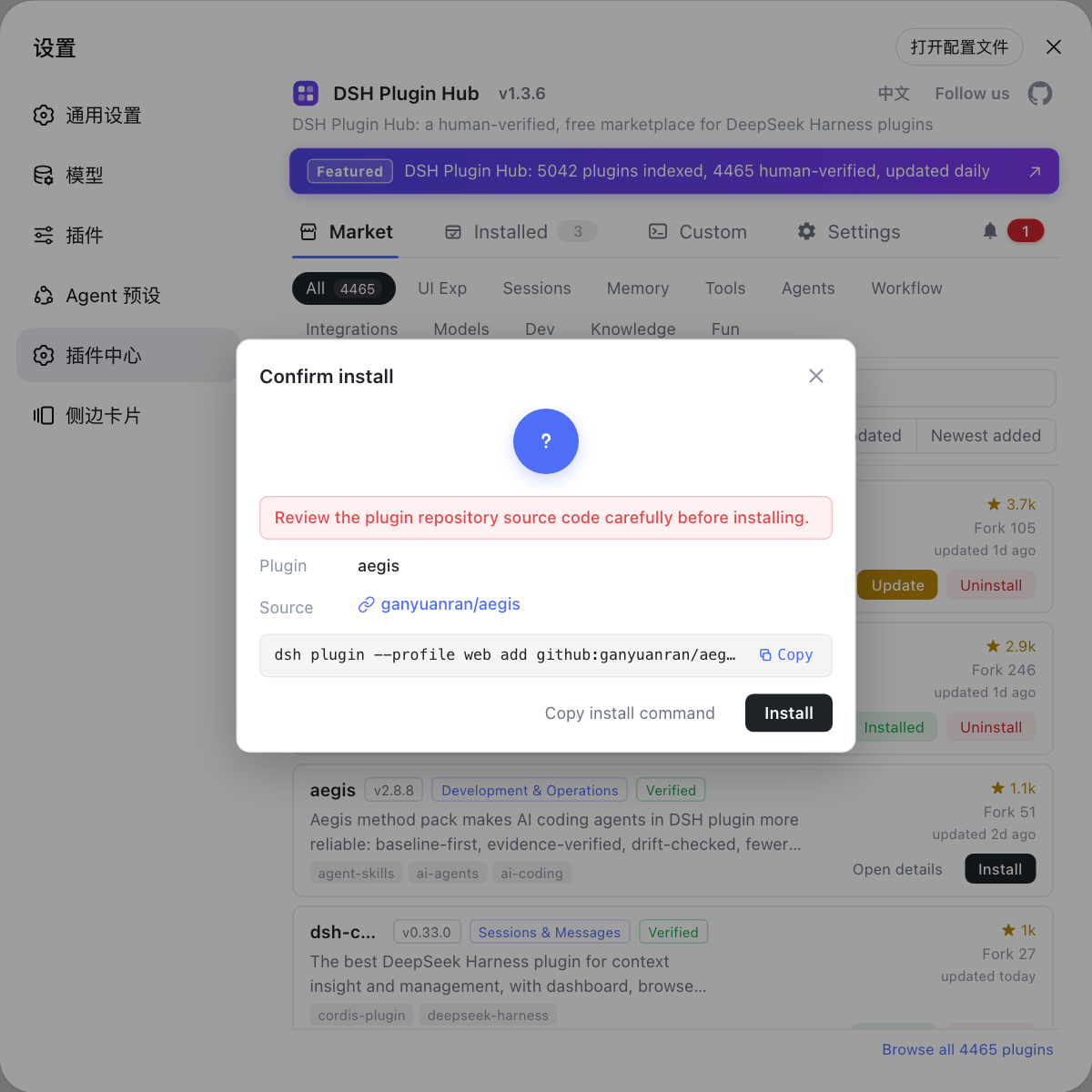
Notes
- GitHub source install ≠ trust: it fetches source, may lack artifacts, and may require executing a build script.
allowBuildsis real execution permission — grant it only to reviewed packages (source).- Pinning a commit (
#sha) prevents content drift after repository pushes. - When unsure, install the npm prebuilt version — no authorization, ready to use.
- Verify the entry file and behavior after install; uninstall anything anomalous.
- For zero hassle, install from the DSH Plugin Hub Plugin Market: human-curated with traceable origin, avoiding command-line source risk.
Source: Package and install a plugin (official tutorial), pnpm build-script allowlist documentation
FAQ
In order of preference: plugins curated by official docs and community marketplaces (human-picked, traceable origin), then npm prebuilt packages (ready to use, no build script needed), then GitHub source. GitHub source is installable, but review the code first and decide on build-script authorization.
pnpm 10 refuses to run a git dependency's build script by default; you must explicitly write allowBuilds in the profile's pnpm-workspace.yaml. The official docs treat this as permission to execute that package's code on your machine at install time — grant it only to packages you trust.
A git install fetches source, not built artifacts: when the repo does not commit lib/ output, the installed package has no entry file and fails to load. The official fix is for authors to ship a prepare script that builds on install; users hit by this should install the npm build instead.
Pin the exact commit at install: github:owner/repo#sha. A later push then cannot silently change what runs on your machine (official wording); combined with trusting the source, this gives two layers of protection.
Before: install only from trusted sources and pin the commit. During: grant allowBuilds only to reviewed packages. After: verify the entry file exists and the plugin works, and uninstall anything suspicious. Installing through DSH Plugin Hub gives traceable origin for free.