dsh install stuck or npx hangs? Fix DeepSeek Harness setup
When a dsh install appears stuck, first tell "truly stuck" from "slow": no new output for minutes with progress frozen at 0% means stuck; moving progress is just slow. For stuck, debug in the order network → mirror registry → proxy → npm cache, and interrupt then retry; official builds now shrink download size, so updating reduces the chance of hanging.
First, judge: stuck or slow?
Guessing wrong wastes the whole debug — stuck and slow are handled completely differently. Compare the three cases:
| Symptom | Verdict | Action |
|---|---|---|
| Progress bar moving, package names changing, logs refreshing | Slow | Switch mirror, configure proxy |
| No output for a long time, progress frozen at 0% | Truly stuck | Follow the debug flow below |
| Ctrl+C does nothing, terminal appears frozen | System-level hang | Check network/system load, kill and restart |
Note that the first run of npx @deepseek-ai/dsh web downloads the package itself and then resolves dependencies, so a minute without output is normal on the first run — give it 1–2 minutes before interrupting (source).
Debug flow for a truly stuck install
Nine times out of ten a stuck install is a network problem — dependencies cannot be fetched or stall. Work through these 5 steps; most resolve at steps 2–3:
- Confirm network connectivity: open any webpage in a browser to make sure the network works, and check whether a corporate firewall or campus network is blocking npm traffic.
- Switch to a mirror registry: the npm official registry is often slow or unstable in many regions; switch to a mirror (see npm registry configuration):
To avoid changing the global config, pass it inline:bash
npm config set registry https://registry.npmmirror.combashnpx --registry=https://registry.npmmirror.com @deepseek-ai/dsh web - Configure a proxy: if you reach the internet through a proxy, npm does not read the system proxy by default. Add to
~/.npmrc:Replace the port with your proxy's actual port, then rerun the install.iniproxy=http://127.0.0.1:7890 https-proxy=http://127.0.0.1:7890 - Verify the npm cache, then retry: a corrupted cache can freeze downloads. Interrupt, then:
and run the install again.bash
npm cache verifyverifyrepairs the cache safely — better than deleting directories. - Fall back to another install method: if everything still hangs, that link is unreliable — switch lanes:
The official README confirms the source route needs a build before running (source).bash
# Option 1: global install (one shot, then just run dsh web)
npm install -g @deepseek-ai/dsh
# Option 2: source install (clone and build yourself)
git clone https://github.com/deepseek-ai/deepseek-harness.git
cd deepseek-harness && pnpm install && pnpm run build
The official improvement: updating reduces hangs
A stuck install is often "package too big + unstable network" — newer builds already ship smaller downloads. The v0.1.0-rc.8 release notes explicitly mention improved dependency download size (source). Two practical takeaways:
- Confirm you are on a new version:
npm view @deepseek-ai/dsh versionshows the latest; check your current version and update if far behind. - Smaller downloads → fewer hangs: less data means shorter transfer time and fewer mid-stream failures; retrying after updating often just works.
Source install and proxy: official details
When dependency pulls stall, two official details are worth knowing: source runs have a fixed flow, and the proxy must be handed to Node explicitly. The official README's source route has four steps: git clone → pnpm install → pnpm run build → pnpm dsh web — note the last step is pnpm dsh, not npx, and the build must finish before starting (source). Three points:
- What missing build artifacts look like: starting from a source checkout without
pnpm run buildfails profile boot with module-resolution errors for missing Typert host artifacts; missing frontend/client-plugin bundles make startup print an explicit instruction to runpnpm run build(source). See such errors → build first, do not touch other config. - The proxy environment variable: Node does not read the system proxy by default. When running from source through an HTTP proxy, the official docs require
NODE_USE_ENV_PROXY=1so Node honorsHTTP_PROXY/HTTPS_PROXY(source). This also explains why configuring only the system proxy can still leave installs stuck. dsh pluginneeds pnpm on PATH: the official CLI reference states that plugin management forwards arguments to pnpm, so pnpm must be on PATH (source) — before installing plugins after the core, confirmpnpm --versionworks.
Notes
- Give it 1–2 minutes before judging — do not mistake "slow" for "stuck".
- Interrupt and retry rather than waiting indefinitely; a resumable retry cannot break the environment.
- Prefer the
npmmirrorregistry; write the proxy tohttps-proxyin~/.npmrc. - Use
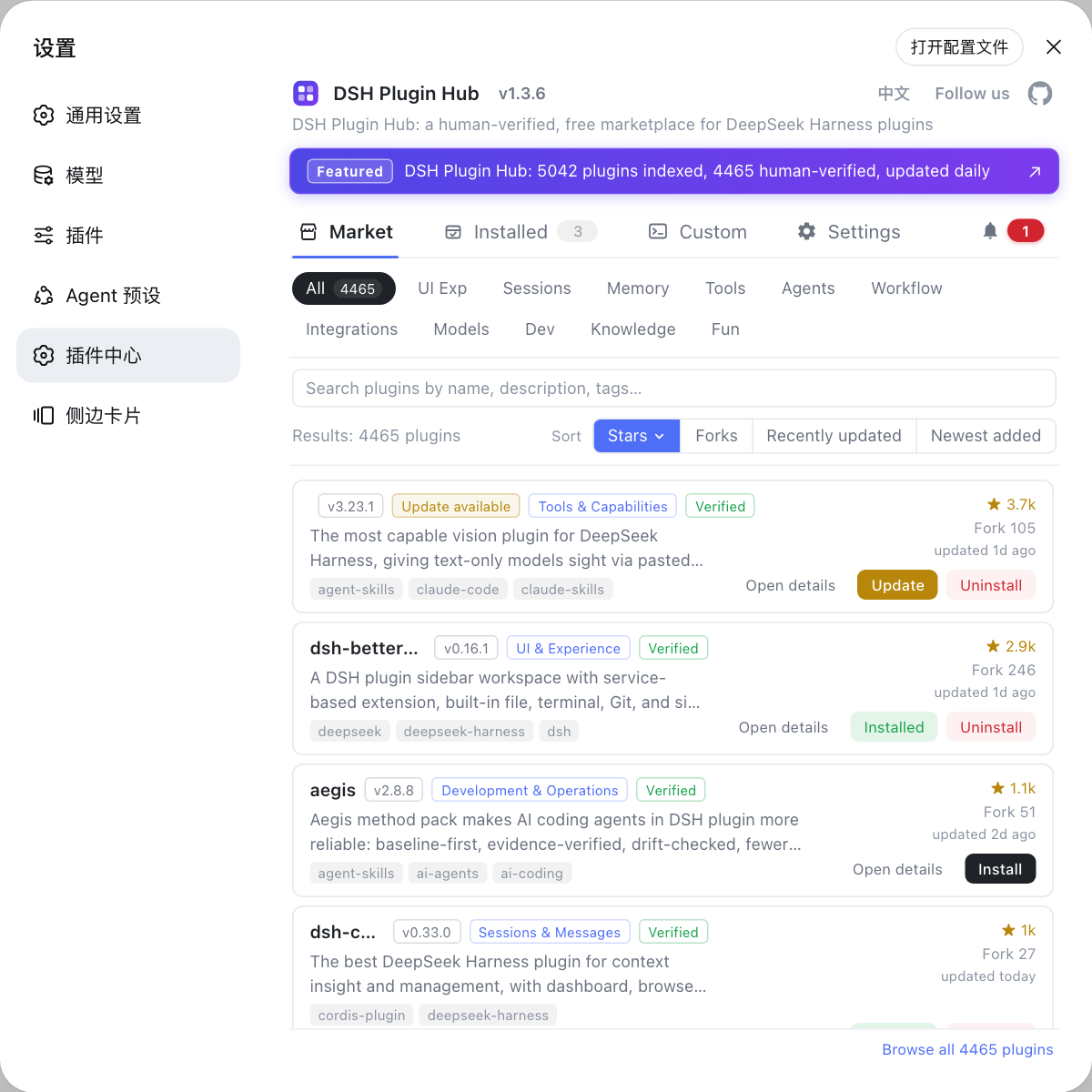
npm cache verifyfor cache issues, not directory deletion. - After installing the dsh core, if plugin installs also hang, install them graphically from Settings → Plugin Market — the community marketplace DSH Plugin Hub — to skip command-line dependency pulls.
Source: DeepSeek Harness README, v0.1.0-rc.8 Release Notes, npm registry documentation
FAQ
Watch the output: no new lines for minutes and a progress bar frozen at 0% means stuck; moving progress bars and changing package names mean slow. For slow, switch to a mirror registry; for stuck, follow this article's debug steps.
It is usually a network issue pulling dependencies. Press Ctrl+C, switch to a mirror registry, and retry: npm config set registry https://registry.npmmirror.com, then run the install command again.
npm config set registry applies globally. To make it temporary, add --registry=https://registry.npmmirror.com to the install command instead of changing the global config.
No. npx pulls temporarily, and an interrupted npm run only leaves an incomplete cache directory. Re-running reuses the downloaded parts and continues; existing environments are not damaged.
Yes. Stuck installs mostly happen while pulling many dependencies, so switch the install method: global install with npm install -g @deepseek-ai/dsh, or source install with git clone + pnpm install + build. Newer versions (since v0.1.0-rc.8) also shrink downloads, which reduces the chance of getting stuck.