DSH plugin: Windows subprocess fails with 0xC0000142
The symptom is "the process never started": on Windows, all of DSH's shell tools (pwsh / cmd) fail with the decimal exit code 3221225794 (0xC0000142 / STATUS_DLL_INIT_FAILED), stdout and stderr are both empty, and occasionally a system-level modal dialog says "the application was unable to start correctly (0xc0000142)". It has two distinct causes that produce the same exit code: one is creating a subprocess with CREATE_NO_WINDOW (i.e. windowsHide: true) under a restricted token — the boundary is exactly that one flag, and switching to STARTF_USESHOWWINDOW | SW_HIDE works; the other is the double-click-launched GUI desktop host combined with a failed integrity downgrade, where the token stays at Medium yet carries a write restriction. It does not make it into the DSH session log (tool returns show only exit code 1), so you must find evidence in the Windows event log and in single-variable experiments that swap the host.
Triage first: 0xC0000142 means "the process did not start" — figure out which chain you are on
Bottom line up front: 0xC0000142 only tells you "the subprocess died during DLL initialization"; it does not by itself distinguish the cause. The reports contain two completely different mechanisms that produce the same exit code; the value of triage is separating them first, or you will keep probing at the wrong layer.
The first criterion is the environment: is it the command-line dsh web host failing, or the double-click-launched desktop app? One report states explicitly that on the same machine, same version, same sandbox config, the sandbox boundary inside the command-line host is entirely normal — writes outside the workspace are denied (UnauthorizedAccessException), writes inside pass, and whoami.exe is denied (the signature of a restricted token being in effect). That says "the sandbox is not broken"; it is the host environment that is isolated.
The second criterion is whether you can get evidence. Remember this first: this failure does not enter the DSH session log. One report decompressed the archives of four local sessions frame by frame and searched them; the only exit code appearing in tool returns was 1, and 0xC0000142 / 3221225794 appeared zero times — the error happens at the subprocess-creation stage, the upper layer only gets "no output / exit code 1", and the real exit code is dropped during formatting. The authoritative source is therefore the Windows system event log (source Application Popup, event ID 26), but it cannot be treated as a reliable signal either: of the same failures, some record an event and some do not; the truly reliable criterion is the exit code (#6930).
The third criterion is single-variable. First narrow the environment down to one variable with a minimal probe:
const { spawnSync } = require("child_process");

// fails
spawnSync("cmd.exe", ["/c", "exit"], { stdio: "ignore", windowsHide: true  });
// => status 3221225794  (0xC0000142)

// succeeds
spawnSync("cmd.exe", ["/c", "exit"], { stdio: "ignore", windowsHide: false });
// => status 0
With stdio fixed to ignore and detached unset, the only remaining variable is the single boolean windowsHide. This is the foundation for every conclusion in the next two sections (#6930).
Cause one: creating a subprocess with CREATE_NO_WINDOW under a restricted token
Root cause: DSH launches managed subprocesses unconditionally with windowsHide: true on Windows; Node's windowsHide: true is implemented by CREATE_NO_WINDOW; and creating a subprocess with the console-isolation flag under a restricted token makes it die during DLL initialization — a limitation the project's own sandbox docs already recorded.
The code fact (packages/subprocess/subprocess-local/src/spawn.ts):
windowsHide: platform === 'win32'
On win32 it is unconditionally true, and this layer has no environment variable or config switch. The helper processes are the same: spawn.ts:120 (the taskkill cleanup), windows-inspector.ts:155, windows-job.ts:141 (the last one added in alpha.2, which puts windowsHide: true even on the sandbox runner's spawn) (#6930).
The project docs had long since written down this failure mode (packages/sandbox/sandbox-windows-acl/README.zh.md, the "console isolation unavailable" section):
Subprocesses created with
CREATE_NO_WINDOW/CREATE_NEW_CONSOLEdie during DLL initialization withSTATUS_DLL_INIT_FAILED(0xC0000142); subprocesses share the host console, and pipe-based stdio redirection is unaffected.
The reporter used a set of single-variable matrices to pin "restricted token + CREATE_NO_WINDOW" as a sufficient condition (all within one session, using whoami's exit code as the token criterion):
| File policy | whoami | cmd.exe /c exit hide=true | node -e 0 hide=true | hide=false | Application Popup |
|---|---|---|---|---|---|
workspace-write (round 1) | Access denied (exit 1) | 3221225794 | 3221225794 | 0 / 0 | none |
danger-full-access (one-shot escalation) | exit 0 | 0 | 0 | 0 / 0 | none |
workspace-write (round 2, automatic fallback) | Access denied (exit 1) | 3221225794 | 3221225794 | 0 / 0 | none |
Three conclusions come straight off this table: under an ordinary token, hide=true returns 0 across the board; under a restricted token, the same row deterministically returns 0xC0000142; and windowsHide=false succeeds under both tokens. On that basis the reporter corrected his own earlier judgment that this was "an intermittent defect" — that was an illusion from two measurements landing under different file policies; under identical conditions it is deterministic (#6930).
There is a finer boundary worth copying down: what actually causes the disease is not the intent of "hiding the window" but the single flag CREATE_NO_WINDOW.
| Subprocess creation method | Ordinary token | Restricted token |
|---|---|---|
spawnSync(..., { windowsHide: true }) (= CREATE_NO_WINDOW) | 0 | 3221225794 |
spawnSync(..., { windowsHide: false }) | 0 | 0 |
.NET CreateNoWindow=true (= CREATE_NO_WINDOW) | n/a | 0xC0000142 |
.NET CreateNoWindow=false + WindowStyle=Hidden (= STARTF_USESHOWWINDOW | SW_HIDE) | inferred 0 | 0 |
.NET CreateNoWindow=false + WindowStyle=Normal | 0 | 0 |
So "hide the window with SW_HIDE" is safe under a restricted token. This also explains why the upstream direction is correct: commit f8b1309fe5 in 0.1.6-alpha.2 ("hide Windows shell console windows at creation") adds windowsHide: true to the Node Job runner's launch, but the native process creation deliberately does not add CREATE_NO_WINDOW, using STARTF_USESHOWWINDOW | SW_HIDE instead; the comment in win32-process/src/process.ts says it plainly: "Preserve console inheritance: CREATE_NO_WINDOW can fail restricted-token DLL initialization", and that commit's description lists "remove consoles from every process" as a rejected alternative (#6930).
Cause two: the desktop GUI host and a failed integrity downgrade
The second chain appears on the double-click-launched desktop app, with a different mechanism yet the same exit code. Two independent findings together explain it: (1) the host binary itself is the decisive variable — a GUI-subsystem process does not own a console; (2) the "lower the restricted token's integrity level to Low" step introduced in newer versions fails on the default account (missing SeRelabelPrivilege), so the token stays at Medium while carrying WRITE_RESTRICTED.
Finding one: swap the host and the result changes. The reporter ran a decisive A/B — same machine, same official ACL runner, same subprocess, same argv, changing only the host binary that carries the runner:
| Host | PE Subsystem | Result |
|---|---|---|
node.exe (bundled with the DSH runtime) | 3 = Console | subprocess executes successfully and writes its file; in-workspace writes allowed, out-of-workspace Access denied |
DeepSeek Harness.exe (ELECTRON_RUN_AS_NODE=1) | 2 = GUI | subprocess never executes: no output, exit code 0 (silent failure) |
And he measured "does the host own a console" directly (launching both hosts from the same console-bearing parent process with the same stdio, each calling kernel32!GetConsoleWindow() via koffi):
| Host | Node | GetConsoleWindow() | Console code page |
|---|---|---|---|
node.exe | 24.21.0 | 330662 (owns a console) | 936 / 65001 |
DeepSeek Harness.exe | 24.18.1 | NULL (no console) | 0 / 0 |
There is a logic trap worth remembering on its own here: "launching the desktop exe from a terminal that has a console still fails" cannot be used to refute the console hypothesis — on Windows a GUI-subsystem process does not attach to the parent's console, and it was measured that even started from a console-bearing parent it still has GetConsoleWindow() == NULL. To isolate the variable correctly, fix everything else and swap only the host binary — that is the table above (#6822).
Finding two: the integrity downgrade fails, with no fail-closed. Another reporter compared a local source checkout against the installed app.asar and found a function that exists only in the released binary and not at all in the source tree:
// present in the installed 0.2.0-rc.2; entirely absent from token.ts in source
function restrictTokenIntegrity(api, token, lowLabelSidPtr) {
    ...
    api.setTokenInformation(token, 25, info, info.length)
    // "Lower the restricted token's integrity level to Low (S-1-16-4096) ...
    //  a token left at Medium would ignore them"
}
TokenIntegrityLevel appears 0 times in that source checkout and 1 time in the released package — because the checkout was too old (0.1.2-alpha.4) to contain this critical path. And this step is failing on that machine: lowering a token's integrity level requires SeRelabelPrivilege, and the measured account state was IsInRole(Administrator) = True, integrity level High, with SeDebugPrivilege present but SeRelabelPrivilege entirely absent (that privilege is not granted by default). So:
CreateRestrictedToken(..., WRITE_RESTRICTED)succeeds → the token now carries a write restriction;SetTokenInformation(TokenIntegrityLevel, Low)fails, returningWin32 998 (ERROR_NOACCESS);- the token therefore stays at Medium integrity yet already carries
WRITE_RESTRICTED; - the downgrade that was supposed to reconcile the two never happened;
- the subprocess dies during DLL initialization →
0xC0000142, and because it dies before executing the command, stdout/stderr are empty.
This also explains why cmd.exe is as affected as pwsh — it takes the same restricted path, independent of the shell (#6822).
A reproducible decisive experiment (same session, no DSH restart, no config change, only switching the file policy):
| Order | Policy | Command | Result |
|---|---|---|---|
| 1 | workspace-write | Write-Output test | ❌ 0xC0000142, zero output |
| 2 | danger-full-access | Write-Output test | ✅ prints test |
| 3 | switch back to workspace-write | Write-Output test | ❌ 0xC0000142, zero output |
The only variable is the file sandbox policy: under workspace-write it fails every time, under danger-full-access it passes every time. This simultaneously rules out three alternative explanations: "the troubleshooting broke DSH" (it reproduces after switching back), "it needs a restart to recover" (there was no restart between the three rounds), and "the session state went bad" (it reproduces immediately after switching, with no cumulative effect) (#6822).
A self-contradiction worth pointing out: a neighboring call in the same file, SetTokenInformation(..., TokenDefaultDacl, ...), is fail-closed — on failure it throws throwWin32; whereas restrictTokenIntegrity()'s own comment claims it "fails closed before any child is spawned", yet it did not stop that spawn. This contradiction looks like exactly where the defect lies.
It should be said that these two findings may be two coexisting mechanisms: a failed relabel would make the sandbox boundary differ from the docs, while a console-less host determines whether a low-integrity subprocess can start at all. One reply states explicitly that the missing SeRelabelPrivilege cannot alone explain the swap-the-host A/B — same account, same privileges, same runner, and merely swapping the host yields "success / silent failure" (#6822).
Fixes and workarounds
There are three layers of things you can do: switch in-library scripts to SW_HIDE; use the documented one-shot escalation to danger-full-access when you need interactive commands; and on desktop, use the isolation-preserving runnerCommand workaround until upstream fixes it.
Layer one: replace CREATE_NO_WINDOW with SW_HIDE. This is the correct fix for cause one and does not sacrifice the "hide the window" effect. In .NET that means ProcessStartInfo with UseShellExecute=false, CreateNoWindow=false, and WindowStyle='Hidden'. DSH's own tool path has done this since 0.1.6-alpha.2 — the reporter ran 10+ consecutive pwsh calls in a restricted-token session with no 0xC0000142 and no popup.
Layer two: use a one-shot escalation when you need real console interaction. The documented escalation path in the project is workspace-write → danger-full-access. Measured: it succeeds immediately after switching and reproduces immediately after switching back. But be clear this is an operation that turns the sandbox off, and should not be a daily solution; the docs also state that "pipe-based stdio redirection is unaffected", so most ordinary commands can stay in the default mode.
Layer three: on desktop, use the isolation-preserving runnerCommand workaround. The idea is to specify "a console-subsystem node.exe + a bwrap→ACL adapter script":
- id: sandbox
  name: "@deepseek-ai/dsh-sandbox-local"
  config:
    runnerCommand:
      - "<console-subsystem node.exe>"
      - "<bwrap-to-acl>.mjs"
    runnerFailureSignatures:
      - "windows-acl-run:"
What the adapter does: the seam appends bwrap-dialect arguments to a custom runner (--ro-bind / / --dev /dev --unshare-pid --proc /proc --die-with-parent, plus --tmpfs /tmp --bind <root> <root> under workspace-write), translates them into the ACL runner's --workspace/--temp/--mode, then rewrites process.argv in the original process and imports the official runner — copying no isolation logic, and reusing the official implementation for fd, exit-code semantics, and the windows-acl-run: failure signature. Measured (under workspace-write): commands execute normally, TEMP is rewritten to …\Local\Temp\dsh-xxxx (showing the runner really is wrapping it), writes inside the workspace succeed, and writes to C:\Users\… and ~/.dsh are both Access denied (isolation preserved). Note that runnerCommand by documentation skips the built-in runner selection and probes; it is an operator-side assertion, not an officially recommended config (#6822).
This was not introduced by 0.2.0. Comparing dsh-base's cordis.patch.yml: 0.1.5-rc.1, 0.1.7-rc.2, and 0.2.0-rc.2 all three mount pwsh-sandbox, and sandbox-policy.mode defaults to workspace-write in all of them. So this is an old limitation exposed by the new host, not a version regression.
Troubleshooting and notes
0xC0000142does not mean "the command failed", it means "the process did not start". Empty output is its signature. When you see that combination, suspect the process-creation path first, not the command itself.- Do not look only in the DSH session log. The real exit code is dropped during formatting and the log will only ever have exit code 1. Look at the Windows event log (source
Application Popup, event ID 26), but it does not always record — the reliable criterion remains the exit code. When checking the event log, remember to filter by provider and readEventData, or you will wade through a pile of unrelated records. - "Launching the desktop exe from a terminal" is not a valid control experiment. A GUI-subsystem process does not attach to the parent's console, so it still fails, yet this is easily misread as "the console hypothesis has been refuted". To isolate the variable, fix the runner, the subprocess, and argv, and swap only the host binary (
node.exevsDeepSeek Harness.exe). - Two PowerShell traps that are easy to fall into (both measured under a restricted token): (1)
Start-Process -WindowStyle Hiddenalso fails — PowerShell internally turns it intoCreateNoWindow, and all three targets gave0xC0000142; to hide a window, use .NET'sProcessStartInfo+UseShellExecute=false+CreateNoWindow=false+WindowStyle='Hidden'. (2) Reading a native command's output through a PowerShell pipe ($x = & native ...,... 2>&1,-RedirectStandardOutput) likewise makes the subprocess die under a restricted token, and may leave you with neither output nor exit code — looking exactly like "the command succeeded but printed nothing". To verify a side effect, have the subprocess write a file and read the file. - When citing the docs, cite the text, not the line number. The "console isolation unavailable" note is at
:117insandbox-windows-acl/README.zh.md(0.1.5-rc.1 / 0.1.6-alpha.2), but moved to:129by 0.2.0-rc.2. - There is still residue: two
taskkillcleanup paths inrunner-launch-*.jsstill passwindowsHide: trueon 0.2.0-rc.2, so under a restricted token thattaskkilldies with0xC0000142— you can see ataskkill.exepopup event right after a tool call finishes. The code tolerates the non-zero status, so it is harmless but noisy; routing those two spots through the sameSW_HIDEhelper would clear the last trace.
The lesson from this kind of problem is clear: when the only failure information left is an exit code, what you need is a set of ways to manufacture evidence yourself. If you want environment-side changes (plugins, versions, config, logs) to be easier to inspect in one place, install DSH Plugin Hub — the official plugin marketplace built into the DeepSeek Harness desktop app, for browsing, installing, uninstalling, and updating plugins. Its "System logs" page lists the operational trail of installs, uninstalls, settings changes, and diagnostics in one place, and also lets you jump straight to the log file:
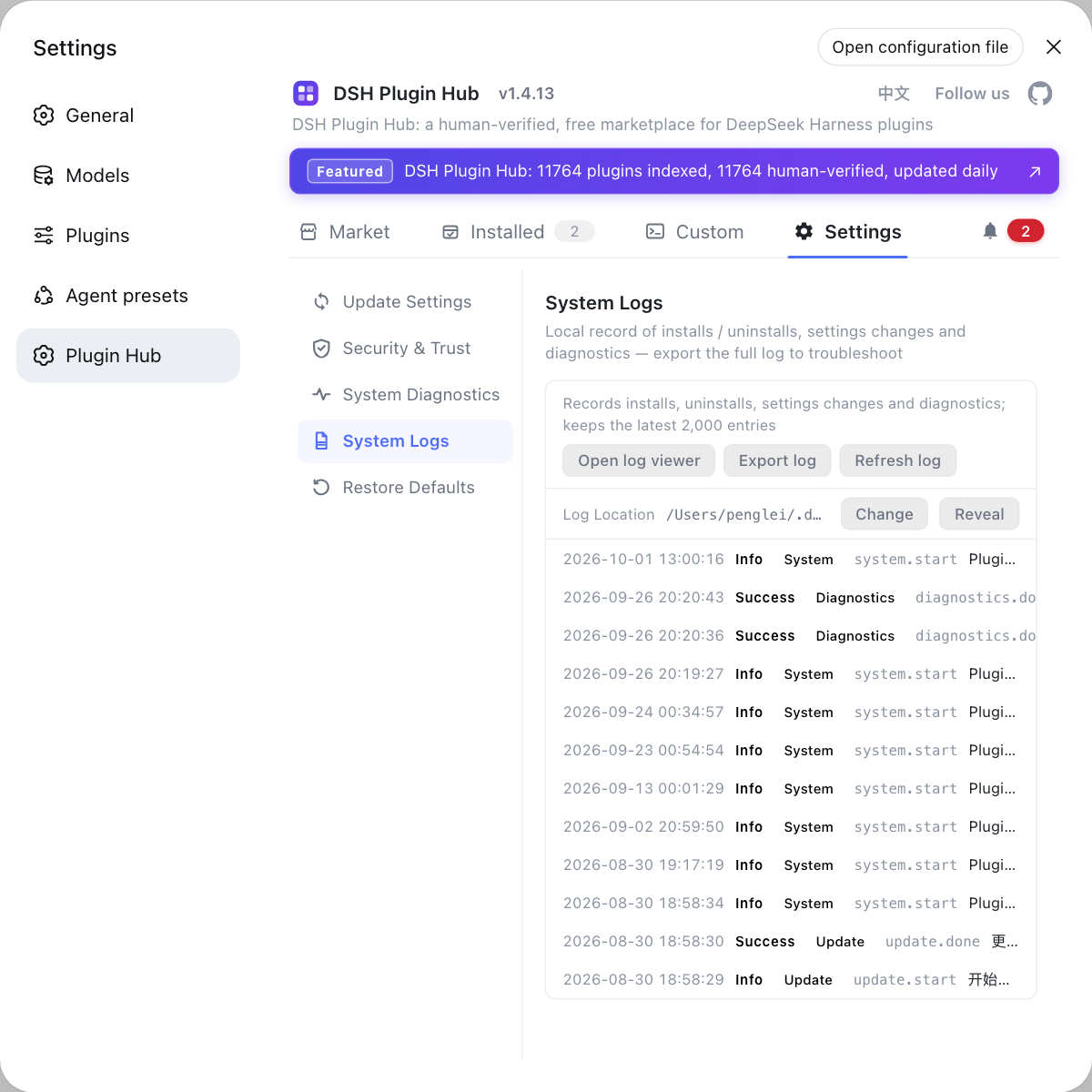
When troubleshooting host-level failures, looking at environment changes and system logs together saves far more trouble than retrospectively reconstructing things from empty output.
Source: Discussion #6822, Discussion #6930.
FAQ
3221225794 is 0xC0000142 in hex, i.e. STATUS_DLL_INIT_FAILED — the subprocess died during DLL initialization, before it ever ran the command and before it could produce any output. So "empty output + this exit code" is not the command itself erroring, it is the process never starting. That is also why it is hard to self-diagnose: the only information you get is this code.
Because it does not enter the DSH session log. One report decompressed and searched the archives of four sessions frame by frame, and the only exit code that ever appeared in tool returns was **1** — 0xC0000142 appeared **zero** times. The error happens at the subprocess-creation stage, and the upper layer only gets "no output / exit code 1"; the real exit code is discarded during formatting. The authoritative source is the Windows system event log (source Application Popup, event ID 26), but note it does not always record, so the reliable criterion remains the exit code.
Node's windowsHide: true is implemented with CREATE_NO_WINDOW, and CREATE_NO_WINDOW makes a subprocess die during DLL initialization under a restricted token (the sandbox). The measured boundary is very clean: it is the single flag CREATE_NO_WINDOW that fails, not the intent of "hiding the window" — STARTF_USESHOWWINDOW | SW_HIDE works perfectly under a restricted token. So the fix direction is "switch to SW_HIDE", not "give up hiding".
Because the host executable is itself an independently falsifiable variable. One report ran a decisive A/B: same official runner, same subprocess, same argv, only swapping the host binary — node.exe (PE Subsystem 3, a console program) executes the subprocess fine; DeepSeek Harness.exe (Subsystem 2, GUI) never executes it, no output. Measuring directly with GetConsoleWindow() confirms it: node.exe returns a non-zero handle, the desktop binary returns NULL. Note that "launching the desktop exe from a terminal that has a console still fails" **cannot** refute this, because on Windows a GUI-subsystem process does not attach to the parent's console.
It depends. (1) If you are triggering it under a restricted token from your own script or a third-party library (windowsHide: true), switch the creation method to STARTF_USESHOWWINDOW | SW_HIDE: on .NET use ProcessStartInfo with UseShellExecute=false, CreateNoWindow=false, WindowStyle='Hidden'. (2) If you only need interactive commands, run under danger-full-access via the documented one-shot escalation path (measured: succeeds immediately after switching, reproduces immediately after switching back to workspace-write). (3) The desktop app is still affected on 0.2.0-rc.2; for now use the isolation-preserving runnerCommand workaround. DSH's own tool path switched to SW_HIDE as of 0.1.6-alpha.2 (10+ consecutive pwsh calls with no failure), but remnants remain in in-library scripts and the taskkill cleanup path.
Related Terms
- STATUS_DLL_INIT_FAILED (0xC0000142)
- A Windows process error status, decimal `3221225794`. It means the subprocess terminated during DLL initialization, so it died **before executing the command** — the result is that exit code with empty stdout and stderr. It is a signal that "the process never started", not "the command failed"; mistaking it for an ordinary command failure sends you troubleshooting in the wrong direction.— https://github.com/deepseek-ai/deepseek-harness/discussions/6930
- CREATE_NO_WINDOW vs STARTF_USESHOWWINDOW | SW_HIDE
- Two ways to "keep a subprocess from showing a window", with different semantics and side effects. `CREATE_NO_WINDOW` gives the subprocess **no console at all**, which causes DLL initialization to fail under a restricted token; `STARTF_USESHOWWINDOW | SW_HIDE` merely sets the first window's show state to hidden while the subprocess still inherits a console, and works fine under a restricted token. Node's `windowsHide: true` takes the former — which is why "both hide the window, yet one blows up and the other does not".— https://github.com/deepseek-ai/deepseek-harness/discussions/6930
- restricted token and WRITE_RESTRICTED
- The downgraded token the Windows ACL sandbox builds via `CreateRestrictedToken`, carrying a write restriction (`WRITE_RESTRICTED`), used to ensure "writes outside the workspace are denied, writes inside are allowed". On the desktop chain it may additionally stack a `SetTokenInformation(TokenIntegrityLevel, …)` that lowers the token's integrity level to Low; that step requires `SeRelabelPrivilege`, which is not granted to ordinary accounts by default, and after it fails the token stays at Medium while still carrying the write restriction.— https://github.com/deepseek-ai/deepseek-harness/discussions/6822
- GetConsoleWindow()
- `kernel32!GetConsoleWindow()` returns the console window handle owned by the calling process: a console-subsystem process returns a non-zero handle, while a GUI-subsystem process (such as an Electron binary) returns `NULL`. It is a direct way to judge "does the host own a console" — with the key premise that on Windows a GUI-subsystem process does not automatically attach to that console even when started from a parent that has one.— https://github.com/deepseek-ai/deepseek-harness/discussions/6822
Sources
- #6822 — [Windows][Desktop] under the double-click-launched desktop app all shell tools fail with STATUS_DLL_INIT_FAILED (0xC0000142), while the command-line dsh web host is fine· deepseek-ai (GitHub Discussions)
- #6930 — [Windows] managed subprocesses launched with windowsHide: true fail (0xC0000142) and pop a modal error dialog· deepseek-ai (GitHub Discussions)