DSH plugin: Windows Reveal in File Explorer does nothing
Clicking "Reveal in File Explorer / Open folder" on Windows feels like a dead button because three mutually independent defects stack on one code path. First, windowsHide: true also hides Explorer's own window — the window is created, at the correct coordinates, and simply has IsWindowVisible = false. Second, a path containing CJK characters is turned by pathToFileURL() into a percent-encoded file:// URL, while explorer.exe /select, accepts only a literal path and performs no decoding, so it silently falls back to the Desktop (or This PC under a WSL host). Third, even once the window is visible, a background process cannot win the Windows foreground lock, so the window appears only in the taskbar. Each of the first two defects alone is enough to break the feature, and because Explorer returns exit code 1 regardless of success and the code tolerates exit code 1, the UI always shows "requested" — which is exactly why it is silent.
Triage first: do not treat three defects as one
Bottom line up front: every symptom is "nothing happens when I click", but underneath there are three independent things, and you must verify them separately or you will spin in circles at the wrong layer. The most typical misdiagnosis in the reports was counting "how many new Explorer windows appeared" — both spawn options happen to produce exactly one new window, so windowsHide looks innocent. The observation that actually answers "did the window appear at all" is IsWindowVisible (#6505).
Triage in the following four steps and you will know which layer is stuck:
- Check whether a window was created. After triggering, enumerate
Shell.Application.Windows()and compare the HWND delta. A newCabinetWClasswindow means "created successfully, just invisible" — defect one. - Check visibility, not count. Read
IsWindowVisible/WS_VISIBLEon the new window. Measured in the report:{ windowsHide: true }→ 1 window, 0 visible;{ windowsHide: false }→ 1 window, 1 visible (#6505). - Check which folder it landed on. Read where the window actually opened via
Document.Folder.Self.Path, not the title bar. Falling back to the Desktop / This PC = defect two (a path-form problem); Desktop on Windows and This PC under WSL are two expressions of the same root cause under different hosts (#7033). - Check whether it is in the foreground. If the window is visible but you only got an extra taskbar button and it does not come to the front, that is defect three (the foreground lock).
One key distractor must be ruled out first: SetForegroundWindow returning False is a symptom, not the cause. A hidden window cannot become foreground to begin with; but a visible window can likewise refuse to become foreground. So "cannot take the foreground" does not in turn prove "the window is hidden" — they are two independent chains of evidence (#6505).
Defect one: windowsHide hides Explorer's own window
Root cause: revealNativePath launches explorer.exe through the shared runner, and that runner hardcodes windowsHide: true so console tools do not flash a black box. When the direct child process is itself a GUI launcher that needs to show a window, that flag hides the window instead.
The shape of the shared runner (packages/util/native-command/src/runner.ts):
export const runNativeCommand: NativeCommandRunner = (command, args, signal) =>
  new Promise((resolve, reject) => {
    execFile(command, [...args], { encoding: 'utf8', signal, windowsHide: true }, (error, stdout, stderr) => { /* … */ })
  })
And the call site really does launch Explorer directly through that same runner (packages/util/native-command/src/path-opener.ts):
// path-opener.ts —— the explorer branch
await run('explorer.exe', ['/select,', target], signal)
The mechanism lives in libuv: STARTF_USESHOWWINDOW is set unconditionally, and windowsHide merely changes the value of wShowWindow from SW_SHOWDEFAULT to SW_HIDE. For a console tool that is exactly what you want; for Explorer, SW_HIDE propagates along the chain where "Explorer passes the caller's show state to the window it creates or activates", so the new window ends up hidden (#6505).
A hidden window is not destroyed — it stays there forever, unreachable from both the taskbar and Alt+Tab, and each click piles up one more; in the reporting environment they accumulated to 7–8. You do not need to restart Explorer to clean them up:
$shell = New-Object -ComObject Shell.Application
foreach ($w in @($shell.Windows())) {
  if (-not ([WinApi]::IsWindowVisible([IntPtr][int64]$w.HWND))) { $w.Quit() }
}
Fix: give the runner an optional "visible" launch state, use it only for GUI launchers, and keep console tools (PowerShell icon extraction, registry probing, wslpath) on the hidden runner.
export const runNativeCommandVisible: NativeCommandRunner = (command, args, signal) =>
  new Promise((resolve, reject) => {
    execFile(command, [...args], { encoding: 'utf8', signal, windowsHide: false }, (error, stdout, stderr) => { /* … */ })
  })
// path-opener.ts —— only the explorer branch switches to the visible runner
await (internals.run ?? runNativeCommandVisible)('explorer.exe', ['/select,', target], signal)
Keeping the internals.run ?? indirection means a runner injected by the existing tests still takes priority, so the adapter tests need no changes. Later, along the 0.1.7-rc.2 line, this design was formalized as a per-call option, with the default staying true so existing callers keep their behavior:
export interface NativeCommandOptions {
  /** Defaults to true; callers whose child process creates a user window pass false. */
  windowsHide?: boolean
}
export type NativeCommandRunner = (
  command: string,
  args: readonly string[],
  signal: AbortSignal,
  options?: NativeCommandOptions,
) => Promise<{ stdout: string; stderr: string }>
Deciding whether to hide comes down to two questions: does this child process itself pop a window? (Explorer, Electron apps — never hide them.) Is it just a CLI pipe, or does its own child process pop the window? (Hiding is correct.) The repo already writes down the same rule in open-in-app/src/catalog.ts: windowsHide is reserved for CLI adapters whose child process opens a visible GUI itself (#6505).
Defect two: non-ASCII paths become percent-encoded file:// URLs
Root cause: the path is first converted by pathToFileURL(windowsPath, { windows: true }).href into a file:// URI (CJK characters become UTF-8 percent-encoding), and then handed to explorer.exe /select,; but the argument to /select, is a literal file path and performs no URL decoding, so the locate fails and silently falls back.
The original code and comment:
// Explorer parses commas itself; a file URI preserves commas and whitespace in the path.
const target = pathToFileURL(windowsPath, { windows: true }).href.replaceAll(',', '%2C')
try {
  await run('explorer.exe', ['/select,', target], signal)
} catch (error) {
  signal.throwIfAborted()
  // Explorer can exit 1 after delegating to the existing desktop process.
  if (!(error instanceof Error) || !('code' in error) || error.code !== 1) throw error
}
Do a minimal reproduction without DSH first (PowerShell) and the difference is immediate:
$f   = 'I:\工作文档\测试\report.docx'
$url = ([uri]$f).AbsoluteUri          # file:///I:/%E5%B7%A5%E4%BD%9C%E6%96%87%E6%A1%A3/...

Start-Process explorer.exe -ArgumentList '/select,', $url   # ✗ nothing selected, window sits on the Desktop
Start-Process explorer.exe -ArgumentList '/select,', $f     # ✓ opens the folder and selects the file
The measured matrix from the report (selection judged by Shell.Application.Windows().Document.FocusedItem.Path, not by exit code):
Argument after /select, | Selected? |
|---|---|
I:\工作文档\…\完形高频固定搭配.docx (literal path) | ✅ |
file:///I:/工作文档/…/完形高频固定搭配.docx (raw CJK URI) | ✅ |
file:///I:/%E5%B7%A5%E4%BD%9C…/%E9%85%8D.docx (percent-encoded, current code) | ❌ falls back to Desktop |
file:///C:/Windows/win.ini (pure-ASCII URI) | ✅ |
Look at the last row and you see why this went unnoticed for so long: a pure-ASCII path has nothing that needs escaping, so the URI form happens to match. Encoding the CJK via the system ANSI code page (GBK/936) also fails, so this is not a UTF-8 vs ACP decoding difference — Explorer only parses a URI when all the escapes it carries are ASCII (#6259).
There are two directions for a fix; the second is better:
-
Branch on "contains a comma" rather than on "is ASCII". There is an important self-correction here: the earliest patch used
/^[\x20-\x7E]*$/(pure ASCII) as the test, but comparing against the measurements confirms that the real discriminator is "does the path contain a comma" — the two are independent. An ASCII test would still route a "non-ASCII and has a comma" path into the wrong branch.tsconst target = /^[\x20-\x7E]*$/.test(windowsPath) ? pathToFileURL(windowsPath, { windows: true }).href.replaceAll(',', '%2C') : windowsPathAnd even then, the combination of a comma plus non-ASCII remains unsolvable:
%2Chandles the comma,%E5%B7%A5…cannot handle the non-ASCII — that cell of the four-way matrix fails both ways. -
Hand it to PowerShell and pass the literal path (recommended). This is the launcher
openWindowsPath()already uses on Windows, so it introduces no new mechanism:tsconst reveal = `Start-Process explorer.exe -ArgumentList ('/select,"' + ${powershellLiteral(windowsPath)} + '"')` await run('powershell.exe', ['-NoProfile', '-Command', reveal], signal)The measurements cover every combination:
Path Result C:\...\my files\报告,#%.txt(non-ASCII + comma +#+%+ space)✅ C:\...\my files\a,b.txt(contains a comma)✅ I:\工作文档\...\完形高频固定搭配.docx(non-ASCII)✅ C:\...\my files\plain name.txt(contains spaces)✅ It also fixes something else: with PowerShell as the launcher, the exit code is trustworthy — there is no "Explorer exits 1 after delegating to the desktop process", so the exit-code-1 tolerance can be removed and a real failure finally reaches the caller instead of being rendered as
presented.revealed(requested). The cost is the extra PowerShell hop, roughly 320 ms cold / 174 ms warm (#6259).
One trap that will block the fix must be known: the test tests/path-opener.spec.ts:408-415 pins the fully percent-encoded URI for the "non-ASCII + comma" path as the expected argv. In other words, with either fix above, the %E6%8A%A5… assertion turns red. The reporter measured that very vector on Windows: literal path ❌, the pinned encoded URI ❌, and only PowerShell's verbatim command '/select,"<literal path>"' ✅. The form the test pins is itself unparseable — do not conclude your fix is wrong just because the test goes red (#6259).
Defect three: the window appears only in the taskbar and never comes to the front
Root cause: the Windows foreground lock refuses a background process's attempt to take the foreground; and even if you work around it, focus is handed back the moment the process performing the activation exits. So the raise must be performed by a process whose lifetime exceeds this click.
Once visibility is fixed, the window appears normally (IsWindowVisible = true, IsIconic = false) but does not enter the foreground — you just get an extra taskbar button. The launch chain is:
browser (foreground) → HTTP → DSH host (background) → child process
The report measured every raise technique with the browser kept in the foreground:
| Raise technique | Call returns | Measured at +1s / +4s |
|---|---|---|
Bare SetForegroundWindow | False | ❌ (side effect: it puts the window back to hidden) |
AttachThreadInput + SetForegroundWindow | False | ❌ |
SetWindowPos(HWND_TOP) (z-order only) | True | ❌ no visible change |
HWND_TOPMOST → HWND_NOTOPMOST | True | ❌ leaves a minimized window behind |
Minimize → restore + SetForegroundWindow, process then exits | True | ❌ focus handed back within one second |
Minimize → restore + SetForegroundWindow, performed by a resident process | True | ✅ foreground stays on the target window |
The conclusion is one line: the raise must be performed by a resident process. And that is precisely the reason to put it inside the DSH host process — the host is resident, so it "does not exit with the call", and no activate-and-stay trick is needed. The implementation binds user32 directly through the koffi that DSH already ships, spawning no child process (#8043):
const koffi = (await import('koffi')).default
const lib = koffi.load('user32.dll')
// EnumWindows finds the target window: class CabinetWClass, title prefixed with "<folder name> - " (the prefix is language-independent)
lib.func('bool EnumWindows(void *lpEnumFunc, intptr_t lParam)')(callback, 0)
// A background process is refused by the foreground lock; minimize then restore — the restore step unlocks activation
lib.func('bool ShowWindow(intptr_t h, int cmd)')(handle, 6)   // SW_MINIMIZE
await delay(140)
lib.func('bool ShowWindow(intptr_t h, int cmd)')(handle, 9)   // SW_RESTORE
await delay(90)
lib.func('bool SetForegroundWindow(intptr_t h)')(handle)
Measured timing: the window becomes foreground at 555 ms, and openNativePath returns at 662 ms (a single EnumWindows is only 2 ms and the raise action about 230 ms) — the bottleneck is back to Explorer itself creating the window. The raise is issued in parallel with "open" and is best-effort: a failed raise does not affect an open that already succeeded.
There is a very hard-to-locate implementation trap here: koffi does not allow defining the same type name twice. koffi.proto(...) must be defined once and cached; if it is redefined on every poll iteration, the second iteration throws Duplicate type name, and that exception is swallowed by the best-effort catch, ultimately showing up as "the patch is clearly active, yet the window is never raised" (#8043).
A boundary note: if another program is actively fighting for the foreground (an interactive TUI console on the same machine did so in the report), no launcher can override it. That is a system-level limitation, not part of this defect.
Fixes, alternatives, and troubleshooting notes
- Do not copy the "edit the install directory" hack onto the desktop build. The desktop build packs
dsh-native-commandintoresources/app.asar(the reported asar entry is/dsh/node_modules/@deepseek-ai/dsh-native-command/lib/index.js, size 40419), and the exe embedsINTEGRITY/ELECTRONASARresources. There are reports of same-length in-place rewrites on the same version (windowsHide: true→windowsHide: 0==1) still starting normally, but this depends on whether theEnableEmbeddedAsarIntegrityValidationfuse is enabled, and other distribution channels may simply fail to launch — it is a last resort, and back upapp.asarfirst (#8043). - An
npx-form patch silently stops working on upgrade. The patch lives under%LOCALAPPDATA%\npm-cache\_npx\<hash>\node_modules\@deepseek-ai\dsh-native-command\lib\index.js, and<hash>is a function of the resolved dsh version: going from0.1.5-rc.1to0.1.5-rc.2produced a new directory, leaving the patched old copy behind and letting the defect return silently (#7033). - The two host forms corroborate each other. On the same machine, the web profile (npm global + local patch) pops the window correctly and selects the target when you click "Reveal in File Explorer" (including a CJK path
dsh工作区), while the desktop profile (unpatched inside the asar) does nothing silently — the distinguishing variables arewindowsHideand the path form, not the exit code (#8043). - Stop judging success by counting windows. Both hidden and visible cases produce exactly one new window — the count is identical. To assert, read
IsWindowVisible; to assert the location is correct, readDocument.Folder.Self.PathandSelectedItems(), not the window title (a fallback also produces a window with a normal-looking title). - Why the existing tests miss it. The relevant cases inject a fake runner via
PathOpenerInternals.runand assert only on argv, never observing whether the window actually located the file — the injection point sits upstream of "the only meaningful observable". A case assertingShell.Application.Windows().Document.FocusedItem.Pathon Windows could have caught this (#6259). - Until it is fixed, use the PowerShell-backed alternative entry.
openWindowsPath()usesInvoke-Item -LiteralPath, which passes a literal path and is correct for CJK folders — which is also why, in the report, "open the file with the default program" works while "reveal in Explorer" does not.
Troubleshooting this kind of "nothing happens when I click" problem, the most time-consuming part is usually not fixing the code but confirming "how far the request actually got, and whether it truly took effect". If you want this kind of host-side action to leave a traceable record, install DSH Plugin Hub — the official plugin marketplace built into the DeepSeek Harness desktop app, for browsing, installing, uninstalling, and updating plugins. Its "Installed plugins" list gives every row a "Show in Finder / File Explorer" action so you can jump straight to the plugin directory, and the settings page provides system diagnostics and system logs:
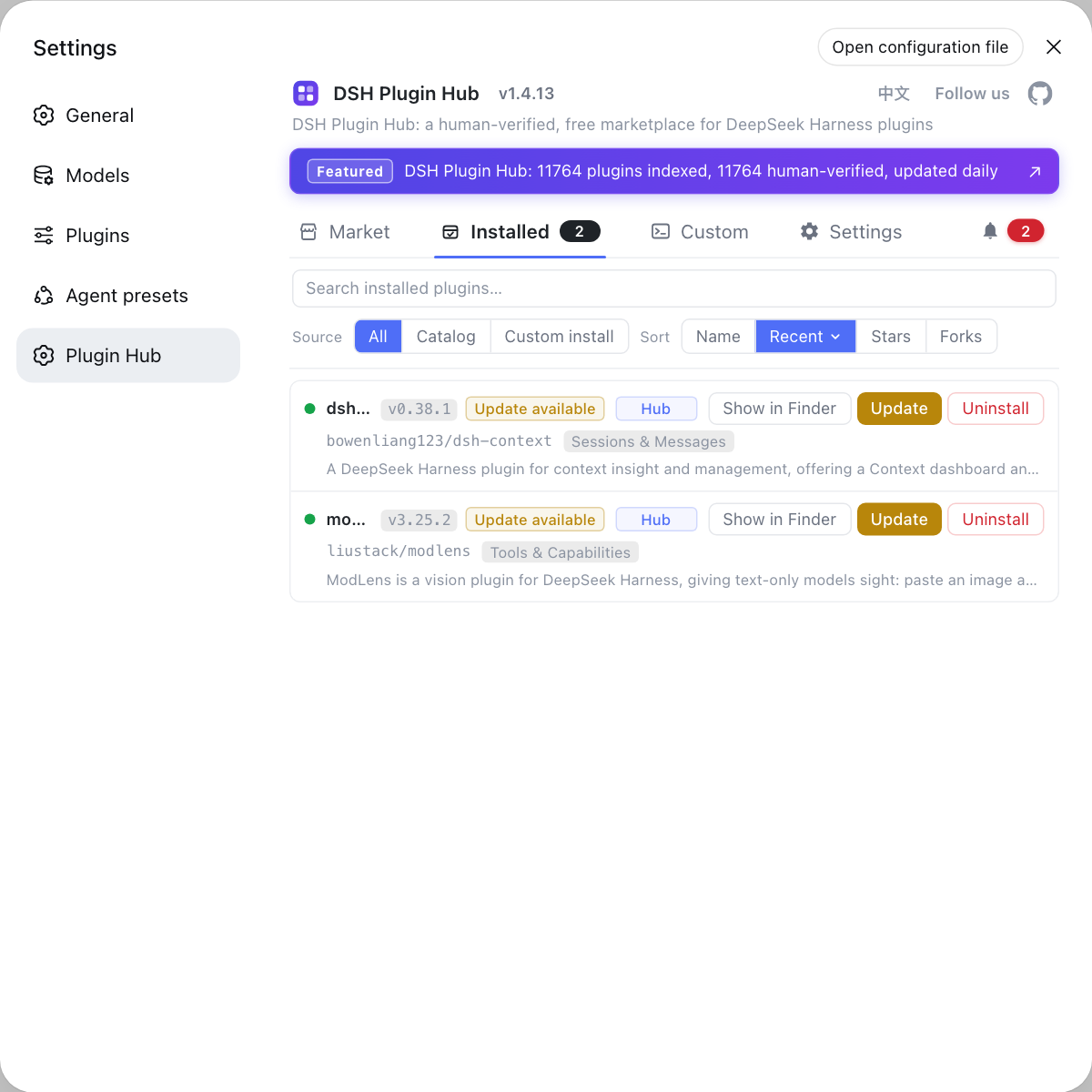
Looking at a plugin's install location together with the host logs makes it much faster to tell "did the plugin change the environment, or is this the host's own problem".
Source: Discussion #6505, Discussion #6259, Discussion #7033, Discussion #8043.
FAQ
No. This is a defect in revealNativePath() inside @deepseek-ai/dsh-native-command on the Windows branch — and there is more than one. The window really is created, but it is hidden by windowsHide: true (IsWindowVisible = false), so you cannot see it; if the path contains CJK characters, it additionally fails to locate because it is turned into a percent-encoded file:// URL, and silently falls back to the Desktop or This PC. The request itself returns success — Explorer exits with code 1 whether it succeeds or fails, and the current code tolerates that exit code, so the UI always shows "requested".
Because the defect only surfaces when the path contains characters that need escaping. The current code uses pathToFileURL(windowsPath, { windows: true }).href to turn the path into file:///D:/%E5%B7%A5..., while explorer.exe /select, accepts only a literal file path and performs no URL decoding. An ASCII path has nothing to escape, so the URI form happens to match too — which is why the existing unit tests never catch it: the tests inject the run seam and assert only on argv, never checking whether the window actually located the file.
That is a second, independent problem — the Windows foreground lock. The launch chain is "browser (foreground) → HTTP → DSH host (background) → child process", and a background process calling SetForegroundWindow is refused by the system (it returns False and the taskbar button only flashes). Even if you work around the foreground lock with a minimize → restore dance, the moment the process performing the activation exits, focus is handed back to the previous active window within one second. The fix is to let a **process with a longer lifetime than this click** perform the raise — that is, put it inside the resident DSH host process.
For the npm / web form, yes; for the desktop build, be very careful. On the web side, editing windowsHide: true in @deepseek-ai/dsh-native-command/lib/index.js works, but two caveats: (1) if you launched via npx, your patch lives under _npx/<hash>, and upgrading produces a new hash directory, silently discarding the patch and letting the defect return; (2) the desktop build packs dsh-native-command into resources/app.asar, and its exe embeds INTEGRITY / ELECTRONASAR resources. There are reports of same-length in-place rewrites on the same version still starting normally, but this depends on whether the EnableEmbeddedAsarIntegrityValidation fuse is enabled, and other distribution channels may simply fail to launch — so editing the asar is a last resort, and back it up first.
As of the reports cited here, both issues are still present on master and 0.1.7-rc.2 (runner.ts still hardcodes windowsHide: true, and path-opener.ts still converts the path to an encoded URI), so there is no upgrade you can take to get the fix. What you can do: (1) use a "reveal location"-style alternative entry — some surfaces go through PowerShell's Invoke-Item -LiteralPath, which passes a literal path and is correct for CJK folders; (2) do not expect an upgrade to fix it; (3) if you can edit the install tree, apply the patches in this article yourself, and remember that upgrades overwrite them.
Related Terms
- revealNativePath
- The implementation behind "Show in File Explorer / Reveal in File Explorer", located in `packages/util/native-command/src/path-opener.ts`. It dispatches per platform: Windows goes through `explorer.exe /select,`, macOS through `open -R`, everything else through the directory. The Windows branch trips two traps at once: it turns the path into a percent-encoded `file://` URL, and it launches Explorer through a shared runner that hardcodes `windowsHide: true`.— https://github.com/deepseek-ai/deepseek-harness/discussions/7033
- windowsHide and SW_HIDE
- Node's `windowsHide: true` maps to libuv's `UV_PROCESS_WINDOWS_HIDE`. libuv **unconditionally** sets `STARTF_USESHOWWINDOW` in `STARTUPINFO`, and that flag only flips `wShowWindow` from `SW_SHOWDEFAULT` to `SW_HIDE`. For a GUI launcher whose sole purpose is to show a window (Explorer), this is fatal: Explorer propagates the caller's show state to the window it creates or activates.— https://github.com/deepseek-ai/deepseek-harness/discussions/6505
- /select, and percent-encoding
- The locate argument to `explorer.exe /select,<path>` is a **literal file path** and is not URL-decoded. `pathToFileURL()` encodes non-ASCII segments as UTF-8 `%E5%B7%A5...`, which Explorer cannot parse, so it silently falls back to a default folder (Desktop on Windows, This PC under a WSL host). Measured: literal path ✅, raw CJK URI ✅, percent-encoded URI ❌ — it only works by accident when the URI contains no non-ASCII escapes.— https://github.com/deepseek-ai/deepseek-harness/discussions/6259
- Windows foreground lock
- Windows only allows the current foreground process to set a window as foreground. A background process calling `SetForegroundWindow` is refused and gets `False`, with only a taskbar flash. The common workaround is `ShowWindow(SW_MINIMIZE)` → `ShowWindow(SW_RESTORE)` → `SetForegroundWindow`; but even then there is a trap — as soon as the process performing the activation exits, focus is handed back to the previous active window, so the raise must be performed by a resident process.— https://github.com/deepseek-ai/deepseek-harness/discussions/8043
Sources
- #6505 — [Bug] "Reveal in File Explorer" creates a permanently invisible window on Windows· deepseek-ai (GitHub Discussions)
- #6259 — [Bug] revealNativePath ("Show in File Explorer") silently fails for non-ASCII/CJK paths on Windows· deepseek-ai (GitHub Discussions)
- #7033 — revealNativePath silently fails on Windows: Explorer window is created hidden, and non-ASCII paths are passed as percent-encoded file:// URLs· deepseek-ai (GitHub Discussions)
- #8043 — 0.1.7-rc.2 / master: on Windows the "Open folder / Reveal in File Explorer" window is invisible, or appears only in the taskbar without coming to the foreground· deepseek-ai (GitHub Discussions)