DSH plugin: Windows sandbox SetNamedSecurityInfoW Win32 5
On Windows, after you set DeepSeek Harness (DSH)'s file policy to workspace-write, if every shell command fails before it runs with SetNamedSecurityInfoW failed (Win32 5): grantWrite(<your workspace>), your command is not the problem — the sandbox's ACL grant on the workspace was denied. grantWrite() writes the DACL and the SACL's Low integrity label in a single SetNamedSecurityInfoW call, and writing the label requires WRITE_OWNER; when the caller is neither the directory owner nor holds that bit, Windows returns ERROR_ACCESS_DENIED (5) and the fail-closed sandbox never creates the child process. Two related traps share the same family: the inheritable Low label the sandbox writes persists on disk, making .bat/.cmd/.exe inside the workspace show "unknown publisher" on double-click and breaking MSYS2 and MSVC/cargo toolchains; one layer further out, a junction inside the workspace once let a confined process delete files outside it. This article splits the three into "grant failure → label side effects → boundary escape", each with paste-ready commands and more than one fix.
SetNamedSecurityInfoW Win32 5: why every workspace-write command fails before launch
The essence of this error is a failure to grant, not a failure to execute — the command was never spawned, so nothing you write inside it can save it. The error shape is highly consistent across the related threads:
Error: SetNamedSecurityInfoW failed (Win32 5): grantWrite(D:\<workspace>)
Win32 5 is ERROR_ACCESS_DENIED. Because the sandbox is fail-closed, any Win32 failure throws and never spawns an unconfined child — that behavior is correct in itself; the problem is that in some environments grantWrite's precondition simply cannot be met, while the user only sees a bare error code (#7804).
These contrasting observations are worth remembering; they diagnose a lot:
- Switch to
danger-full-accessand the same command works immediately — the failure happens at sandbox initialization, unrelated to the command. - Switch to
read-onlyand it also works — read-only grants no writable root, sograntWriteis never called (#7804). - File tools (read / glob / grep / write / edit) and MCP tools are unaffected — only the path that needs a confined shell is hit.
The mechanism: one call writes both DACL and SACL, and the label step needs WRITE_OWNER
The root cause is a "combined write": a single SetNamedSecurityInfoW changes the DACL and the SACL's integrity label at once, and the latter requires WRITE_OWNER. Since 0.1.7-alpha.1, grantWrite() does three things in one call:
- Write the capability-SID allow ACE (
(OI)(CI)inheritable, maskGRANT_MASK, withoutWRITE_DAC); - Write the world delete-deny ACE (
Everyone:(CI)(DENY)(DC), closing the parent-directoryFILE_DELETE_CHILDdelete escape); - Write the inheritable Low integrity label (
S-1-16-4096,NO_WRITE_UP,OI|CI).
The corresponding SecurityInfo argument changes from 4 (DACL_SECURITY_INFORMATION) to 20 (DACL | LABEL). And on Windows:
- A directory owner only implicitly has
READ_CONTROL+WRITE_DAC; - Writing the label in the SACL requires
WRITE_OWNER; - So when the DACL has no ACE granting the current caller anything and the owner is not the caller, the whole combined call returns
ERROR_ACCESS_DENIED (5).
This matches the package README's documented limitation: "the granted directory must be owned by the caller and grant WRITE_OWNER… a directory whose DACL only grants Modify will now fail loudly" (#7504). In other words, this is not a bug that hit an unusual environment — the documented precondition is naturally unsatisfied on the two most common directory shapes on Windows.
Four trigger scenarios: one error code, four scenes
The same Win32 5 has at least four origins; judge the scene before choosing a fix, and don't blindly copy one command. The comparison:
| Scenario | Scene signature | Test | Source |
|---|---|---|---|
| Non-system (data) drive workspace | Workspace on D:\, F:\, etc., outside %USERPROFILE% | The volume's default ACL is Authenticated Users: Modify + Users: RX, with no explicit ACE for the caller | #7804 |
| Directory owner is not the caller | (Get-Acl <dir>).Owner returns BUILTIN\Administrators, etc. | Owner is DENY-only and there is no SeTakeOwnership, so /grant itself is denied | #7771 |
| Subdirectory with a protected DACL | The workspace root is writable, but some subdirectories are not (reads are fine) | The subdirectory ran icacls /inheritance:r and does not inherit the root's inheritable ACEs | #8409 |
| desktop grant cache invalidation | It worked once, then the capability ACE on the root was removed, and even the root becomes unwritable with no self-heal | desktop materializes the grant once per server lifetime, then trusts only an in-memory cache | #8409 |
The first two are the most common: the test for both is "the inheritance chain has no ACE giving the caller WRITE_OWNER", independent of directory depth or drive type; a workspace on a data drive almost always hits it, whereas a directory created under C:\Users\<you>\... inherits the caller's FullControl by default, which is why the bug is invisible on a typical dev machine (#7804).
The third and fourth differ in symptom: root writable, subdirectory not writable, or works the first time, then not even the root. Real-world origins of the third include robocopy /COPYALL, an elevated installer that set explicit permissions, and unzip/backup-restore flows. The fourth appears only in the desktop form; an agentless runner (which grants per spawn and re-reads the DACL each time) re-adds the capability ACE and self-heals (#8409).
Numbered self-check: five steps to pinpoint the class
Don't start by editing ACLs — run the five steps below first, measure which precondition is unmet, then choose a fix.
- Check token integrity level and group availability. In a non-confined PowerShell run
whoami /groups; expectMandatory Label\Medium Mandatory Level. IfBUILTIN\AdministratorsshowsGroup used for deny only, you are an unelevated administrator account and the Administrators ACE is unavailable to you (#7771). - Check for privileges that can "go around". Run
whoami /privand look forSeTakeOwnership,SeRestore,SeBackup. With none of the three you cannot take ownership directly, so the class-3 fix must be elevated (#7771). - Check who owns the directory. Run
(Get-Acl '<workspace>').Owner. Returns you → the "non-system drive + you own it" cell; returnsBUILTIN\Administratorsor another account/group → the cell that needs elevation (#7804). - Check whether the DACL has an explicit ACE for the current user. Run
icacls "<workspace>"and look for your own account name. If you only see inherited entries likeNT AUTHORITY\Authenticated Users:(I)(M), you have merely Modify and noWRITE_OWNER(#7804). - Reproduce the same permission path with a stock tool (no DSH needed). Create a directory on a non-system drive, then run
icacls <dir> /setintegritylevel Low; expectAccess is denied.(exit code 5), matching DSH'sWin32 5. Then add full control and retry; expect success:
# 1) Create a directory on a non-system drive (inherits the volume's default ACL)
New-Item -ItemType Directory -Force F:\probe | Out-Null
(Get-Acl F:\probe).Access | Where-Object IdentityReference -match $env:USERNAME
#    -> no output: the caller has no explicit ACE

# 2) Write the Low integrity label == exactly what the sandbox's grantWrite does
icacls F:\probe /setintegritylevel Low
#    -> Access is denied. (exit code 5)   <- matches DSH's Win32 5

# 3) Give the caller full control (includes WRITE_OWNER)
icacls F:\probe /grant "$env:USERNAME:(OI)(CI)F"

# 4) The same operation now succeeds immediately
icacls F:\probe /setintegritylevel Low
#    -> Successfully processed 1 files. (exit code 0)
Control experiment: redo steps 1–2 under C:\Users\<you>\ and it succeeds by default, because a new directory inherits the caller's FullControl (#7804).
Multiple fixes: from least privilege to moving the directory, pick by scene
All fixes do one thing — make the granting context hold WRITE_OWNER on the workspace directory; what differs is how little privilege you grant, whether elevation is needed, and whether you touch the owner. The six options below are ordered by increasing intrusiveness; options 1, 2, and 4 are the answer for most people.
Option 1: add the minimal (WO) in place (recommended; no elevation, least privilege)
This applies to the "non-system drive + you own the directory" cell. According to users' tests in the thread, the minimal sufficient right here is (WO); (F) also works but is not minimal, and neither needs elevation (#7804, #8409).
- Close the DSH session that is failing (grants happen when the session opens, so the fix takes effect on a new session after the ACL change).
- In a normal (non-elevated) PowerShell, run the grant, replacing
<workspace>with your real path:
icacls "<workspace>" /grant "$env:USERNAME:(OI)(CI)(WO)"
#   -> Successfully processed 1 files.   <- success
- Verify the current user now has
WRITE_OWNER: re-runicacls "<workspace> /setintegritylevel Low"and expect it to change fromAccess is denied.toSuccessfully processed(#7804). - Reopen the DSH session and run a minimal command under
workspace-write(e.g.pwsh -Command "echo hi"); expect output and no moreWin32 5. - To roll back, run
icacls "<workspace>" /remove:g "$env:USERNAME"to remove the grant.
Option 2: grant full control (F) (most general; slower propagation)
(F) includes WRITE_OWNER and applies more broadly than (WO), at the cost of a larger right and inheritable ACEs propagating across the whole tree. In the thread's tests full-tree propagation took roughly 3–4 minutes (#7804).
- Run
icacls "<workspace>" /grant "$env:USERNAME:(OI)(CI)F". - Wait for
Successfully processed; on a large workspace allow a few minutes for inheritance to propagate. - Confirm with
icacls "<workspace>"that your account entry appears, then reopen the session to verify. - Roll back:
icacls "<workspace>" /remove:g "$env:USERNAME".
Option 3: change the owner with /setowner (needs elevation, and is not an "equivalent substitute")
Note a publicly corrected trap here: /setowner is not an equivalent substitute for /grant. When the owner is already the caller it is a no-op (it neither changes the DACL nor grants any new right); when the owner is not the caller it needs elevation, and the owner identity only implies READ_CONTROL + WRITE_DAC, not WRITE_OWNER, so you must still add (WO) afterwards (#7804).
- Open PowerShell elevated.
- Run
icacls "<workspace>" /setowner "$env:USERNAME"; expectSuccessfully processed. - Back in a non-elevated session, add
(WO)as in Option 1:icacls "<workspace>" /grant "$env:USERNAME:(OI)(CI)(WO)". - Reopen the session to verify; doing only step 2 without step 3 still fails.
Option 4: move the workspace under the user profile (least effort; works around rather than fixes)
A directory created under C:\Users\<you>\... inherits the caller's explicit FullControl, so the precondition is satisfied by default (#7804).
- Copy the project to a path like
C:\Users\<you>\repos\.... - Reconnect that directory as a workspace in DSH.
- Open a new session with
workspace-writeand run a minimal command to confirm no moreWin32 5. - Upside: no existing ACL is touched. Downside: the project's drive letter changes, so sync your build scripts and path config.
Option 5: temporarily switch to danger-full-access (emergency only; not recommended long-term)
Switching does work immediately, but it is exactly the state the sandbox wants to avoid: Windows users with a workspace on a non-system drive are thereby "silently degraded to an unsafe configuration" (#7804).
- Only when you must run one command now, set that session's policy to
danger-full-accesstemporarily. - Switch back to
workspace-writeimmediately after, and apply Option 1/2's grant. - Do not put
danger-full-accessin your default config as a long-term answer.
Option 6: use a community diagnostic plugin to turn the error into readable guidance
@argszero/cordis-plugin-sandbox-grant-advisor recognizes this denial signature on tools/post-execute, branches on the workspace owner to emit paste-ready fix commands (owner is you → unelevated (WO); owner is not → elevated F or change owner first), and explains the version boundaries. It writes no ACLs and never elevates; it only translates the bare error code into a conclusion (#7804, #7735). Install command:
npm i @argszero/cordis-plugin-sandbox-grant-advisor
Mount it in the profile's patch layer:
- insert:
    - id: sandbox-grant-advisor
      name: '@argszero/cordis-plugin-sandbox-grant-advisor'
One more important fact: an agent inside the sandbox cannot fix this ACL itself. The confined token has only the capability SID's
(W,D,DC)on the directory, withoutWRITE_DAC, so running the sameicaclscommands underworkspace-writeall returnAccess is denied. "Preflight + a one-time fix on the user side" is therefore the only workable path; any idea of "letting the agent self-heal at runtime" does not hold (#7804).
Dedicated fixes for class 3 (protected-DACL subdirectory) and class 4 (cache invalidation)
These two do not go through grant above:
- Protected DACL subdirectory: run
icacls "<subdir>" /reseton the unwritable subdirectory so it again inherits the root's inheritable ACEs; expect writes to recover. This is an emergically useful remedy confirmed by tests in the thread (#8409). - desktop cache invalidation (the capability ACE on the root was removed externally, so even the root is unwritable): restart the desktop / workspace server so the grant map is cleared and the DACL is re-read. According to the source review, that in-memory map is the only thing desktop consults, so clearing it restores things (#8409).
- The built-in
diagnose-windows-sandbox-aclskill can also diagnose and fix the "standard user + non-system drive" class: it reportsWRITE_DAC/WRITE_OWNERresults and addsFullControlwhen needed. Note it ships with0.2.0only and is not in0.1.7-*installs — don't look for it on older versions (#8409).
Don't mistake other same-symptom mechanisms for a grant failure
"workspace-write unusable on Windows" currently has at least four distinct mechanisms, and Win32 5 is only one — read the error text before acting. One user classified the earlier reports (#8485); adding this article's grant failure gives four classes:
| Mechanism | Typical symptom | Key point | Source |
|---|---|---|---|
| Grant failure (this article's main line) | SetNamedSecurityInfoW failed (Win32 5): grantWrite(...) | No child process created; fix the ACL precondition | #7504 |
| Console host creation failure | bash shows no output, exit code 3221225794 (0xC0000142) | A GUI-subsystem entry process has no console; conhost.exe cannot start under the confined token | #8485 |
| Token default DACL lacks "enabled" SID | can't create pipe / CreatePipe FAILED err=5 | The pipe has no parent directory and relies only on the token default DACL; both access checks fail | #8485 |
| Token downgraded to Low | All MSYS2 programs report 127 (NtCreateDirectoryObject ... 0xC0000022) | A Low token cannot write the Medium \BaseNamedObjects | #8485 |
Low integrity label side effects: "unknown publisher" pop-ups and broken toolchains
The Low label does not only act inside the session — it is a persistent modification written into the NTFS security descriptor that survives the session ending, switching permission modes, and even restarting DSH. It was introduced by d5ad3baeb5 (2026-09-19, fix(sandbox): confine Windows deletes with a Low integrity label); the first tag containing the behavior is dsh-v0.1.7-alpha.1, while 0.1.6-alpha.2 does not have it (#7735). Because the label is inheritable (OI|CI), every file under a granted root is materialized as Low.
Symptom list: one label, seven consequences
The same root cause manifests completely differently across toolchains, which is what makes it hard to diagnose. Consequences collected from the threads:
.bat/.cmd/.exedouble-click shows "Open File - Security Warning: The publisher could not be verified" — every time, a confirmation. Note it is not Mark of the Web: enumerating alternate data streams on every file shows noZone.Identifierbesides:$DATA, and the property page has no "Unblock" to click (#7735).- Executables run at Low integrity in an ordinary terminal after leaving DSH: they can read any file outside the workspace, but any write/create/rename outside the workspace returns
Access is denied(Python reports[Errno 13] Permission denied). Switching permission modes and restarting dsh have no effect; only restoring the label recovers it (#7735). - The MSVC / cargo toolchain becomes entirely unusable:
cc-rsbuild failures collapse to a bareexit code: 2, and you only get the real error,D8050: cannot execute c1.dll: Access is denied, by running the samecl.exeby hand. The variable is whether build artifacts land inside the Low tree — if the build-script executable falls inside the tree it inherits Low, making the cargo side run at Low IL, and writing%TMP%,CARGO_HOME, and registry caches outside the tree is all denied (#7735). - RenderDoc produces no captures: the target process gets
Access Denied (5)writing the user temp directory; redirecting capture output into the workspace succeeds (#7735). - MSBuild refuses to build "unsafe source downloaded from the internet" (#7735).
- Registry writes are denied: a program writing
Software\JavaSoft\Prefs\...reportsAccess deniedwhile reading the same key succeeds; running as administrator also fails, because the restriction comes from the file's persistent label, not the token (#7735). - All MSYS2 programs report 127:
NtCreateDirectoryObject(\BaseNamedObjects\...)returns0xC0000022, because\BaseNamedObjectsis a Medium integrity directory (#8485).
The thread also has direct evidence: for the same file, IInternetSecurityManager::MapUrlToZone reports zone 3 (Internet) under the Low label and zone 0 (Local Machine) after restoring Medium (#7735).
Numbered steps: confirm the label first, then decide whether to change it
Before acting, confirm it really is a label — don't misread MSBuild's security policy or an antivirus as the same thing. Steps:
- Check the label on the directory and its files. Run
icacls "<workspace>"; expectMandatory Label\Low Mandatory Level:(OI)(CI)(NW). Runicacls "<workspace>\run.bat"on a.bat; expect an inheritedLow ... (I)(NW)(#7735). - Quickly list all leftover labels (including subdirectories):
icacls "<workspace>" | findstr /i "Mandatory", orGet-ChildItem -Force -Attributes ReparsePoint -Recurse "<workspace>"to look at junctions separately (#7735). - Double-click a
.batinside the workspace; expect the "unknown publisher" dialog. Do the same in a directory never granted by this project; expect no dialog — this control rules out "the file itself is bad" (#7735). - Once confirmed, run the restore command to set the whole tree back to Medium:
# Fix: Windows propagates an inheritable label eagerly across the tree;
# a large workspace takes tens of seconds to about a minute.
icacls "<workspace>" /setintegritylevel "(OI)(CI)Medium"
- Verify: re-run
icacls "<workspace>"; theMandatory Labelline should becomeMedium Mandatory Level:(NW). Then double-click the launcher again; expect no pop-up. No rebuild is needed after the fix — Low/Medium is security-descriptor metadata, not binary content (#7735).
One easy trap: icacls <path> /setintegritylevel Low without (OI)(CI) labels only the directory itself and subdirectories do not inherit; you cannot reproduce the failure in that state — it must be (OI)(CI)Low (#7735).
Mitigation and "it will recur": two approaches confirmed by tests
The label is persistent and short-circuited by an exact match, so manually restoring Medium will be overwritten the next time you open the workspace with workspace-write. So besides the restore command above, two more things help:
- Move build output out of the workspace (for toolchains): point
CARGO_TARGET_DIRoutside the workspace; the thread ran 8/8 full builds successfully, whereas keeping output inside the workspace always crashed. This is a precise diagnostic signal — if moving it out fixes things, you almost certainly hit the label path (#7735). - Expect recurrence and understand its two forms:
hasExactLabel's exact-match short-circuit makes the next grant stamp Low back; the result depends on whether the DACL then hasWRITE_OWNER— if it does, Low is silently re-stamped ("my fix got overwritten"); if not, it throwsERROR_ACCESS_DENIEDand fail-closes (the workspace becomes completely unusable). Users who fixed the tree with/setintegritylevel Mediumwill most likely hit the latter next time, which looks like "the fix didn't stick" but is actually the permission gate changing direction (#7735). - Don't expect "switch to Full access" to clear the label: switching permission modes does not remove existing labels; you must restore them manually (#7735).
- A targeted community patch exists but is not merged: the thread proposed a local commit
f6698853f3that, at the end of each grant, writes an explicit informational Medium label (policy 0, not narrowing the sandbox boundary) on.bat/.cmd/.exeat the top level of the granted root. Known edges: "launchers created mid-session are still Low", "covers only the root's top level", and "revoking the grant does not reclaim labels on files". This belongs to a patch branch awaiting merge, not a shipped fix (#7735).
Junction escape: workspace-write once deleted files outside the workspace
Of the three, this is the only security-boundary issue: a confined process can create a junction inside the workspace pointing to a directory outside it, then delete outside files through that junction; writes are denied but deletes are allowed. The symptom is the odd asymmetry of "can delete, cannot write" (#7517).
Mechanism: the grant is "the parent directory's delete right", and the alias's parent is inside the workspace
Deleting a file relies on FILE_DELETE_CHILD, explicitly granted by the capability ACE, and it holds on a junction directory too. Unpacked:
- The sandbox's grant mask
GRANT_MASKincludesFILE_DELETE_CHILD (0x40), and the ACE is written with combined "container + object inherit" — so a junction directory you create inside the workspace itself inherits the capability SID'sFILE_DELETE_CHILD, and the Low label as well (#7517). - The same grant also writes the world deny
FILE_DELETE_CHILD(Everyone:(CI)(DENY)(DC)); it removes the environment-permission route but cannot remove the capability's own route — because that route is precisely the source of delete ability inside the workspace (#7517). - So when deleting via
<workspace>\junction\somefile, authorization uses the alias parent directory's inherited delete right; meanwhile create/append must pass the confined SID's second cross-check, whose target is the outside directory with no capability ACE, and is therefore denied. That is "can delete, cannot write" (#7517).
The thread notes the package has no handling for reparse points: the occurrences of reparse|junction under packages/sandbox/ are 0, even though the same package's own disjointness check already resolves aliases with realpathSync.native — i.e. "resolving aliases" was simply not done on the release path (#7517).
Numbered reproduction: results differ by version
Check the version before reproducing, because behavior changed after 0.1.7-alpha.1. Steps:
- Prepare an outside target directory and a file, and confirm it has no Low label and no capability SID:
icacls C:\dsh-out; expect noMandatory Labelline (#7517). - With the workspace connected, create a junction to the outside directory inside the confined session:
cmd /c mklink /J "<workspace>\probe-j" "C:\dsh-out"
- Delete an outside file through the junction:
Remove-Item "<workspace>\probe-j\somefile". On0.1.5-rc.2expect the delete to succeed and the outside file to be gone; creating/appending through the same junction is denied (#7517). - Redo steps 2–3 on
0.1.7-alpha.1and later: according to the user's re-test in the thread,mklink /Jinside the session outputsAccess is denied., the junction does not exist, and the outside target is not deleted (#7517). - Test the "junction that existed before the session" cell separately: first create
mklink /J <workspace>\j <outside>on the unconfined side, then open aworkspace-writesession. In the thread's tests, after granting, the outside directory gained no new SID and showed no Low label, i.e. inheritable propagation did not cross that reparse point (#7517).
State the version boundary honestly: #7517's report targets
0.1.5-rc.2, while the commit chain closing the delete escape (d5ad3baeb5→36e632751e→3d5ba3b83f) only lands indsh-v0.1.7-alpha.1and later. The source-analysis side also stresses that the0.1.5-rc.2build had no world deny and no Low label, and the "environment permission" route could delete on its own at the time — the junction is a means of demonstrating the escape, not necessarily the cause of it (#7517).
Fixes and mitigations: source-level suggestions + a plugin guard + cleanup
The project has not confirmed this fixed; "you can't create junctions on 0.1.7" is a user's test result, not an official conclusion. Available approaches fall into three layers:
- Source-level direction (for maintainers to evaluate; not landed): drop
0x40fromGRANT_MASKso delete rights can only come from the object's own inheritedDELETE; or, at grant time, error out and refuse any reparse point already inside the workspace that resolves outside the granted root. Note thattests/runner.spec.tsasserts a case where bothRemove-ItemandRename-Itemsucceed; rename may depend on parent-directory rights, so before changing anything split it into delete-only / rename-only and evaluate separately (#7517). - Plugin guard:
@argszero/cordis-plugin-reparse-escape-guardhookstools/pre-executeand compares the path operands a tool declares against the sandbox's own writable-root derivation; if a path "reads as inside the workspace but resolves outside all writable roots", it refuses before dispatch and states three facts (as written / actually resolves to / the link). It does not replace sandbox enforcement, and for paths assembled on a shell command line it only does a best-effort scan whenshellFieldsis enabled (#7517). - Leftover cleanup:
Get-ChildItem -Force -Attributes ReparsePoint -Recurse "<workspace>"(ordir /al) lists all junctions for manual handling. Note: deleting a junction removes only the link itself, not the target (#7517). read-onlyis immune by nature: it carries no write SID, so no capability ACE and no0x40exist anywhere; but that is a mode switch, not a fix (#7517).
Troubleshooting notes
The three symptoms belong to the same "Windows ACL/integrity sandbox" family but trigger at different points; walk the evidence in order and don't change ACLs on a hunch. Ten points:
- Read the error text before acting:
SetNamedSecurityInfoW ... Win32 5is a grant failure;0xC0000142is console host creation failure;can't create pipeis the token default DACL; all-MSYS2-127 is a Low token — four mechanisms, four fixes (#8485). - Fail-closed is correct in itself: any Win32 failure never spawns an unconfined child; don't treat "the session was refused" as a bug (#7804).
- The test is "does the inheritance chain have an ACE giving the caller
WRITE_OWNER", independent of directory depth or drive type; a workspace on a data drive almost always hits it (#7804). - The minimal sufficient right is
(WO), notF: in the non-system-drive + you-own-it cell,(WO)suffices and needs no elevation (#7804). /setowneris not an equivalent substitute: the owner's implicit rights do not includeWRITE_OWNER, so you still must add(WO)after changing the owner (#7804).- An agent inside the sandbox cannot fix its own ACL: the confined token has no
WRITE_DAC, so allicaclscalls returnAccess is denied(#7804). - The Low label is a persistent modification and will recur: switching to
danger-full-accessdoes not clear it, and a manual Medium restore is stamped back at the nextworkspace-writegrant (#7735). - For toolchain symptoms, don't chase
exit code: 2into the compiler:cc-rsswallows stderr, so run the samecl.exeby hand for the real error, then test whether movingCARGO_TARGET_DIRout of the workspace recovers (#7735). - Old workspaces retain sandbox edits: the capability SID ACE, world deny, and Low label stay on directories that "were once a workspace root" and accumulate across workspaces;
icacls /removecannot handle unmapped capability SIDs (it silently processes 0 files), so manual cleanup must use .NET to operate by SID (#8409). - Trust tests over claims for fix status: as of community reports on
0.2.0-rc.2, grant failures and label side effects still reproduce; "you can't create junctions since 0.1.7-alpha.1" is a user's test, not confirmed officially (#8409, #7517).
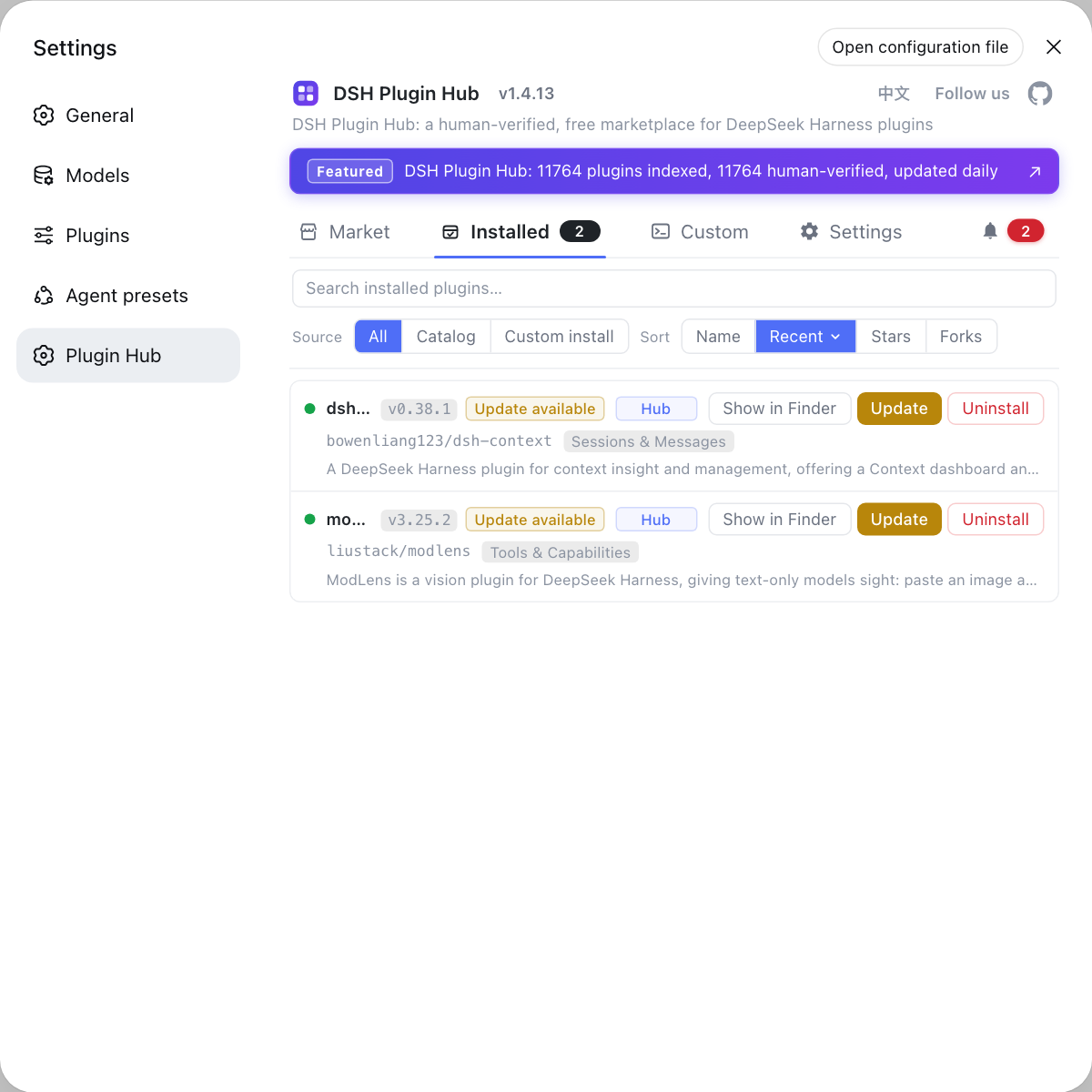
Troubleshooting system-level problems like these by eyeballing icacls output in a terminal gets tiring fast. If you'd rather manage plugin installs, updates, uninstalls, and logs in one place instead of typing commands everywhere, use a visual plugin marketplace such as DSH Plugin Hub: it collects plugin install/uninstall, update confirmation, system logs, and diagnostics in a single panel, so you spend fewer steps on environment problems.
Source: Discussion #7504, Discussion #7804, Discussion #7771, Discussion #8409, Discussion #8485, Discussion #7517, Discussion #7735.
FAQ
The sandbox was denied while writing the ACL grant on the workspace. Error code 5 is ERROR_ACCESS_DENIED, and the command itself never ran. The root cause is that grantWrite sets the DACL and the SACL's Low integrity label in a single SetNamedSecurityInfoW call, and writing the label requires WRITE_OWNER, which the current token neither has implicitly (it is not the owner) nor holds explicitly. The cheapest fix is to run, without elevation, icacls <workspace> /grant "%USERNAME%:(OI)(CI)(WO)"; roll back with /remove:g.
No, the drive is fine. The default ACL on non-system volumes does not satisfy the sandbox grant precondition. A newly created directory on a data drive inherits Authenticated Users: Modify plus Users: read-only, with no explicit ACE for the calling user, hence no WRITE_OWNER. Move the workspace under C:\Users\<you>\... or run icacls <workspace> /grant "%USERNAME%:(OI)(CI)(WO)" in place, then start a new session.
When the owner is not the calling user, even icacls /grant itself is denied for lack of WRITE_DAC, so you need one elevated operation. Elevated, run icacls <workspace> /grant "<your account>:(OI)(CI)F" (or /setowner to yourself first); after that sessions can grant normally. Note that /setowner does not hand you WRITE_OWNER, so you still need to add (WO).
That is an unavoidable side effect of an inheritable Low integrity label: every file in the directory is materialized as Low, and the shell inserts a publisher confirmation before launching a Low integrity program. Run icacls "<workspace>" /setintegritylevel "(OI)(CI)Medium" to restore the label, but the next time you open that workspace with workspace-write it will be stamped back to Low.
Older versions reproduce it: #7517 reports that on 0.1.5-rc.2 a confined process could create a junction inside the workspace pointing outside it and then delete out-of-workspace files through that junction. According to the user's re-test in that thread, starting with 0.1.7-alpha.1 junction creation inside the session is refused and the outside target is not deleted, but the fix is not officially confirmed, so test it yourself before relying on it. List leftover junctions with Get-ChildItem -Force -Attributes ReparsePoint -Recurse.
Related Terms
- WRITE_OWNER
- WRITE_OWNER is a Windows security-descriptor permission that lets the holder change an object's owner and its SACL (system access control list). The DSH sandbox must modify the SACL to write the Low integrity label, so WRITE_OWNER is required; the implicit rights of an object's owner are only READ_CONTROL and WRITE_DAC, and do not include it.— https://github.com/deepseek-ai/deepseek-harness/discussions/7804
- grantWrite
- grantWrite is the function in the DSH Windows ACL sandbox (@deepseek-ai/dsh-sandbox-windows-acl) that grants write access on the workspace directory. It uses a single SetNamedSecurityInfoW call to write the capability-SID allow ACE, the world delete-deny ACE, and the inheritable Low integrity label. If any step fails the whole call throws; the sandbox is fail-closed and never spawns a child process.— https://github.com/deepseek-ai/deepseek-harness/discussions/7504
- Low integrity label (Mandatory Integrity Label)
- A Low integrity label is a mandatory integrity level marker written into an object's SACL (SID S-1-16-4096), part of Windows Mandatory Integrity Control (MIC). A process marked Low cannot write to a Medium object (no-write-up); DSH uses it to confine the delete capability of confined child processes to granted directories. The side effect is that files also marked Low trigger an 'unknown publisher' confirmation when double-clicked in Explorer.— https://github.com/deepseek-ai/deepseek-harness/discussions/7735
- junction (directory junction)
- A junction is a Windows directory reparse point that makes one directory path point to another local directory; creating one requires no privilege (unlike a symbolic link, which needs SeCreateSymbolicLinkPrivilege). The DSH sandbox decides path boundaries by string prefix, so a junction can make a path that 'looks like' it is inside the workspace actually resolve outside it.— https://github.com/deepseek-ai/deepseek-harness/discussions/7517
Sources
- #7504 — Windows: workspace-write sandbox fails with SetNamedSecurityInfoW Win32 5 when the workspace directory DACL lacks WRITE_OWNER· deepseek-ai (GitHub Discussions)
- #7804 — Windows: ACL sandbox always fails to initialize when the workspace lives on a non-system drive (Win32 5 / grantWrite)· deepseek-ai (GitHub Discussions)
- #7771 — Windows: when the workspace directory owner is BUILTIN\Administrators, every command fails under workspace-write· deepseek-ai (GitHub Discussions)
- #8409 — Three Windows ACL sandbox grant defects: protected-DACL subdirectory / desktop root grant cache / standard user + non-system drive· deepseek-ai (GitHub Discussions)
- #8485 — DSH Windows ACL sandbox: two defects make workspace-write unusable· deepseek-ai (GitHub Discussions)
- #7517 — workspace-write sandbox defect: a confined process can delete files outside the workspace through a directory junction inside it· deepseek-ai (GitHub Discussions)
- #7735 — Windows: after the sandbox stamps the workspace root with a Low integrity label, double-clicking .bat/.cmd/.exe inside it shows 'unknown publisher'· deepseek-ai (GitHub Discussions)