DeepSeek Harness command failures: temp root and pipe stdio
On Windows, after you set DeepSeek Harness (DSH)'s file policy to workspace-write, if commands are not "wrong" but "never got to run" — echo fails, redirected output becomes a 0-byte file, the child exits directly with 0xC0000142, or the host suddenly stops responding entirely — the problem is almost certainly in the sandbox's ACL grant chain, not your command. That chain shatters into five shapes depending on which precondition is missing: the temp root falling inside the workspace reports Windows ACL temp root must be outside the workspace; the restricted token being unable to create an anonymous pipe turns output capture into silently lost data; a confined process starting a grandchild over pipe stdio reports spawn EPERM; an already-granted root missing one of the three-piece set triggers a full-tree ACL rewrite that welds the host event loop; and a workspace root on a UNC/9P virtual drive simply does not support ACL grants. This article splits the five by "error text → test → paste-ready command", and ends with a checklist that sweeps out the most common trip-ups in a confined session in one go.
DeepSeek Harness workspace-write command executor fails entirely: the temp root must be outside the workspace
In one line: the temp root the sandbox prepares for confined child processes must be a directory outside the workspace, and it defaults to the system TEMP; once your workspace wraps TEMP inside it, the sandbox's assertion fails while it assembles the runner arguments, the whole command executor stops, and the file tools keep working normally. The error shape is very direct:
Error: Windows ACL temp root must be outside the workspace: C:\Users
According to users' tests in the thread, this constraint comes from sandbox-windows-acl's path-boundary check, which runs in the first line of materializeAclGrant — that is, before any child process is spawned, so changing commands, shells or syntax is useless (#9175).
DeepSeek Harness: why "the workspace contains TEMP" is so easy to hit
Because the two most common workspace choices on Windows — the user home directory and a whole drive root — naturally wrap TEMP inside them. The check uses a containment relation via realpathSync.native, not a string prefix, so all of these workspaces hit it:
- Workspace =
C:\Users\<you>(TEMPisC:\Users\<you>\AppData\Local\Temp, which is contained); - Workspace =
C:\Users(the whole user directory tree); - Workspace =
C:\(the drive root, where nearly every temp directory lives); - Any configuration that points
TMP/TEMPinside the workspace.
The thread also gives an important next-layer hint: the rule itself is a deliberate capability isolation, not a defect; what genuinely could improve is the degradation mode and the actionability of the error — the current error only tells you "must be outside the workspace" without telling you which variable to change (#9175).
DeepSeek Harness: numbered handling to move the temp root out of the workspace
The fix is to point TMP / TEMP at a fixed directory outside the workspace, not to change the workspace. Steps:
- First confirm where the current temp root falls. In a non-confined PowerShell run:
[System.IO.Path]::GetTempPath()
#   -> e.g. C:\Users\<you>\AppData\Local\Temp\
- Test containment between that result and the workspace path. If the workspace is
C:\Users\<you>and the output falls under it, you hit this case. You can cross-check the workspace with the path shown under Settings → Workspace. - Create a temp directory explicitly outside the workspace and set it as the user-level
TMP/TEMP:
New-Item -ItemType Directory -Force D:\dsh-temp | Out-Null
setx TMP  "D:\dsh-temp"
setx TEMP "D:\dsh-temp"
- Fully exit DSH and reopen it (
setxonly affects new processes; a running host does not inherit it). - After reopening, run a minimal command under
workspace-writeto verify:
pwsh -Command "echo hi"
#   -> expected output hi, no more must be outside the workspace
- Roll back: just delete
TMP/TEMPback to the user default,setx TMP ""then restart the session.
One connected phenomenon worth remembering: when you set the workspace to a system-owned directory like
C:\Users, changingTMPonly moves it from "the temp root error" to "the next layer of ACL grant failure", because the owner and DACL ofC:\Usersand its sibling directories do not satisfygrantWrite's preconditions. For such workspaces, replace the workspace entirely rather than forcing a fix in place (#9175).
DSH plugin: the in-session temp directory dies with no self-heal
There is another "the command executor fails entirely" that is not caused by an environment variable, but by the sandbox caching a temp directory that no longer exists. The symptom is: the first few commands in a session are fine, then all commands (including read-only ones) fail, and only restarting DSH recovers it (#9322).
According to the community's line-by-line source review, the chain is:
- The sandbox builds a cache table for the temp capability within a session, and on a cache hit it returns directly, without a second check that "the directory still exists";
- So the stale path in the cache is handed to the runner unchanged;
- The runner does a required-ness check on the
--tempdirectory at startup, exits when the directory is not found, with exit code 127 and awindows-acl-run:prefix on stderr; - The cache table is only cleared on provider dispose, so there is no self-heal within the same session.
As for "why the directory disappears", the thread honestly marks it as unresolved — the code has no place that deletes this path, and the most likely cause is a process outside DSH (a cleanup tool, antivirus quarantine, a temp-directory cleanup policy) touching it (#9322).
Handling (ordered by cost, smallest first):
- Restart DSH — it rebuilds a new temp path and SID and recovers in one step;
- In an emergency, switch that session to
read-only(the read-only mode builds no writable root and does not depend on that temp capability); - Avoid long term: stagger the workspace and the system temp-directory cleanup policy so third-party cleaners do not scan the DSH session temp directory.
DeepSeek Harness: on a UNC / virtual-drive root the ACL sandbox is unsupported
When the workspace root is on a UNC or 9P/SMB virtual drive, workspace-write is not "misconfigured" but "this kind of root is unsupported". The symptom is that run_code / a PTC worker fails at startup reporting GetNamedSecurityInfoW failed (Win32 1), yet it is classified in the UI as worker-exit, so it looks like the worker crashed (#9315).
According to the reporter and the community's source review: the 9P redirector does not expose Windows security descriptors, so reading the current security information returns ERROR_INVALID_FUNCTION; and on Windows the sandbox has only a windows-acl backend, with no UNC branch. The ask here should be to classify the root as "sandbox not supported", rather than keep reporting worker-exit (#9315).
Handling steps:
- Confirm whether the workspace root is
\\wsl.localhost\...,\\wsl$\..., a network share or a cloud-drive mount; - Switch that session to
read-only; expect PTC to recover immediately (read-only does not read ACLs); - Or first map this network location to a drive letter in Explorer (
Z:\...), then rebuild the workspace with the drive-letter path; - If you do not want to touch either, use
danger-full-accessonly as a temporary measure; it is not recommended long term.
DSH plugin: CIM/WMI is entirely unavailable inside the confined sandbox
This last one does not error and only gives wrong values, so it is the easiest to misread as "the environment is fine but the data is wrong". Inside the restricted-token sandbox, Get-CimInstance and all CIM-derived commands are entirely unavailable, returning 0x80041003; worse, Get-PSDrive reports Used/Free as 0, and after adding -ErrorAction SilentlyContinue the denials even become empty results (#9272).
According to tests and source review in the thread: the restricted token lacks the identity that makes the root/cimv2 namespace's security check pass (Authenticated Users is not in the allow list for the two-pass check); the failure information goes out on the command's stderr rather than PowerShell's error stream, and some commands simply return silent default values — these silent, unreported denials and tool calls hanging forever are covered in DeepSeek Harness runner hang and silent sandbox denials.
Interpretation rule and substitute commands (replacements confirmed working by tests):
- First remember one interpretation rule: inside the sandbox, empty results and 0 values from CIM commands are not evidence — do not judge a full disk, a downed NIC or a nonexistent process from them.
- For network connections, use
netstat -anoinstead ofGet-NetTCPConnection. - For processes and services, use
Get-Process,Get-Serviceinstead ofGet-CimInstance Win32_Process/Win32_Service. - For disk capacity, use
[System.IO.DriveInfo]::GetDrives()instead ofGet-PSDrive's Used/Free. - For NICs and routes, use
ipconfig /all,netsh,route print,arp -a; for performance counters useGet-Counter; registry reads are unaffected.
DeepSeek Harness pipe stdio is denied: 0xC0000142, 0-byte files and spawn EPERM
In one line: under the restricted token, "attaching a pipe to a child process" is itself denied by Windows, so every pattern that must capture native command output fails — at best the output is silently dropped into a 0-byte file, at worst the child dies during loader init (0xC0000142), or libuv directly throws spawn EPERM. The nastiest part of this family is that the failure is disguised as another problem: the framework renders it as [sandbox: file access denied …], which points you in the wrong direction (#9857).
DSH plugin: triggered vs not, one single-variable comparison settles the class
The only variable in the test is whether the output is "captured". The comparison:
| Pattern | Pipes? | Expected result |
|---|---|---|
pwsh -Command "echo hi" printing straight out | No | Normal output |
pwsh -Command "echo hi" > out.txt | Yes (redirect) | out.txt is 0 bytes, or the child exits 0xC0000142 |
$x = pwsh -Command "echo hi" | Yes (assignment capture) | Same as above |
npm run build 2>&1 | tee log | Yes (merged stream + pipe) | spawn EPERM or silently lost |
| The tool writing its own output into the session log (no redirect) | No | Normal |
According to the reporter's A/B/C/D four-way comparison and the community's line-by-line source review: under the restricted/Low integrity token anonymous pipes cannot be created (AnonymousPipeServerStream is denied), while named pipes work normally — which is why PowerShell's own | pipes sometimes work, whereas .NET's ProcessStartInfo output capture always dies: the latter goes down another security-descriptor path that the merged ACE from setTokenDefaultDaclGrant cannot cover (#9857).
DeepSeek Harness: numbered troubleshooting to confirm a pipe problem
Compare first, then change the command. Three steps:
- Find a failing command, remove its output redirection, change it to print straight out, and rerun. If it is immediately normal → classify it as a pipe-capture problem.
- Then confirm the real exit code on failure. In the DSH session run
cmd /c "pwsh -Command \"echo hi\" > %TEMP%\o.txt & echo exit=%errorlevel%"; expect to seeexit=-1073741502(i.e.0xC0000142). - Inspect the redirected file:
Get-Item %TEMP%\o.txt | Select Length; a length of 0 is the "output silently dropped" cell.
DSH plugin: handling, three usable routes
- Preferred — do not capture output. Let the command write its result straight into the session log or a file inside the workspace and read it with the
readtool; do not do redirection and assignment capture in confined mode. - When running test/build-type commands, use
inheritorignorestdio, notpipe. Per the package's README cited by the community in the thread, this is a documented known boundary: under the restricted token the named-pipe client must request write access, and the restricting SID is not granted that permission; this step is decided by the Win32 default security descriptor template, and changing the token default DACL does not solve named pipes either (#9549). - When you need a full CI-type script run, put that step in the unconfined outer layer (for example run it in the host terminal); DSH only reads the artifacts.
One time-saving distinction along the way: some
spawn EPERMis the "confined process starting a grandchild over pipes" problem (this article's case), and some is "the sandbox runner itself did not start" — the latter is characterized by stderr carryingwindows-acl-run:and exit code 127. When you see that prefix, stop looking at the business command (#9549).
DeepSeek Harness full-tree ACL rewrite: the host stops responding, the process does not crash
In one line: when an already-granted root is missing any one item of the "three-piece set", the sandbox degrades to one eager SetNamedSecurityInfoW over the whole tree, and that call runs synchronously inside the host process — while the event loop is saturated, 127.0.0.1:3080 naturally does not respond and all sessions stop writing, yet the process does not crash and there is no error log. This is the only member of the family that "looks like a freeze" (#9818).
According to the community's source review, the test and the amplifier are:
- The idempotent short-circuit requires the same root to simultaneously have: the capability allow ACE, the
Everyone:(CI)(DENY)(DC)world delete-deny, and the Low integrity label; - Missing any one of them goes down the merged path
mergeAndApply, doing an eager propagation over the whole tree; - The call site is inside the host process and synchronous, with no yield to the event loop;
- The amplifier is upgrades: earlier versions only granted the capability ACE, while the world delete-deny and the Low label were introduced later, so upgrading users trigger one full-tree rewrite on the next provision.
The thread gives an order-of-magnitude reference: for a workspace the size of D:\projects, full-tree propagation was measured at about 4490 seconds (about 75 minutes), with the host unresponsive throughout (#9818).
DSH plugin: numbered handling and prevention
- First confirm whether it is this: while the interface is unresponsive, use
Get-Processto see whether the host process is still alive and whether one core is pegged; useicacls "<workspace>"to observe whether labels are being written in bulk. - Short-term recovery: wait for it to finish, or restart the host. Do not repeatedly click the UI to trigger new provisions during this time.
- Prevention — complete the three conditions first so the idempotent short-circuit hits: make sure the capability allow ACE, the world delete-deny and the Low label all exist on the root; complete whichever is missing, then hand the workspace to DSH. For the side effects of this Low label itself and how to revoke it, see DeepSeek Harness Low integrity label.
- Avoid making a single workspace too large; a large workspace is better split into several smaller workspaces connected separately.
- Version note: per the community's review,
0.2.0-rc.2and the following alpha have identical hashes for the two ACL packages, and the behavior is not yet fixed; "moving full-tree propagation off the event loop" is a core-side change, and the plugin layer can only observe it, not work around it (#9818).
DSH plugin troubleshooting notes
The five symptoms belong to the same family of "Windows ACL sandbox preconditions unmet", but trigger at different points; branching by error text is fastest, so don't start by editing ACLs. Nine points:
- Read the error text first:
must be outside the workspaceis the temp root location;windows-acl-run:+ exit 127 is a runner start failure;spawn EPERMis pipe stdio;0xC0000142is child loader initialization;Win32 1is an unsupported UNC root; onlyWin32 5is the classic ACL grant failure. - File tools work and only shell fails almost certainly means the problem is in sandbox initialization, not the command itself — file tools take another path (#9175).
TMP/TEMPis the only lever: after changing it you must fully exit DSH and reopen;setxdoes not affect an already-running host.- Do not use
C:\,C:\Usersor the user home directory as the workspace: these three break both the temp-root and the ACL-grant preconditions at once — asking for trouble. - Redirection and assignment capture are taboo: in confined mode, any captured output may become 0 bytes or directly trigger
0xC0000142. inherit/ignorestdio is a solution within the documented boundary, not a bypass of security controls — changing the token default DACL does not solve named pipes (#9549).- When the host is unresponsive, do not rush to restart: first check whether it is a full-tree rewrite; restarting midway through a 75-minute-scale pass makes the next provision start over.
- CIM results inside the sandbox are not trustworthy: treat empty values and 0 values as "denied" rather than "truly absent" (#9272).
- State the fix status honestly: as of around
0.2.0-rc.2, all five above still reproduce and are known boundaries; there are also community diagnostic plugins (such as@argszero/cordis-plugin-sandbox-grant-advisor) that can translate some denial signatures into actionable next steps, but they neither change ACLs for you nor elevate privileges.
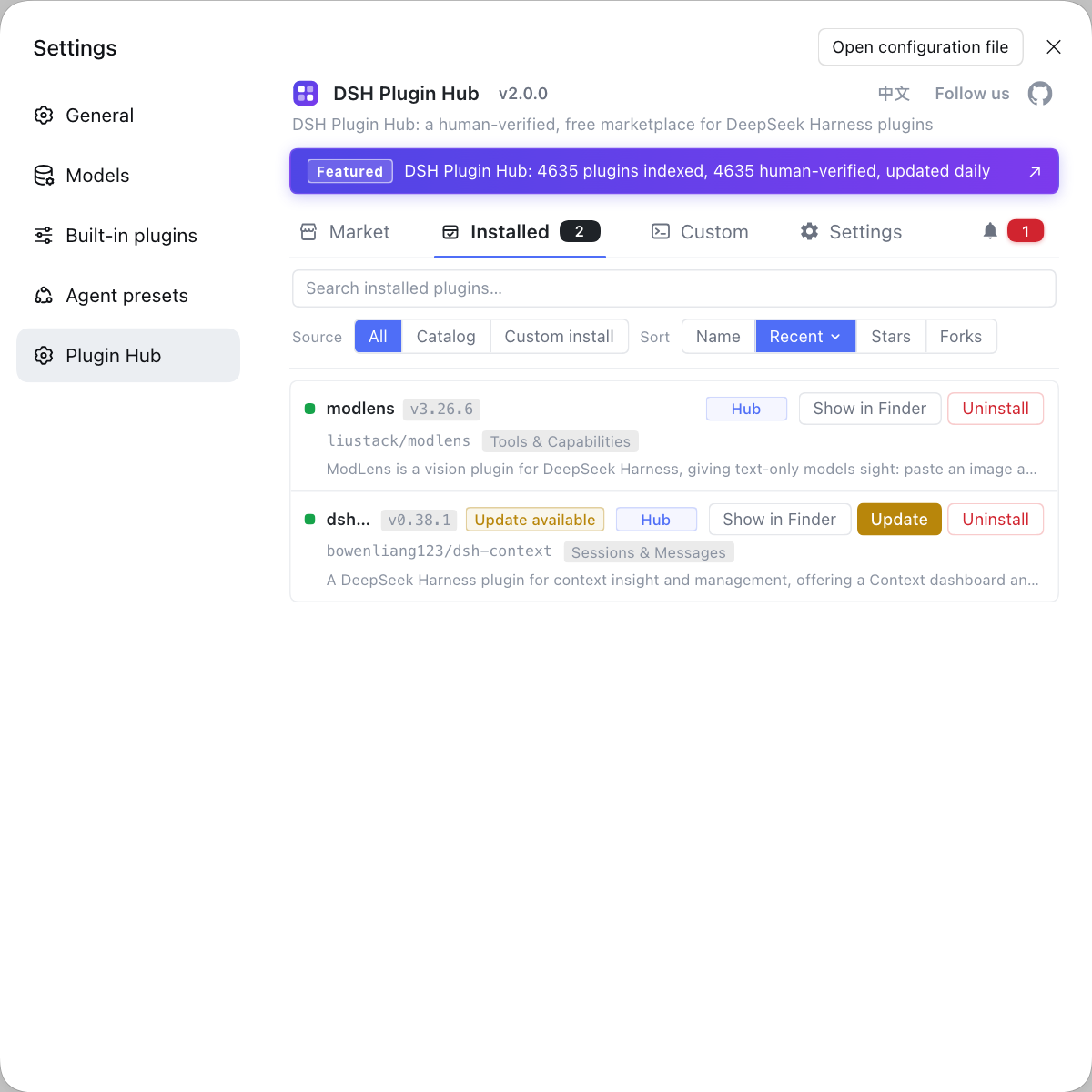
Troubleshooting system-level problems like these by eyeballing icacls output and process state in a terminal gets tiring fast. If you'd rather manage plugin installs, updates, uninstalls, and system logs in one place instead of typing commands everywhere, use a visual plugin marketplace such as DSH Plugin Hub: plugin install/uninstall, update confirmation, diagnostics, and logs are all in a single panel, so you spend fewer steps on environment problems.
Source: Discussion #9175, Discussion #9322, Discussion #9857, Discussion #9549, Discussion #9818, Discussion #9315, Discussion #9272.
FAQ
Under DeepSeek Harness workspace-write, the error Windows ACL temp root must be outside the workspace is the sandbox's capability isolation rule refusing, not your command. The temp root the sandbox prepares for confined child processes is taken from the system TEMP (os.tmpdir()), and when it assembles the runner arguments it asserts up front that the temp root must live outside the workspace. Once your workspace contains TEMP's directory (typically a workspace set to C:\Users), the assertion throws before any child process starts, so even echo test fails. The fix is to point TMP and TEMP outside the workspace, for example setx TMP D:\dsh-temp, then reopen the DSH session.
Under DeepSeek Harness workspace-write, redirecting command output to a file giving a 0-byte file or making the child exit with 0xC0000142 happens because anonymous pipe creation is denied under the restricted token. When Python's print is redirected via stdout, or you capture output with $x = pwsh -c ... / 2>&1 / >, Windows must build an anonymous pipe for the child, and the Low integrity restricted token lacks the permission to create it, so the child either fails to load (STATUS_DLL_INIT_FAILED, 0xC0000142) or the output is silently dropped and only a 0-byte file is left. The fastest workaround is to avoid capturing native command output in confined mode and let it go straight to the session log.
Under DeepSeek Harness workspace-write, npm test or vite reporting spawn EPERM is the named-pipe stdio restriction, a known sandbox boundary rather than an npm problem. When libuv starts a child for stdio: 'pipe' it must open a named pipe and request write access; the restricted token has no restricting SID granted, so the Windows default security descriptor denies that step and it throws spawn EPERM — the test body never even starts. The usable options are to run the tests in the unconfined outer layer, or make the child use stdio: 'inherit' / 'ignore'; note a single bad command is never silent, it always carries a windows-acl-run: prefix on stderr.
After enabling DeepSeek Harness workspace-write, a Windows host hanging on 127.0.0.1:3080 with no session writes and no error most likely means a full-tree ACL rewrite. When an already-granted root is missing any one of the three-piece set (the capability allow ACE, the world delete-deny ACE, the Low integrity label), the sandbox degrades to one eager SetNamedSecurityInfoW pass over the whole tree, and that step runs synchronously in the host process, so while the event loop is saturated the HTTP service naturally does not respond. A workspace the size of D:\projects was measured at about 75 minutes for full-tree propagation. Recovery is to let it finish or restart the host; the long-term fix is to complete the three preconditions on the workspace root first so the idempotent short-circuit hits.
With a UNC workspace root, DeepSeek Harness run_code reporting GetNamedSecurityInfoW failed (Win32 1) means this kind of root does not support the Windows ACL sandbox — the root not meeting a precondition, not a fixable defect. The 9P/SMB redirector does not expose Windows security descriptors, so reading the current security information returns ERROR_INVALID_FUNCTION, and on Windows the sandbox has only a windows-acl backend with no UNC branch. There are two workarounds: switch that session to read-only (read-only does not read ACLs), or switch to a drive-letter path (map the network location to a drive letter in Explorer first).
Related Terms
- workspace-write
- workspace-write is a file policy of the DeepSeek Harness sandbox that lets ordinary tool processes write only the workspace (plus explicitly granted paths) and refuses writes outside it. On Windows it is implemented by @deepseek-ai/dsh-sandbox-windows-acl using a restricted token plus ACL grants, so when the grant itself fails it shows up as an error before the command ever runs.— https://github.com/deepseek-ai/deepseek-harness/discussions/9175
- restricted token
- A restricted token is an access token created on Windows via CreateRestrictedToken that carries a list of restricting SIDs; during access checks the kernel requires an object's ACL to satisfy both the normal groups and the restricting list, and either failing check denies access. DeepSeek Harness uses it on Windows to compress a child process's write ability down to the workspace.— https://github.com/deepseek-ai/deepseek-harness/discussions/9549
- SetNamedSecurityInfoW
- SetNamedSecurityInfoW is the Windows API that sets an object's security descriptor by name and can change the DACL, SACL and owner in a single call. DSH's grantWrite uses it to write the capability-SID allow ACE, the world delete-deny ACE and the Low integrity label at once, so if any precondition is unmet (such as a missing WRITE_OWNER) the whole call returns ERROR_ACCESS_DENIED.— https://github.com/deepseek-ai/deepseek-harness/discussions/9818
- STATUS_DLL_INIT_FAILED (0xC0000142)
- STATUS_DLL_INIT_FAILED is the Windows NTSTATUS exit code 0xC0000142, meaning the process failed during loader initialization, usually because it was not granted the ability to create a console or a required kernel object, so it never even reaches main. When DeepSeek Harness hits it inside the confined sandbox, it is usually tied to a denied anonymous pipe creation or a missing inheritable console.— https://github.com/deepseek-ai/deepseek-harness/discussions/9857
Sources
- #9175 — Windows: workspace-write's command executor fails entirely when the workspace contains TEMP· deepseek-ai (GitHub Discussions)
- #9322 — Windows sandbox: after the temp directory disappears, every command in the same session keeps failing· deepseek-ai (GitHub Discussions)
- #9857 — Windows: workspace-write sandbox capturing native command output makes the child exit 0xC0000142 and the output is silently lost· deepseek-ai (GitHub Discussions)
- #9549 — Windows ACL sandbox: pipe stdio spawn of a grandchild process reports spawn EPERM· deepseek-ai (GitHub Discussions)
- #9818 — Windows ACL rewrites the ACL of a large workspace tree, welding the host event loop· deepseek-ai (GitHub Discussions)
- #9315 — Windows ACL sandbox fails GetNamedSecurityInfoW on a UNC/9P workspace root· deepseek-ai (GitHub Discussions)
- #9272 — CIM/WMI is entirely unavailable inside the Windows restricted-token sandbox· deepseek-ai (GitHub Discussions)